
Problem/Justification
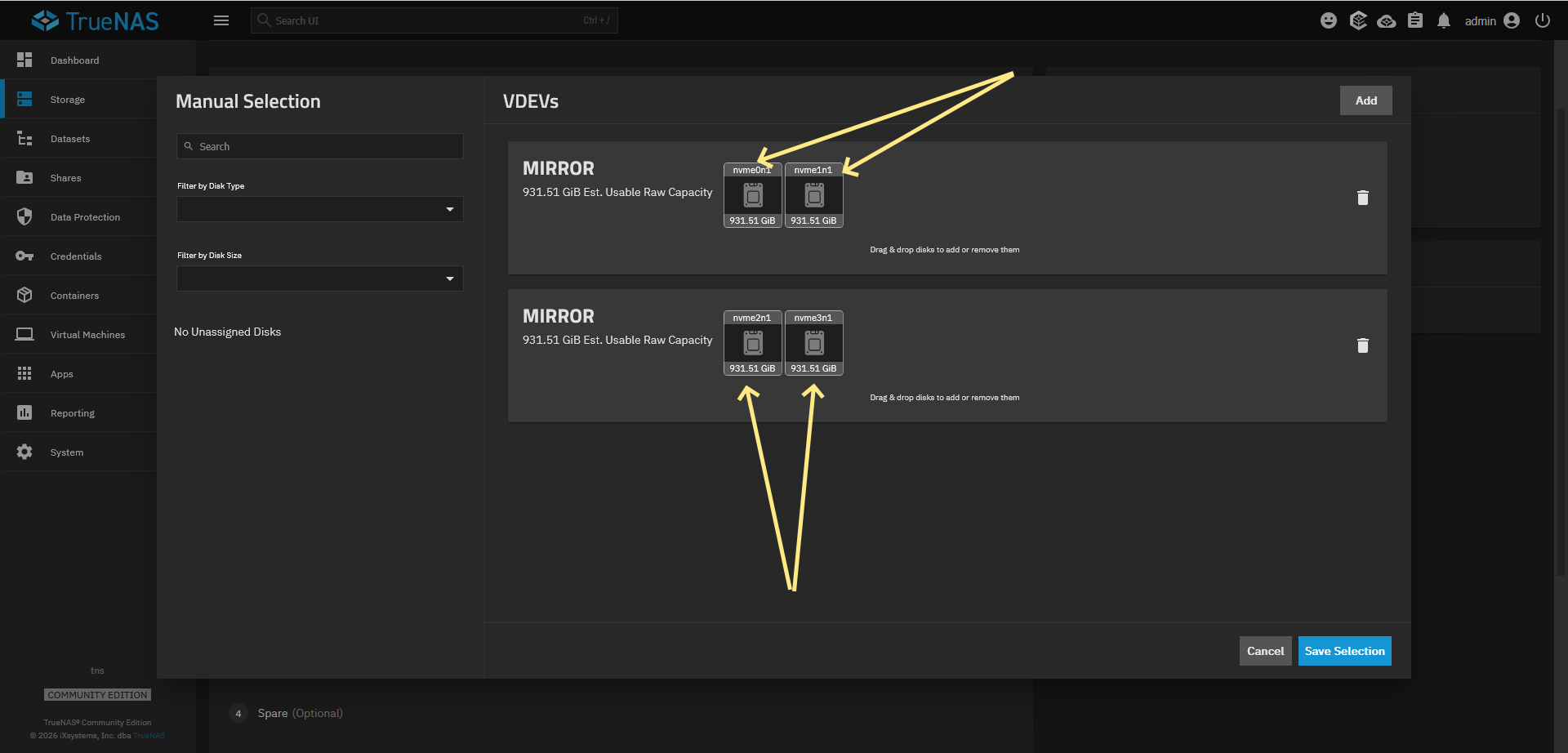
Add drive serial on the drives in the VDEV builder
Impact
When I built my VDEVs I used NVMe drives which were on a single PCI card inside my computer of which I had a photograph of them, in the PCI card showing their serial so I know what “port” they are in which is standard practice.
The issue is that when I used the VDEV builder I could not see which drives I was adding by serial. I had to do another step to get the drive name (eg nvme2n1) against drive serial number, i went to Storage --> Disks where the drive name (eg nvme2n1) is shown against the serial. Why should i be using a pen and paper in 2026 
I want disk 1+2 in the first Mirror and then 3+4 in the second mirror to make things neat and easier to manage if I need to swap out a disk.
Also before people get mad, I do have all of my drive serials and information in an excel spreadsheet. This improvement is one of those nice things that makes the experience easier.
User Story
n/a