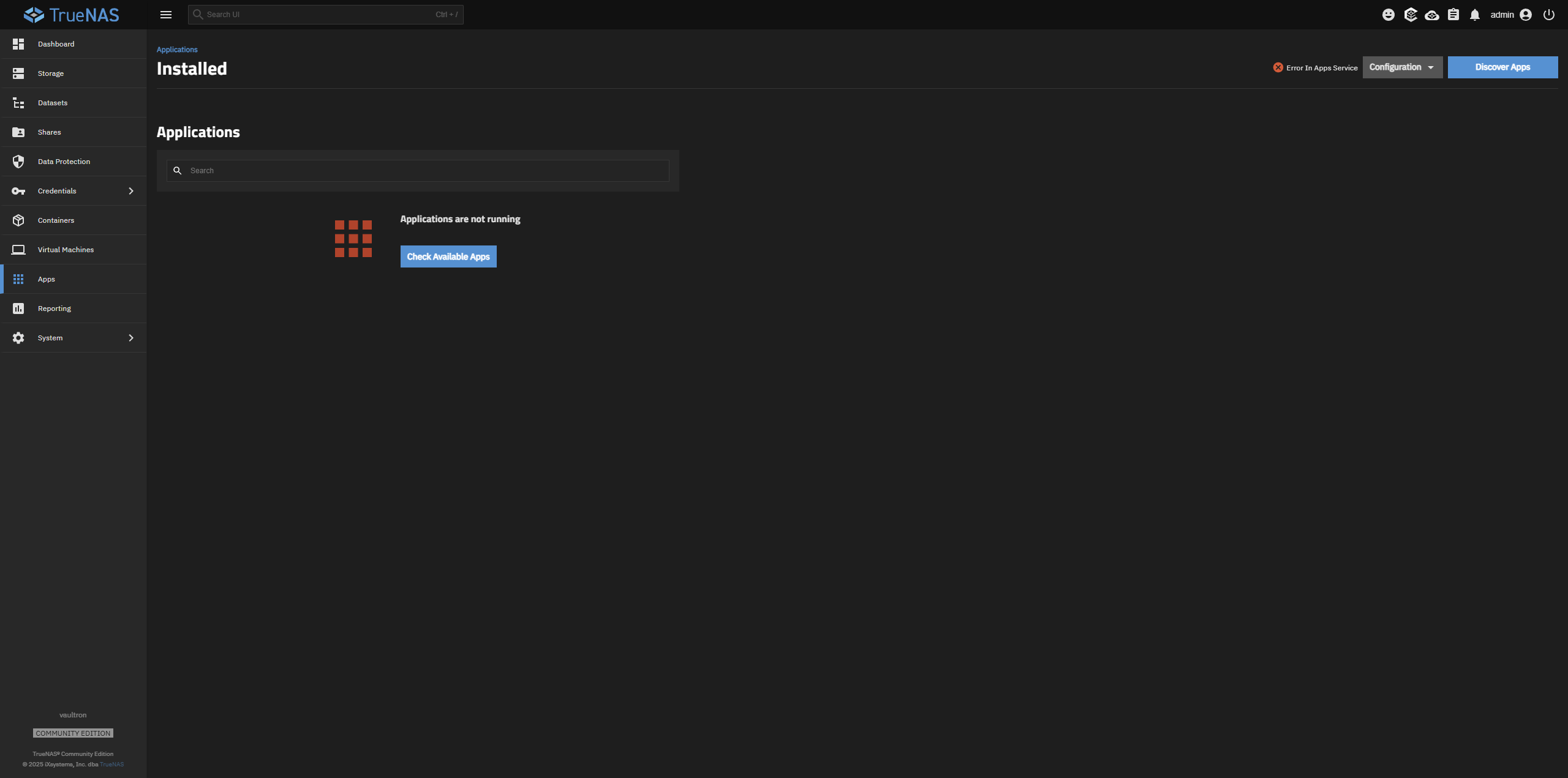
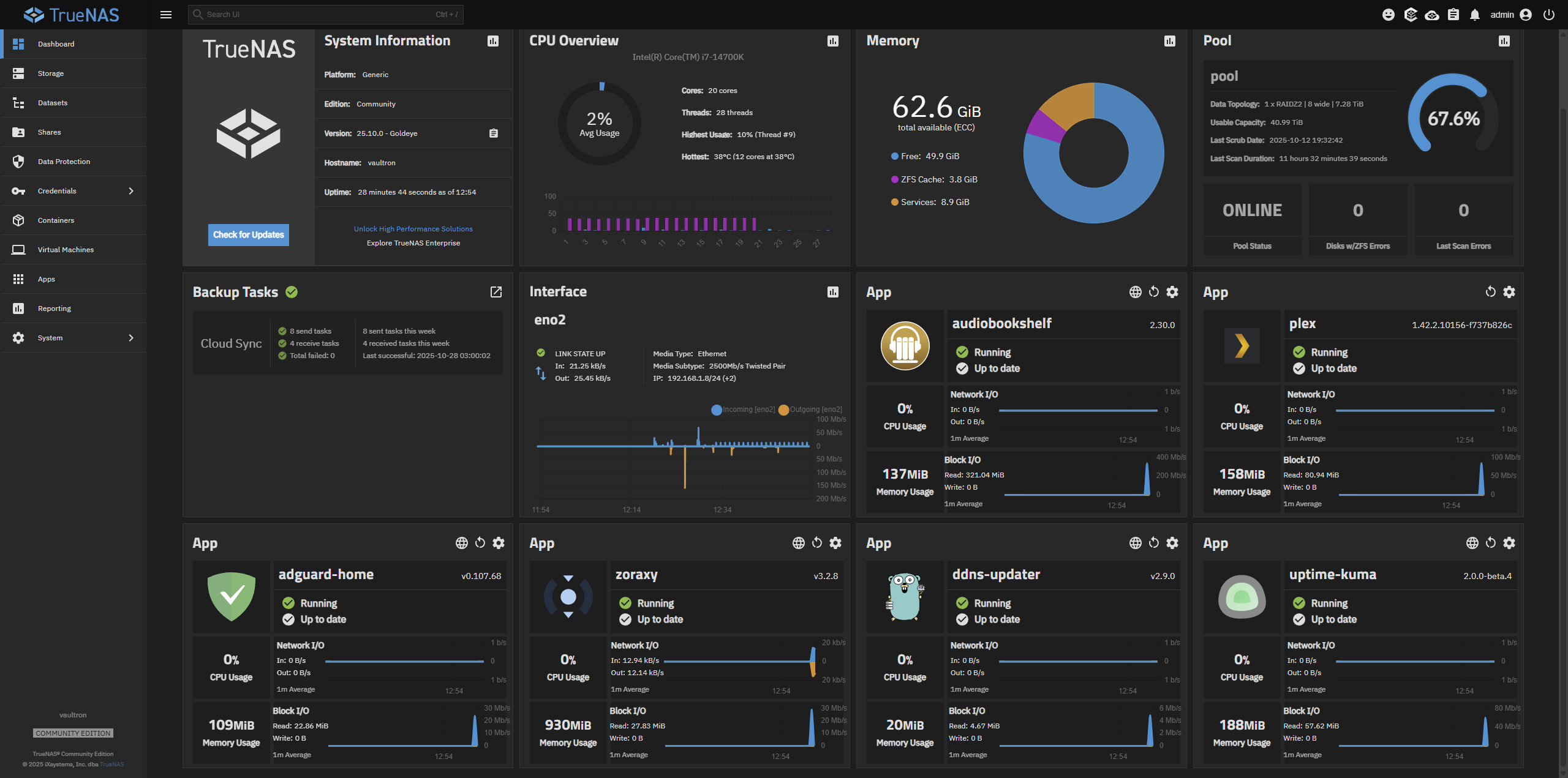
I performed the 25.04 to 25.10 upgrade today, and ran into a issue. I should note that I have a 1080 video card which I upgraded to a 5060 card as part of the upgrade process, so this may play a factor. Here are my steps per my memory.
Under 25.04, I disabled the GPU integration for the Apps ConvertX, Immich, and Plex.
I performed the upgrade to 25.10.
The Apps crashed. I went into the configuration and disabled the nVidia drivers. This placed all of the Apps in a crashed state. I was able to restart the Apps.
I shut down my server, pulled out my 1080 video card, and put in my 5060 video card.
I restarted TrueNAS, and got the following error message:
Critical
It should be noted that my actual Docker apps did start up, but are running a bit slow.
And, there are no Nvidia drivers listed:
1 Like
Running sudo systemctl status docker provides the following:
● docker.service - Docker Application Container Engine
     Loaded: loaded (/lib/systemd/system/docker.service; disabled; preset: disabled)
    Drop-In: /etc/systemd/system/docker.service.d
             └─override.conf
     Active: active (running) since Tue 2025-10-28 13:03:19 CDT; 7min ago
TriggeredBy: ● docker.socket
       Docs: https://docs.docker.com
    Process: 146151 ExecStartPost=/bin/sh -c iptables -P FORWARD ACCEPT && ip6tables -P FORWARD ACCEPT (code=exited, status=0/SUCCESS)
   Main PID: 137673 (dockerd)
      Tasks: 211
     Memory: 182.6M
        CPU: 50.052s
     CGroup: /system.slice/docker.service
             ├─137673 /usr/bin/dockerd -H fd:// --containerd=/run/containerd/containerd.sock
             ├─140832 /usr/bin/docker-proxy -proto tcp -host-ip 192.168.1.2 -host-port 30090 -container-ip 172.16.18.2 -container-port 8080 -use-listen-fd
             ├─140839 /usr/bin/docker-proxy -proto tcp -host-ip 192.168.1.2 -host-port 30091 -container-ip 172.16.18.2 -container-port 8443 -use-listen-fd
             ├─140969 /usr/bin/docker-proxy -proto tcp -host-ip 192.168.1.2 -host-port 30024 -container-ip 172.16.5.2 -container-port 30024 -use-listen-fd
             ├─140976 /usr/bin/docker-proxy -proto tcp -host-ip 192.168.1.2 -host-port 51413 -container-ip 172.16.5.2 -container-port 51413 -use-listen-fd
             ├─140983 /usr/bin/docker-proxy -proto udp -host-ip 192.168.1.2 -host-port 51413 -container-ip 172.16.5.2 -container-port 51413 -use-listen-fd
             ├─141206 /usr/bin/docker-proxy -proto tcp -host-ip 192.168.1.2 -host-port 30041 -container-ip 172.16.16.3 -container-port 30041 -use-listen-fd
             ├─141272 /usr/bin/docker-proxy -proto tcp -host-ip 192.168.1.2 -host-port 30083 -container-ip 172.16.4.3 -container-port 30083 -use-listen-fd
             ├─141400 /usr/bin/docker-proxy -proto tcp -host-ip 192.168.1.2 -host-port 30345 -container-ip 172.16.12.2 -container-port 8080 -use-listen-fd
             ├─141728 /usr/bin/docker-proxy -proto tcp -host-ip 192.168.1.2 -host-port 30176 -container-ip 172.16.10.2 -container-port 80 -use-listen-fd
             ├─142095 /usr/bin/docker-proxy -proto tcp -host-ip 192.168.1.2 -host-port 3000 -container-ip 172.16.20.2 -container-port 3000 -use-listen-fd
             ├─142125 /usr/bin/docker-proxy -proto tcp -host-ip 192.168.1.2 -host-port 30106 -container-ip 172.16.6.3 -container-port 30106 -use-listen-fd
             ├─142171 /usr/bin/docker-proxy -proto tcp -host-ip 192.168.1.2 -host-port 10189 -container-ip 172.16.13.2 -container-port 5000 -use-listen-fd
             ├─142374 /usr/bin/docker-proxy -proto tcp -host-ip 192.168.1.2 -host-port 30063 -container-ip 172.16.17.2 -container-port 80 -use-listen-fd
             ├─142487 /usr/bin/docker-proxy -proto tcp -host-ip 192.168.1.8 -host-port 443 -container-ip 172.16.15.2 -container-port 443 -use-listen-fd
             ├─142499 /usr/bin/docker-proxy -proto tcp -host-ip 192.168.1.8 -host-port 5487 -container-ip 172.16.15.2 -container-port 5487 -use-listen-fd
             ├─142510 /usr/bin/docker-proxy -proto tcp -host-ip 192.168.1.2 -host-port 30254 -container-ip 172.16.15.2 -container-port 30254 -use-listen-fd
             ├─142775 /usr/bin/docker-proxy -proto tcp -host-ip 192.168.1.2 -host-port 30164 -container-ip 172.16.8.2 -container-port 30164 -use-listen-fd
             ├─143029 /usr/bin/docker-proxy -proto tcp -host-ip 192.168.1.2 -host-port 30159 -container-ip 172.16.14.2 -container-port 30159 -use-listen-fd
             ├─143315 /usr/bin/docker-proxy -proto tcp -host-ip 192.168.1.2 -host-port 30140 -container-ip 172.16.11.5 -container-port 30140 -use-listen-fd
             └─143321 /usr/bin/docker-proxy -proto tcp -host-ip 192.168.1.2 -host-port 30141 -container-ip 172.16.11.5 -container-port 30141 -use-listen-fd

Oct 28 13:03:09 vaultron dockerd[137673]: time="2025-10-28T13:03:09.283067159-05:00" level=info msg="Skipping check for route to send NA, EMSGSIZE" eid=14cf0d0c882f793123e4704b2c238036a840cf11dba874aad66ce102b32de3e3 ep=ix-zipline-postgres-1 net=ix-zipline_default nid=85d45737fef2ef7920c4e306c861f149189546496e77462d5a7fd9a41d243285
Oct 28 13:03:09 vaultron dockerd[137673]: time="2025-10-28T13:03:09.535040414-05:00" level=info msg="Skipping check for route to send NA, EMSGSIZE" eid=a60725bd8dd70a984fa75aec2327216580d6f0c42d1889bcc421e355b33293af ep=ix-immich-machine-learning-1 net=ix-immich_default nid=b2eaa16dc41200e62133a65a54118f9c4b703ef58a8b27aca3194f82fc390274
Oct 28 13:03:09 vaultron dockerd[137673]: time="2025-10-28T13:03:09.925752050-05:00" level=info msg="Skipping check for route to send NA, EMSGSIZE" eid=f39f0e24d8921ee9439fee4fa84a41e2be8c556c2caf778976a5036247a4d8b6 ep=ix-authentik-authentik-server-1 net=ix-authentik_default nid=399e5924671e2d88f3b275770a531ae23ae9bcfab530f5723305bb97274f2e7b
Oct 28 13:03:12 vaultron dockerd[137673]: time="2025-10-28T13:03:12.669208990-05:00" level=info msg="Loading containers: done."
Oct 28 13:03:12 vaultron dockerd[137673]: time="2025-10-28T13:03:12.715478907-05:00" level=info msg="Docker daemon" commit=5beb93d containerd-snapshotter=false storage-driver=overlay2 version=28.3.1
Oct 28 13:03:12 vaultron dockerd[137673]: time="2025-10-28T13:03:12.715562416-05:00" level=info msg="Initializing buildkit"
Oct 28 13:03:19 vaultron dockerd[137673]: time="2025-10-28T13:03:19.897045326-05:00" level=info msg="Completed buildkit initialization"
Oct 28 13:03:19 vaultron dockerd[137673]: time="2025-10-28T13:03:19.899451129-05:00" level=info msg="Daemon has completed initialization"
Oct 28 13:03:19 vaultron dockerd[137673]: time="2025-10-28T13:03:19.899476827-05:00" level=info msg="API listen on /run/docker.sock"
Oct 28 13:03:19 vaultron systemd[1]: Started docker.service - Docker Application Container Engine.
I have removed the 5060 video card, and am still facing the same issue.
Which logs and configs should I be looking at?
AdenMGB
October 29, 2025, 12:06am
4
@MarkHoltz , I too faced a similar issue but for me I found a quick fix:
Navigating to the apps page in the TrueNAS WebUI
Clicking the configuration drop down in the top right
Choosing “Unset Pool
Repeating the process but this time setting the pool instead of unsetting
Once done all my apps showed up again all stopped, I multi selected them and chose “Start all selected” and it worked like a charm. Side note is that they started like immediately so based on your logs plus my findings I believe they were running in the background although the UI wasn’t detecting them.
Hopefully this works for you, if not good luck finding the fix.
3 Likes
@AdenMGB … yes, that did the trick. Thank you. Flagging as solution. I’ll try my video card next.
I just encountered the same bug.
1 Like
I seem to be experiencing the same issue upon reboot as well. Has a defect been filed with TrueNAS’s Jira?
1 Like
I don’t see one in TrueNAS Jira.
There have been quite a few made for this issue.
Please make your own, as your debug logs might be similar but provide extra insight to the problem.
Hmm something strange just happened
In Apps → Configuration → Settings I have disabled IPv6 Address pool for my Apps .
This revealed my apps without any other interaction. I haven’t rested my TrueNAS to check is the solution is permanent.
My last solution is not permanent. Just reboot the server and Apps are gone again.
There is bug in the TrueNAS jira for this already.
moebis
October 31, 2025, 7:53pm
13
Can’t upgrade apps, it just stopped and then throws this error “ [EFAULT] Failed to render compose templates: Traceback (most recent call last): File “/usr/bin/apps_render_app” …blah blah…. this is hilarious, after a full month of RC and prior betas, you would think something so fundamental wouldn’t break. but nope. Docker is borked on the final release. Come on TrueNAS, this is just crazy.
1 Like
strelok
November 3, 2025, 9:01pm
14
Thank you so much - it worked! My erros was:
Nov 03 12:46:24 BlackBox9 dockerd[6006]: time=“2025-11-03T12:46:24.387295515-08:00” level=error msg=“failed to start container” container=6ed4396609bbb083baa5e2c0caa433634f24872a0bda656701cfb1bf0b9973ce error=“unknown or invalid runtime name: nvidia” Nov 03 12:46:24 BlackBox9 dockerd[6006]: time=“2025-11-03T12:46:24.409818582-08:00” level=error msg=“failed to start container” container=9af6a17e68a7f352d3cfeee9092f23cf893450ad1e9d84d0f2fb5d597d28e7c3 error=“unknown or invalid runtime name: nvidia” Nov 03 12:46:24 BlackBox9 dockerd[6006]: time=“2025-11-03T12:46:24.432158081-08:00” level=error msg=“failed to start container” container=9cfaa63c5570a96bb7d7e65351a95614f1f224fa15437af99bd77b119df234da error=“unknown or invalid runtime name: nvidia” Nov 03 12:46:24 BlackBox9 dockerd[6006]: time=“2025-11-03T12:46:24.454354316-08:00” level=error msg=“failed to start container” container=459d4a6c01c5acb863ed0063574eabb3162fd5dfb9b8e573f8127b699a59b3f2 error=“unknown or invalid runtime name: nvidia” Nov 03 12:46:24 BlackBox9 dockerd[6006]: time=“2025-11-03T12:46:24.454508960-08:00” level=info msg=“Loading containers: done.” Nov 03 12:46:24 BlackBox9 dockerd[6006]: time=“2025-11-03T12:46:24.499558772-08:00” level=info msg=“Docker daemon” commit=5beb93d containerd-snapshotter=false storage-driver=overlay2 version=28.3.1 Nov 03 12:46:24 BlackBox9 dockerd[6006]: time=“2025-11-03T12:46:24.500501354-08:00” level=info msg=“Initializing buildkit” Nov 03 12:46:26 BlackBox9 dockerd[6006]: time=“2025-11-03T12:46:26.730791791-08:00” level=info msg=“Completed buildkit initialization” Nov 03 12:46:26 BlackBox9 dockerd[6006]: time=“2025-11-03T12:46:26.736933920-08:00” level=info msg=“Daemon has completed initialization” Nov 03 12:46:26 BlackBox9 dockerd[6006]: time=“2025-11-03T12:46:26.736970770-08:00” level=info msg=“API listen on /run/docker.sock”