Update: Parts arrived, Chassis selection, Fan logic & Script modification for Proxmox and seeking for more help 
Hi @Stux, @etorix, @papablo and everyone else!
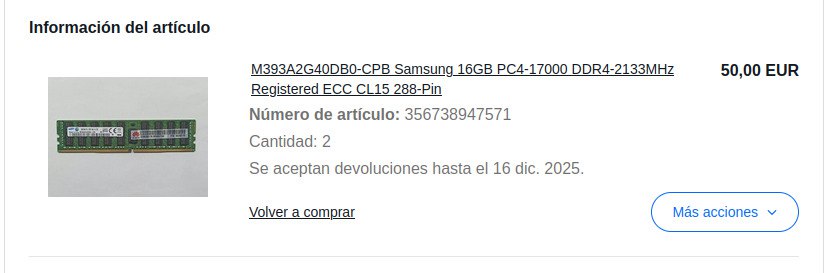
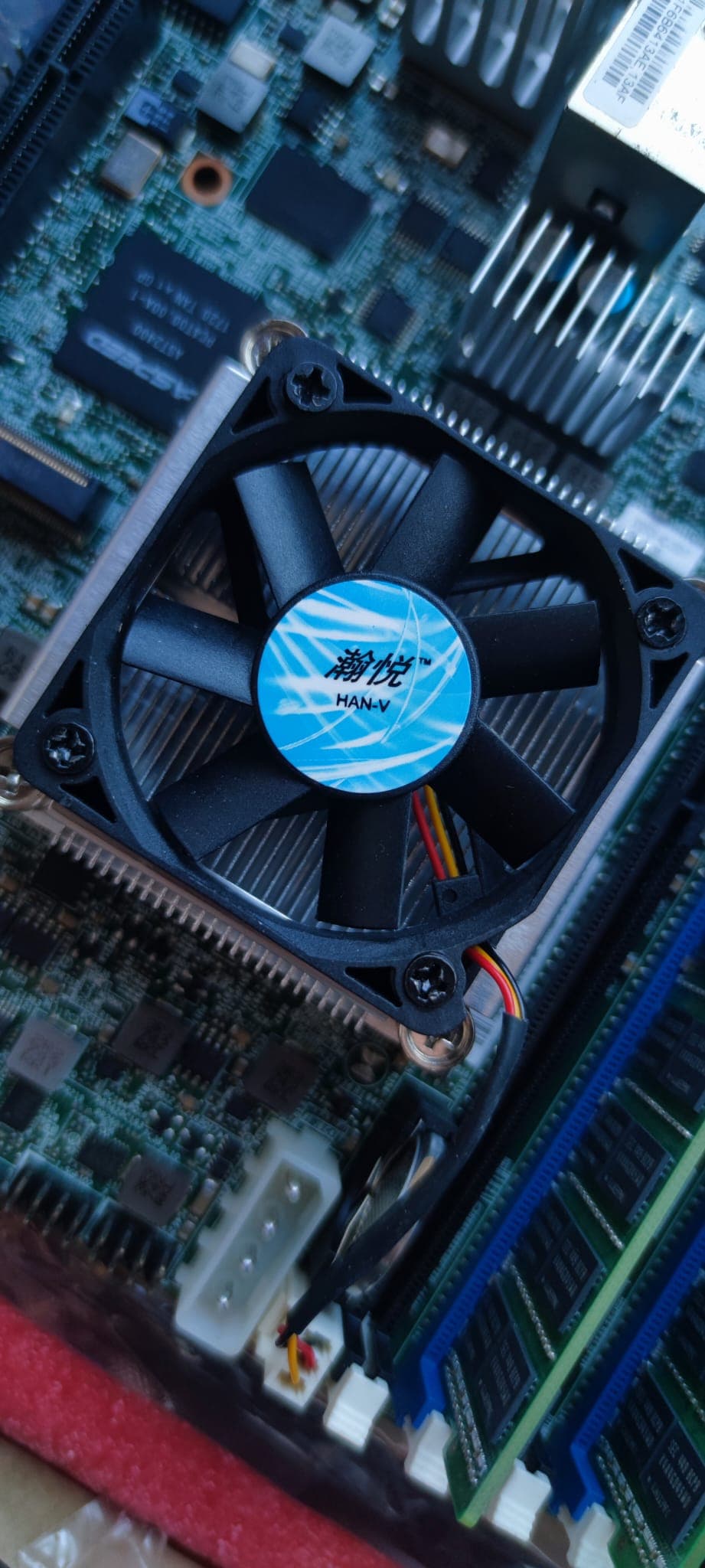
It’s been a while since my last reply, but I wanted to give you an update. I’ve finally received the motherboard and RAM! First boot and everything was ok but the fan on the motherboard wasn’t original and it’s not PWM.
However, I’m at a point where I need to make some final decisions on the chassis, cooling, and software configuration. I admit I have a bit of a “mental block” right now organizing all this, so I would really appreciate your expert eyes on my plan.
1. The Chassis & PSU (Going SFF)
@papablo: Muchas gracias por la recomendación del HP ML350 Gen10 y el Beelink. Les eché un ojo y son máquinas increíbles, pero honestamente, el HP se me hace “mucha bestia” para empezar y meterlo en el salón (me matan en casa por el tamaño/ruido  ). Y sobre el Beelink, prefiero la ruta del DIY con la Supermicro para aprender “the hard way” con IPMI y hardware de servidor real. ¡Un saludo de vuelta desde Madrid!
For now, I’m sticking to a smaller footprint. I really like the aesthetics of this specific NAS chassis I found on AliExpress: Innovision 6 bay nas
It’s not ATX, so I need to buy a Flex ATX PSU. I’m looking for something between 180W-220W that is efficient and, crucially, quiet.
- Does anyone have a recommendation for a reliable Flex ATX PSU available in EU that doesn’t sound like a jet engine?
- Also, I need to buy the two rear chassis fans (extraction). Any recommendations for specific models (80mm?) that work well?
2. CPU Fan Problem: Need PWM Replacement (Urgent!)
So here’s the issue: the CPU fan that came with the motherboard is NOT a PWM fan (only 2 or 3 wires). This is a dealbreaker for hybrid_fan_control since the script needs a 4-pin PWM fan to properly control the fan speed via the BMC.

I need to replace it with a 50mm x 50mm x 10mm PWM fan. I’ve found two options on AliExpress that seem compatible:
| Feature |
Delta EFB0512HHA |
Sunon MF50101V1-Q030-S99 |
| PWM Control |
4-pin |
4-pin |
| Size |
50×50×10mm |
50×50×10mm |
| Voltage |
DC 12V |
DC 12V |
| Max RPM |
6500 RPM |
6000 RPM |
| Airflow |
13.57 CFM |
~13.5 CFM |
| Static Pressure |
0.232 inH₂O |
~0.17 inH₂O |
| Noise Level |
35 dBA |
~28-30 dBA |
| Bearing |
Double Ball |
MagLev |
| Power |
1.80W (0.15A) |
1.50W |
| Cable Length |
Variable |
7cm |
| Link |
AliExpress |
AliExpress |
My question: Which one would you recommend for this use case? The Sunon seems quieter and has MagLev bearing, but the Delta has better static pressure. The Sunon costs about €6 more. Is the MagLev technology worth it for a 24/7 NAS, or should I just go with the Delta?
Also, would the lower static pressure on the Sunon be a problem for the X10SDV’s CPU cooler?
3. Architecture, Cooling & Code Logic (Questions for @Stux & @etorix)
This is the core of my build. My goal is to run Proxmox as the host on a 1TB NVMe and virtualize TrueNAS (passing through the SATA controller). I will run Jellyfin (with an Intel Arc A310 Eco) and other apps in LXC containers to use the NVMe speed.
The Fan Layout
I read your detailed Node 304 Build Report (great work!). I noticed that you connected your CPU fan to FAN4 (Zone 1) and your case fans to Zone 0 because you had 3 case fans.
In my case, I only have 2 rear fans and 1 CPU fan. My plan is:
- CPU Fan:
FAN1 (Zone 0) - Standard behavior.
- Rear Fan 1:
FAN2 (Zone 0) - Syncs with CPU temp.
- Rear Fan 2:
FAN4 (Zone 1) - Syncs with HDD temp (and overrides for CPU help).
Reasoning: This splits the exhaust duty. One fan reacts to CPU, the other to HDDs, and both run if the CPU gets critical (via script override).
Question: Do you agree with this layout for a small “Wind Tunnel” chassis, or should I invert the zones like you did?
The Proposed Code Changes (SSH for VMs)
@Stux, since I am running Proxmox, the host script cannot read disk temps locally. I plan to use SSH Public Key Authentication (Ed25519) to fetch temps from the TrueNAS VM.
Implementation Plan:
- Generate Ed25519 keys on Proxmox Host:
ssh-keygen -t ed25519
- Copy public key to TrueNAS VM:
ssh-copy-id -i ~/.ssh/id_ed25519.pub root@TRUENAS_IP
- Modify the script to use this connection.
Could you please take a quick look at these changes? This is what I plan to inject into your script:
# --- 1. CONFIGURATION CHANGES ---

# Hardware Mapping for X10SDV-4C-TLN2F (Mini-ITX)
# FAN4 acts as the Peripheral Zone (Zone 1) on this board
$cpu_fan_header = "FAN1";
$hd_fan_header = "FAN4";

# Wind Tunnel Logic
# Since all fans exhaust the same chamber, I need the HD fan to help the CPU
$hd_fans_cool_cpu = 1;

# Thresholds for Xeon D-1521 (45W TDP)
$high_cpu_temp = 68;
$med_cpu_temp = 55;
$low_cpu_temp = 45;
# If CPU hits 60C, trigger the Rear Fan 2 (FAN4/Zone 1) to help exhaust heat
$cpu_hd_override_temp = 60;

# --- 2. SUBROUTINE MODIFICATION (SSH) ---
# Replaces the original get_hd_temp to work with Proxmox Host -> TrueNAS VM

sub get_hd_temp
{
    my $max_temp = 0;

    # List of disks inside the TrueNAS VM (e.g. da0, da1...)
    my @vm_disks = ("da0", "da1", "da2", "da3", "da4", "da5");

    # IP of the TrueNAS VM (Static IP)
    my $nas_ip = "192.168.1.XX";

    # SSH Command
    # Pre-requisite: SSH keys must be exchanged (ssh-copy-id) for passwordless login
    foreach my $disk (@vm_disks)
    {
        # We run smartctl inside the VM via SSH and grep the output
        # Using -o ConnectTimeout to avoid hanging if VM is down
        my $command = "ssh -o ConnectTimeout=2 -o StrictHostKeyChecking=no root\@$nas_ip \"smartctl -A /dev/$disk\" | grep Temperature_Celsius";

        my $output = `$command`;

        # Standard parsing from your original script
        my @vals = split(" ", $output);
        my $temp = "$vals[9]";
        chomp $temp;

        if( $temp && $temp > 0 && $temp < 100 )
        {
            $max_temp = $temp if $temp > $max_temp;
        }
    }
    dprint(0, "Maximum HD Temperature (via SSH): $max_temp\n");
    return $max_temp;
}
Does this logic look correct to you? Specifically the variables and the SSH implementation?
4. UPS (SAI) Selection
I need a basic UPS to shut down everything safely during a power outage. I plan to set up NUT/Zabbix in the future, so Linux compatibility via USB is a must. Based on my load (~180W max), I need something simple that gives me at least 5-10 minutes of runtime. Here is the list of candidates I found but what is the most appropriate one for my task? You can suggest other models that are not in this list that you are seeing on eBay or AliExpress:
- APC Back-UPS BE600M1 / BX600M1
- APC Back-UPS BX750MI
- Salicru SPS ONE 700VA (Very common/cheap in Spain)
- Riello NPW 600
5. PCIe Bifurcation Confusion
The manual states the X10SDV supports x8x8 bifurcation, but I’ve seen threads suggesting x4x4x4x4 is possible.
Just a curiosity question: Right now, the GPU takes the full x16 slot. But in the future, if I wanted to add an HBA or 10GbE card alongside the GPU (I make this infrastructure because it’s going to be 100% 6 bays forever but… if…), has anyone successfully bifurcated this board to x4x4x4x4? Or is the manual strictly correct about x8x8?
I apologize for asking so many specific questions. I truly prefer to learn from masters who are willing to teach rather than gatekeep knowledge. Thank you so much for your help, people like you make communities like this actually make sense. 
Thanks again! 


 and using DeepL to translate, so please forgive any weird phrasing.
 Where I need your help: