[Closed] Documentation - Boot Environments - Management Policy required

Problem/Justification

How should I manage the Boot Environments?

The instructions tell you how to delete a Boot Environment but not when.

Some questions below are the example information that should be added:

  • Can I safely delete Initial-Install and why is it only 8KB
  • Is it recommended just to keep your last TN version that you were using for a long time?
  • Should you keep all of the previous BE point versions and only delete them when you upgrade
  • How long should you keep old BE before deleting them
  • Is there a max number of them you should keep?
  • When should you use the Keep option? Is this just a hangover from flash time as it is unlikely most peoples Boot Drives will get full and cause TN to auto prune them (eg: my boot is a 120GB SSD and each BE is about 2.5GB)

Impact

the number of Boot environments will keep getting larger as I don’t know when and which ones should be deleted

User Story

I am a amateur user and was looking for information on when I should delete older Boot Environments, It would be nice for the TN team to complete the documentation to include the when and not just the how`

Additional Info

That’s because there’s no answer to “when” other than “until you don’t need them any more, or you need to reclaim space on your boot device.”

1 Like

I don’t agree that there is no methodology to boot environment retention.

Yes it possible depends on your use scenario but it is not unfeasible to write a policy.

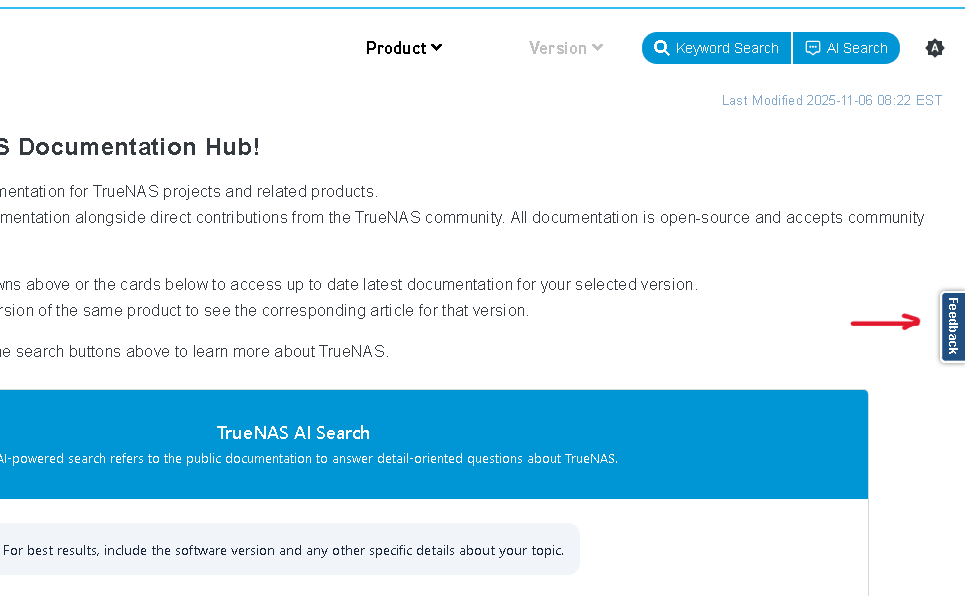
This probably doesn’t belong in the Feature Requests section. Documentation updates or suggestions can be submitted to the Documentation webpages using the blue Feedback button or tab on the right side of those webpages. It about middle of the page on far right.

If you want to close this request, flag your original post in Other category and request close or DM a user in the Moderator category.

For you to write a policy? Sure, go right ahead. For iX to write one that would apply to all their users? I don’t think that’s feasible, though I obviously don’t speak for them.

Don’t forget to vote for your own feature request.

I cannot post suggestions because the only way to submit is to do a fork, make changes and then submit a pull request.

Don’t know how to do that.

Feedback not editing

1 Like

That’s what they mean about hidden, I will check again when I am back home. Thanks

  1. You can safely remove all boot environments but the currently active one.
  2. Safely meaning the system will continue to function and reboot into the active BE should you decide to perform a reboot.
  3. What you want to keep is yours alone to decide - any version you might want to revert to. Reverting an update is the only reason to use an older boot environment I can think of. Maybe keep the last point update of the last major version you ran and all point updates of the current one. If you upgraded your ZFS pool(s) any major version but the current one is useless.
  4. Initial install is the version hyou initially installed. Plain and simple. It’s only 8k because the difference between this BE and the next oldest is only 8k. BEs are ZFS snapshots - they contain all data at the time they were taken but the space requirements are incremental.

All of this is pretty obvious IMHO - why would you want to keep a version that you never again intend to boot?

1 Like

Actually, there is a little bit more to it than what you wrote.

At my last job, the rule of thumb for Solaris 11 BE retention was 3 total, current and 2 prior. Just before patching, (it was monthly), I would remove the oldest OS BE. Then, potentially any package update ones, (oldest first, of course), if I needed space. Solaris 11 would make a backup BE before you updated any application software package, just in case you wanted to fully backout.

This brings up the point that keeping the last few, (perhaps 2), TrueNAS BEs might be a good idea. They do act a little like online backups. We have recently had a user in these forums need to get the encryption key off the boot-pool, but it was corrupt. However, one of the older BEs of the boot pool was not corrupt. So, old BEs for the win!

Last, TrueNAS allows the admin to manually clone BEs for various purposes. For example, let us say you need to make major changes, like MS-Windows Domain Controller migration. The old DCs are still available, but you need to activate the new ones. If you make a manual BE before starting, and things go horribly wrong, a simple reboot is all that is needed.

Now are the TrueNAS BEs used on a regular basis, other than updates?
No.

Are TrueNAS BEs going to help in a failing boot environment, when using a single device?
Almost certainly not.

Should you keep TrueNAS BEs back to install?
No. The original TrueNAS install likely does not include current pool features, thus, is practically useless.


My take on TrueNAS BEs, is to keep at least 2 prior ones.

Further, I would make an effort to boot the oldest BE, and upgrade all data pools to it’s version of ZFS pool features. Then reboot to current. This then allows all the BEs to import all your pools. Yes, the most current TrueNAS BE might have fancy, new features, but let someone else use them for the next year or 2.

2 Likes

Closing, as highlighted documentation feedback should be provided via the feedback mechanism.

1 Like