EASY LXC Start, but Disk Permissions issue

I want to THANK TrueNAS for such an EASY LXC install & Network config.

With zero bridging effort, I was able to config a static IP & get SSH up-&-running.

This is my first experience with LXC.

There seems to be no NFS shares mountable.

However, in the LXC config, there are “Disks”, which config seem exactly like NFS.
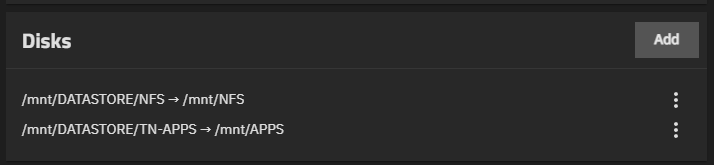
As you can see, I’ve mapped 2 Datasets (which are also Shares).

NFS is BOTH an SMB & NFS Share.

TN-APPS is only SMB.
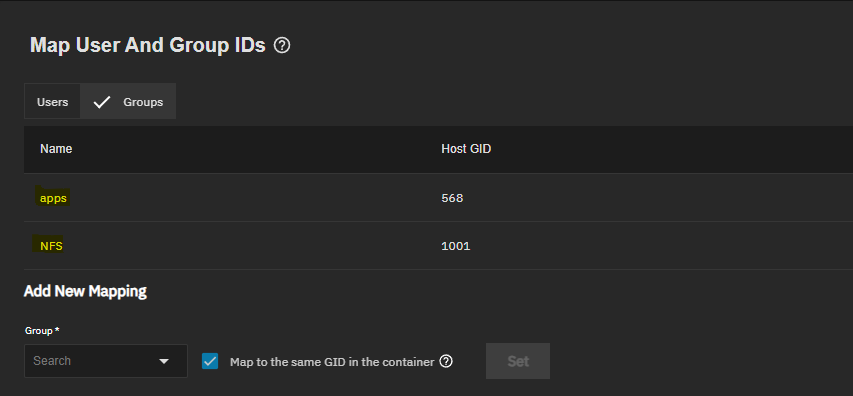
Are these User / Group mappings, supposed to give the LXC user ACL permissions to the Datasets on TN?

I understand that LXC are supposed to be limited to root. I have created a non-root user, so that I can operate on the non-root level, as per usual.

All permissions / ACLs I’ve set on TN, are on the Datasets, not the Shares.

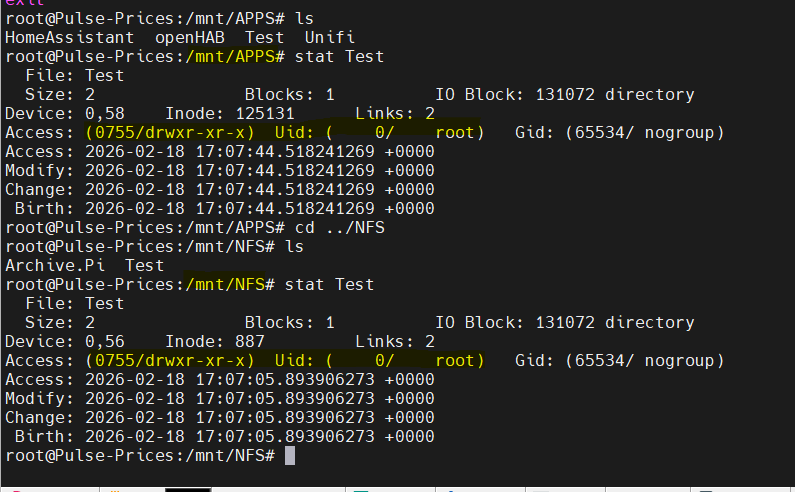
As root, I can see folders on both Shares, but can only access folders, which have Other permissions.

Stat Folder, shows 65534 (Nobody) & 65534 (nogroup) permissions.

As non-root, I can only see folders in ONE Share. The visible folder does not have sufficient permissions to access it…. No Other permissions.

How do I improve access to TN storage?
Try adding the truenas_container_unpriv_root user to your datasets ACL list. That user gets automatically mapped the the root user inside the lxc. Or add a user inside the lxc with a matching uid to your trurnas user

Tnx for reply.

My non-root user has same UID & GID as my primary TN user, inc all permissions to Datasets (but not owner of datasets).

I see you mention LXC root user…. All seems to point back to that…. I may have an uphill struggle as a non-root user inside the container.

Although I’ve been reading about different ways of transferring files to an LXC container. Apparently there’s an “lxc file push” available somewhere. Otherwise sftp.

I’ll implement “truenas_container_unpriv_root” anyway.

Well, it seems that my LXC root user does have write permissions to both Datasets mapped…

I can create folder(s) in both Datasets……

I guess I’ll need to do transfers as root, or revert back to root as primary user.

You should be able to use that Map User and Group IDs screen you screenshotted above to set up idmapping for your non-root container user and TrueNAS user. You just need to select the user/group and leave the checkbox selected to use the same ID if that’s how you have it set up. Otherwise uncheck and manually enter the container ID.

Yes, thats what I’ve attempted….

TN LXC mapping (UID 3000)

LXC user “cw” (UID 3000)

TN.LXC.CW.User

Same UID, but not same username.

My SSH Client, MobaXterm, has an integrated SFTP, so it’ll prob be very easy to transfer any files I need anyway.

I do appreciate your multi replies.