I tried to use coolercontrol in a privileged container as I used it on my Proxmox VE host, but it seems none of my sensors are available in coolercontrol and sensors (tried sensor-detect and sensors with root).
I’m using an ASRock X570S motherboard, which I’m assuming its sensors/controllers are all mainstream. Any idea?
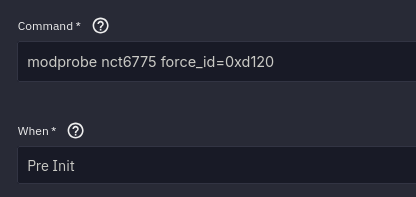
I see. Based on some Google search I did mod probe nct6775 and did another sensor-detect then everything seems fine now.
Is there anything I need to do to make this side loaded kernel auto loaded after a system reboot? Like a init script. Or this is an one time thing given it was added to /etc/modules already?
echo nct6775 | sudo tee /etc/modules-load.d/nct6775.conf
reboot
This will persist for reboots, but not system updates´
I also wrote a little script to load it on system update, but since i did not update since i wrote it i don’t know if it actually works…
#!/bin/bash

if [[ $EUID -ne 0 ]]; then
    echo "Please run as root"
    exit 1
fi

touch /etc/modules-load.d/nct6775.conf

echo nct6775 | sudo tee /etc/modules-load.d/nct6775.conf

echo "Done. File created and configured."
I’m also the type to just set my fans to a static percentage, what I can tolerate when I’m around, and full blast when I’m not, so I just use a little script to adjust the fan-speed
Have you ever tried my FanControl script? As long as you know the commands (ipmi or otherwise) to read and write fan info, it will dynamically control the fans such that the targeted drives maintain the requested temperature average without you having to intervene after initial tuning to take into account how fine grained control you have over the fans.