Frigate NVidia GPU 0 with YOLOv9 and Onnx detector

Hi everyone.

I have a HP Proliant G6 with a Nvidia Quadro P620
Truenas Ver. 26.0.0-BETA.1

I’ve setup Frigate and it work very well but the CPU is too high so, I added the Nvidia Quadro to process the detection.

The Quadro P620 insn’t supported anymore so I had to follow this instructions:

After a NAS restart I’ve activated it on System → Advanced Settings: Enable NVIDIA GPU Support: Enabled

Next, edit the Frigate configuration ans select: Use this GPU
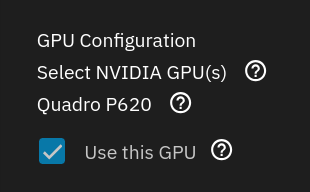
Everything was OK and the Graphic card Is now recognized by the system.

Next I’ve followed this instructions to enable the Graphic Card GPU on Frigate yaml config:

Next, I run this on my Truenas shell:

The file yolov9-t-320.onnx was generated and moved to: /config/model_cache/yolov9-t-320.onnx

Next, I’ve downloaded the file coco-80.txt and save it to: /config/labelmap/coco-80.txt:
wget https://github.com/blakeblackshear/frigate/blob/dev/docker/main/rootfs/labelmap/coco-80.txt

Then, on Frigate yaml I’ve added:

ffmpeg:
  hwaccel_args: preset-nvidia-h264

detectors:
  onnx:
    type: onnx
#    device: cuda # Tried with or without this option

model:
  model_type: yolo-generic
  width: 320 # <--- should match the imgsize set during model export
  height: 320 # <--- should match the imgsize set during model export
  input_tensor: nchw
  input_dtype: float
  path: /config/model_cache/yolov9-t-320.onnx
  labelmap_path: /config/labelmap/coco-80.txt

detect:
  enabled: true
  fps: 5

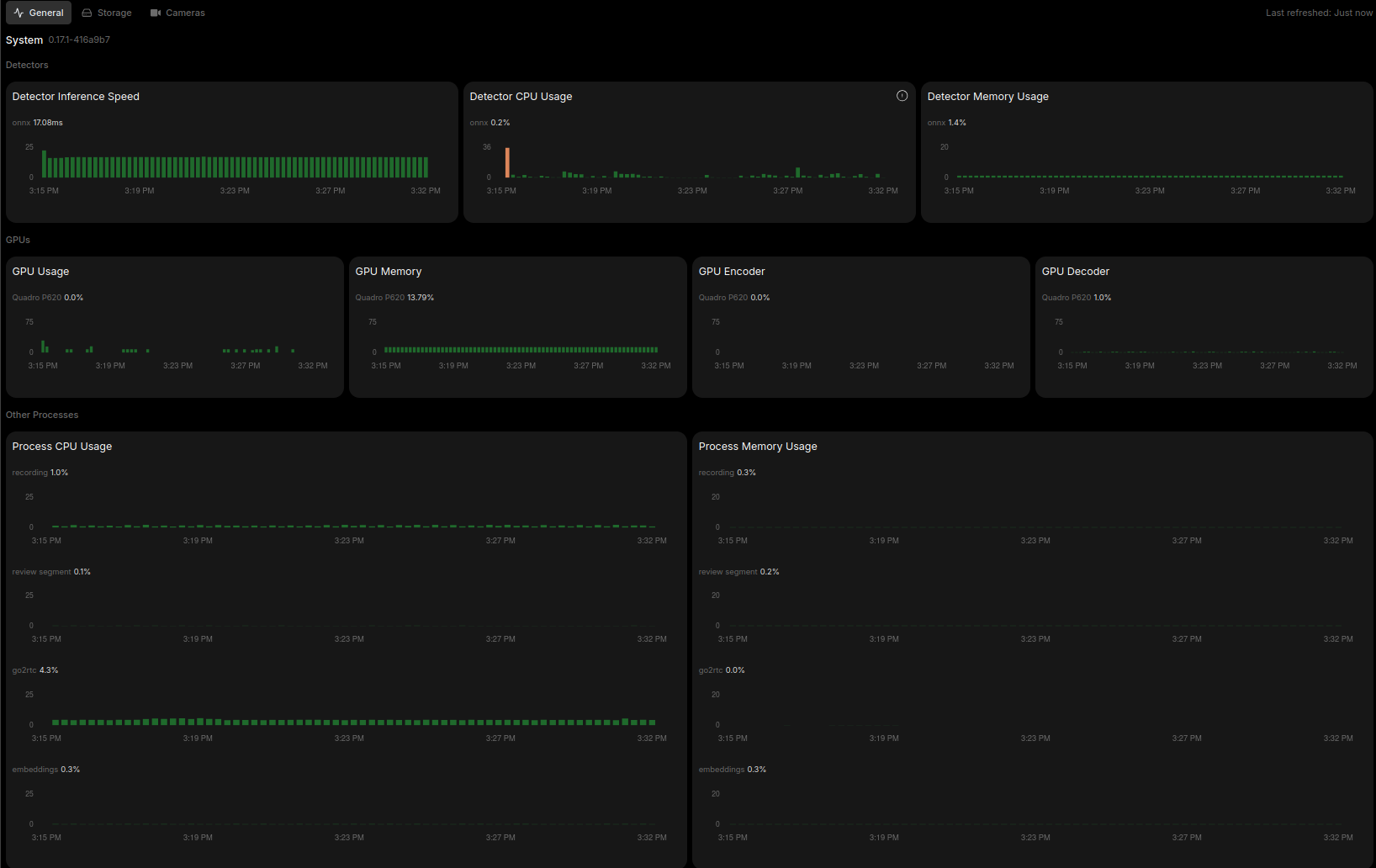
Frigate starts without errors but GPU is always zero:
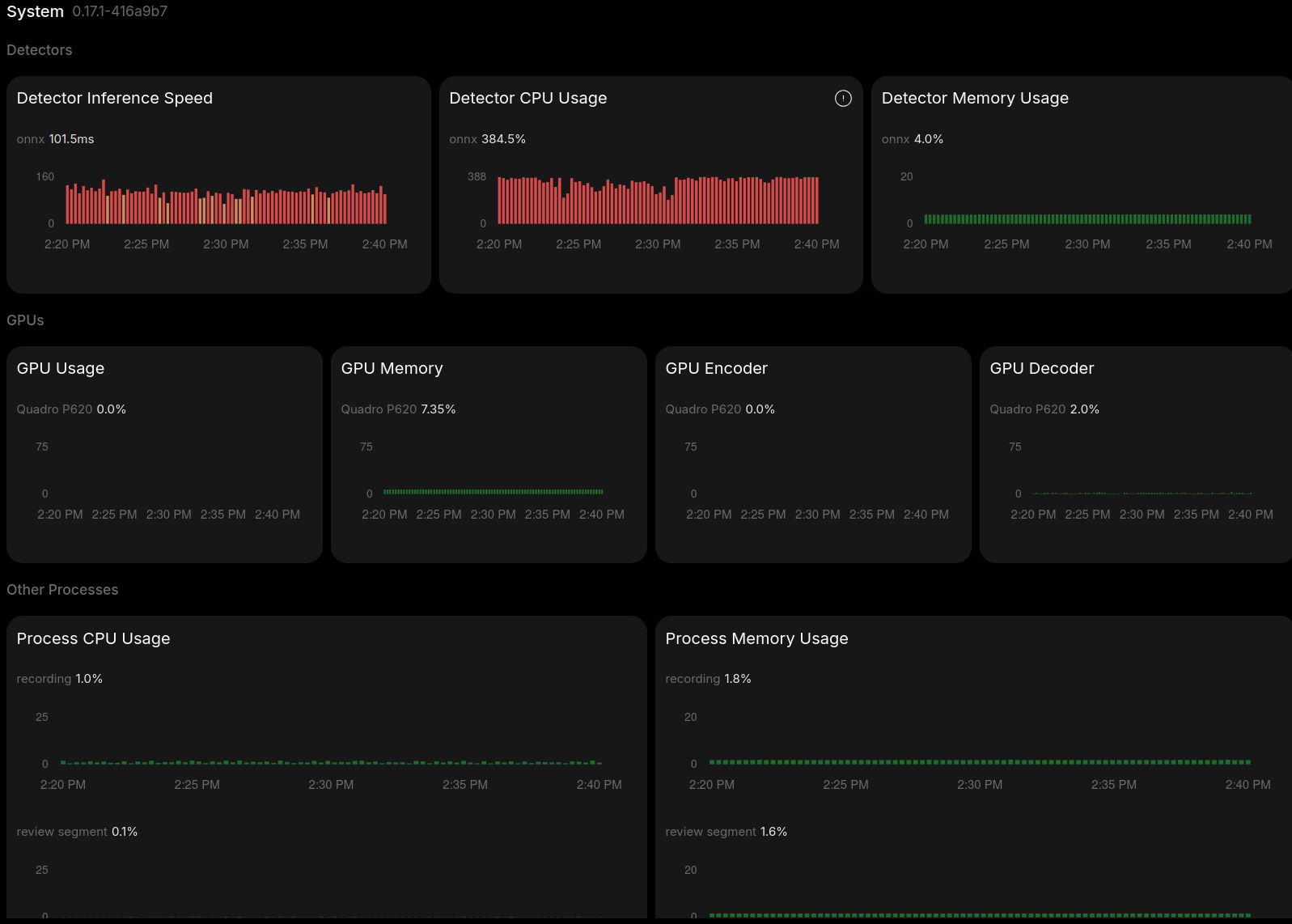
Command nvidia-smi:
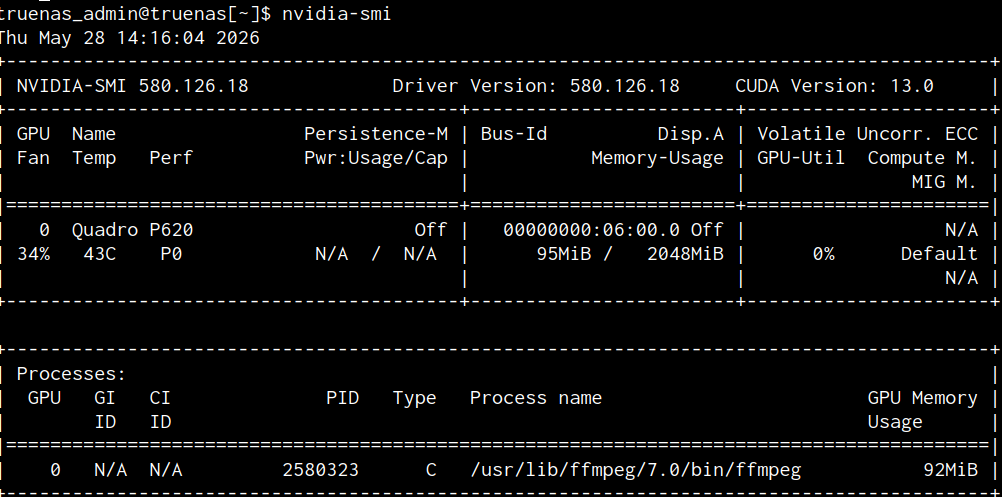
My configuration:

mqtt:
  enabled: false

# Keep your hardware accelerated decoding configuration
ffmpeg:
  hwaccel_args: preset-nvidia-h264

go2rtc:
  streams:
    cam_f55bed20:
      - rtsp://{FRIGATE_RTSP_USER}:{FRIGATE_RTSP_PASSWORD}@192.168.1.201:554/stream2

detectors:
  onnx:
    type: onnx
#    device: cuda # Tried with or without this option

model:
  model_type: yolo-generic
  width: 320 # <--- should match the imgsize set during model export
  height: 320 # <--- should match the imgsize set during model export
  input_tensor: nchw
  input_dtype: float
  path: /config/model_cache/yolov9-t-320.onnx
  labelmap_path: /config/labelmap/coco-80.txt

detect:
  enabled: true
  fps: 5

record:
  enabled: true
  motion:
    days: 1
  alerts:
    retain:
      days: 30
      mode: motion
  detections:
    retain:
      days: 30
      mode: motion

cameras:     # No cameras defined, UI wizard should be used
  cam_f55bed20:
    enabled: true
    friendly_name: Main Gate
    ffmpeg:
      inputs:
        - path: rtsp://{FRIGATE_RTSP_USER}:{FRIGATE_RTSP_PASSWORD}@192.168.1.201:554/stream1
          roles:
            - record
        - path: rtsp://{FRIGATE_RTSP_USER}:{FRIGATE_RTSP_PASSWORD}@192.168.1.201:554/stream2
          roles:
            - detect

    detect:
      width: 640
      height: 360
      fps: 5

    live:
      streams:
        Stream 1: cam_f55bed20

    zones:
      zona1:
        coordinates: 0,0.29,1,0.123,1,1,0.001,0.996
        loitering_time: 0
        friendly_name: Zona1

    motion:
      mask: 
        0.175,0.095,0.334,0.035,0.401,0.207,0.362,0.356,0.284,0.399,0.205,0.304
    notifications:
      enabled: true

    review:
      detections:
        labels:
          - car
          - cat
          - dog
          - person
        required_zones: zona1
      alerts:
        labels:
          - car
          - cat
          - dog
          - person
        required_zones: zona1
#    objects:
#      track:
#        - person
#        - car
version: 0.17-0

Logs:

2026-05-28 13:06:02.504633550  [INFO] Preparing Frigate...
2026-05-28 13:06:03.297285994  [INFO] Starting Frigate...
2026-05-28 13:06:13.869998359  [2026-05-28 14:06:13] frigate.util.config            INFO    : Checking if frigate config needs migration...
2026-05-28 13:06:13.916394962  [2026-05-28 14:06:13] frigate.util.config            INFO    : frigate config does not need migration...
2026-05-28 13:06:13.987628515  [2026-05-28 14:06:13] frigate.config.config          WARNING : cam_f55bed20 is configured to track ['person'] objects, which are not supported by the current model.
2026-05-28 13:06:13.994242119  [2026-05-28 14:06:13] frigate.app                    INFO    : Starting Frigate (0.17.1-416a9b7)
2026-05-28 13:06:14.060694724  [2026-05-28 14:06:14] peewee_migrate.logs            INFO    : Starting migrations
2026-05-28 13:06:14.062318416  [2026-05-28 14:06:14] peewee_migrate.logs            INFO    : There is nothing to migrate
2026-05-28 13:06:14.145039210  [2026-05-28 14:06:14] frigate.app                    INFO    : Recording process started: 528
2026-05-28 13:06:14.180862346  [2026-05-28 14:06:14] frigate.app                    INFO    : Review process started: 540
2026-05-28 13:06:14.186491776  [2026-05-28 14:06:14] frigate.app                    INFO    : go2rtc process pid: 151
2026-05-28 13:06:14.828176941  [2026-05-28 14:06:14] frigate.app                    INFO    : Embedding process started: 551
2026-05-28 13:06:14.870778203  [2026-05-28 14:06:14] frigate.detectors.plugins.onnx INFO    : ONNX: loading /config/model_cache/yolov9-t-320.onnx
2026-05-28 13:06:14.924444962  [2026-05-28 14:06:14] frigate.app                    INFO    : Output process started: 608
2026-05-28 13:06:15.007885976  [2026-05-28 14:06:15] frigate.camera.maintainer      INFO    : Camera processor started for cam_f55bed20: 647
2026-05-28 13:06:15.084344400  [2026-05-28 14:06:15] frigate.camera.maintainer      INFO    : Capture process started for cam_f55bed20: 715
2026-05-28 13:06:15.145074070  [2026-05-28 14:06:15] frigate.api.fastapi_app        INFO    : Starting FastAPI app
2026-05-28 13:06:15.514245756  [2026-05-28 14:06:15] frigate.api.fastapi_app        INFO    : FastAPI started
2026-05-28 13:06:15.768827577  [2026-05-28 14:06:15] frigate.detectors.plugins.onnx INFO    : ONNX: /config/model_cache/yolov9-t-320.onnx loaded

Thanks you for any help.

I’m running TrueNAS CE v25.04.2.6 (so I have not used that zzzhouuu Nvidia graphics workaround) and I’m also using an Nvidia P620 in an HP Proliant Gen8 microserver. This is what my metrics look like:

which shows similarly very low usage.

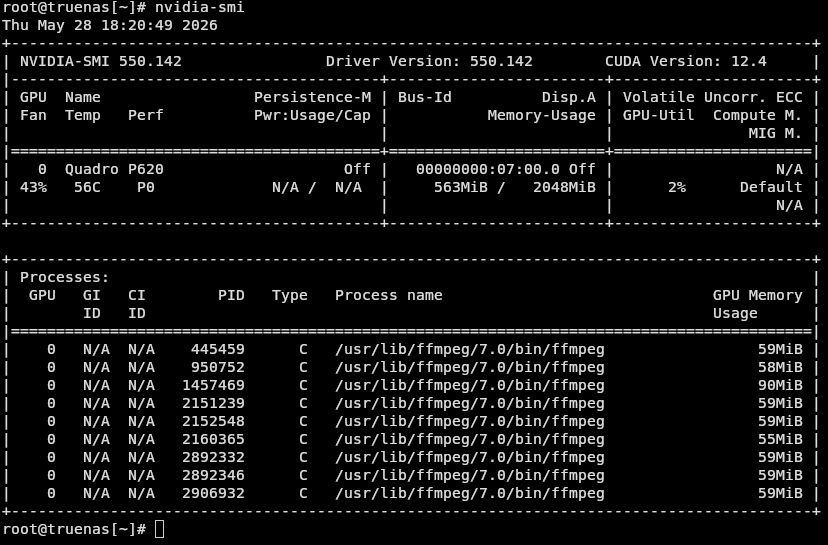
My nvidia-smi says

with nine processes being used, one per camera.

Is it possible that there’s a config mistake? You specify a camera for go2rtc to exploit

cam_f55bed20:
      - rtsp://{FRIGATE_RTSP_USER}:{FRIGATE_RTSP_PASSWORD}@192.168.1.201:554/stream2

but later on you haven’t called that camera’s name cam_f55bed20 “from” go2rtc and instead you directly reference its IP address again which means, as far as I can remember, that go2RTC isn’t being utilised.

I don’t know enough about swapping different types of models and so on and I think your best bet is to ask on the Frigate github forum because they will be able to pinpoint it, possibly using their inbuilt AI (@inkeep).

EB

Thank you for your feedback.

I’ve changed the go2rtc to:

go2rtc:
  streams:
    cam_f55bed20:
      - rtsp://{FRIGATE_RTSP_USER}:{FRIGATE_RTSP_PASSWORD}@192.168.1.201:554/stream1
    cam_f55bed20_sub:
      - rtsp://{FRIGATE_RTSP_USER}:{FRIGATE_RTSP_PASSWORD}@192.168.1.201:554/stream2

...

cameras:
  cam_f55bed20:
    enabled: true
    friendly_name: Main Gate
    ffmpeg:
      inputs:
        - path: rtsp://127.0.0.1:8554/cam_f55bed20
          roles:
            - record
        - path: rtsp://127.0.0.1:8554/cam_f55bed20_sub
          roles:
            - detect

It works without errors but still have no GPU processing…

Thank you for your suggestions. I will try on Frigate forum.

JA

1 Like

What frigate image are you using? I’m using this image in my docker-compose.yml:
image: ghcr.io/blakeblackshear/frigate:stable-tensorrt

I’m using an nvidia GPU and my detector config is nearly the same as yours:

detectors:
  onnx_0:
    type: onnx
  onnx_1:
    type: onnx
model:
    model_type: yolo-generic
    path: /config/model_cache/yolov9-t-320.onnx
    input_tensor: nchw
    input_dtype: float
    width: 320
    height: 320
nvidia-smi
Thu May 28 16:13:12 2026
+-----------------------------------------------------------------------------------------+
| NVIDIA-SMI 595.58.03              Driver Version: 595.58.03      CUDA Version: 13.2     |
+-----------------------------------------+------------------------+----------------------+
| GPU  Name                 Persistence-M | Bus-Id          Disp.A | Volatile Uncorr. ECC |
| Fan  Temp   Perf          Pwr:Usage/Cap |           Memory-Usage | GPU-Util  Compute M. |
|                                         |                        |               MIG M. |
|=========================================+========================+======================|
|   0  NVIDIA GeForce RTX 5050        Off |   00000000:02:00.0 Off |                  N/A |
|  0%   70C    P1             52W /  130W |    1760MiB /   8151MiB |     22%      Default |
|                                         |                        |                  N/A |
+-----------------------------------------+------------------------+----------------------+

+-----------------------------------------------------------------------------------------+
| Processes:                                                                              |
|  GPU   GI   CI              PID   Type   Process name                        GPU Memory |
|        ID   ID                                                               Usage      |
|=========================================================================================|
|    0   N/A  N/A            3110      G   /usr/lib/xorg/Xorg                      187MiB |
|    0   N/A  N/A            4796      G   /usr/bin/gnome-shell                     13MiB |
|    0   N/A  N/A            6262      C   frigate.detector:onnx_0                 212MiB |
|    0   N/A  N/A            6265      C   frigate.detector:onnx_1                 212MiB |
|    0   N/A  N/A            6432      C   /usr/lib/ffmpeg/7.0/bin/ffmpeg          112MiB |
|    0   N/A  N/A            6549      C   /usr/lib/ffmpeg/7.0/bin/ffmpeg          112MiB |
|    0   N/A  N/A            6671      C   /usr/lib/ffmpeg/7.0/bin/ffmpeg          112MiB |
|    0   N/A  N/A         2209785      C   /usr/lib/ffmpeg/7.0/bin/ffmpeg          114MiB |
|    0   N/A  N/A         2209825      C   /usr/lib/ffmpeg/7.0/bin/ffmpeg          111MiB |
|    0   N/A  N/A         2210234      C   /usr/lib/ffmpeg/7.0/bin/ffmpeg          116MiB |
|    0   N/A  N/A         2210239      C   /usr/lib/ffmpeg/7.0/bin/ffmpeg          111MiB |
|    0   N/A  N/A         3408915      C   /usr/lib/ffmpeg/7.0/bin/ffmpeg          238MiB |
+-----------------------------------------------------------------------------------------+

Hi. I’m using the version form APP.

I think it’s the same as yours:

1 Like

Looks good. I know that the frigate tensorrt image is built to automatically detect NVIDA GPU’s. Not sure why your instance isn’t using the GPU. Maybe a config.yaml syntax error or it can’t read the yolov9 file due to permissions?

The yolov9-t-320.onnx file had this permissions:
image

but the Logs show that file yolov9-t-320.onnx was loaded.
Just to be sure I change it to:
image

The Logs show again that file yolov9-t-320.onnx is loaded:

2026-05-30 17:04:39.473957+01:002026-05-30 16:04:39.473712312  [2026-05-30 17:04:39] frigate.config.config          WARNING : cam_f55bed20 is configured to track ['person'] objects, which are not supported by the current model.
2026-05-30 17:04:39.479446+01:002026-05-30 16:04:39.479274514  [2026-05-30 17:04:39] frigate.app                    INFO    : Starting Frigate (0.17.1-416a9b7)
2026-05-30 17:04:39.543678+01:002026-05-30 16:04:39.543533219  [2026-05-30 17:04:39] peewee_migrate.logs            INFO    : Starting migrations
2026-05-30 17:04:39.545547+01:002026-05-30 16:04:39.545462383  [2026-05-30 17:04:39] peewee_migrate.logs            INFO    : There is nothing to migrate
2026-05-30 17:04:39.646363+01:002026-05-30 16:04:39.646194692  [2026-05-30 17:04:39] frigate.app                    INFO    : Recording process started: 527
2026-05-30 17:04:39.678338+01:002026-05-30 16:04:39.678082611  [2026-05-30 17:04:39] frigate.app                    INFO    : Review process started: 530
2026-05-30 17:04:39.683761+01:002026-05-30 16:04:39.683566754  [2026-05-30 17:04:39] frigate.app                    INFO    : go2rtc process pid: 150
2026-05-30 17:04:40.316969+01:002026-05-30 16:04:40.316708571  [2026-05-30 17:04:40] frigate.app                    INFO    : Embedding process started: 550
2026-05-30 17:04:40.362296+01:002026-05-30 16:04:40.362100410  [2026-05-30 17:04:40] frigate.detectors.plugins.onnx INFO    : ONNX: loading /config/model_cache/yolov9-t-320.onnx
2026-05-30 17:04:40.420978+01:002026-05-30 16:04:40.420798457  [2026-05-30 17:04:40] frigate.app                    INFO    : Output process started: 607
2026-05-30 17:04:40.500287+01:002026-05-30 16:04:40.500105020  [2026-05-30 17:04:40] frigate.camera.maintainer      INFO    : Camera processor started for cam_f55bed20: 646
2026-05-30 17:04:40.574893+01:002026-05-30 16:04:40.574674024  [2026-05-30 17:04:40] frigate.camera.maintainer      INFO    : Capture process started for cam_f55bed20: 714
2026-05-30 17:04:40.635512+01:002026-05-30 16:04:40.635196630  [2026-05-30 17:04:40] frigate.api.fastapi_app        INFO    : Starting FastAPI app
2026-05-30 17:04:41.033133+01:002026-05-30 16:04:41.032831379  [2026-05-30 17:04:41] frigate.api.fastapi_app        INFO    : FastAPI started
2026-05-30 17:04:41.240548+01:002026-05-30 16:04:41.240419609  [2026-05-30 17:04:41] frigate.detectors.plugins.onnx INFO    : ONNX: /config/model_cache/yolov9-t-320.onnx loaded

The problem persists.
I don’t understand why the GPU Memory and the GPU Decoder have values but GPU Usage and GPU Encoder not.

I’ve made two mote tests:

1- Tried with YOLOx:

2- Deployed a complete new frigate with everything default, including Storage.

On both testes I had the same result…

Another strange log message is this:
cam_f55bed20 is configured to track [‘person’] objects, which are not supported by the current model.

In my configuration I don’t have tracking enabled.

Here is my redacted config.yaml. Hopefully this might help you with your issue.

config.yaml (3.8 KB)

One other thing to check is that you’ve given access to the GPU to the docker container. You can manually add your own docker-compose through the truenas app API. Here is the section of my docker.compose.yml that gives the frigage container access to the GPU:

services:
  frigate:
    container_name: frigate
    hostname: frigate
    image: ghcr.io/blakeblackshear/frigate:stable-tensorrt
    runtime: nvidia
    shm_size: "512" # update for your cameras based on calculation above
    privileged: true
    restart: unless-stopped
    deploy:
      resources:
        reservations:
          devices:
            - driver: nvidia
              count: 1
              capabilities: [gpu]

Note the ‘capabilities’. This is not a full example of a docker-compose.yml,

You can edit the frigate app settings. Look for resources and ensure that you’ve added the GPU

@jjrushford thank you for the examples.

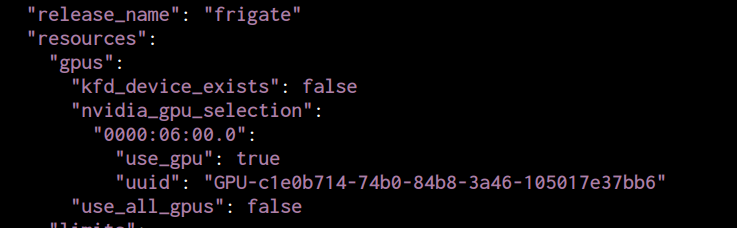
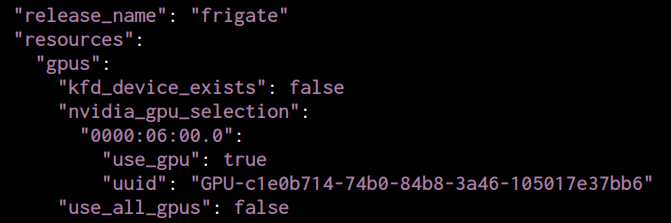
Because this is installed as a APP the GPU selection is in the App settings:

Then I search here for the GPU info:

/mnt/.ix-apps/app_configs/frigate/metadata.yaml
/mnt/.ix-apps/app_configs/[app]/versions/1.3.8/user_config.yaml

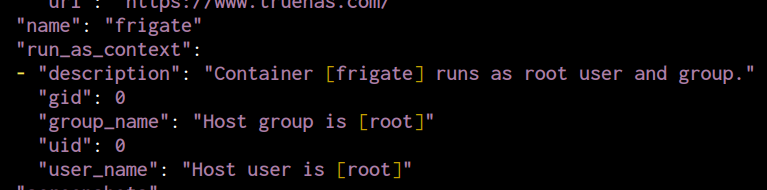
The APP is running with root permissions:

I’ve changed some settings like:

detectors:
  onnx_0:
    type: onnx
  onnx_1:
    type: onnx

On graphics they are showed but the GPU Usage still 0%.
I will post on Frigate Discussions and hope :folded_hands:

The Frigate Bot says that NVIDIA GPU cant work with this image, it needs:
Docker image with the -tensorrt suffix, for example ghcr.io/blakeblackshear/frigate:stable-tensorrt

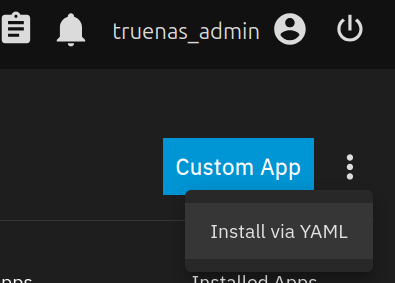
I’ve created a new yaml file with Truenas:

It works very well and finally it’s using GPU!

This is my configuration files for someone who needs it:

docker-frigate-tensorrt.yaml (1.2 KB)

frigate-config.yaml (2.1 KB)

Thank you for your help.