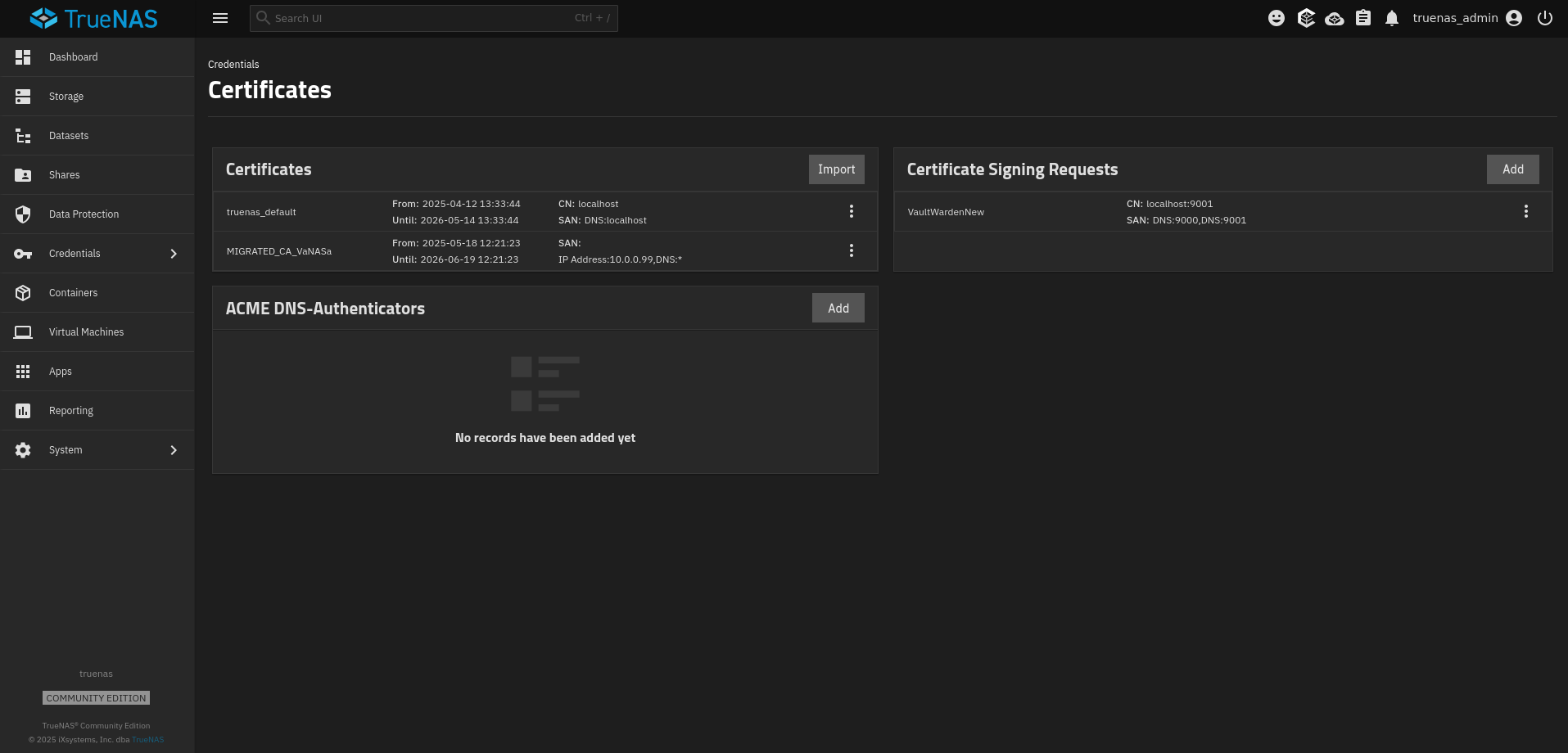
I am trying to configure HTTPS on several of my apps (namely Jellyfin, Immich, and VaultWarden). As such I have tried to create a new certificate as per Managing Certificates | TrueNAS Documentation Hub but the UI seems to have changed since these docs were written. I am missing the Certificate Authorities widget and the Certificates widget only has “Import” rather than the Add Certificates wizard that is mentioned in the guide. I tried creating the certificates on my main machine and importing them but when I tried to connect to the site it gave me a Network error.
Using truenas_default allows me to use bitwarden on my desktop but not on my phone. My TrueNAS version is 25.10.1 - Goldeneye
Thanks in advance!
Edit: I was following this guide to generate the cert
Try changing the Docs to the 25.10 version. There is a blue Feedback button on the right side of the docs webpage where you can submit change suggestions, etc.
Ok so they got rid of the ability to generate new certs then.. Great. I tried following this guide on the Bitwarden forums and importing it via the certificates import but it causes a network error when I try to use it (as per my original post).
If you are going to do that much work, and be forced to repeat it when they expire (browsers getting more strict and refusing long lived certificates), I would either do a web proxy that can manage certificates, or a simple LetsEncrypt script/solution.
I do have a LetsEncrypt solution, but personally I don’t worry too much about certificates as it’s easy to click the browser button, or configure any integration with “trust self signed certificate”.
Private CAs can still have a lifetime of 10 or 20 years and certificates signed by a private CA one of 825 days. I use these for devices that are to dumb or not worth the effort of automating Letsencrypt, like my UPS. Uptime Kuma gives me an advance notice when it is time to renew.