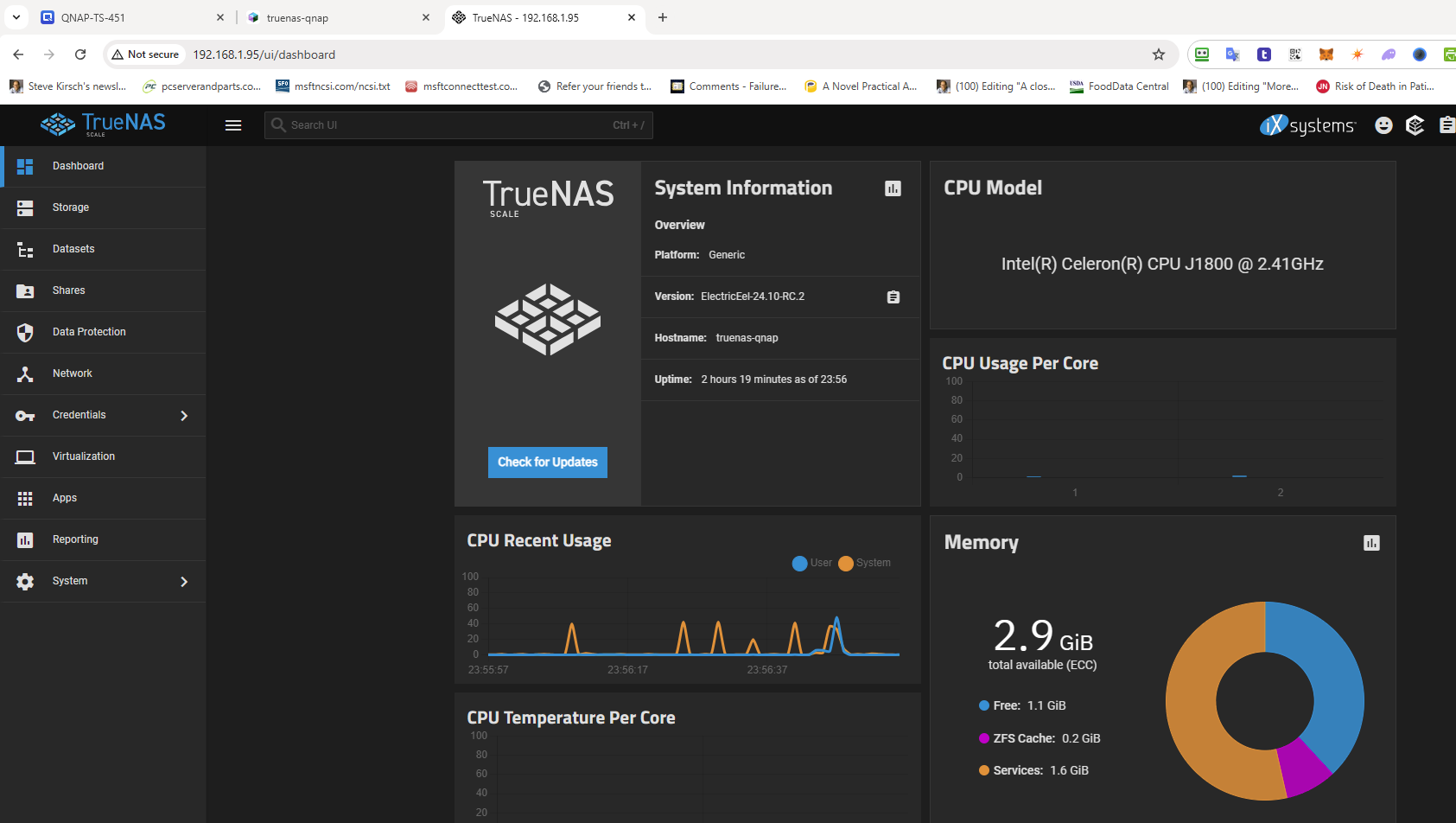
I had an old QNAP TS-451 from 10 years ago that was collecting dust (aka the “boat anchor”).
This box is so old that when I tried to donate it away, they refused it !!!
I used virtualization station to install truenas on the box which has 2 cores and 4G of RAM.
Truenas didn’t come up cleanly. It gave me the normal console options, but nginx wasn’t running and neither was ssh.
I had to start these services manually.
I have the logs if anyone is interested in debugging the “underpowered” install issues (which is a reasonable “stress” test for a robust system).
But now I basically have a box for redundant backups that cost me nothing other than a bit of time to install and debug the startup.
UPDATE: I did a full-metal install of truenas.
First, I replaced the internal USB with a 32GB USB (same form factor), upgraded the RAM to 16GB (2 8GB sticks). Then I put the truenas ISO in the front USB socket and booted and bingo.
After first boot, I moved System to the pool to minimize use of the boot USB. I’m going to use an external NvME to boot because I already have an enclosure for it and I got an NVME drive for $13 on eBay.
Only issue was you can install from a ventoy stick… I used a dedicated TrueNAS ISO stick to install the OS.
The system is pretty underpowered with 2 cores, but it can do a 1Mb/sec and receive a backup image and that keeps the 2 CPUs plenty busy.
Why don’t you install it baremetal on the TS-451? You are seriously under the minimum memory requirements for TrueNAS AND are running additional services as well.
fdisk -l
Disk /dev/sdd: 515 MB, 515899392 bytes
8 heads, 32 sectors/track, 3936 cylinders
Units = cylinders of 256 * 512 = 131072 bytes

   Device Boot      Start         End      Blocks   Id  System
/dev/sdd1               1          41        5244   83  Linux
/dev/sdd2   *          42        1922      240768   83  Linux
/dev/sdd3            1923        3803      240768   83  Linux
/dev/sdd4            3804        3936       17024    5  Extended
/dev/sdd5            3804        3868        8304   83  Linux
/dev/sdd6            3869        3936        8688   83  Linux
And I know from past experience that the truenas installer will not list any disk <8 GB.
So unless there is someone who has done this on a QNAP TS-451 before, I think that would be a fun research project if I had time on my hands. Otherwise, it’s a non-starter for me.
I’d recommend pulling the DOM and/or replacing it with a USB-to-SATA’d SSD internally, as well as getting up to the maximum 8GB of RAM that the unit supports.
But other than that, I suggest you dub this system
I ran TN Core on a TS-851 which was specced to 8GB but could take 16GB. I removed the DOM and used an external USB to NVMe to boot from. Ran that way for a year or so without any issues
That’s not surprising at all. The documented minimum hardware requirement is 16 GiB for installation target. We should actually probably not show for below 16 GiB honestly since 8 GiB doesn’t give very much space for updates, logs, auditing, etc. If that’s a low-write-endurance DOM we’ll probably burn through it pretty quickly.
OK, I’m going to give that a go as my next fun job.
In the meantime, it runs under the VM just fine EXCEPT ix-etc service bombs out with a very non helpful failure message during system boot. That’s the only real systemctl --failure of interest.
When I start the service manually after system boot, it completes without error.
Any ideas on why (or how to debug)? And does it matter that it failed from a practical matter?
Oct 11 11:03:47 truenas-qnap systemd[1]: Starting ix-etc.service - Generate TrueNAS /etc files...
Oct 11 11:04:52 truenas-qnap systemd[1]: ix-etc.service: Main process exited, code=exited, status=1/FAILURE
Oct 11 11:04:52 truenas-qnap systemd[1]: ix-etc.service: Failed with result 'exit-code'.
Oct 11 11:04:52 truenas-qnap systemd[1]: Failed to start ix-etc.service - Generate TrueNAS /etc files.
Oct 11 11:04:52 truenas-qnap systemd[1]: ix-etc.service: Consumed 4.439s CPU time.
And the journalctl messages were equally not helpful:
Oct 11 11:03:47 truenas-qnap systemd[1]: Starting ix-etc.service - Generate TrueNAS /etc files...
░░ Subject: A start job for unit ix-etc.service has begun execution
░░ Defined-By: systemd
░░ Support: https://www.debian.org/support
░░
░░ A start job for unit ix-etc.service has begun execution.
░░
░░ The job identifier is 2285.
Oct 11 11:04:52 truenas-qnap systemd[1]: ix-etc.service: Main process exited, code=exited, status=1/FAILURE
░░ Subject: Unit process exited
░░ Defined-By: systemd
░░ Support: https://www.debian.org/support
░░
░░ An ExecStart= process belonging to unit ix-etc.service has exited.
░░
░░ The process' exit code is 'exited' and its exit status is 1.
Oct 11 11:04:52 truenas-qnap systemd[1]: ix-etc.service: Failed with result 'exit-code'.
░░ Subject: Unit failed
░░ Defined-By: systemd
░░ Support: https://www.debian.org/support
░░
░░ The unit ix-etc.service has entered the 'failed' state with result 'exit-code'.
Oct 11 11:04:52 truenas-qnap systemd[1]: Failed to start ix-etc.service - Generate TrueNAS /etc files.
Oct 11 11:04:52 truenas-qnap systemd[1]: Failed to start ix-etc.service - Generate TrueNAS /etc files.
░░ Subject: A start job for unit ix-etc.service has failed
░░ Defined-By: systemd
░░ Support: https://www.debian.org/support
░░
░░ A start job for unit ix-etc.service has finished with a failure.
░░
░░ The job identifier is 2285 and the job result is failed.
Oct 11 11:04:52 truenas-qnap systemd[1]: ix-etc.service: Consumed 4.439s CPU time.
░░ Subject: Resources consumed by unit runtime
░░ Defined-By: systemd
░░ Support: https://www.debian.org/support
░░
░░ The unit ix-etc.service completed and consumed the indicated resources.
they work fine after boot. the diffie helman is quick. The checkpoint takes a little over 1 minute.
So I’m stumped why this doesn’t work during boot. It’s not a timeout since it’s specced at 5 minutes and returns the error in about 1 minute. A better error message would help.
I know this is a bit off-topic, but if you’re not satisfied with its performance, Open Media Vault has much more modest hardware requirements. Even without TrueNAS it will still be a happy Anchor lol!
actually running in the VM on a 2G ram QNAP it was very snappy, so not worried.
also, i paid my dues on the truenas learning curve, so not interested in switching. This is a very high quality platform. I’ve been very happy with how it works.
Well, you do have the fact that it’s a backup that can be replaced. Though, it better work if you actually need it too! Maybe you follow the 3-2-1 backup method though in which case not a terrible use.
I recommend you give it a search on your preferred search engine.
It’s been a talking point for a couple of years, at least with regards to QNAP devices.