First of all, please note that — as stated in the upstream i915-sriov-dkms repository — this driver is highly experimental, and you should use it at your own risk.
PS:
Although the title says “VF driver” and I’ve only tested that part,
it should also be capable of directly driving the full B50 GPU with SR-IOV on TrueNAS—and even other Battlemage cards using XE driver like the B580.
If you’ve tested it on other cards, please share your results in the comments below.
The setup itself is quite straightforward. Following just a few steps from the upstream i915-sriov-dkms README, everything can be done easily.
However, since the official kernel hasn’t yet included 6.17 support, I built and extracted the modules to avoid running install-dev-tools after every update and to quickly restore all services. I’ve uploaded them to GitHub, along with some additional details.
So, only a few steps remain:
# Download the kernel .ko files
KOVERSION=20251010
mkdir ./kofiles

wget -O ./kofiles/xe.ko \
  https://github.com/ChanningHe/truenas-intel-gpu-dkms-ko/raw/refs/heads/main/kofiles-${KOVERSION}/xe.ko
wget -O ./kofiles/intel_sriov_compat.ko \
  https://github.com/ChanningHe/truenas-intel-gpu-dkms-ko/raw/refs/heads/main/kofiles-${KOVERSION}/intel_sriov_compat.ko

# Disable readonly
zfs set readonly=off "$(zfs list -H -o name /usr)"

# Copy the .ko files
mkdir -p /lib/modules/$(uname -r)/updates/dkms/
cp ./kofiles/*.ko /lib/modules/$(uname -r)/updates/dkms/

# Update module dependencies
depmod -a
Make sure your .ko files are under /lib/modules/$(uname -r)/updates/dkms/
root@truenas[~]# modinfo xe | grep -i filename
filename:       /lib/modules/6.12.33-production+truenas/updates/dkms/xe.ko
Reboot!
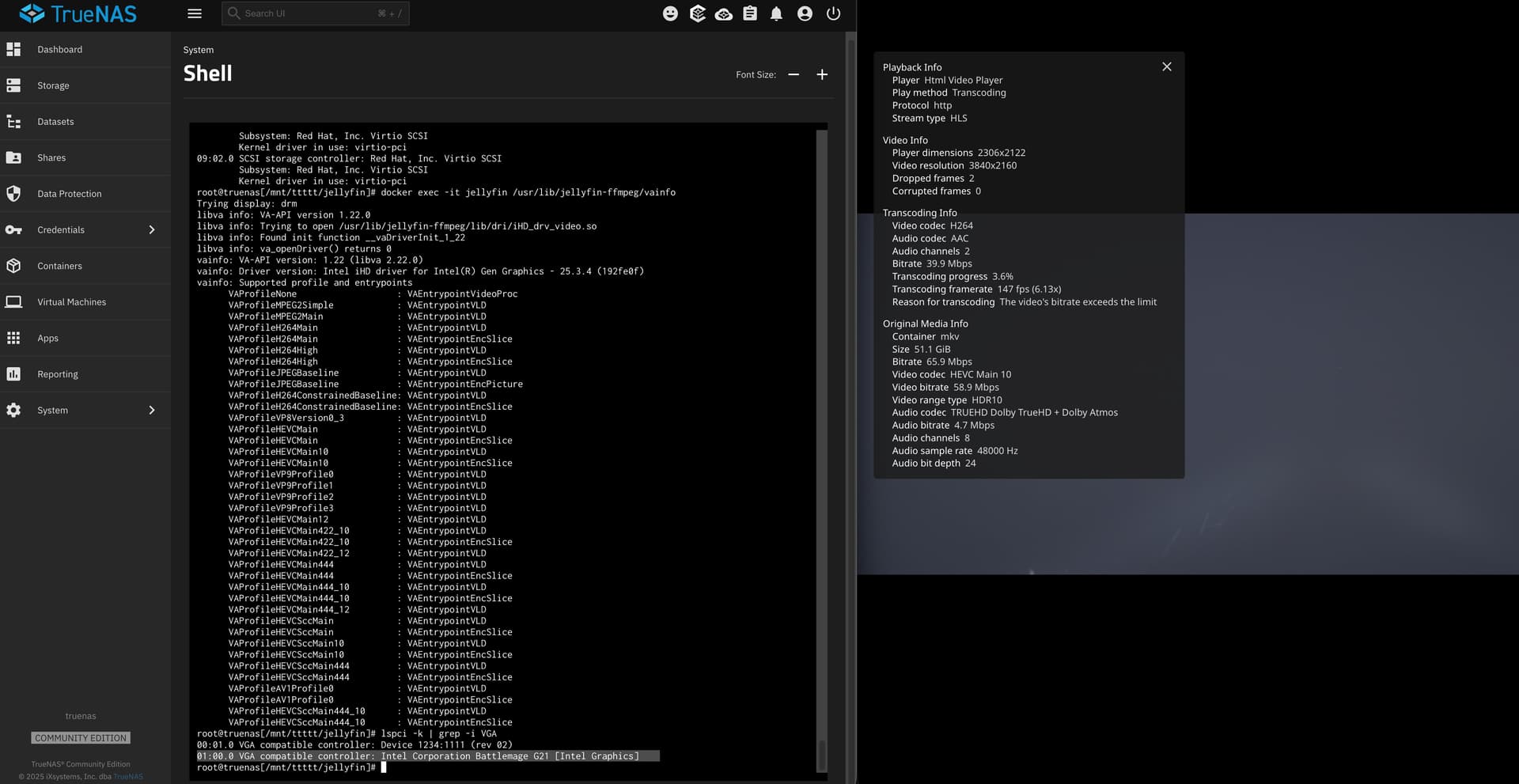
And if /dev/dri/renderD128 appears, it means the driver has been successfully initialized.
root@truenas[~]# ls /dev/dri
by-path  card0  card1  renderD128
In my case, the kernel shows some error messages, but Jellyfin still works great!