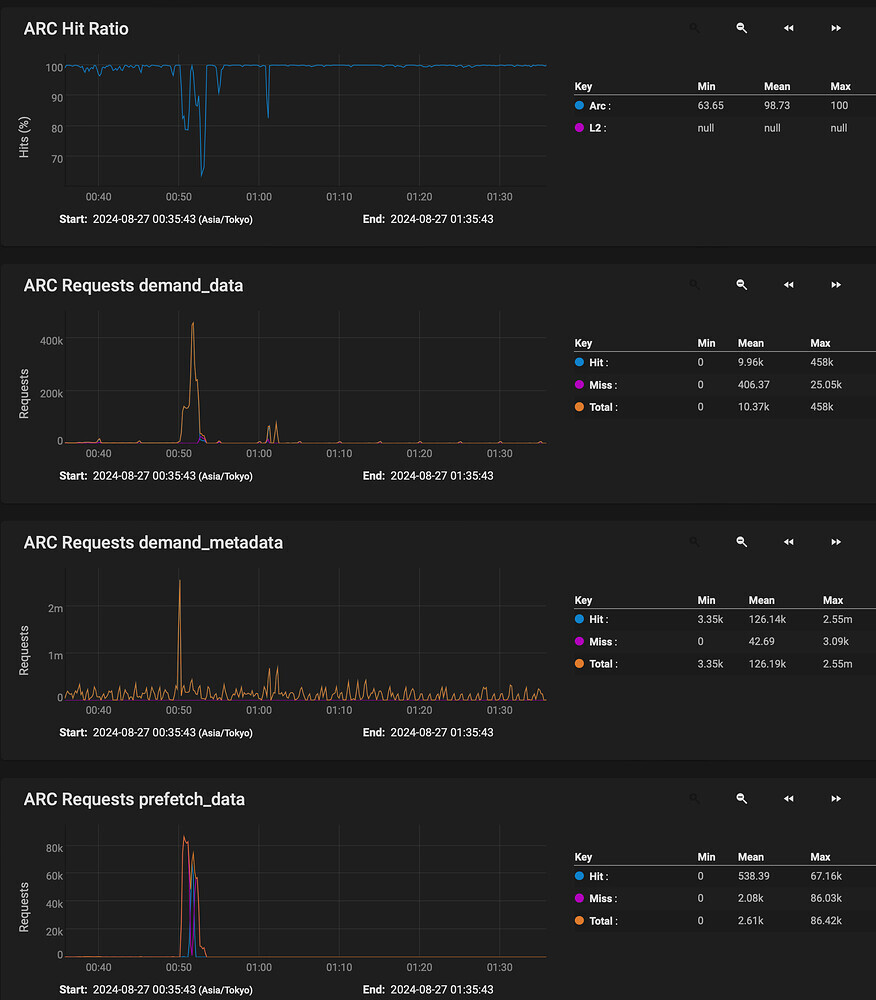
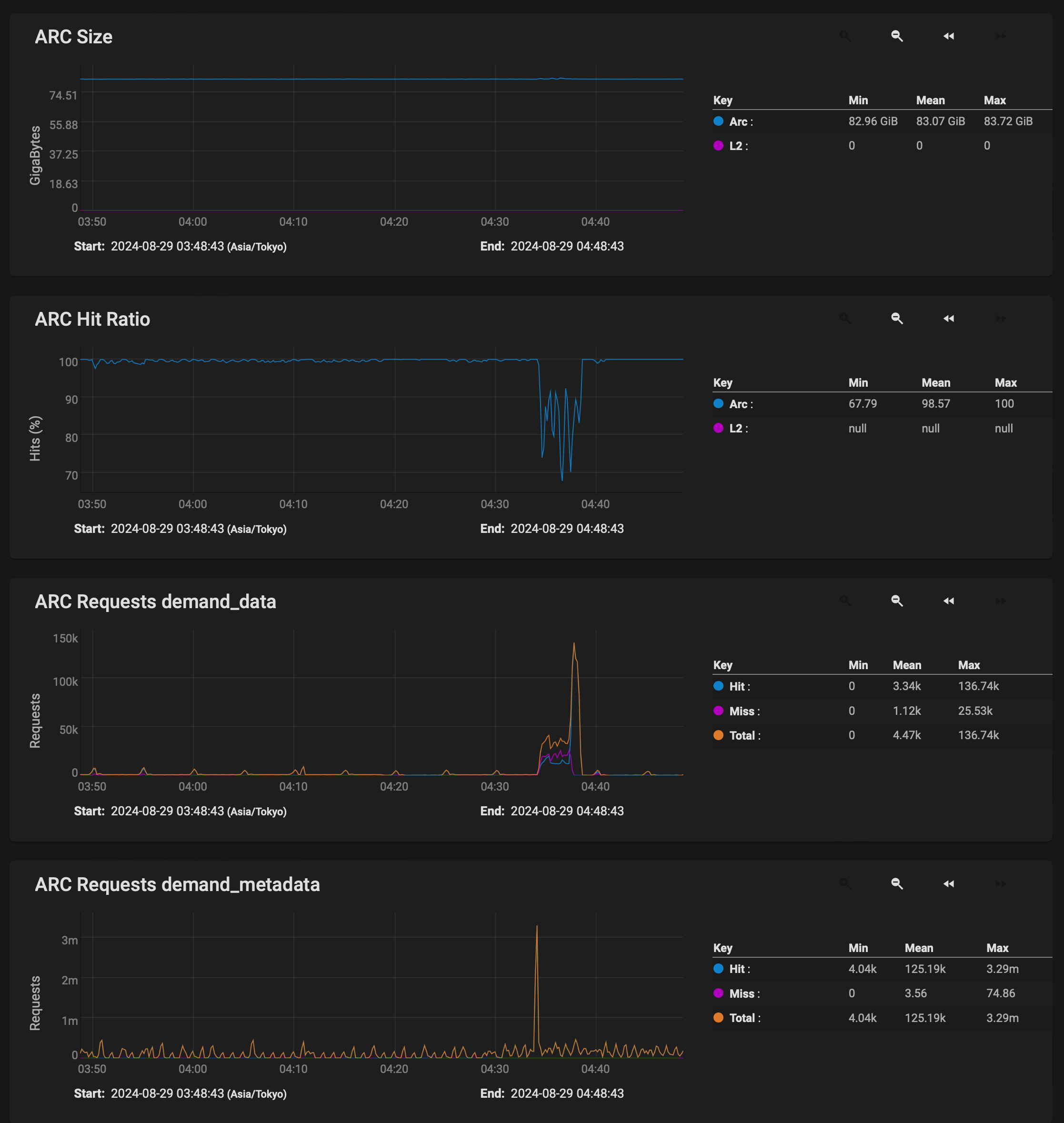
What you’re seeing here is not a “slowdown” of the pool, but more that you’re reading the data out of ARC instead of out of disk for a period of time. Thats why you see the demand_data and prefetch_data jump up just after the demand_metadata.
This is then followed by the ARC Hit Ratio dropping, and the performance decreasing.
Looking at your output from zpool iostat I’m a bit puzzled. It looks more like you are WRITING to the pool not reading from it. Are you moving a file on the TrueNAS and writing it back to the TrueNAS or something?
To be honest, I’m still confused by the ARC hit ratio decreasing while it’s reading data. And I’m not quite sure what you mean.
From what I understand, the ARC (RAM) is generally used for write caching. Since I’m not writing any files but instead reading a 100GB file from the server, it shouldn’t be interacting with the RAM, especially since the file doesn’t fit into it. Or could this be related to metadata? Would using an L2ARC for metadata help in this situation? Others have mentioned that it wouldn’t affect a one-time read of large files, and I tend to agree.
I also don’t understand why the system can sustain 10GbE speeds for about a minute before dropping off. As far as I know, the file is being read directly from the disk pool without an intermediary cache. (If only ZFS supported this.)
This would imply the disk pool is capable enough to supply the data at 10GbE.
The iostat output is what I got when I entered your command in the shell. If you meant for me to run it while copying the 100GB file or if I need a different command, please let me know.
In other words, some of the data of the file in question was already in RAM. Some more of that data was prefetched because ZFS tried to intelligently help. Then, at some point in the file transfer, it could not prefetch fast enough and the data was read from disk. Thats when your slowdown occurs.
No - RAM is not used for write caching per se. By default TrueNAS will buffer up to 5 seconds of writes (and a GB limit - not sure how much) in memory as a transaction log which is then flushed to disk - which is the limit of “write caching”. The rest of ARC (Adaptive Read Cache) is used for caching frequently used data
It looks to me that the bottleneck here is in IOPS.
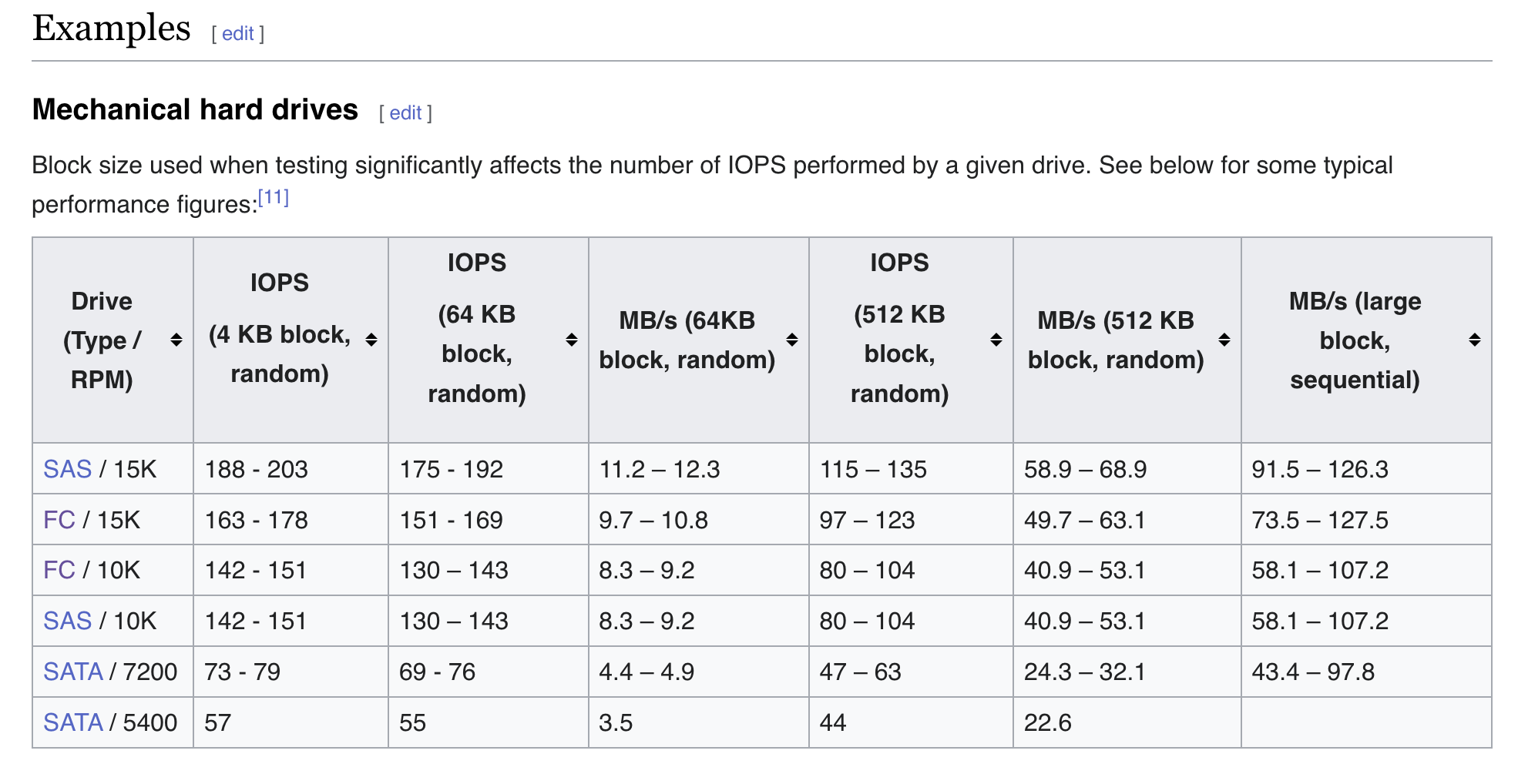
Each of your disks is showing over 200 IOPS with an aggregate a bit shy of 3,000. This is about the most that can expected from a hard drive.
There’s a fundamental difference between IO and throughput. You have an IO bottleneck which is manifesting itself by showing you reduced throughput from what would otherwise be possible.
Spinning hard drives have to sping around at 7200 RPM to find a sector to read back. Theres a latency cost. IOPS - Wikipedia
Reducing the number of async read I/Os is unusual but it perhaps is helping the prefetcher - increasing the max_distance though allows each read stream to prefetch much further (2G vs 64M) so that’s probably the pivotal piece - however you might have a significant impact on more random I/O here, as if your disk is busy with 2G of speculative prefetch, a non-sequential I/O may end up “behind that” in the queue.
Can’t find the max_distance reference right now, but it’s out there.
I’m fine with random I/O being slower. This server mainly handles media files over 10GB in size, the smaller files are rarely accessed and are there just for backup purposes.
It would be great if TrueNAS could add some documentation for optimizing servers that handle large media files, as these are becoming more popular.
Or having auto-tunables detect this and optimize accordingly.
Or providing a setup option where you’re asked how the server will be used, whether for large media, VMs, databases, etc.
just out of interest, what’s your block size on the dataset? And if it’s small and you just deal with large files, create a test dataset with 1MB and test - does performance get better? Just about doing more with the limited IOPS you have. Latency will go up of course, but that’s not generally concerning for large file streams.
1MB blocksize
LZ4 compression
sync disabled
atime off
dedup off
I’m satisfied with the performance since setting the tunables.
I’d imagine setting the max_distance to 10GB+ could help, but I believe the current setting is the maximum Truenas allows.