
I have a weekly cronjon for that.
how you do this senpai? 
i just did the update after searching google.
Inside the Jail:
crontab -e- press
i - paste
0 0 * * 0 pkg upgrade -y - press
ESC - write
:xand press enter - verify you updated the crontab using
crontab -l
This way every Sunday at 00 you will run pkg upgrade -y; use 0 0 * * 1 if you prefer Monday. Use && after each command if you want to have more than one ie 0 0 * * 0 pkg upgrade -y && git pull.
2 Likes
You’ll want to use apt instead of pkg in a Debian sandbox/jail
1 Like
Following this to its logical conclusion, you’d also never use TN apps, right? Just do everything manually, installing and configuring stuff inside a jail.
As a concrete example, I did not find an easier way to run WireGuard than this docker container: GitHub - linuxserver/docker-wireguard. It will generate any number of peers, their configs and QR Codes, simply by editing its compose.yaml file. And it doesn’t have the overhead of the WG Easy standard app.
1 Like
Correct. Still happy with it (Core / jails), to this day. Nearly non-existent overhead, and very good reliability with minimal upkeep required.
If you understand some fundamentals (which I already garnered from using Linux as a daily driver), then it’s just “more of the same”, with the only difference being the commands and syntax used. (E.g, “apt” or “pacman” vs “pkg”)
It’s obviously not for everyone, and even I believe there should be a degree of user-friendliness. Hence, it’s why I think the “Linux jails” for SCALE should get their own first-class GUI menu.
EDIT: To elaborate on my previous post, I find it almost funny that SCALE implores its users to create a “Linux jail” (which is a container itself) in order to deploy containers within the jail… just to avoid the overhead of K3s.
Maybe I’m remembering it incorrectly, but didn’t the earliest versions of SCALE have a means to deploy containers without activating the Kubernetes subsystem? If so, this story went full circle, taking some interesting turns along the way. 
2 Likes
systemd-nspawn is very low-level.
Low-level enough that you can deploy kubernetes, lxc, docker, podman etc containerized workload orchestrators, all in separate “sandboxes” if you want.
So, it allows you to setup a very powerful… chroot jail… on one distro, using another distro, without impacting the parent distro…
The kernel is shared… so its quite efficient.
and then install whatever orchestrator you want, without impacting the underlying OS. Docker in particular has a large blast radius when installed directly on the host OS…
Podman can be run non-root… but Docker provides the broadest compatibility with everything out there.
And the benefit of using containerized work-loads vs scripted installations and build/make scripts is that the the 1st party can provide the container… and it just works… generally 
3 Likes
Dear forum members.
Which of you can help me a lot on my way.
I cannot get docker compose to work.
I think it is because of my network settings.
I attach some pictures of the installation.
Hopefully it is so clear.
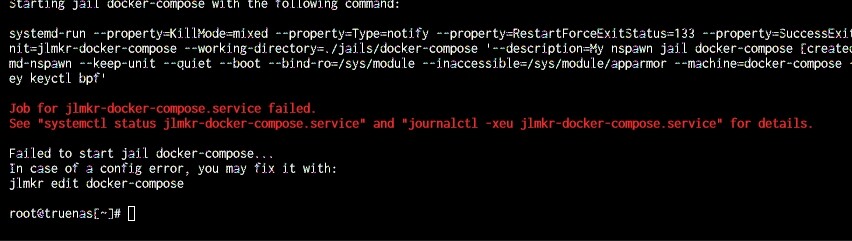
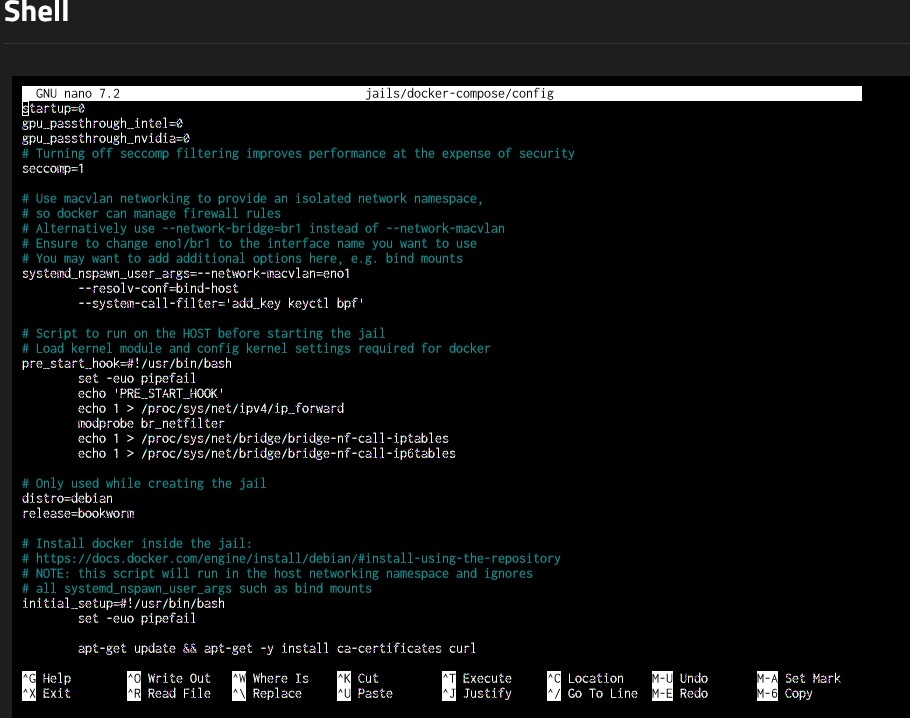
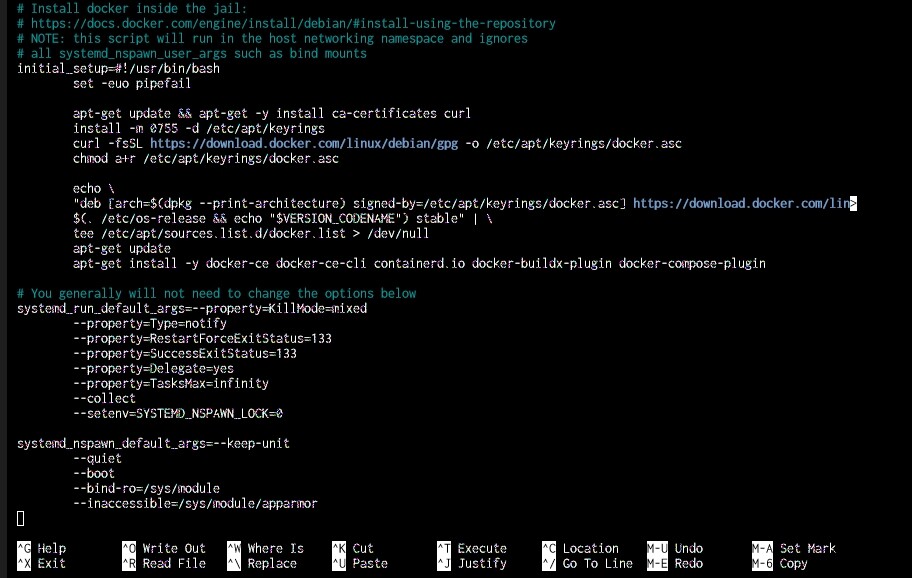
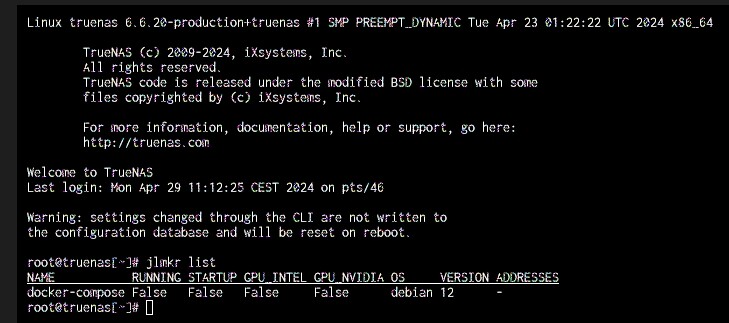
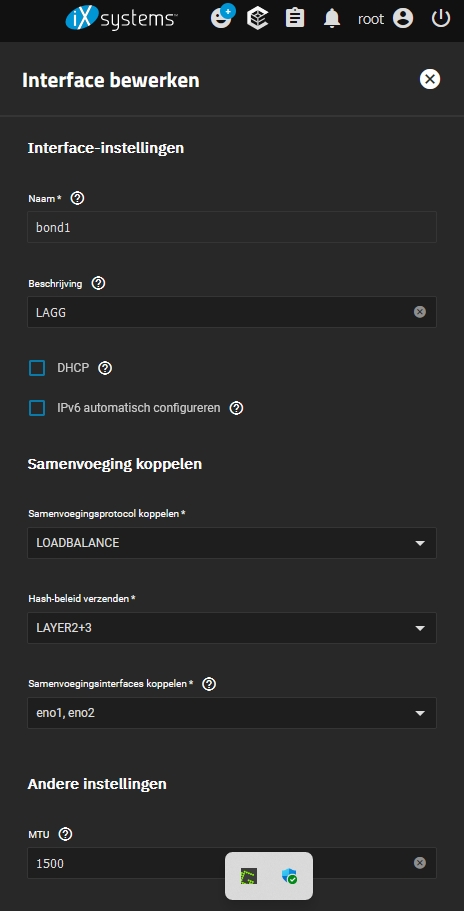
Did you do what the red error instructs you to do? 
I have no experience with LAGG and bond networking. I guess you can’t specify eno1 for macvlan in this case.
Re getting a LAGs to work to a jail…
I was doing some research on the bridge support in Linux and came across this
but LAGs can be attached to the bridge as well as to VxLAN tunnels, with full support for offloading.
I would suggest try adding the LAG interface to a bridge. And then using that bridge as the network interface for the jail.
1 Like
That looks pretty neat.
The TrueNAS apps are easy to setup(somewhat) but seriously the K3S overhead is horrible. Just setting up an App Pool increases power usage by 5-10W.
There are 4 Examples in the templates folder. Would you mind adding another one? There is no “empty base image” i just wanted a very small base image that uses least ressources as possible to try out ArozOS. So i took the docker one and removed whatever seems docker related. it worked^^
But would be cool to have an “debian” template as example.
.
.
.
BTW, on another Note… running HomeAssistantOS in VM is a huge waste of ressources… but because it has (some) addons that run in a docker container it’s the recommended way.
Since this supports docker it SHOULD be possible to run HAOS inside a Jail with less overhead and full performance right?
P.S Supervised method might work… but that looks like a PITA…
.
.
.
YES!
Seriously, there are a lot of N00bs (like me) around that like to copy&paste docker-compose.yaml content into the WebUI from Portainer and just run Containers without any problems.
Since TrueNAS limited to Apps there is still Software out there that won’t run because it’s mostly docker based.
I’m wondering, what order do the autostart jails start with jlmkr? How is it determined?
I would guess a post initiation command.
How would a post initiation command determine the order? How can I change it?
That’s beyond my understanding since I have not looked at the code.
Questions like the can easily be answered by looking at the jlmkr.py code. It’s just one file. If you are not familiar with python I think chatgpt can look at it for you and provide an answer Even I don’t know these answers from the top of my head but if I must make a guess I would guess alphabetical.
There’s currently no convenient way to determine the order of the jails when using the startup command. If you must change the order in which they start you could stop using the startup command completely and instead use a post init command to start each jail you have created in the desired order using jlmkr.py start jail1 && jlmkr.py start jail2 etc.
2 Likes
Yeah that makes more sense, probably more convenient as well
But why do you need to change the order in which they start? The startup command doesn’t wait for the first jail to completely startup before starting the next one. They should all start more or less simultaneously. Same goes for the start command. The jail starts up ‘in the background’…