I’m getting ready to rebuild my main ZFS pool in a 10-bay HL15, and I’m stuck deciding the best layout for my use case. This server is my all-in-one box and handles:
Large media library (movies, TV shows, music)
Personal photo/video backups (family archive)
Nextcloud (documents, some collaboration, occasional remote file access)
Hardware:
10 × 18 TB Seagate Exos HDDs
Special vdev: mirrored Samsung 990 Pros (~928 GB for metadata)
Mirrored SLOG on NVMe
L2ARC for read caching
128 GB RAM
Runs in a single HL15 with other services
The three layouts I’m considering:
Single 10-drive RAIDZ2
Max capacity
2-disk redundancy across the entire pool
Fewer vdevs = lower raw IOPS from HDDs, but special vdev should accelerate small-file workloads
Two 5-drive RAIDZ2 vdevs (striped together)
More IOPS than a single RAIDZ2 due to two vdevs
4 total parity drives (2 per vdev) → less usable space than Option 1
Higher resilver speed on smaller vdevs
Five mirrors (striped together)
Best IOPS and resilver speed overall
Highest usable performance for mixed workloads
Most expensive in usable space: 50% capacity loss
What matters to me:
Data safety (these are my memories as well as media)
Decent throughput for Plex streaming and Nextcloud
Not wasting too much capacity if I can avoid it
Simple to manage in the long run
I’m leaning toward Option 1 for capacity and simplicity, especially since the **special vdev will offload metadata reads ** and help small-file performance. But I know mirrors or smaller RAIDZ vdevs can improve resilver times and sustained IOPS from the HDD layer.
Would appreciate feedback from folks running similar mixed workloads — what’s worked well for you, and what would you choose in my position?
Plex streaming throughput is irrelavent, unless you are running a commercial service with a lot of simultaneous users. RaidZ single vdev will supply the throughput you want as its sequential streaming essentially
I feel that next cloud is likley to be similar.
A single vdev (from a performance PoV is fine)
My view - single vdev, raidZ3
Oh and don’t bother with a SLOG - it will do the square root of fuck all with your usecase.
Your L2ARC will do nothing also (again assuming you don’t have 100’s of users) and its benefits are wiped out by a special vdev anyway.
You need to go back and learn more about what all these vdevs actually do.
SLOG only effects sync writes - you don’t have any - unless you force them
sVDEV trumps L2ARC almost completely. And with 128GB RAM and not 100’s of users L2ARC won’t achieve anything anyway
I would go with RAIDZ2 for the 10 drives (or RAIDZ3 if you really want to be on the save side), add two or three way mirrored special vdev. That way you will get awesome performance for large sequential reads from the RAIDZ2 and awesome metadata performance (library scanning) from the special vdev.
I would use two different brands for the special vdev SSDs. Never know if there is a firmware bug or just a bad batch.
Like others already said, ditch the SLOG and L2ARC, you won’t need it. And even if you need it in the future (you won’t) you can add both afterwards.
Don’t bother with a special vdev. You don’t need it.
You don’t need a lot of throughput for media. Even a UHD remux only needs ~25MB/s max, far below what even a single modern HDD can handle.
If I was going to put it all on one pool, I’d opt for the raidz3 purely because my irreplaceable files are on it, though you should back them up elsewhere as well. If I used separate pools, I’d use a small mirror or raidz2 for my personal files, and a big raidz1 for my replaceable media.
That is 100% correct, but missing that OP is probably not only streaming files from a network share.
Metadata performance can still be important. Even a simple ls can be painfully slow without special vdev when having a huge library. Jellyfin scanning, Nextcloud sync and so on.
So I would say, if you have the SATA ports available, use them for special vdev. Great thing about special vdev is that even two small trashy 128GB SSD will have a huge positiv impact on metadata perfromance.
My library is hundreds of terabytes, just so it’s clear I’m not speaking from my butt. I don’t use special vdevs. I don’t need them.
ZFS will use your RAM for ZFS metadata by default, and you can optionally increase your RAM or make metadata more ‘sticky.’ If/when those two small trashy SSDs fail, you lose the pool.
root@truenas-kw /mnt/video # time find /mnt/video -print | wc -l                                                                                                                                       17:44:12
114525
find /mnt/video -print  0.05s user 0.88s system 95% cpu 0.970 total
wc -l  0.00s user 0.03s system 4% cpu 0.969 total
Found 114,525 files in under a second without special vdevs. I will continue to recommend against them to most
I am also not speaking from my butt
My network share is only 10k folders and my Nextcloud is only 500GB small data, but the difference was huge.
If two trashy SSDs fail at the same time, you lose the pool.
If three (RAIDZ2) or four (RAIDZ3) out of the 10 none trashy, server grade HDDs fail, you lose the pool.
IMHO the later one is way more realistic!
Especially 5 years down the road.
Disclaimer: Assuming you are using two different SSD brands/controllers, while for the HDD probably only get a good deal on one or two brands.
Yes, that’s why I said if the two fail and not one If OP does choose to go this ill-advised route, definitely get two different models or disks with different amounts of wear. It’s not fun when SSDs start failing at the same time because they’ve reached their write limits.
OP stated capacity and simplicity were goals. Using two drive slots to install a low capacity flash drives that will reduce the resiliency of the pool to create a special vdev and increase complexity in order to avoid the slower access the first time a file is accessed after a boot just seems unnecessary to me.
A user could automate an LS at boot for any data where a potential few seconds of latency are unacceptable. If a media server is used, it will immediately warm the cache when the app starts and scans the media. With 128GB RAM, it’s probably not going to get evicted.
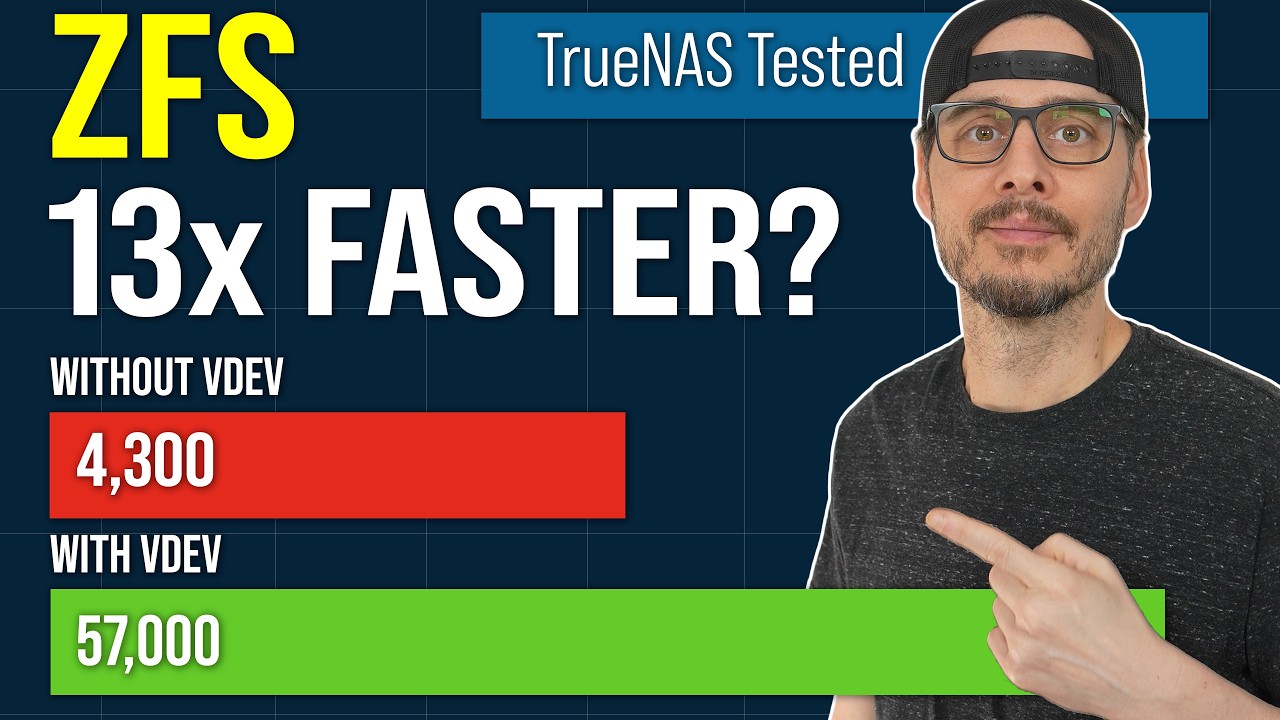
I did testing for rsync backups on my pool. With an metadata-only L2ARC, rsync sped up 12x. A sVDEV sped up rsync a bit more but its biggest impact was for small file I/O. Use case matters.
I agree that the drives in the sVDEV better be top quality. Mine are old Intel data center SSDs. I use a 4-way mirror sVDEV. Lastly, sVDEV may be interesting for plex and like applications by carefully tailoring recordsizes by use case.
Put the movies on a dataset with a 1M recordsize, put the data for the plex app in a dataset that resides solely on the sVDEV by making the recordsize smaller than the small file limit. Makes for very fast plex browsing without the need for a separate SSD pool for the plex index.
Use case definitely matters, and is why I’d recommend against it for most and not all.
For fast Plex browsing, I put it with all my other apps, databases, and anything else I want to be fast on a separate SSD pool of 4-way Optane mirror. No need to worry about the small file limit, can easily be migrated to other pools, and it’s completely detached from any other pool.
For movies and TV, I don’t see much to gain from a special vdev for small files.
True, but I don’t claim that your route is ill-advised. See the difference?
Why? No seriously, why? Special vdev is the least stressful use case for an SSD there is. You can literally take the worst cheap trash SSD you can find and will still get a good performance boost. Also this task put basically no stress at all onto the SSDs, I can’t think of a use case that is nicer to SSDs than this. And even if one drive does fail, you put in a new one and it will resilver in notime. I have not used QLC drives for that yet (QLC only upside is capacity, which is not really needed for svdev) but probably even QLC drives will shine in that scenario.
Use case matters a lot. If the sVDEV goes, your pool is destroyed as all the metadata is stored in the sVDEV. Ditto small files, depending where you set the small file cutoff in various datasets.
If your use case involves a lot of small files getting modified, created, deleted, then the sVDEV wear starts to add up (databases, some VM work). Similarly, if there are a lot of metadata changes because the pool is in constant active use, the same issue applies.
A lot of writes means a lot of stress to the SSDs and if they are “trashy”, then the probability that one or both will fail, corrupt, or otherwise make for a bad hair day will go up pretty substantially. Your use case may be different, perhaps more of a WORM NAS where there are few changes to metadata and small files?
But that doesn’t hold true for everyone. I’d suggest that most of us chose ZFS as a FS because we desire data integrity and don’t want to discover bit flips, missing files, and like unhappiness. There are FS and platforms out there that are even more aggressive re: tiered storage, caches, etc. than ZFS. But their performance re: integrity usually reflects this aggressive stance.
Now, if the rest of the pool is also made up of “trashy” HDD VDEVs that you could lose at a moments notice and not care about the pool getting hosed, then sure, I could see the argument why a 2-way “trashy” SSD mirror would be good enough for a sVDEV. But in general, I don’t.
And this points to a potential misunderstanding of what a sVDEV can be used for. Why install additional SSD pools with “good” SSDs when a fusion pool can do it all?
Hmm… I hope this gets not too off topic. And this is only my personal opinion. Anyway I try to answer it.
For Apps, VMs and so on, I don’t want a few good 2,5" SSD in a mirror. I want more I wan’t NVME mirrors. And enterprise SSDs for SLOG.
I also don’t want to run VMs on TrueNAS.
TrueNAS is IMHO a great NAS, but not so great hypervisor.
But having two systems, it is easier to have enough lots SATA, NVMe, RAM while at the same time get the best of two worlds, the best NAS OS and the best Hypervisor OS Of course with the downside of power consumption.
I end up with Proxmox with NVME VMs that have some of their data (like Nextcloud files) on TrueNAS.
So for me (but that is only me personally), the question is not about if I put my VMs SSD, because they are on SSDs and on a different system anyway.
The question is if the data shares on TrueNAS on RAIDZ HDDs should be accelerated by adding s vdev.
By adding even two cheap/small SSDs, the improvement in metadata performance is huge. And since it is only metadata, the workload is ridiculous.
But I get where you are coming from, if you go the all in one approach, your setup also makes a lot of sense.
Thanks for all the input — here’s where I’ve landed for my HL15 rebuild.
My main use case is bulk media storage, personal data, and some light application hosting (Docker containers, Plex, Immich, etc.). VMs run off a separate SSD RAIDZ1 pool (vega), so tank is mostly sequential reads/writes.
Based on the feedback here and my own testing, I’m going with:
• 10 × 18 TB HDDs in a single RAIDZ2 vdev — maximizes usable capacity and still gives me enough performance for my workload. I accept longer resilvers and mitigate risk with full replication to a second pool (floki).
• Mirrored NVMe special vdev with special_small_blocks=16K — keeps metadata and small files on SSD for faster directory listings and snappier access to configs and app data.
• Mirrored NVMe SLOG — mostly idle for async writes, but I’ll set my Time Machine dataset to sync=always so macOS backups over SMB benefit from low-latency commits.
• L2ARC on NVMe — probably marginal for my workload since the special vdev covers most metadata, but I’ll keep it for now and may drop it later if ARC hit rates don’t justify it.
• 128 GB RAM for primary ARC.
• Hourly SMART checks, healthy airflow in the HL15, and hot spares ready in case of a failure.
I get that some consider L2ARC and SLOG wasted in a home lab, but in my case the special vdev + targeted SLOG use for Time Machine should provide measurable benefits without complicating the setup.
Thanks again for the discussion — this helped me refine the plan so it’s tuned for my use case rather than chasing benchmarks that don’t apply to my environment.
I don’t think that is how it works.
It isn’t mostly idle for async writes, but totally idle. Async writes never ever touch SLOG.
So by forcing it to sync, you force every write to go trough SLOG before it goes onto the pool.
Instead of just directly going to the pool.
That is also why a sync write, even with the fastest SLOG in the world, can never ever be as fast as an async write.
So instead of forcing it to be sync, just leave it at the default and let TimeMachine decide. You loose nothing but might gain an async write.
I don’t know what you think you gain by reading metadata from ARC evicted cache from a single SSD instead of reading it from a s vdev pool. This is probably slower.
Little bit unpopular opinion here, but I think you don’t need mirrors for SLOG.
SLOG is almost never read from. Only if you have a system halt AND at the same time you SSD goes belly up, you really loose a sync write. IMHO and also in the opinion of ixSystems, this is not worth it in a small deployment (TrueNAS mini also comes with single device for SLOG).


 I wan’t NVME mirrors. And enterprise SSDs for SLOG.
 Of course with the downside of power consumption.