Been strongly considering setting up a TrueNAS system, with the main goal to have fast, redundant storage; Plex for streaming my media library; other apps that might be useful/fun to play around with. Currently living in the Windows world where I have some disks setup on my main computer with storage spaces and Plex server running. Hoping to learn something new with TrueNAS though.
I’m been poring over various documentation and forum posts trying to get my head how best to setup TrueNAS. So let’s get into it:
Should I have a mirror for boot or apps pool (or both), or is this an overkill? Am I correct in having a separate disk(s) for apps?
In terms of hardware, I bought a Silverstone ECS06 (ASM1166) card for more SATA ports, but see lots of posts saying to use a “proper” HBA like a LSI card. Looking at Ebay for LSI HBAs I see several similar ones for sale (9207-8i, 9211-8i, Dell H310) but are these genuine LSI cards? Does it matter? Some of the sellers are from US, but have dozens or hundreds of these card sold which throws up a red flag to me that they may be knockoffs.
I am planning to use 16GB RAM, but heard that TrueNAS is RAM hungry. Is this enough?
I have additional questions about the setup and configuration of Plex as well, but I will save those for a separate posts in the Apps and Virtualization category.
Unfortunately, the answer to most of your questions is: It depends.
Having a mirrored boot pool is good practice but since the OS part of TrueNAS is treated as easily replaceable, you can save disks here if you do regular backups of your config. Re-installing and restoring the config is quite easy and fast so you are back up and running quickly, if your boot drive fails. Keep in mind that since the boot pool is treated as ephemeral, you can not (in a supported way) use this disk/these disks for anything else.
Apps should be on fast storage, like a SSD pool. This doesn’t have to be too big, since it is only the apps themselves with a little bit of config and metadata that is stored there. The data for the apps will be stored in your HDD pool. Look through the forums to see what people are using, if you are interested.
Always use an HBA if you can. Those port replicators/multipliers/splitters are very unreliable for TrueNAS and the cause of many headaches and pleas for help to the forum. Don’t worry about people selling lots of them, HBAs are in tons of enterprise gear so they are very common and very commonly sold used in high quantities. Search the forum for your models to see if they seem fine for your use case or what others are recommending. Keep in mind that they get quite hot so cooling them is (almost) always a must.
Your RAM highly depends on the amount of storage you will be having. TrueNAS or rather zfs is not as RAM hungry as it once was. What you might see is that almost all of your RAM is being used, no matter how much you have of it. That is by design and used as zfs cache. Again something you can search the docs or the forum for, if you want more information. But 16 GB can absolutely be fine. The recommendation is always to use ECC RAM but this is quite pricey in the current environment.
I don’t believe mirrored boot pools are generally necessary–as PA says, the boot device is pretty much disposable as long as you have a recent backup of your config file. I would recommend a mirror for the apps pool, though–a lot of data ends up stored there, and loss of that pool would mean loss of that data. You can mitigate this risk by scheduling a periodic replication task from that pool to another pool with redundancy, though.
IBM, Dell, and other OEMs have made LSI-based HBAs, and those are just fine. I’d look at a 3008-based card, though, rather than a 2008 or 2308-based card.
For file-sharing and a few apps, almost certainly so. For lots of apps or VMs, you’re probably going to want more.
1a. Dedicated boot device. Mirror is overkill. Always keep a current configuration file out of teh NAS.
1b. Dedicated SSD app pool. A mirror is valuable if recreating from scratch would be a pain, but not necessary.
2. If possible, get a motherboard with enough SATA ports. If not, get a HBA. As last resort, use a SATA card without port multiplier (no compromise here).
SAS HBA are mass products for data centres, and 92xx are very old; there’s no surprise that the cards are offloaded by tens of thousand to refurbishers.
3. How much data will you manage? What’s the app workload?
Mirrored boot pool is for fun only unless you need serious uptime & want to hotswap failed boot drives without having to turn system off; not necessary in home environment. Just keep a few copies of working configs & reinstall will take like 5 minutes.
Mirrored app pool, on the other hand, is worth it imo, preferably ssd or nvme.
If you don’t have enough sata ports on your motherboard use an HBA. https://www.artofserver.com/ is well regarded as a supplier if you’re worried about fakes. Realistically a real, used HBA will be cheaper than the Silverstone card. Slap on fan on whatever HBA you end up buying.
16GB should be fine - it’ll run.
Not sure how much content you’re going to run on Plex, how many devices you’ll be streaming to at the same time, and if you’re going to do transcoding, but consider tossing in a GPU - was worth it for me.
I’m planning on building the hardware in a Node 304, with a bunch of 6TB hard drives in it (either 4 or 6 plus boot/apps drives.) Might be a tight fit if I fully populate it with drives, so have started to lean toward 4 drives for data/media. Plus I might have to adhere the SSDs somewhere if I fill up all those spots with hard drives. Getting hard drives right now is a nightmare anyway!
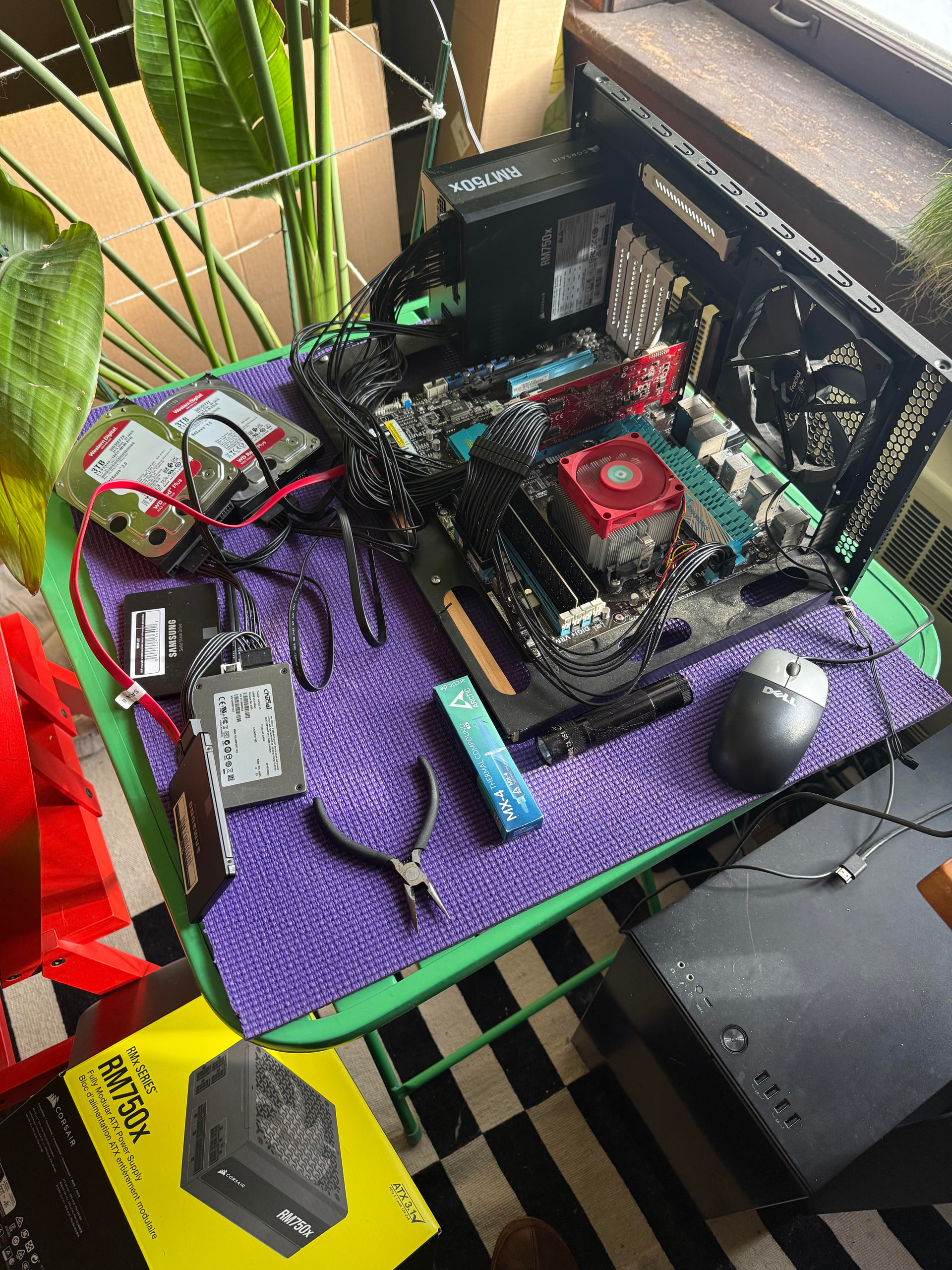
Anyway, here’s of a pic of me testing trueNAS on some old hardware:
Great case for a small NAS. Pair it with a Supermicro X10SDV board: 6 SATA, 10 GBase-T, and a x16 slot which can bifurcate down to x4x4x4x4 for some SSD storage on a M.2 carrier card (or x8x4x4 for 2*M.2 + Arc A310 dGPU).