Hey all,
I have been running TrueNas for almost a year and having fun with self-hosting various services. One thing that always puzzled me are SSL certificates.
Currently I am running Nginx Proxy Manager on Truenas v25.04.2.6 (IP 192.168.1.78, ports 81/443) which runs few apps I like to access outside of my network: Actual, Immich, Invoice Ninja and Vaultgarden. All of them are accessible via Tailscale when I am not on the local network. I am not port forwarding anything. All apps runs normally via HTTP with the “not secure” label in the browser.
Here is where the NPM behaves funny.
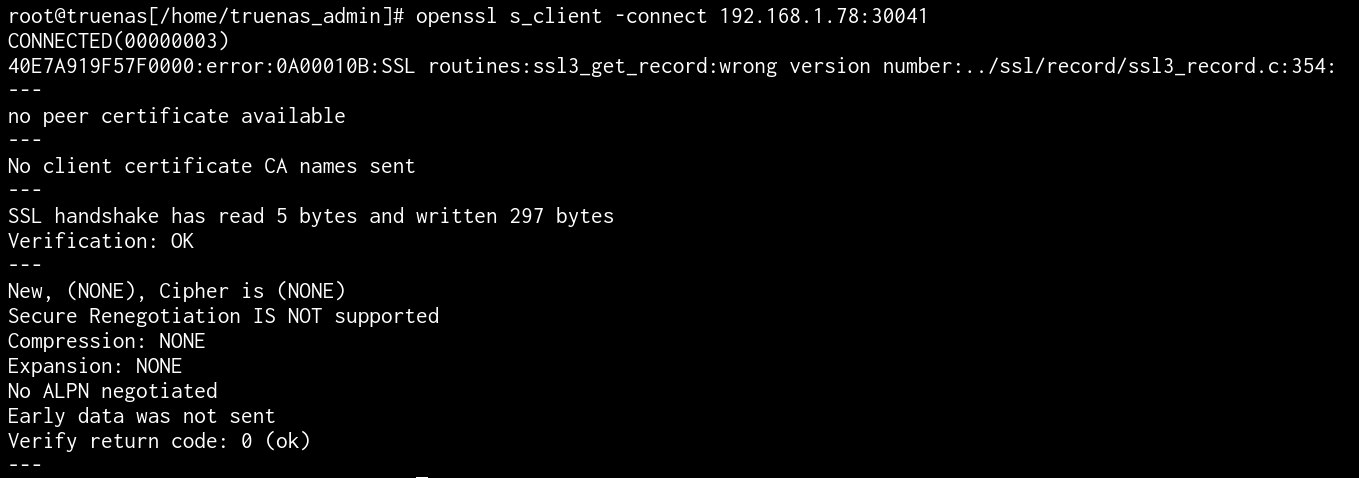
Hosts created for Actual (actual.mydomain.duckdns.org) and Vaultgarden (vault.mydomain.duckdns.org) works fine with SSL certificate encrypted by Let’s Encrypt via DuckDNS locally and through external network via Tailscale. The other two - Immich and Invoice Ninja - are returning 502 bad gateway error. This is the log:
[11/Oct/2026:04:50:45 -0700] - 502 502 - GET https immich.mydomain.duckdns.org "/" [Client 192.168.1.69] [Length 154] [Gzip -] [Sent-to 192.168.1.78] "Mozilla/5.0 (X11; Linux x86_64; rv:157.0) Gecko/20100101 Firefox/157.0" "http://192.168.1.78:30020/"
The only difference between the working and nonworking apps are the port numbers.
SSL certificate has wildcard generated as well for the domain. NPM is running on 30020 port.
I am stuck on this for two days, I do believe I made a mistake somewhere. Can you point me to a solution, or steps I should check to resolve this? Thank you.
Pavol
 Both I guess. Sounds like a bitch to sanitize before sharing online.