
Resolved: Followed the video https://www.youtube.com/watch?v=uPkoeWUfiHU and deleting the ip from the interface after setting up the bridge worked.
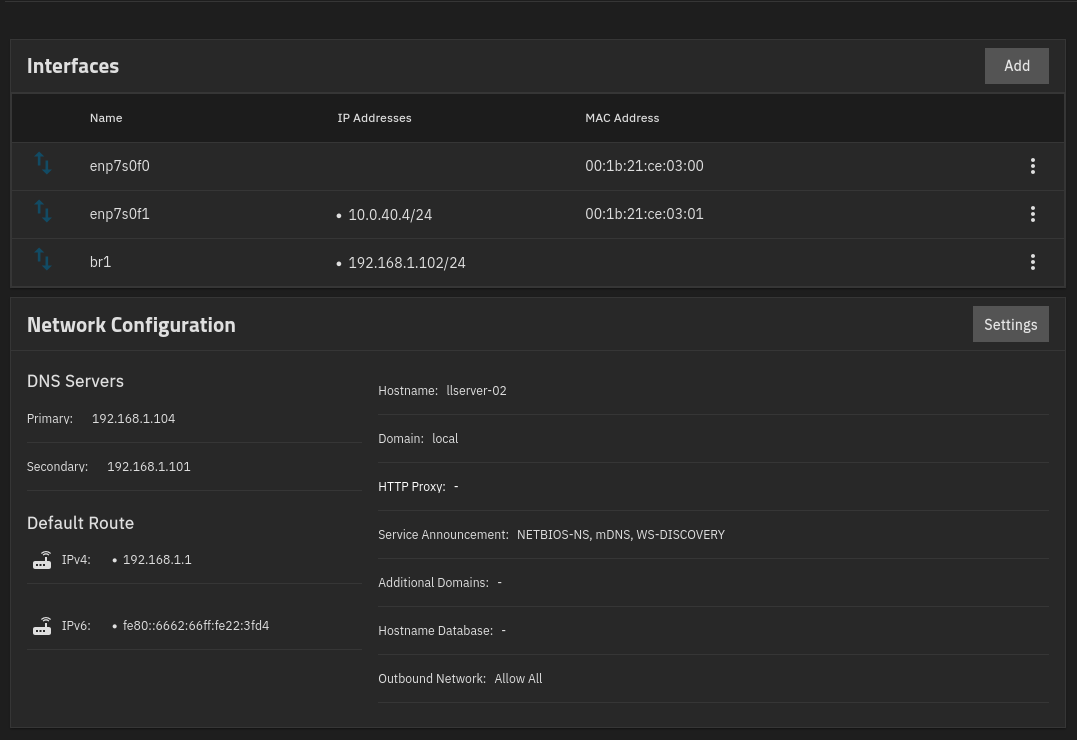
I am still new to truenas scale. I have setup a new build and copied all my data across and things have been working for a couple weeks.
However I installed and setup immich last night and had started importing my dropbox photos to the same vdev as my other photos because I didn’t realise I could import the to folders within a vdev.
Anyway to force the disconnect of the old vdev for dropbox photos I rebooted the system and this is where all my issues for the next 7 hours started. Kind of ongoing.
I frigate / mqtt / mariadb and tailscale (using my headscale) on the truenas host.
I have one ubuntu vm running all my other docker containers including home assistant and one of my pihole instances. Home Assistant needs to talk to the truenas scale host in order to communicate with MQTT and Mariadb.
I already had a bridge setup on the system and though all was good. However after the reboot the truenas host could not route any traffic to the internet. DNS could get the IP it seems but not route traffic or ping domain names. Unless they were on my local dns from my piholes.
Not until I deleted the Bridge network could the truenas then communicate or route traffic to external domains. However doing this broke the ability for the vm to access the resources on the truenas host.
I currently have things working again but I feel I have things configured wrong.
Network config
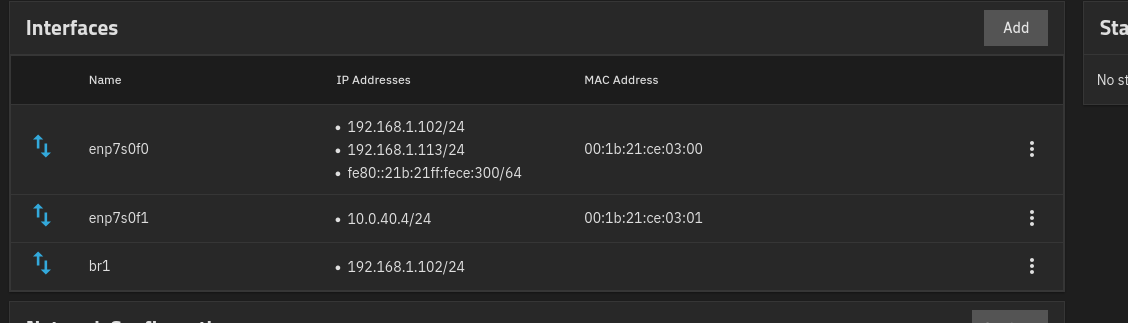
enp7s0f0 nic
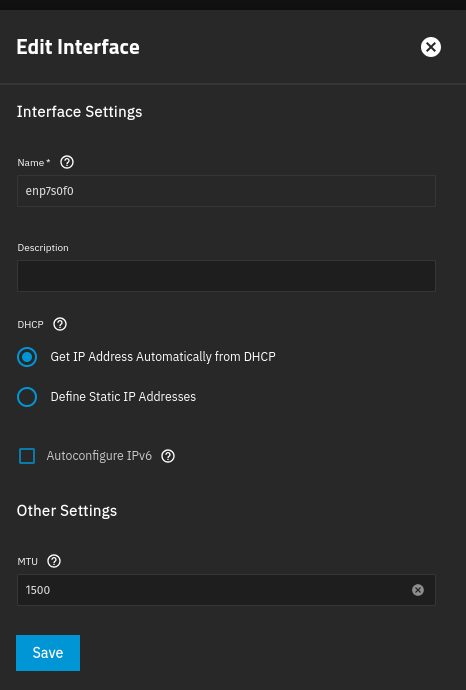
Getting a random IP from PFsense
Bridge configuration
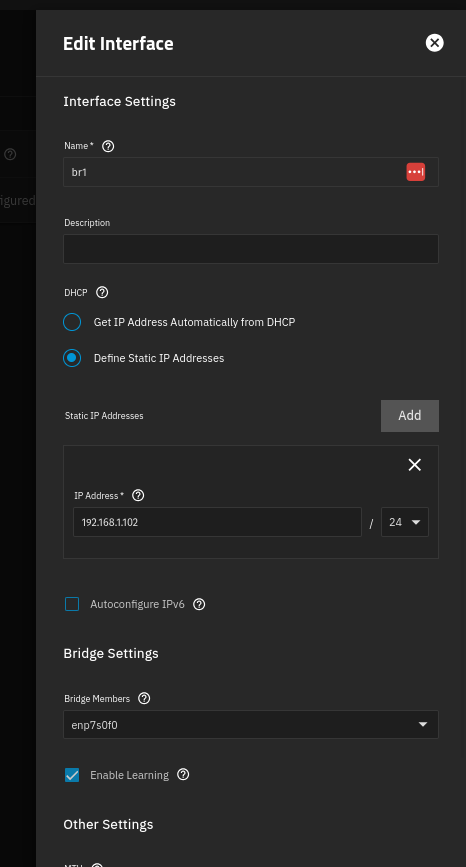
Virtual machine nic configuration
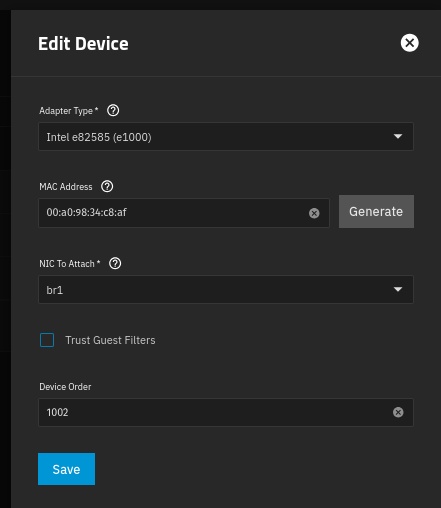
I feel I should just set a static IP for the truenas nic enp7s0f0 eg 192.168.1.100
Add 192.168.1.102 as the alias IP and not have that as a assigned reservation in the DHCP server same as 192.168.1.100
Only give a static DHCP reservation for the VM mac address of 192.168.1.101
Can someone tell me what I have correct and what I have wrong so next reboot truenas maintains DNS and internet routing.
Side note I have two piholes.
192.168.1.101 which is off the truenas vm
192.168.1.104 which is running on a separate rasberry pi
I have changed the order of the dns servers primary: 192.168.1.104 secondary: 192.168.1.101 so that truenas does not look at the vm instance as primary dns server but not sure that will make any difference