
Thanks… please provide feedback directly on the appropriate docs page.
1 Like
Is this the smoothest major update we have ever delivered?
It will make our Christmas break much more enjoyable 
2 Likes
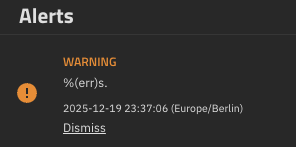

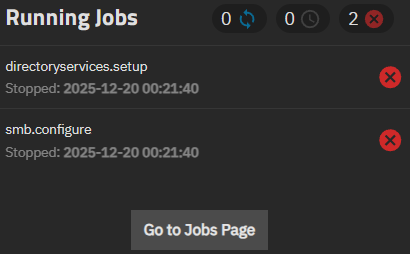
Edit: It’s this alert that’s causing the semi-helpful error message: middleware/src/middlewared/middlewared/alert/source/directory_services.py at 26c30529eab9f58907184e397ccc054316de20ae · truenas/middleware · GitHub
Edit 2: As I was looking into this further, I found the PR from 8 hours ago that fixes the issue, so that’s good news! NAS-139010 / 26.04 / Fix typos in DirectoryServiceDnsUpdateAlertSource by themylogin · Pull Request #17870 · truenas/middleware · GitHub
1 Like
I’d suggest starting a new thread in general… and posting the link
In the new thread.. have the original version and hardware.
1st test would be a reboot?
1 Like
Hi Captain_Morgan:
Rebooted twice. It was late night so I could not investigate but I will try to see a little more today and open a new thread as suggested (if nobody opens it before me)
Thanks!
You are not saying that it was my fault or hardware, right?
My secondary App/VM server, with the same hardware and same configuration (except IP address, etc.) did come back up properly after the update and did not need a 2nd reboot.
Happy to report that TrueNAS 25.10.1 has passed 10,000 systems with very few issues reported.
If you do see an issue, please start a thread in TrueNAS General…
4 Likes
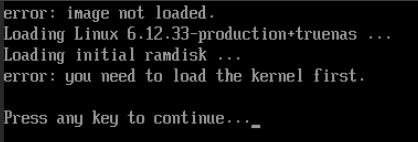
Just upgraded one of my test VMs in Proxmox to 25.10.1 (from 25.10.0.1) and it kernel panics with the following error:
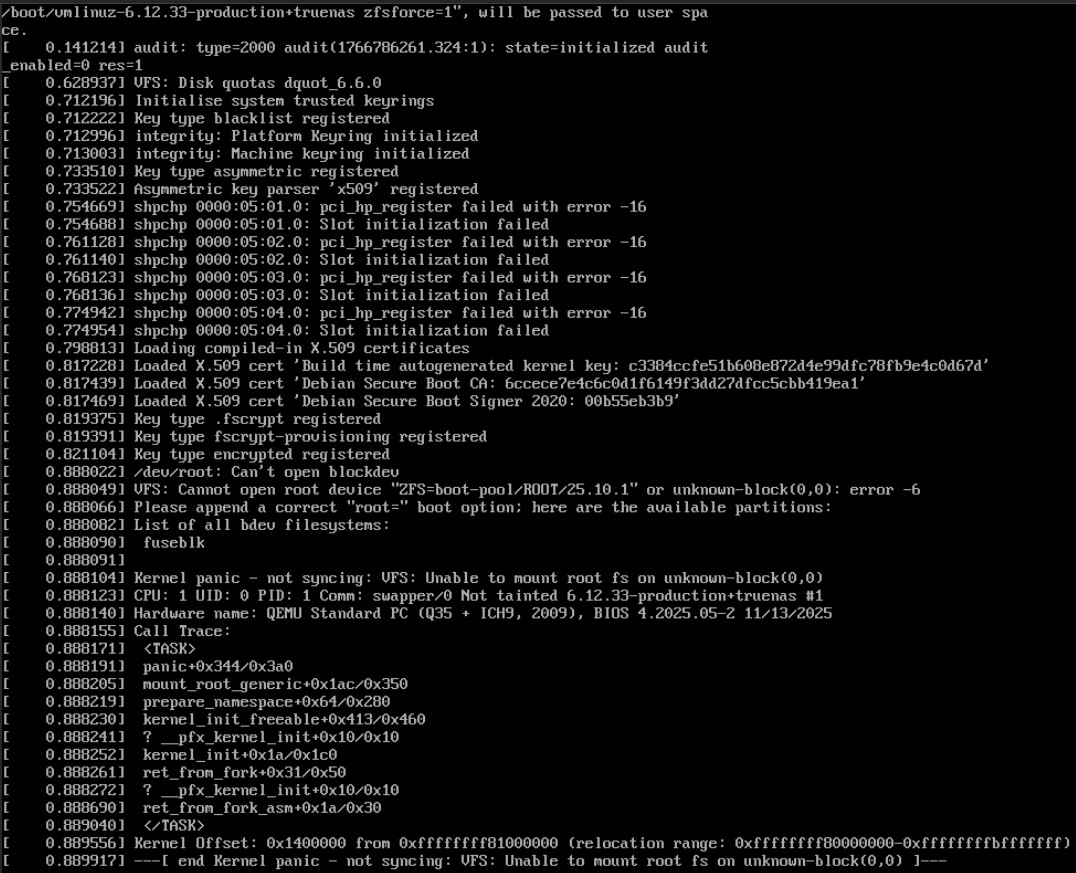
the configuration of the VM looks the following:
agent: 1
bios: ovmf
boot: order=sata0;ide2;net0
cores: 4
cpu: Skylake-Client-v4,flags=+nested-virt
efidisk0: virtssd:2020/vm-2020-disk-0.qcow2,efitype=4m,size=528K
ide2: none,media=cdrom
machine: q35
memory: 16384
meta: creation-qemu=10.0.2,ctime=1754647808
name: tnr
net0: virtio=BC:32:11:34:DD:E7,bridge=vlan30
numa: 0
onboot: 1
ostype: l26
sata0: virtssd:2020/vm-2020-disk-1.qcow2,discard=on,size=50G,ssd=1
sata1: virtssd:2020/vm-2020-disk-2.qcow2,discard=on,size=100G,ssd=1
sata2: virtssd:2020/vm-2020-disk-3.qcow2,discard=on,size=100G,ssd=1
scsihw: virtio-scsi-single
sockets: 1
vga: std
When selecting the previous version in the boot manager it starts to work again 
I did see this too with ONE particular server!
Ended reinstalling and loading config.
The (not so) funny thing is that upgrade worked fine on an identical machine.
I’m almost sure it’s some combination of MBR/UEFI boot settings/differences.
So now I hesitate when upgrading remotely.
If they can’t find/fix the issue, could they implement a default timeout or something similar:
If system not up in 10 min? boot the previous boot env??
If this issue is reproducable, please start a new thread in TrueNAS General… detail all your hardware and settings and then we can report a bug if there is no obvious culprit.
Thanks..
If a system is having trouble booting.. TrueNAS software doesn’t get a chance to do anything.
The best solution today is IPMI.
All TrueNAS appliances include it for remote management.
1 Like
I just noticed something while creating a user on 25.10.1 with the new user screen - the authorized keys input is now called public key in the dialogue and just SSH Key in the overview under access.
I think that is very confusing as a Linux user’s public ssh key is very different from the potentially multiple authorized keys.
Why was this renamed from the imho very fitting “authorized keys” in the previous version?
Screenshot would be appreciated… or report a bug and drop the NAS-ticket here.
I don’t think it’s a bug but an intended change which I find weird, that’s why I din’t file a ticket.
Here’s the user creation dialogue from 25.10:
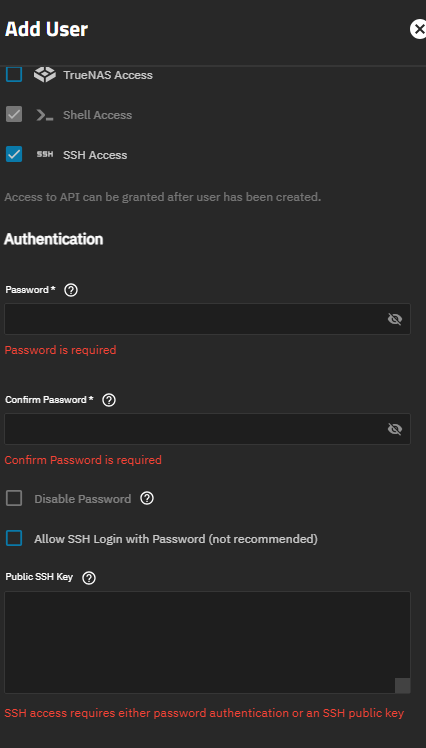
Public SSH Key means authorized keys (which can of course be more than one key).

For existing users it also shows this in the user overview which I think also creates that an SSH key is set for the user (like an id key… id_rsa[.pub or similar) instead of key in the authorized_keys file. I also don’t know why I would want to download the authorized_keys.
Short Answer from AI
- Public SSH key: The key you share to identify yourself
- Authorized key: A public key that a server has explicitly approved for login
An authorized key is a public key, but not every public key is authorized.
==============
So.. aren’t all keys that can be used public ssh keys.. not private ssh keys?
The AI answer is correct and I think fits what I wrote in my first message:
I think that is very confusing as a Linux user’s public ssh key is very different from the potentially multiple authorized keys.
Yes, the authorized keys file contains public keys but that does not mean that it should itself be called public key or ssh key in the UI. It’s a bit as if the UI would call a cube “rectangle” if you know what I mean.
but I assume it is valid to provide a public ssh key or an authorized public key??
I think the question is whether there is a better term that allows both that is understood by majority?
I’d be OK adding a specific documentation addition to say its either…
Either I am completely misunderstanding you or you have some misconception about the files that typically lie in the .ssh folder.
You do provide public ssh keys in the webinterface and those are then stored (or made available) in the authorized_keys file of the user.
There would be no sense in just supplying “the public ssh key of the user” as the user would also need the private key for the public key to be of any use.
The input here are public keys which get granted access to this user via ssh.
I don’t know what use would downloading the authorized keys file be and as I said I think the term “Public Key” or “SSH key” is misleading here.
I would love to here some other opinions here though as I am starting to think that one of us has some real misunderstanding here (which could be me just as much as @Captain_Morgan ).
Using the term “authorized keys” matches the SSH nomenclature for it as well.