The TrueNAS team is pleased to release TrueNAS 25.10.1!
Notable changes:
- Fixes issue where storage pools appeared offline after upgrading to 25.10.0 (NAS-138236). Affected systems experienced temporarily missing VDEVs that required a system reboot to restore pool access.
- Adds Final Cut Pro Storage Share purpose preset for SMB shares (NAS-138402). Provides optimized configuration for Final Cut Pro workflows. See Setting Up Final Cut Pro SMB Shares for more information.
- Adds automatic validation for SMB share audit logging configurations. TrueNAS 25.10.1 automatically disables SMB shares when auditing is enabled and watch or ignore lists contain invalid groups (deleted/renamed groups or groups that are no longer SMB-type). This protective measure prevents auditing misconfigurations that could cause security or compliance issues. The system generates alerts identifying affected shares and problematic groups. See Configuring SMB Auditing for configuration details and troubleshooting steps.
- Adds REST API usage monitoring alert. TrueNAS now displays a daily alert when deprecated REST API endpoints are accessed, helping identify integrations that need migration. The REST API was deprecated in TrueNAS 25.04. Full removal is planned for TrueNAS 26.04. For more information about the JSON-RPC 2.0 over WebSocket API, see the API documentation.
- Adds Clear Config button to the directory services configuration form. This button allows users to easily remove existing directory service configurations. This is useful for troubleshooting, reconfiguration, or switching between directory service types.
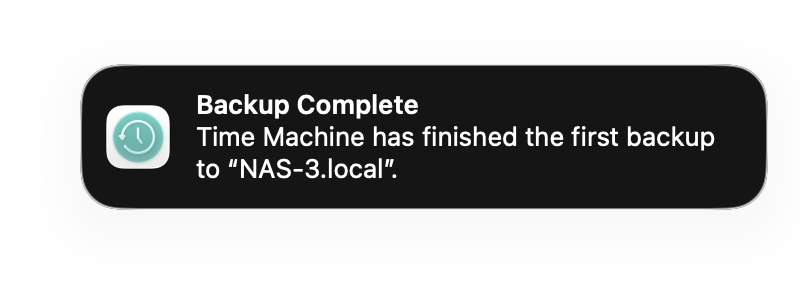
- Updates Samba from 4.22.5 to 4.22.6 (NAS-138644). Includes upstream fix for Time Machine backup failures on newer macOS versions. Resolves an issue where Time Machine backups failed on macOS 15.2 (Tahoe) and later due to a Samba 4.22 behavioral change affecting directory rename operations for open files. TrueNAS 25.04 releases are unaffected.
- Fixes Windows 11 virtual machine Trusted Platform Module (TPM) persistence (NAS-138165). Resolves issue where BitLocker PINs and other TPM data reset after every VM restart. Users need to reset their PIN once after upgrading, after which persistence functions normally.
- Fixes Secure Boot for virtual machines (NAS-137898). Resolves issue where VMs with Secure Boot enabled failed to boot signed operating systems like Windows 11 due to missing Microsoft keys in OVMF firmware.
- Fixes VM image file upload default location (NAS-138502). Prevents ISO files from being saved to the boot drive /mnt folder when users do not change the default upload location during VM image upload.
- Fixes VDI disk import for virtual machines (NAS-137897). Resolves errors when creating VMs using .vdi disk images.
- Improves error handling for legacy FreeNAS dataset properties (NAS-138629). Users can encounter
"aclmode: failed to get property"errors when editing datasets on long-running systems that contain invalidaclmode=discard_chmodproperty values from legacy FreeNAS versions. This update improves error messaging to help identify affected datasets. If you encounter this error, runzfs set aclmode=passthrough dataset_namevia CLI to reset the property to a valid value, then reboot the system. - Improves error messaging for pool operations (NAS-138330). Provides clearer error messages when attempting to extend VDEVs or replace disks fails due to ZFS checkpoints or other conditions.
- Fixes rsync tasks using SSH keychain credentials (NAS-138334). Resolves UnboundLocalError that prevented saving or running SSH-based rsync tasks after upgrading to 25.10.0.
- Improves replication error messages (NAS-138202). Provides clearer error messages when replication tasks fail due to interrupted SSH connections or network issues.
- Fixes email sending error after upgrading to 25.10.0 (NAS-138270). Resolves
'str' object has no attribute 'decode'error when attempting to send test emails or system notifications. - Restores HDD temperature data via SNMP (NAS-138433). Resolves issue where SNMP queries for disk temperature (OID .1.3.6.1.4.1.50536.3) returned no data after upgrading to 25.10.0.
- Fixes issue disabling SSH and Shell access for user accounts (NAS-138307). The Save button no longer becomes disabled when clearing these access options.
See the Release Notes and changelog for more details.
25.10.1 Documentation : TrueNAS Documentation Hub
Download : https://www.truenas.com/download-truenas-community-edition
Thank you for using TrueNAS! As always, we appreciate your feedback!