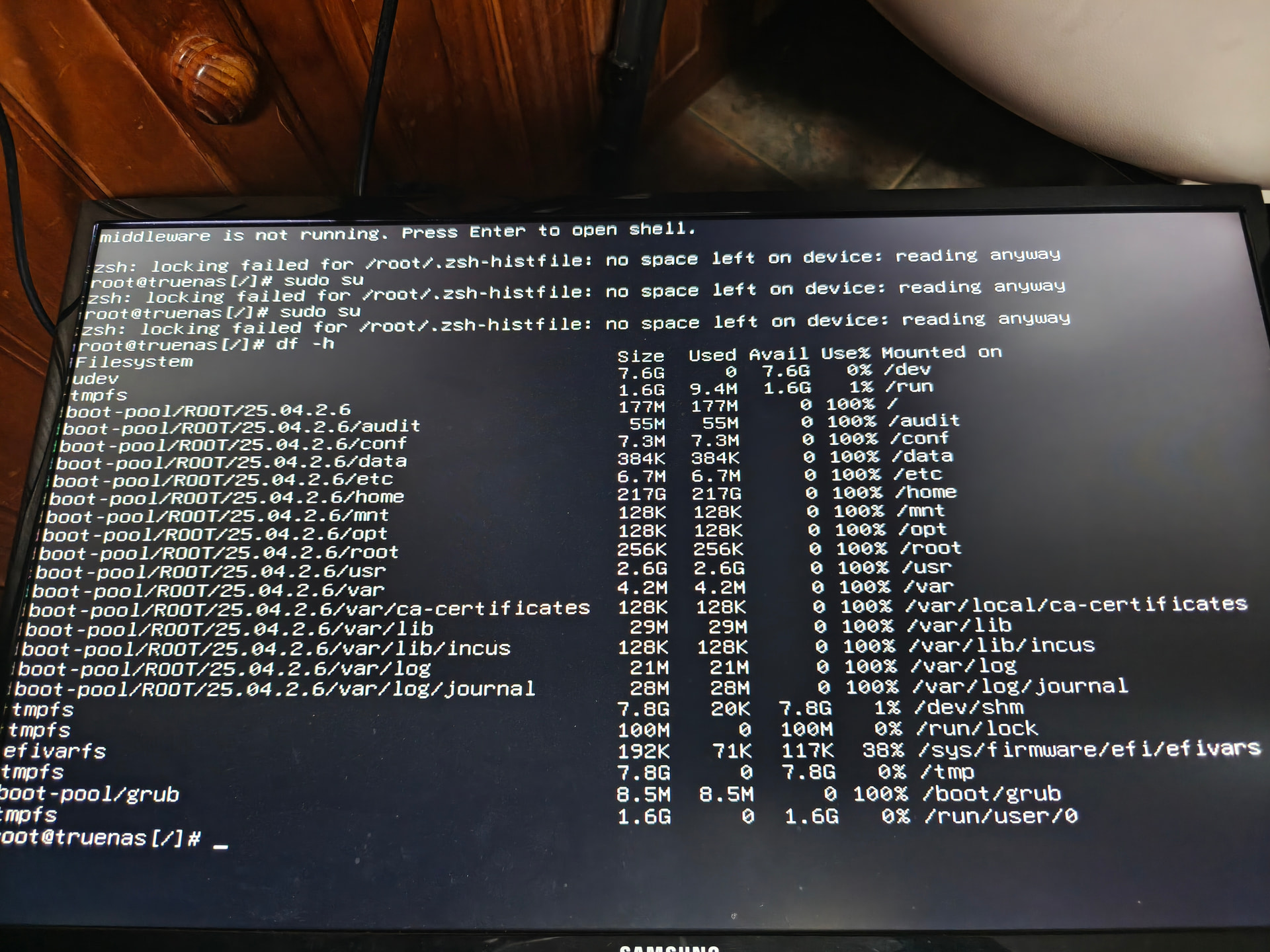
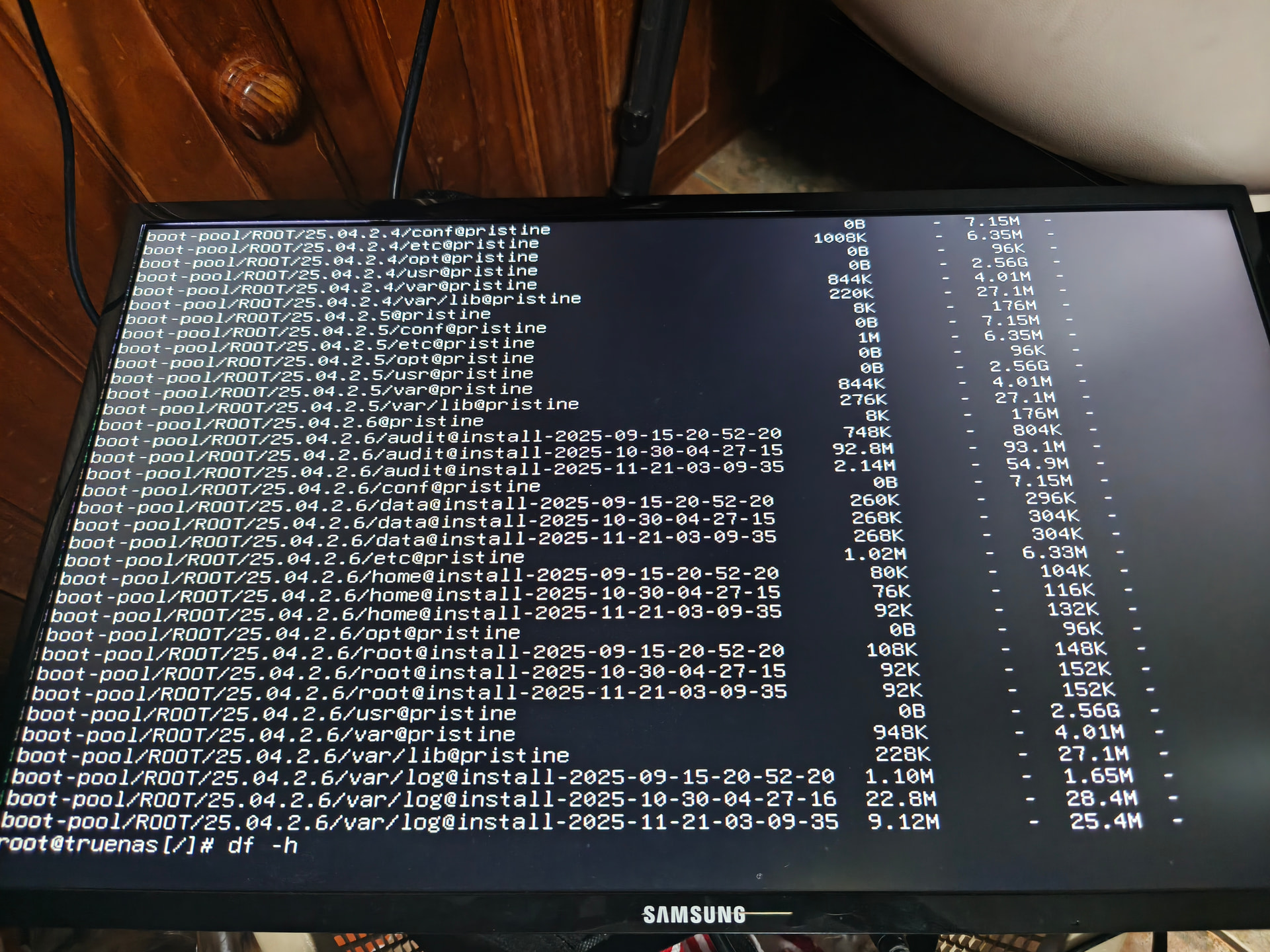
Ive got this error and cannot login. It wont allow me to login, it only gives this
Traceback (most recent call last):
File “/usr/lib/python3/dist-packages/middlewared/api/base/server/ws_handler/rpc.py”, line 323, in process_method_call
result = await method.call(app, params)
^^^^^^^^^^^^^^^^^^^^^^^^^^^^^^
File “/usr/lib/python3/dist-packages/middlewared/api/base/server/method.py”, line 52, in call
result = await self.middleware.call_with_audit(self.name, self.serviceobj, methodobj, params, app)
^^^^^^^^^^^^^^^^^^^^^^^^^^^^^^^^^^^^^^^^^^^^^^^^^^^^^^^^^^^^^^^^^^^^^^^^^^^^^^^^^^^^^^^^^
File “/usr/lib/python3/dist-packages/middlewared/main.py”, line 911, in call_with_audit
result = await self._call(method, serviceobj, methodobj, params, app=app,
^^^^^^^^^^^^^^^^^^^^^^^^^^^^^^^^^^^^^^^^^^^^^^^^^^^^^^^^^^^^^^^^
File “/usr/lib/python3/dist-packages/middlewared/main.py”, line 720, in _call
return await methodobj(*prepared_call.args)
^^^^^^^^^^^^^^^^^^^^^^^^^^^^^^^^^^^^
File “/usr/lib/python3/dist-packages/middlewared/api/base/decorator.py”, line 93, in wrapped
result = await func(*args)
^^^^^^^^^^^^^^^^^
File “/usr/lib/python3/dist-packages/middlewared/plugins/auth.py”, line 867, in login_ex
await login_fn(app, cred)
File “/usr/lib/python3/dist-packages/middlewared/plugins/auth.py”, line 144, in login
raise CallError(f’Login with credentials failed: {resp.reason}')
middlewared.service_exception.CallError: [EFAULT] Login with credentials failed: pututline() failed with error: No space left on device
Thing is, i know i have space, I can see there is space on the drive i have mapped on my computer. it says 2.59TB free of 3.62TB
This happened when i was trying to migrate immich and i got a similar error in rsync which said
rsync error: error in file IO (code 11) at receiver.c(380) [receiver=3.2.7] rsync: [sender] write error: Broken pipe (32)
code 11 implies no space.
What can i do to fix this?