I’m planning to build a U.2 based NAS with 8x D7 7.68TB SSD in Z2 configuration. My Motherboard supports bifurcation and i’m looking to buy a stable U.2 PCIe 4.0 (Gen4) Adapter as my drives are 4.0 rated.
While i was doing some online search, i narrowed it down to a few brands:
StarTech - Only single port U.2/U.3 Gen4 based Adapter, reputed brand
10GTek - Has single port/dual port/quad port U.2, reputed brand but does not support Gen4 speeds
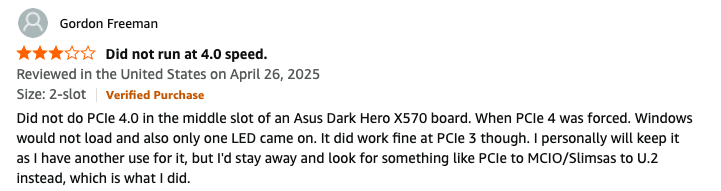
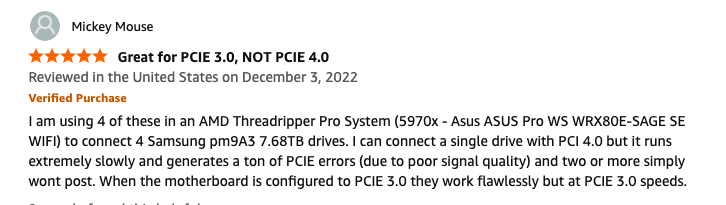
Glotrends - Has single port/dual port/quad port U.2 and people on Amazon reported that it starts throwing error if a Gen4 device is used. Gen3 drive such as optane works fine:
JEYI - Has single port/dual port/quad port U.2 Gen4 based Adapter, but not sure of the quality and whether it will run stable or start throwing error.
DeLock - Has single port/dual port/quad port U.2 Gen4 based Adapter, but not sure of the quality and whether it will run stable or start throwing error.
Tripp Lite - Has single port U.2, reputed brand but does not support Gen4 speeds
As these drives are quite expensive, I don’t want them to fail or go for RMA. Any owners who are using such adapters, any advice on these would be welcomed.
8 U.2 without a NVMe backplane is going to be mess of adapters.
There is a thread at STH about bifurcating adapters; last time I checked the conclusion was that anything passive was unreliable at PCIe 4.0. OP may re-check, or look whether there is an active version of the quad U.2 risers.
Also, gen3 → gen4 genX → genX+1 only makes sense for maximising sequential bandwidth (your random speeds would usually not even saturate gen2). And buying NVMes for the sequential workloads is kinda… decadent. At least IMO.
“Passive” is just traces on a PCB: Cheap, and sufficient until PCIe 3.0
“Active” is when you have active PCIe components along the way, retimers, redrivers, switches: Expensive… and probably necessary from PCIe 4.0 onwards.
Choose your poison:
Go with the cheap passive quad risers an run your drives at PCIe 3.0.
Get the $200 retimer risers and the tangle of SFF-8854-8i-to-dual-SFF-8639. (Cables are flexible. PCIe 5.0 and above is going all for cabled connections.)
Get a NVMe backplane (wired…).
Find whether someone bothered to make active quad risers… and how much he charges for this privilege. (These can only be “too expensive”.)
Thank you so much for explaining this to me. However, what makes me think is why can’t there be a good stable PCIe 4.0 passive quad port cards? Even single port makes issue as per the reviews on Amazon screenshots i attached above.
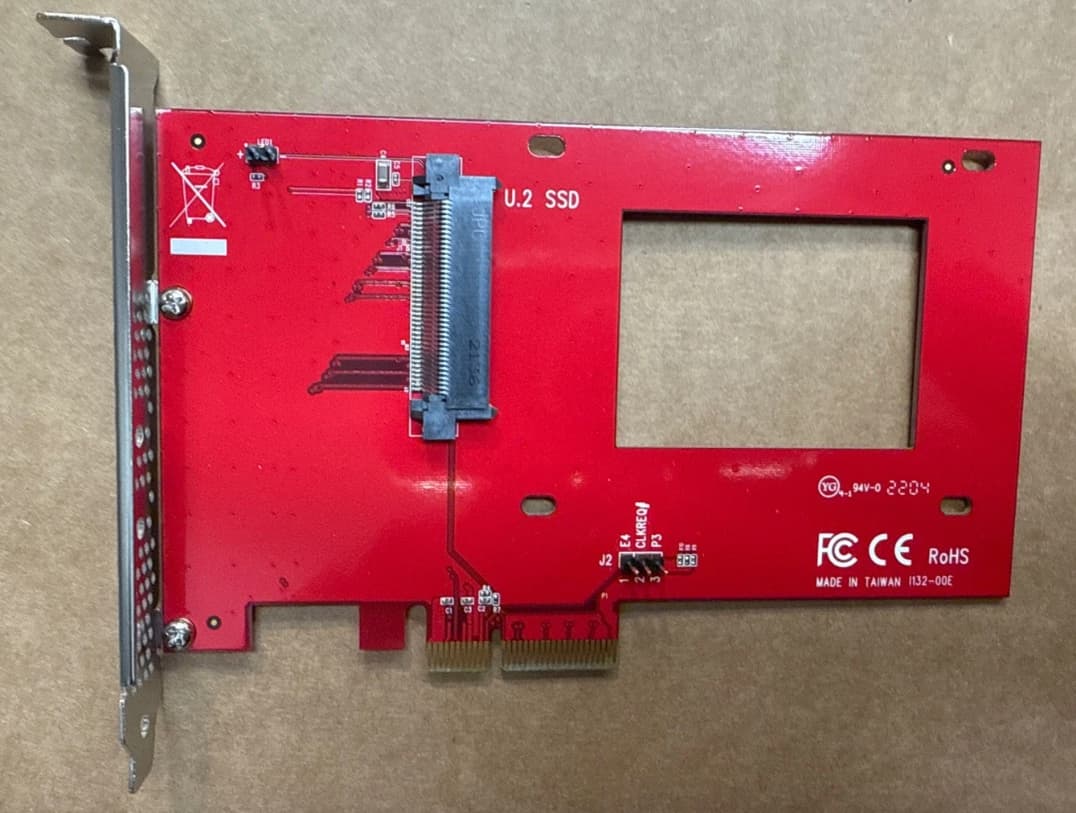
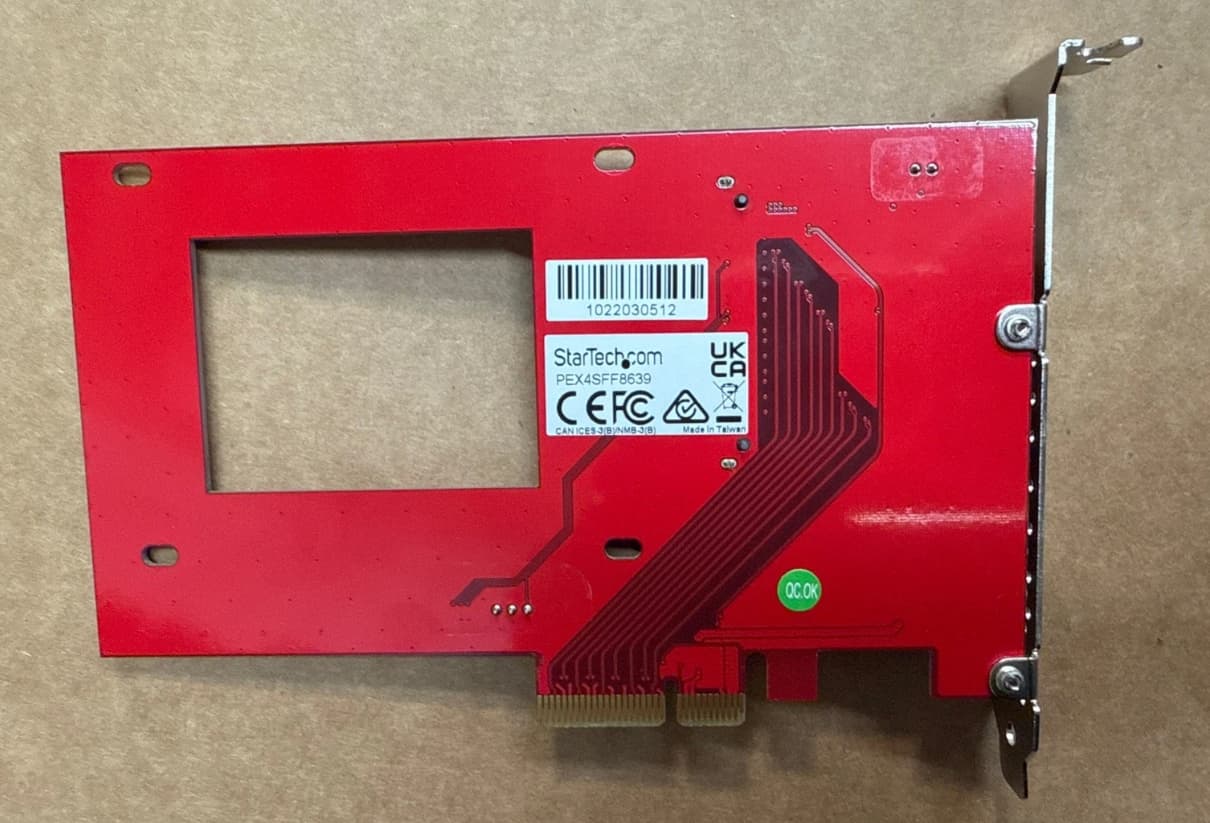
I found just StarTech to be reliable. Do they have any kind of retimers/redrivers or anything else that i cannot think of? Here’s a picture of the StarTech from both the sides:
Yep, just traces, passive adapter, cheap… If the traces are good quality, well-isolated, and if the traces on your motherboard are short enough from the CPU to the PCIe slot, it might, might, work at PCIe 4.0. Or not. be safe: Bet on the “NOT” (per Amazon user reviews).
I’ve once seen a table with avg attenuation values introduced by risers/adapters/etc and what attenuation level is considered reasonable. Perhaps in the case of PCIe 4.0 the frequency is so high that the errors introduced by attenuation can no longer be corrected. This is only my assumption.
Another thing to take into consideration is that the motherboard itself may be using redrivers for pcie 4.0/5.0 - there is a chance that it’d work fine if that is the case. It could be as simple as manually toggling pcie redriver settings in bios on the motherboard. It is also generally more complicated as a whole.
This quickly devolves into pulling out an oscilloscope to validate integrity & would still likely be a case by case in terms of success.
The blame isn’t entirely on passive cards for not being ‘good’ as they are adding length to the pcie traces & multiple connectors along the way by design. There is simply no way that it wouldn’t impact signal integrity & there is some responsibility on the motherboard’s side.
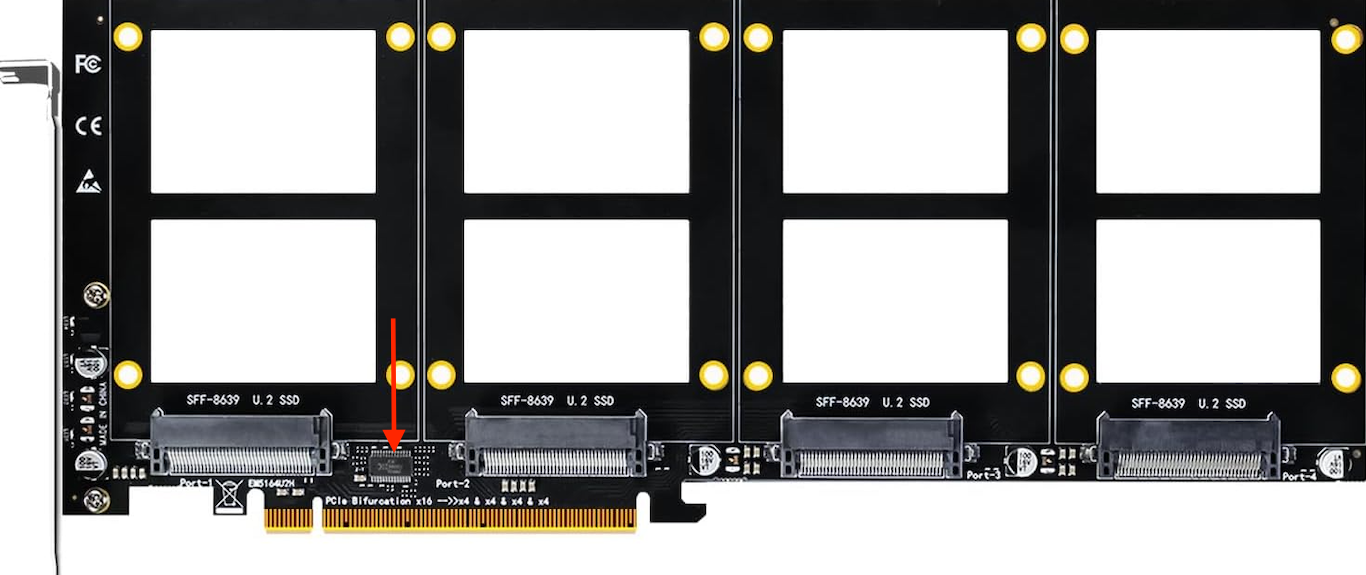
@etorix and @Fleshmauler While browsing the internet, i came across this quad port PCIe 4.0 card. The small IC, looks like a redriver/retimer/switch. Can you guys confirm?
One thing about Amazon reviews of this sort of device is that “doesn’t work for PCIe 4.0” doesn’t tell you much. A more detailed (and honest) “doesn’t work for PCIe 4.0 in my gaming motherboard where I have tweaked various bus speeds, voltages, and timings in an attempt to get 3 more FPS in my game” would let people know the device might be worth buying, at least to test.