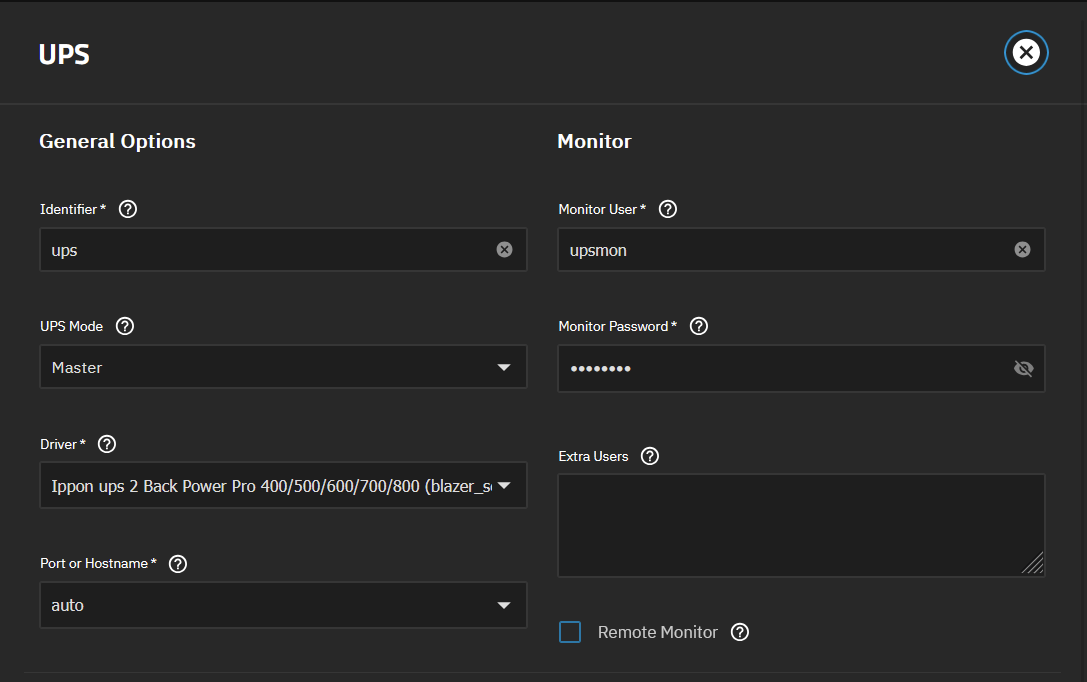
I’ve put my Truenas box (25.04.2.3) on a cheap/generic Amazon UPS. It identifies itself on the USB bus as an Ippon Back Power Pro which is in the NUT hcl, with driver blazer_ser.
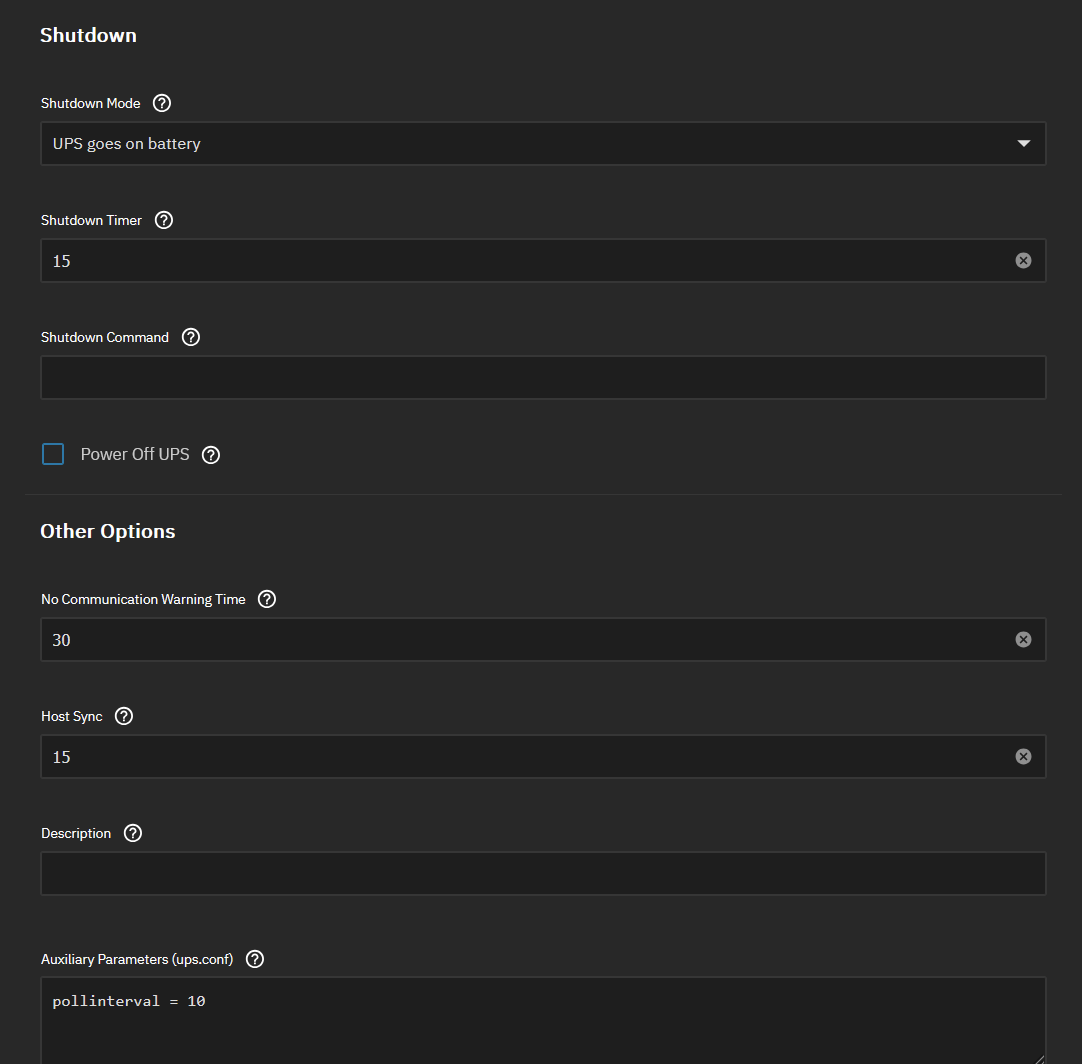
I’ve setup everything as in the official doc, and Truenas seems to communicate well with the UPS since I set the polling interval to 10s as suggested in the doc, without this I was getting “communication lost” alerts.
Unfortunately, nothing happens if I unplug the UPS. I’ve set the delay to 15s, but I waited up to 3 minutes and no shutdown. Here are my settings:
nut-scanner -U
Scanning USB bus.
[nutdev1]
driver = “usbhid-ups”
port = “auto”
vendorid = “0463”
productid = “0001”
product = “UPS BACK Power Pro FWX.XX”
serial = “N08810M7E00003”
vendor = “IPPON”
bus = “001”
But:
upsc ups@localhost
Init SSL without certificate database
Error: Driver not connected
Please note that this driver is deprecated and will not receive new development. If it works for managing your devices — fine, but if you are running it to try setting up a new device, please consider the newer nutdrv_qx(8) instead, which should handle all Q* protocol variants for NUT.
Please do also report if your device works with this driver, but nutdrv_qx(8) would not actually support it with any subdriver!
Yes, I saw this, plus I googled about vendor id 463 and seems it’s also the id for Eaton and MGE UPS. So I tried to select an Eaton model with driver nutdrv_qx, but still nothing.
Ah yes, it was litterally written in the output of the nutscan. It is not consistent with the supposed brand and the hcl, but I selected a random model using this driver, and it works fine now.
Thanks!