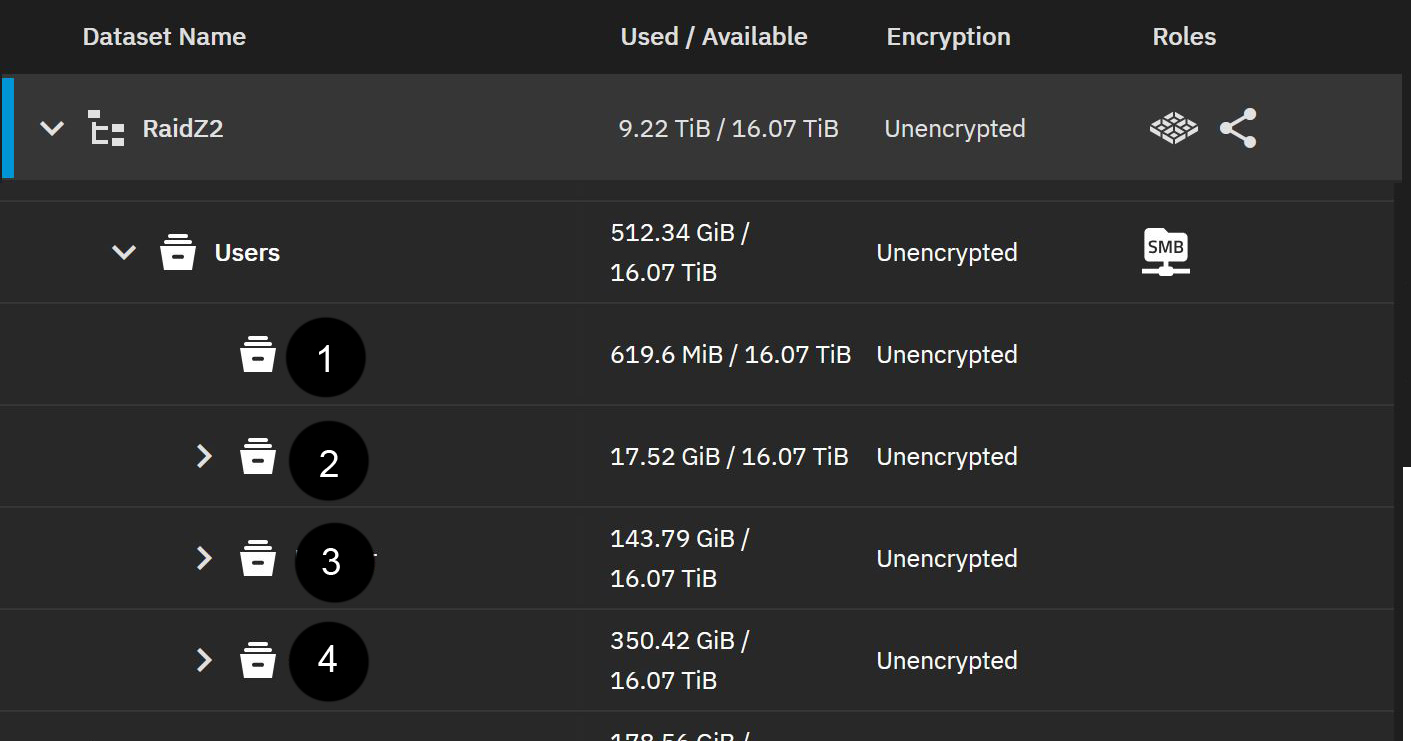
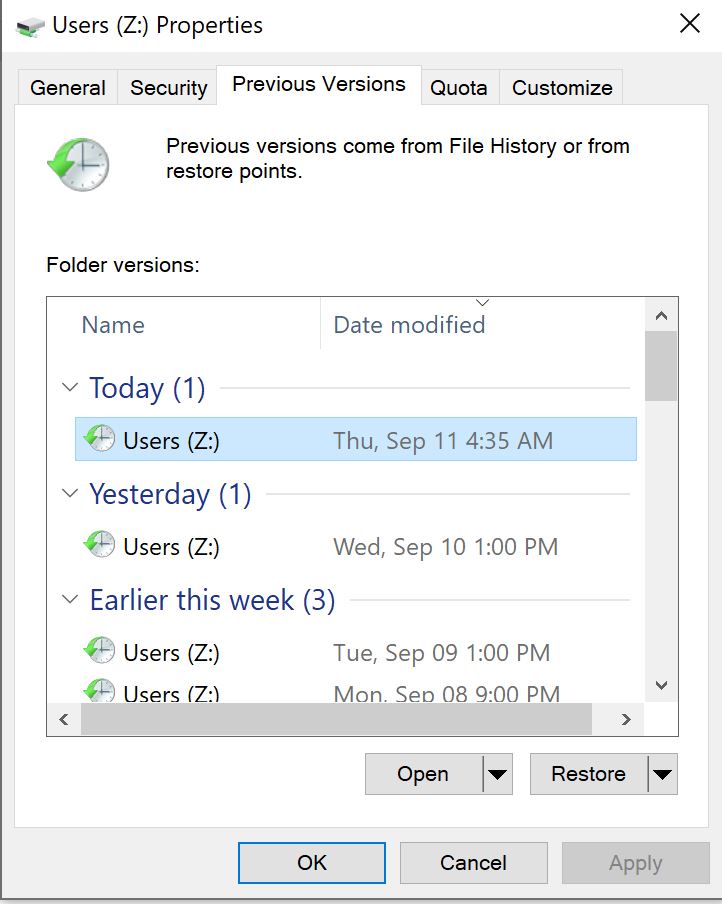
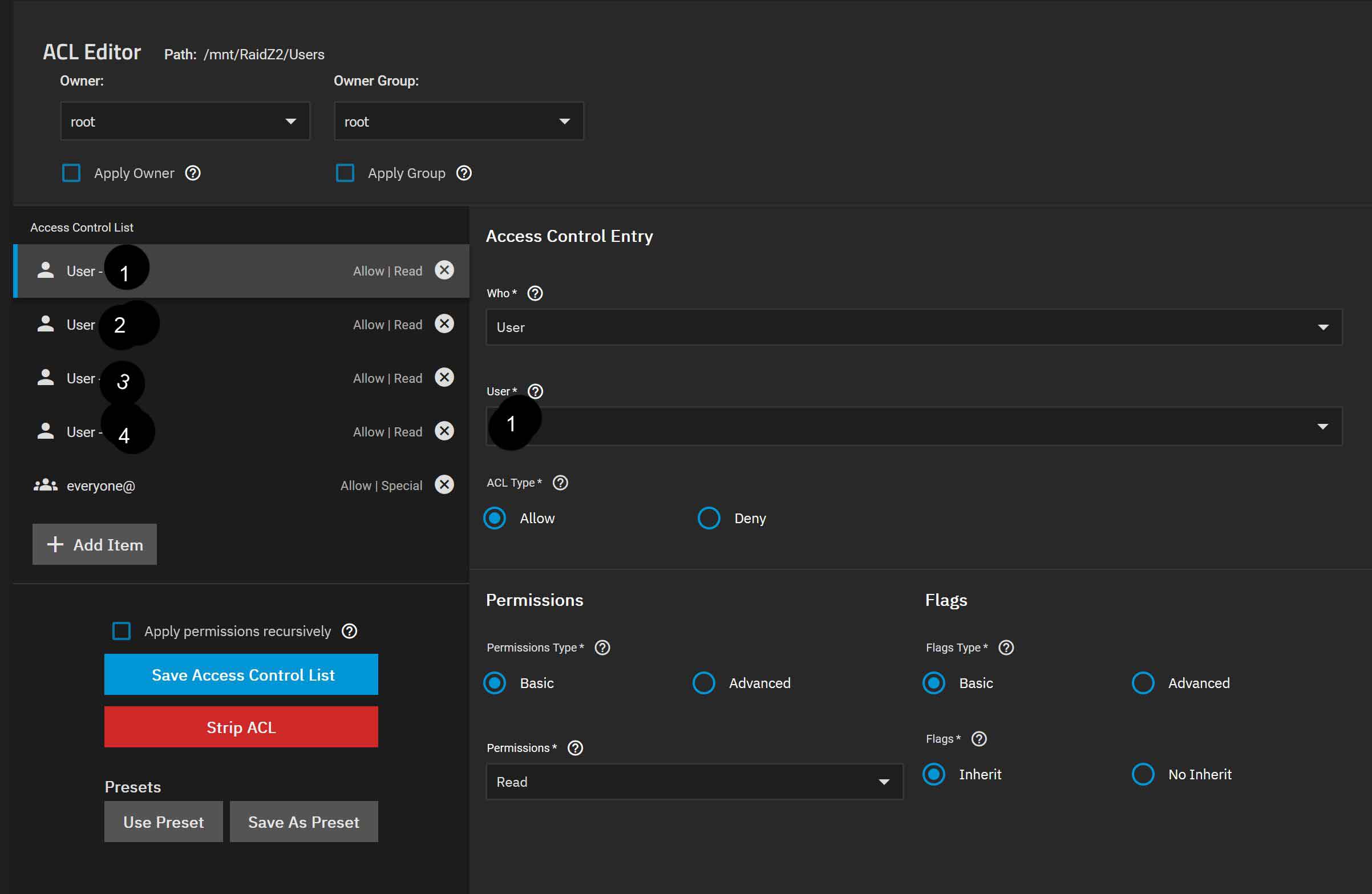
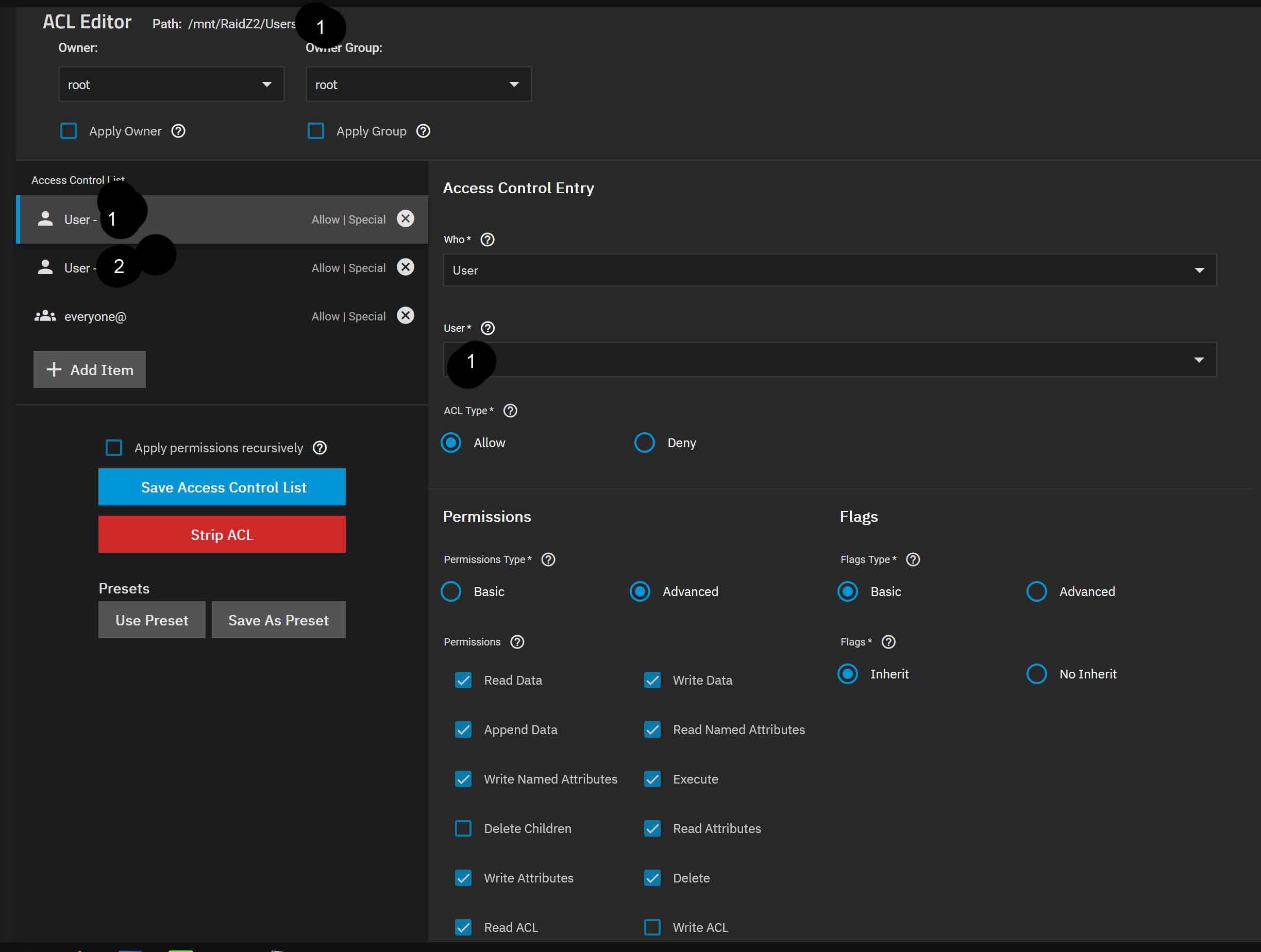
Ok, so I thought I had a grasp on Snapshots but I am clearly doing something wrong. I made a mistake on a file and to my surprise when I went to previous version the folder showed empty. This is my setup. Raidz2 has “Users”. Inside Users is people’s names (lets just call it 1,2,3,and 4 for simplicity).
This server was originally setup on Core 12 I think and I could have sworn everything was working properly at the time when I set it up years ago. I don’t remember changing anything. I’ve been following mission critical roadmap of what version to update to and when and didn’t notice any issues. I honestly rarely ever screw up a file to use snapshots so I’m not sure if I’m misremembering that it was working and it’s setup wrong, or if this is something that broke somewhere along the way updating.
For now to get your data back you should be able to go via the CLI and cd to the dataset in question. Then cd .zfs and in there should be all your snapshots and files. You can then simply cp the file required back to the dataset.
No that all looks good to me. Like I say the only alarm bells are the nested datasets shared out via one share which isn’t the end of the world but generally discouraged.
Come to think of it, I noticed another oddity involving the snapshots a month or two back. I have a second Truenas machine I replicate to and for some reason I needed to keep “replicate from scratch” checked or I run into issues. Not sure if related but I had it unchecked for however long they’ve both been setup. It’s not a ton of stuff and the network is fast enough so I just checked the box and ignored the problem but since they both involve snapshots I figured I mention it in case it’s related.
Something is beyond messed up. I restarted the system at about 8:30am just to see if it would fix anything and nothing seemed to have changed or so I thought. Doing your “.zfs\snapshot” in user “1” however is now listing 5 snapshots starting at 8:40am which is after the restart time. No sign of what happened to the 3 months of previous snapshots.
Doing .zfs\snapshot in “users” shows a ton of snapshots dating back to June as expected but every single one opens up to “this folder is empty”.
Something definitely changed after the restart. I think I unknowingly stumbled across a bug because I changed no settings before or since. I basically only log into the interface to update. Somehow I’m getting all the new snapshots that I would expect to see doing “.zfs\snapshot” in places but only after 8:30am when I restarted. Really weird. I just retyped what I was going to bring up the previous version to get so I guess consider the issue solved. I’m going to keep checking that I see new snapshots made and I’ll report back if anything odd happens again.
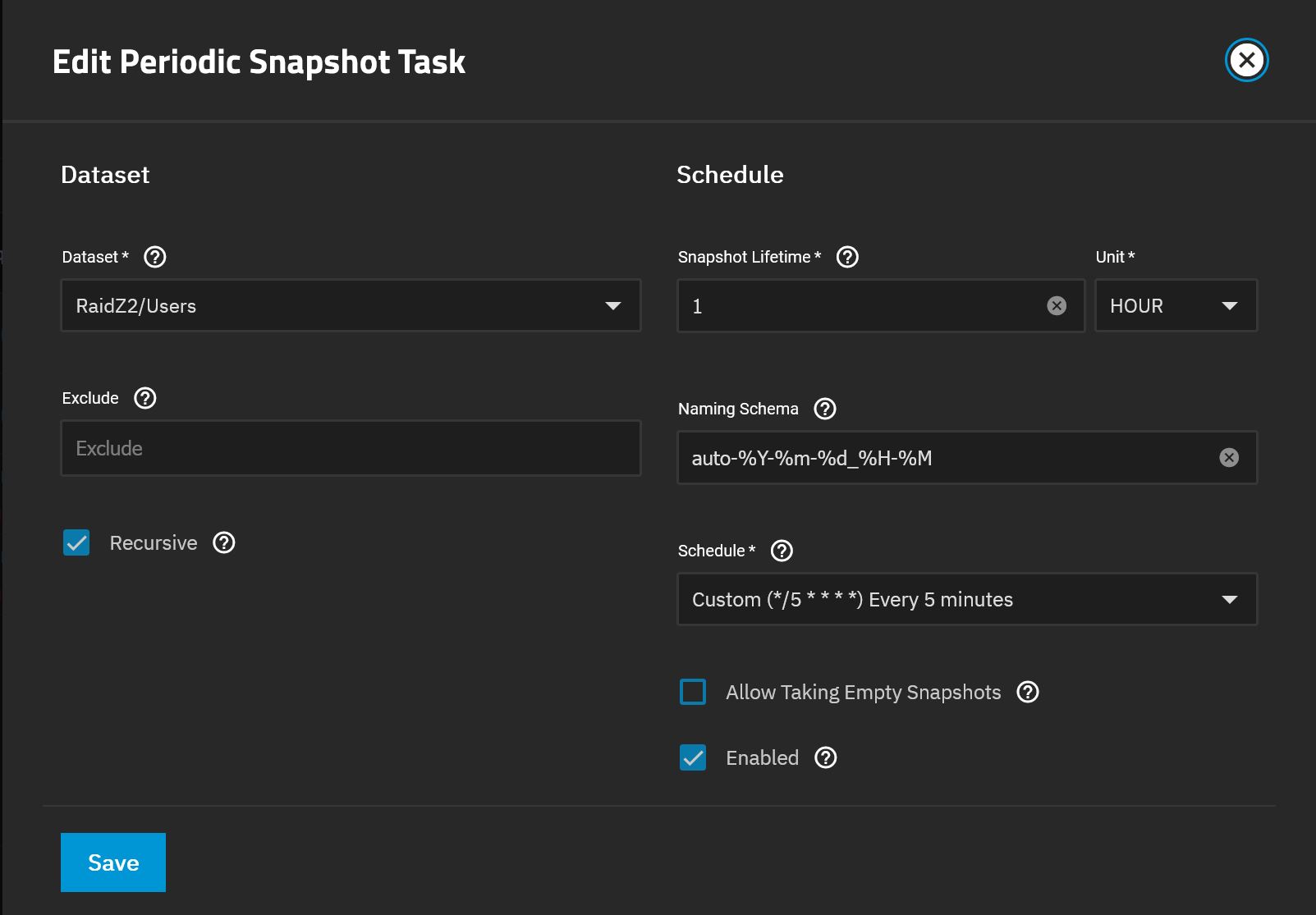
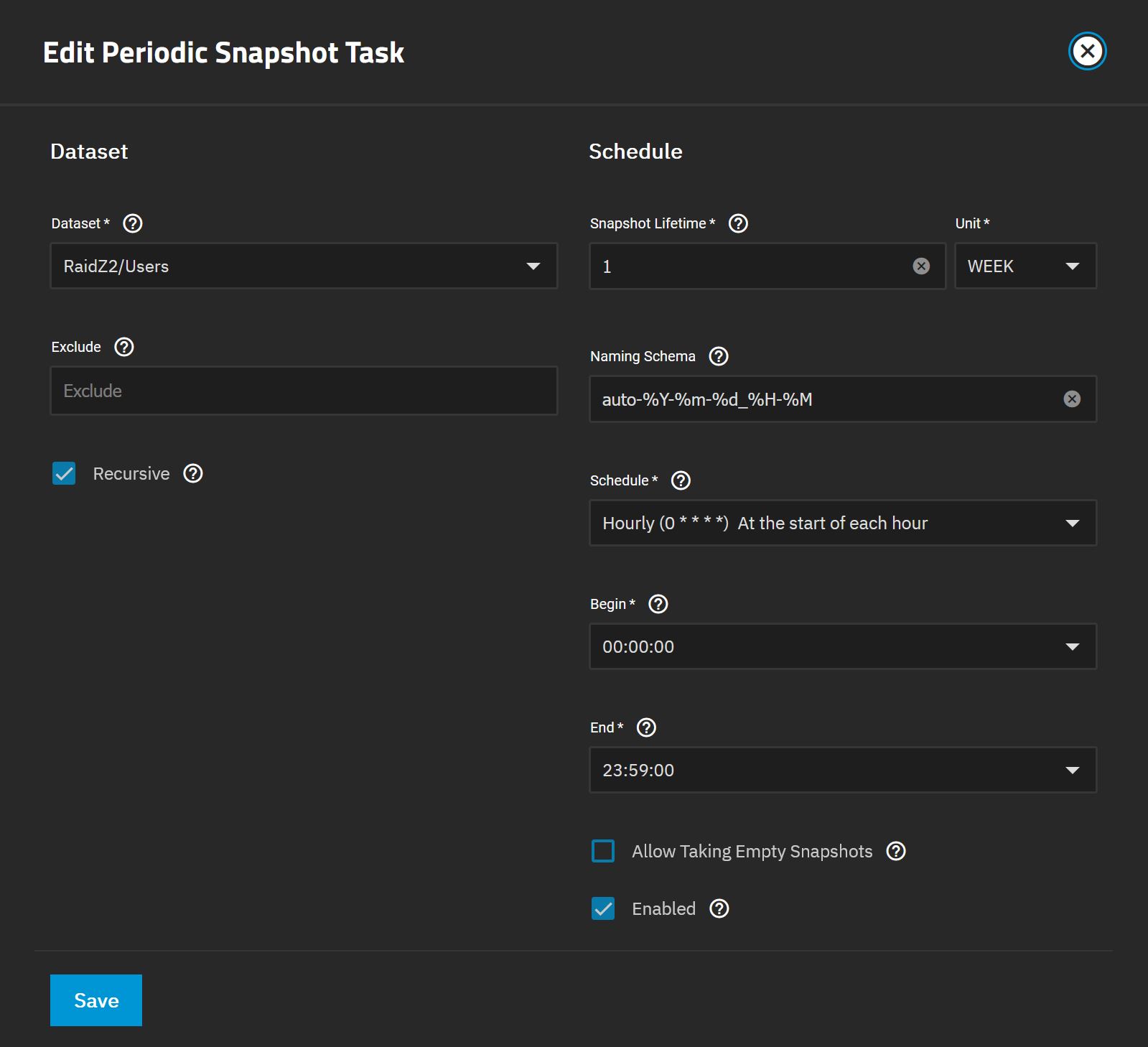
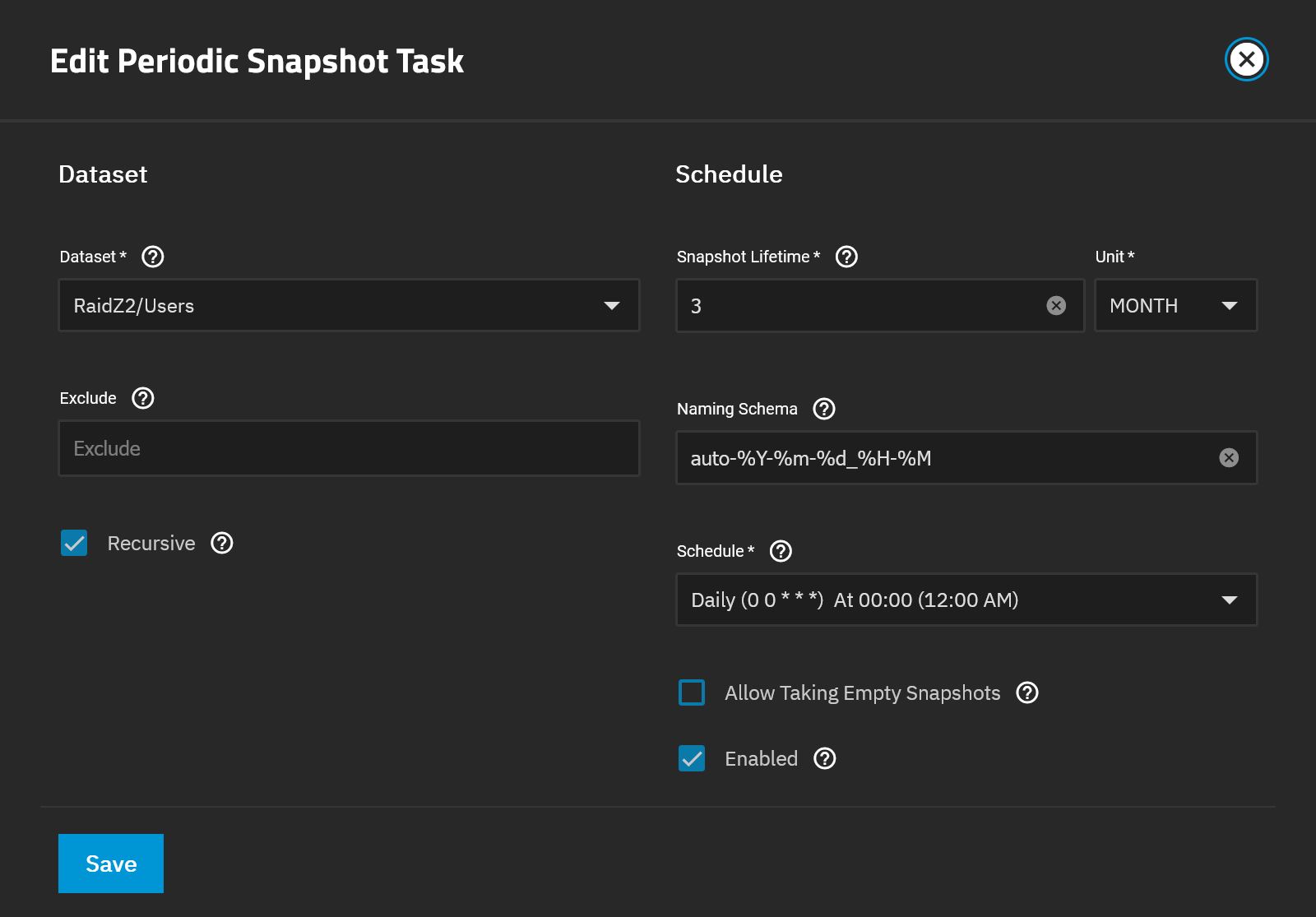
There is a possibility that one task (hourly expiry) is inadvertently pruning the snapshots of the other tasks (weekly and three-monthly expiry).
I don’t want to jump to conclusions, but it might be related to this. I’m thinking I need to rewrite that post for the new forums and make it easier to read.
There’s just not enough information and confirmation to go by to know if this is what is happening or if the issue is less severe, such as nested snapshots not presenting themselves through Windows File Explorer properly.
This had crossed my mind also. Perhaps try staggering the periodic snapshot schedules so they don’t overlap. For example make your hour for a week snapshot happen at 1 minute past the hour etc.
Also I modify the naming schema with just a simple -1d or -1w on the end to denote the length of time the snapshot will last. Makes sorting easier if you ever have to manually prune. Can also be useful in complex three-way replication setups.






 I noticed another oddity involving the snapshots a month or two back. I have a second Truenas machine I replicate to and for some reason I needed to keep “replicate from scratch” checked or I run into issues. Not sure if related but I had it unchecked for however long they’ve both been setup. It’s not a ton of stuff and the network is fast enough so I just checked the box and ignored the problem but since they both involve snapshots I figured I mention it in case it’s related.