
References:
- Adding NFS Shares | TrueNAS Documentation Hub
- Configuring ACL Permissions | TrueNAS Documentation Hub
Apparently, it’s been too long since I created an NFS share using a Generic dataset, and the (admittedly, kind of old) instructions for how to set the permissions don’t apply anymore.
I’m working with Child Dataset of Parent Dataset, and trying to leave the default owner and group (root:root) as-is while adding Secondary Group as having read/write permissions, for use with NFS. I almost always use SMB shares, so I’m very used to using the NFSv4 ACL interface. The generic dataset type does not, ironically enough, use the NFSv4 ACL interface, and I’m running into trouble.
Current permissions look like this: Parent Dataset and Child Dataset (using the Unix Permissions Editor)
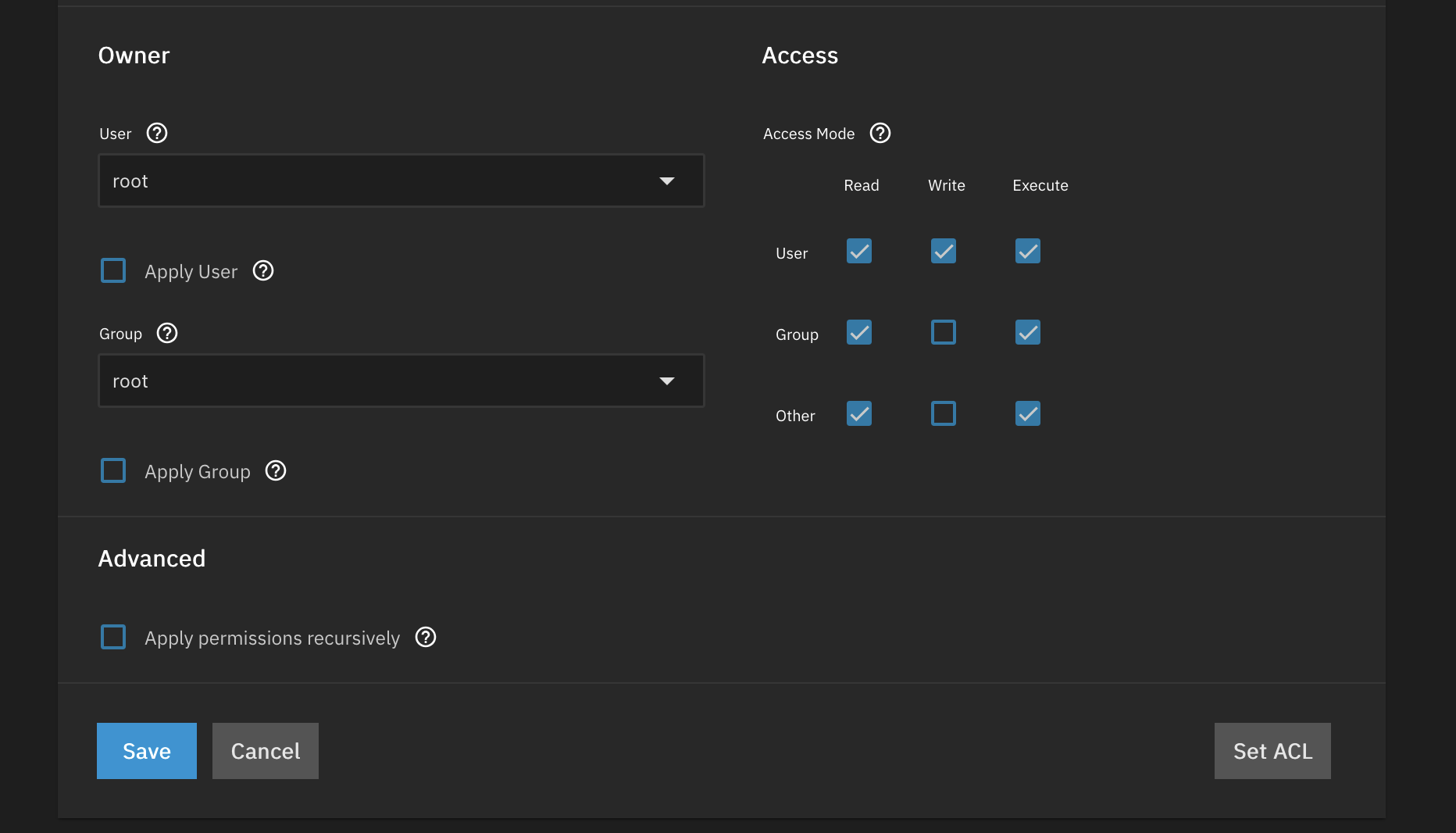
In other words, everything is still at the default settings.
I know I need to Set ACL on the Child Dataset to add the Secondary Group, but I get a delightfully oblique error message: “Named (user or group) POSIX ACL entries require a mask entry to be present in the ACL. Default ACL entries are required in order to apply ACL recursively.“
I have a vague suspcion that I need to set the permissions on the Parent Dataset so Child Dataset can inherit them, but I’m also pretty much just guessing at this point as I failed at Google, so, restating the question:
Given Parent Dataset and Child Dataset both having the default permissions shown above, what do I need to do to add Secondary Group to the Child Dataset with the equivalent of Read/Modify permissions?
I feel like I’m missing something obvious.
EDIT: IT didn’t occur to me that the ACL docs had been updated since I looked at them in the Year of the Dragonfish? Or maybe even Electric Eel? Oops.