
This is expected and perfectly normal. It’s the JBODs SAS2 that will limit to SAS2 performance.
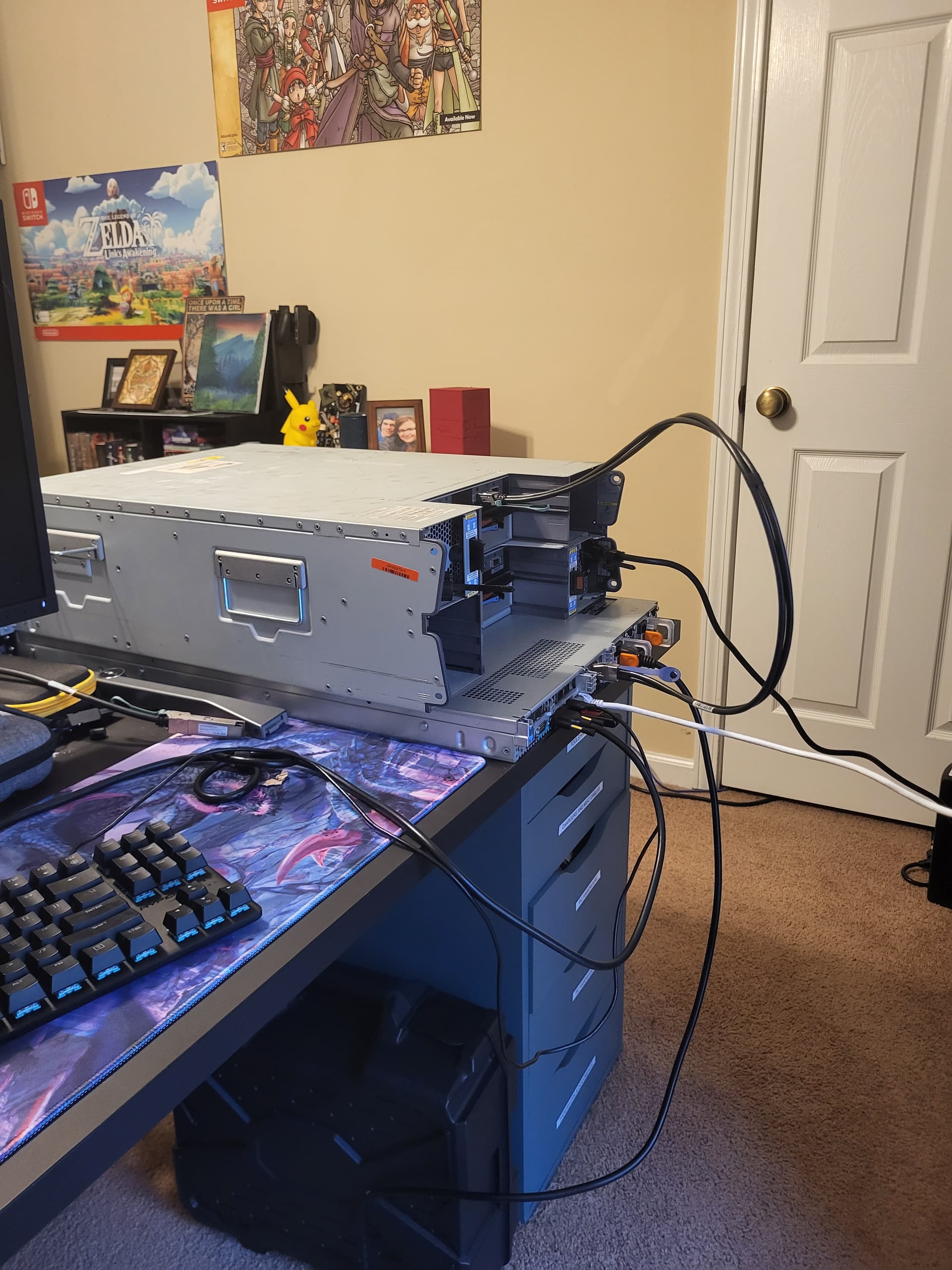
First reboot after uploading config appears to work… Gonna reboot a few more times and verify. Only oddity I notice is the attached error logs, but I think this is just a log for SAS negotiation maybe?
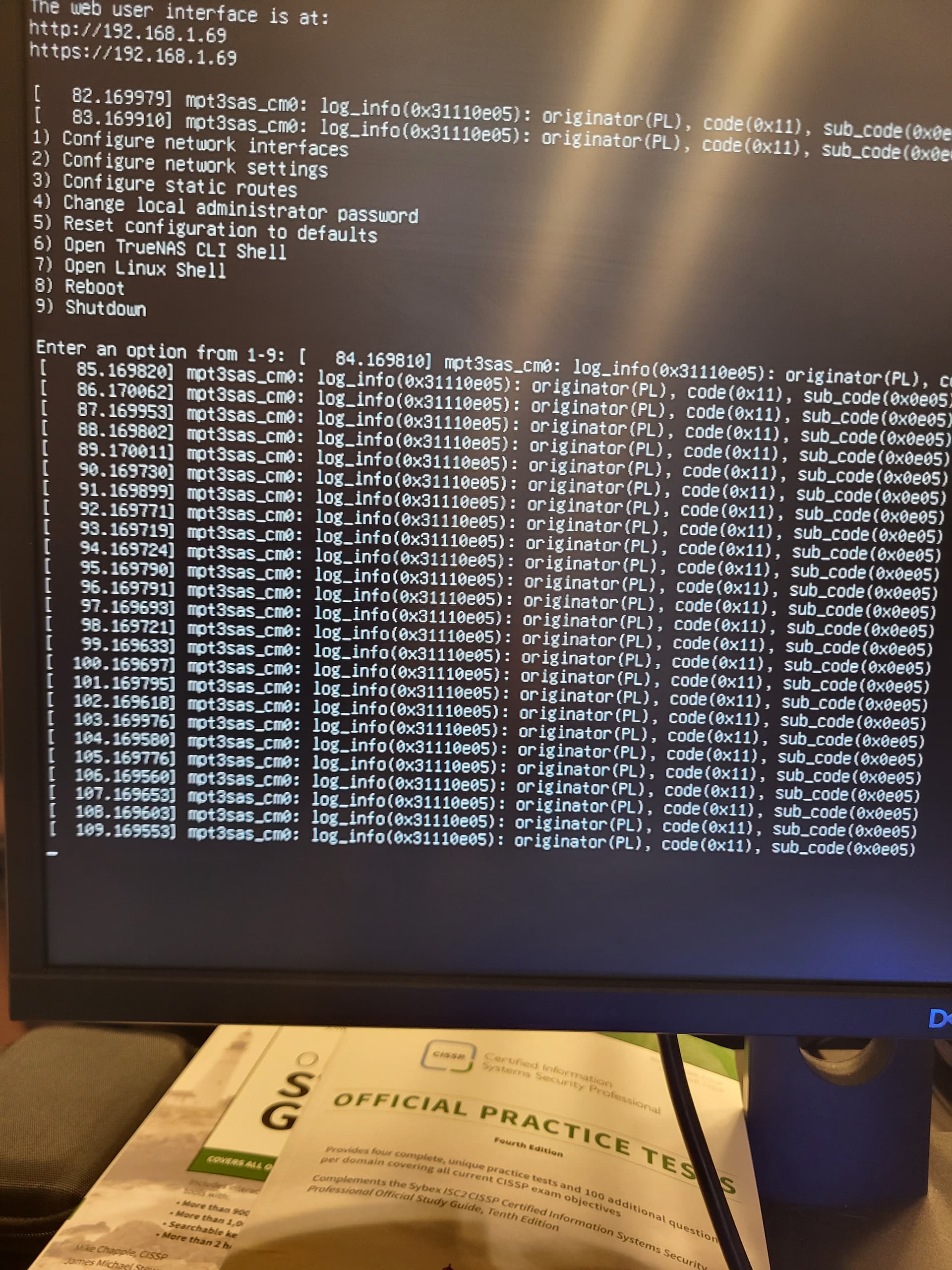
Rebooted 3 times without issue. Gonna let it run for an hour or so and see if she does okay.
Johnny_Fartpants…I may very well owe you a coffee…
I still maintain that a working IOM12 might also fix this, but forcing SAS2 also seems to get us going here.
EDIT: 2 questions here before I say goodbye to this problem…This downgrade to SAS2 shouldn’t cause performance degredation right? Since the IOM6 modules are already running at that speed?
Also, not super important, but is there any way to hide those SAS log messages? I can always use the web shell if I have to, but in an emergency with my KVM its kind of obnoxious.
I honestly can’t see why it would.
Pass. I assume they’re constant and come back even after you clear them? Clearly this hardware doesn’t naturally play nice with SCALE so even though we may have got around the primary issue this could very well still be a byproduct.
Did you update the firmware on the HBA and if so to what version?
This is the one you want: LSI 9300-xx Firmware Update | TrueNAS Community
I did, 16.00.12.00. I got the firmware from that link you sent, though I had to grab the sas3flash and efi shell files from a github repo. I didn’t follow this guide, I only stole the files since I had done this process before on freedos, but couldn’t find the freedos sas3flash executable:
https://github.com/EverLand1/9300-8i_IT-Mode
That being said, I do think these error logs are benign. I found this article that talks about the issue. While they seem a bit uncommitted to whether this is a problem, the SCSI API explanation makes sense to me:
https://hetzbiz.cloud/2024/06/11/those-damn-mpt3sas_cm0-messages/
All that being said…I left the server on overnight, and my pools seem good. The replication tasks seem to have run fine, my veeam backups seem to have run wiithout trouble. Other than those error messages, I “think” we are in the clear.
EDIT: Just for fun I plugged both power supplies in on the datashelf and reseated all the drives. Error messages still showing, but pools still seem okay.
2 Likes
Ok that’s good and well done to you for your perseverance and sharing your journey on the forum. I’ve no doubt this will be very interesting and helpful to other users going forward. Keep us up-to-date with how things go over the coming months.
Will do. Please send me your paypal or something, I was serious about buying you a coffee. You have no idea how much sleep I have lost over this lol
 no need it’s a pleasure.
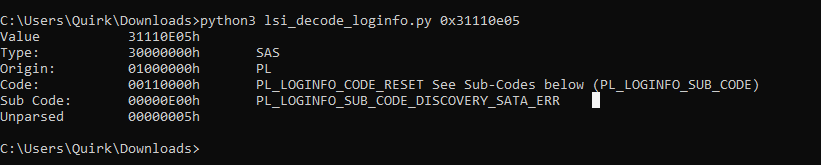
I did find an LSI error decoder on github just now:
https://github.com/baruch/lsi_decode_loginfo
And according to this, its a SATA reset error…Wonder if interposers might actually be needed…If I’ve got some in the office I’ll give them a shot.
1 Like
Finally doing the proper migration today instead of the testbench.
Noticed during the install the disks seemed to be listed in a consistent order with the new card, which is great.
Will post again in a week or so and see if there are any troubles.
1 Like
Scrubs came back clean, all replication tasks have been going as they should, and the SMB share I have setup for Veeam also seems fine.
Those kernel messages still wig me out, but nothing obviously wrong so far. Will continue to dig.
1 Like
Been over a week, all my stuff is still running with no issues. Gonna assume that kernel error is just a goof. Gonna get my power cables in on Thursday and finally migrate that last NAS to a physical box.
1 Like
I’m glad I found this thread. I’ve been pulling my hair out over this for quite some time. Most of my HBAs are 9207 or 9206 LSI and they were working fine as a passthrough in a Proxmox VM as long as I didn’t have the DS4246 attached (had 2x DS2246 already in use). All three NetApp shelves are using a single IOM6 in each shelf but they randomly switch which shelf resets on boot. I eventually thought I had it figured out when I was running a single 9206-16e in a Dell Optiplex with a baremetal install of TrueNas Scale. It survived multiple reboots without any issue. Fast forward to today where the Optiplex has suffered hardware failure, and I tried to migrate the baremetal install over to an AMD Epyc custom build. Started running into the same issue all over again using the same configuration with a single 9206-16e, same cables, no change to the NetApps. Ordered a 9400-16e right before I found this thread, so I’ll give that a try and see if the issue resolves. Also willing to swap the IOM6s out with Dell Xyratex Compellent controllers next if this still doesn’t fix it. Will report back once it arrives.
Just a quick update. I received my 9400-16e and flashed it to FW version p24. I somehow have even more errors now than I did with the LSI 9206 and 7. The shelf resets on boot pretty much every time and my log is full of the same SATA reset error that is above. At this point I am replacing the controllers since I don’t trust this configuration with my data.
I ordered 3 of the HB-SBB2-E601-COMP controllers to replace the IOM6 modules and a set of new cables for about a hundred bucks. It is my last-ditch effort before getting rid of these shelves and going back to my homemade NAS case or dumping money into a shelf that is more compatible.
Wanted to provide one more update. I finally migrated my production NAS to the other dell server with the 9300-8e. Still getting the reset error log, but everything still appears to be working fine as best I can tell. I even added an additional pool for VMs, and it still looks fine.
Still probably going to get a supermicro jbod at some point, but for now…we are stable.
TrueNAS Scale + 2 x 9400-16e to 8 x Supermicro SC826 fully populated with SATA drives = 0 problems
Glad you all seemed to have reached a point of stability.
@QuirkyKirkHax , how did you end up? Did it stabilize out?
I just tried doing a TrueNAS Scale install (on a 2nd pair of OS drives). I have NetApp DS4246 shelves, each one connected to a channel on a 9201-16e. It’s been working perfectly fine for years on TrueNAS Core. Latest P20 firmware, no multipath, though two IOM6 modules in each shelf.
TrueNAS Scale, not so much. Minutes into each uptime, it will drop arrays. Two shelves, one array on each, 12 drives each array.
I reboot back into Core, and the arrays are perfectly stable.
Did the 9300-8e really fix your problem?
All has been stable since replacing that LSI card. I am still getting the SATA reset log in the console, but nothing seems to be broken on the actual arrays, so I am gonna say its a fluke.
Though that fancy new firmware is supposed to address that issue specifically, which makes me wonder…Either way, I’ve been able to game and watch movies on the arrays without any issues with ZFS breaking or dropping things.
1 Like