
Hi everyone,
I’m running TrueNAS SCALE (25.10-RC.1, Goldeye) and I’ve hit an issue whenever I change the GPU in my system.
After replacing the GPU (in my case with an RTX 3080 Ti), applications that use GPU acceleration (like Jellyfin and Immich) fail to start with this error in the logs:
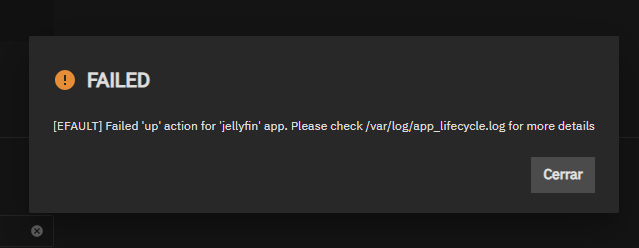
nvidia-container-cli: device error: GPU-xxxxxxxx-xxxx-xxxx-xxxx-xxxxxxxxxxxx: unknown device: unknown
In the Apps Next UI, the new GPU is detected (it shows up correctly in nvidia-smi and midclt call app.gpu_choices), but when trying to assign it to an app, the system keeps referencing the old GPU UUID.
I found the root cause in the global config file:
/mnt/.ix-apps/user_config.yaml
Inside the resources.gpus.nvidia_gpu_selection section, the uuid field was still set to the previous GPU’s UUID (or sometimes left empty), instead of updating automatically to the new one. Example:
resources:
  gpus:
    nvidia_gpu_selection:
      '0000:41:00.0':
        use_gpu: true
        uuid: 'GPU-OLD-UUID'
        use_all_gpus: false
The only way I’ve been able to fix it is to manually edit user_config.yaml, replace the outdated/empty UUID with the correct one from nvidia-smi -L, and then redeploy the applications. After that, everything works fine.
 It seems that SCALE does not refresh the GPU UUID automatically after a hardware change. Ideally, Apps Next should regenerate this field when unchecking/rechecking the GPU in the UI, or detect the new UUID automatically.
Has anyone else run into this? Is this a known bug, or is there an official procedure to refresh GPU assignments after swapping cards?
Do you want me to also make you a shorter TL;DR version for posting as a bug report in Jira/Redmine?