
I have two USB drives connected to my TrueNAS Mini X+, for onsite and offsite backup. Because the offsite one is, well, offsite, I want to keep it encrypted. For uniformity’s sake, I am encrypting the onsite drive as well.
Because the main dataset is not encrypted, I cannot back them up to an already encrypted pool. My layout for the drives, and the backup datasets, is this:
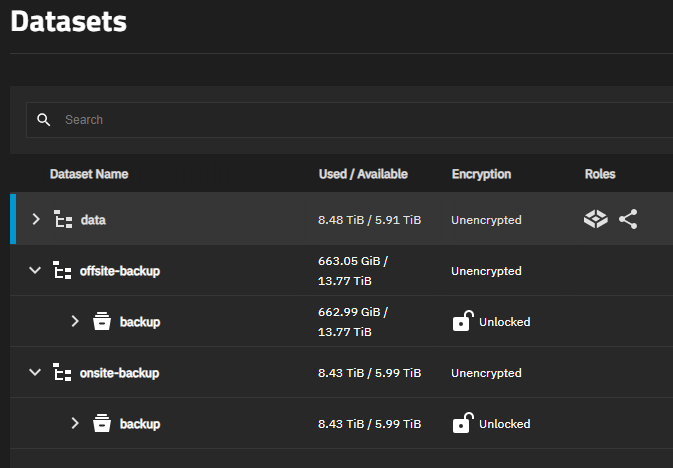
Is there a way to automatically unlock the datasets named “backup” when the drives are mounted, or when the TrueNAS reboots and they are already attached?