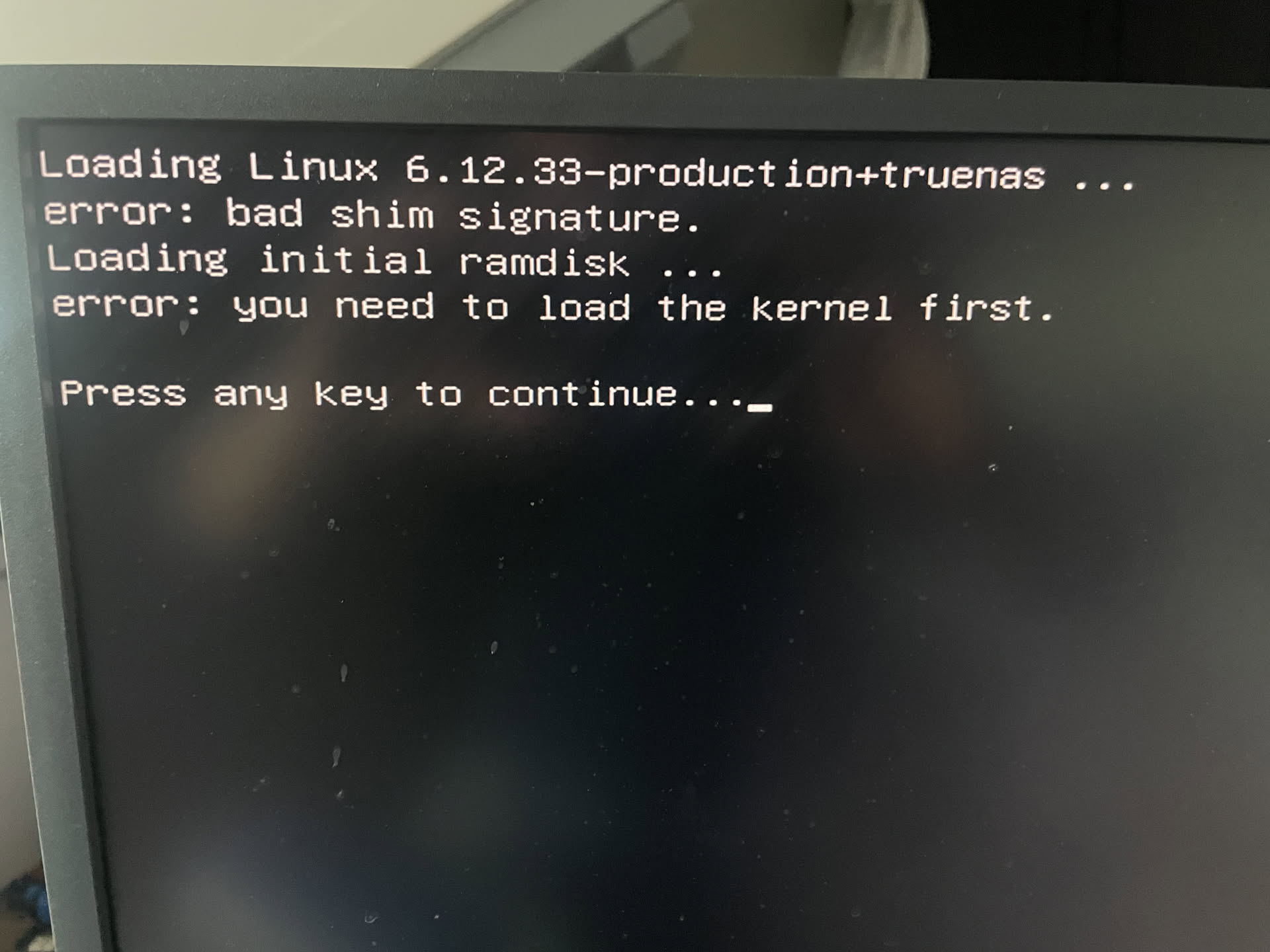
I have my TrueNAS installation on a MSI PRO B760-P DDR4 II motherboard with a Core i3-12100. It’s rock solid, until I decided to upgrade the RAM from 32GB to 64GB, and updating the BIOS to the latest version (https://www.msi.com/Motherboard/PRO-B760-P-DDR4-II/support).
The update went well, no trouble at all, and the RAM was recognized as well and I could set the XMP profile. So far so good.
Then, when I wanted to start TrueNAS SCALE 25.10.0 again, it won’t boot and I got the following message:
Googleing this message taught me it is related to secure boot and that there is a mismatch now with some keys, presumably after the BIOS update. I don’t think the RAM here is causing this, am I correct?
My question now is how can I get this fixed again with secure boot enabled?
TrueNAS starts fine with secure boot disabled now, but I would like to have it back on.
Corporations, governments and smart IT people DO use it in laptops and any other system exposed to strangers/people!
It’s effective to detect system or data tampering, plus is an integral part of Bitlocker to avoid data leakage by simply booting a WinPE and seeing the unprotected hard drive data.
Even Linux WILL have it! (Ubuntu does and I imagine Red Hat as well).
(if they ever want to get into the corporate or government mobile or secure systems!).
Why is secure boot needed for effective hard drive encryption? If you use ZFS encryption or Mac OS File Vault without the proper passphrase you can boot from whatever external medium and OS you like, you will not get at the data.
Not that Apple is not locking down their Macs, too.
I manage servers. I need to be able to boot any server to which I have physical access and perform maintenance/repair. Oh, and we run FreeBSD, exclusively.
So maybe my wording was a bit over the top, but I really fail to see the benefit. Encrypt the data on disk with a secure mechanism - case closed. But again, I am very server focused.
was Secure Boot enabled (and did it work), before you updated the BIOS ?
(or was Secure Boot disabled, and the update-process set this option as default to “on” ?)