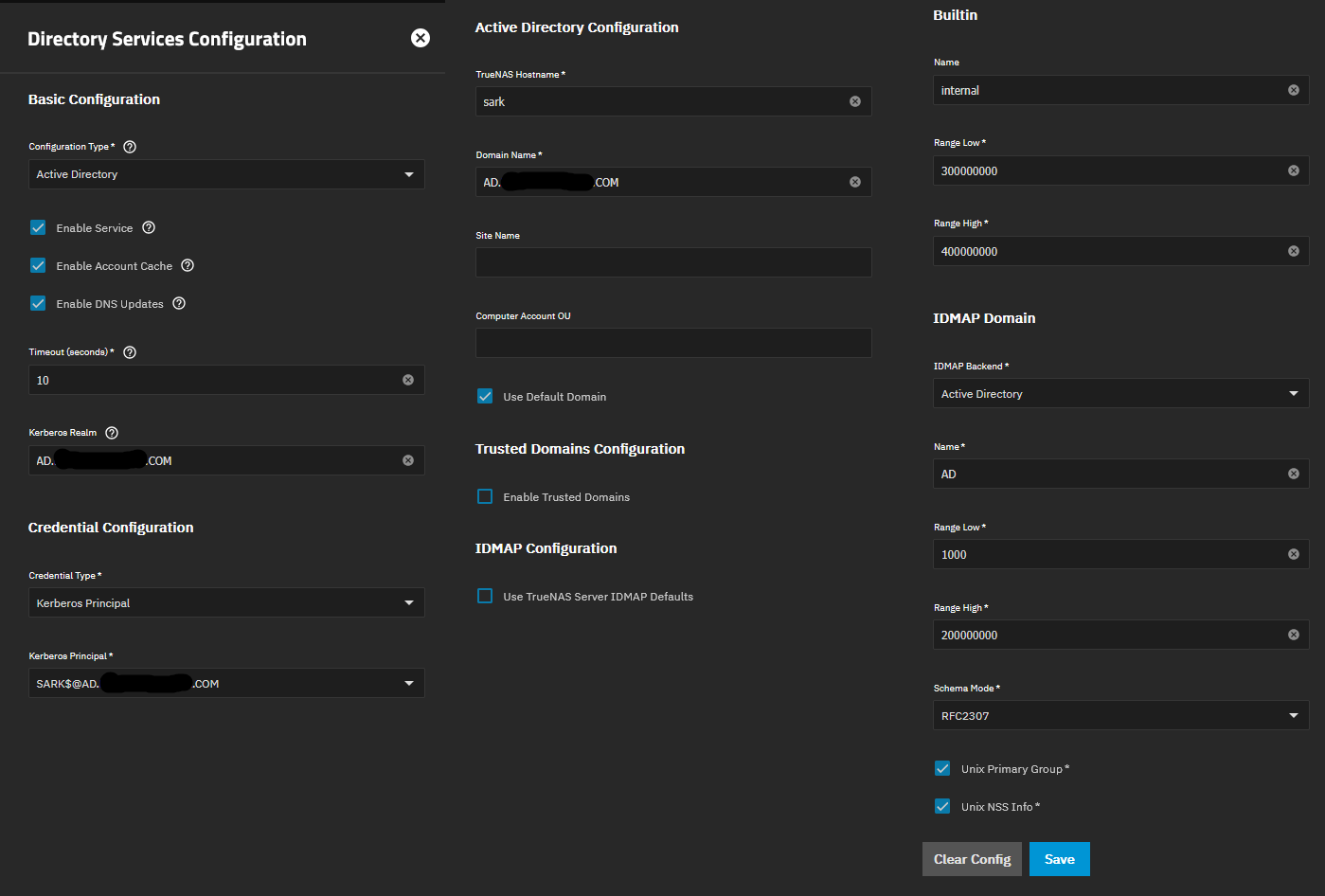
Updated from 25.04 latest to 25.10.0.1 and joined it to a new Server 2022 with Active Directory.
It refused to join the find the realm for the AD until I manually input the realm on the Advanced Kerberos panel.
No matter what setting I choose it’s inventing it’s own UIDs/GIDs for my AD users. Initially I left the UIDnumber and GIDnumber null in AD as all my linux systems joined fine and have the same #’s but later I input them (UIDs/GIDs) into (AD) to match what my linux machines where showing. I’ve dis-joined/re-joined over 2 dozen times today, rebooted, rebuild AD cache and run out of things to try. *Note just to add I say inventing numbers as I don’t know where it’s getting them from but they are the same numbers through all the re-joins.
Any advise is appreciated as I’m fixing to reload 25.04 at this point.
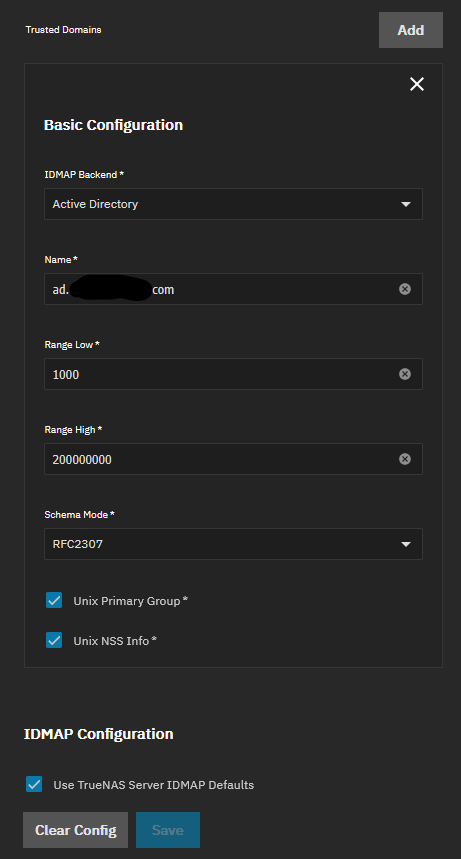
It looks like that part of the documentation was not updated for 25.10 changes (I filed a docs bug ticket about this just now). As mentioned above changing idmap configuration is not possible while directory services are enabled (that’s why it’s greyed-out. You don’t need to set trusted domains, you just need to change the idmap backend to AD and set an appropriate idmap range for your non-default AD configuration). “Appropriate idmap range” in this case means setting the low range to less than your lowest assigned AD uid/gid (but no lower than 1000) and high range means higher than the highest assigned value.
The configuration is literally in the AD form if you scoll down so I don’t know if there’s a way to make this clearer.
I never stated that I was changing the IDMAP while joined, but I guess I didn’t explicitly say I was doing a new join other then what I stated in my original post about trying 2 dozen times.
I don’t know where you get “non-default AD configuration” from. From the title this is a “new Server 2022 AD”
To add, I do have a backup TrueNAS 25.04 that joined the same AD with all the default settings.
No matter what setting I choose it’s inventing it’s own UIDs/GIDs for my AD users. Initially I left the UIDnumber and GIDnumber null in AD as all my linux systems joined fine and have the same #’s but later I input them (UIDs/GIDs) into (AD) to match what my linux machines where showing.
You’re describing our default behavior (the uids / gids on our side are actually deterministic, not random). You’re trying to get alternate behavior to match other linux systems. You need to investigate those other systems to see how they’re getting IDs allocated and do the same on TrueNAS if you want local IDs to match.
I’m also getting the same issue. I tried to go from 25.10.0.1 (working) to 25.10.1, not working. Reverting allowed me to get it working again even with voiding the config and rejoining AD (machine account credentials expired). Upgraded and again all SMB shares don’t function and I cannot use AD creds in the GUI for ACLs… on 25.10.0.1 it works fine. I’m also using AD idmap, rfc2307, for a long time and my unix gid and uid were added to all my accounts that touch the filer. Permissions work when it works. I am also on 2022 Datacenter AD
I am dealing with this same issue, do we have a work around to fix this issue. I am running 25.10.2.1 and I am facing the issue related to AD UID and GID not being the same insice linux.
This is a huge issue, I am on 25.10.2.1 and I tried just about every option avaiable….I am still getting the mismatch UID/GID using AD synchronization. I hope this get fix soon. Thanks for the input.