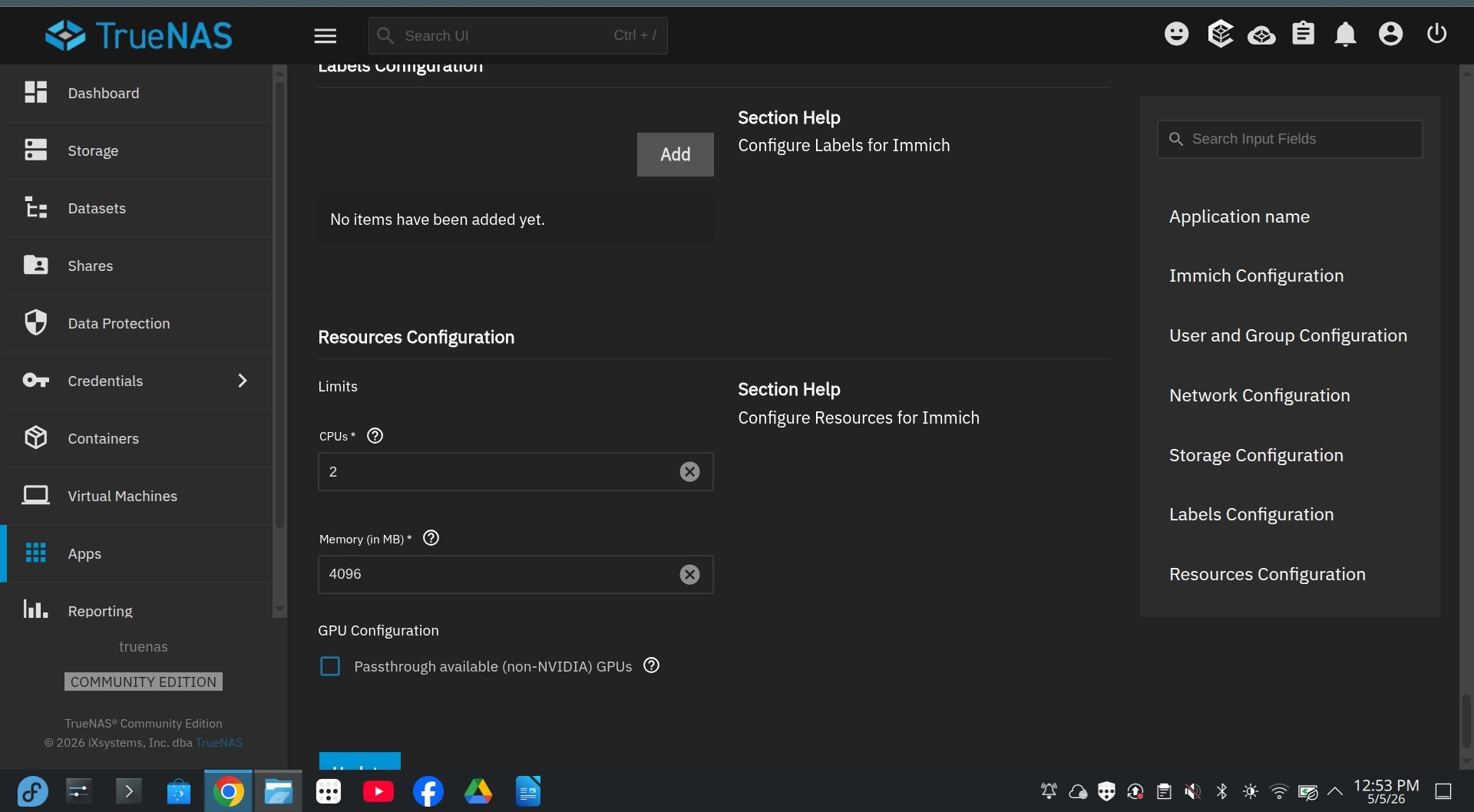
Hi everyone - sorry for the newbie question, but I’m having trouble installing immich.
I’ve worked through the instructions to set up the custom datasets, permission them correctly (e.g. setting the pdData owner to netdata etc), as described in the community set up guide. However, when I try to install, it fails with the following in the app_lifecycle.log:
[2026/04/27 21:34:41] (ERROR) app_lifecycle.compose_action():56 - Failed ‘up’ action for ‘immich’ app: Network ix-internal-immich-immich-net Creating Network ix-internal-immich-immich-net Created Container ix-immich-permissions-1 Creating Container ix-immich-permissions-1 Created Container ix-immich-redis-1 Creating Container ix-immich-pgvecto_upgrade-1 Creating Container ix-immich-redis-1 Created Container ix-immich-pgvecto_upgrade-1 Created Container ix-immich-pgvecto-1 Creating Container ix-immich-pgvecto-1 Created Container ix-immich-server-1 Creating Container ix-immich-server-1 Created Container ix-immich-permissions-1 Starting Container ix-immich-permissions-1 Started Container ix-immich-permissions-1 Waiting Container ix-immich-permissions-1 Waiting Container ix-immich-permissions-1 service “permissions” didn’t complete successfully: exit 255 Container ix-immich-permissions-1 service “permissions” didn’t complete successfully: exit 255 service “permissions” didn’t complete successfully: exit 255
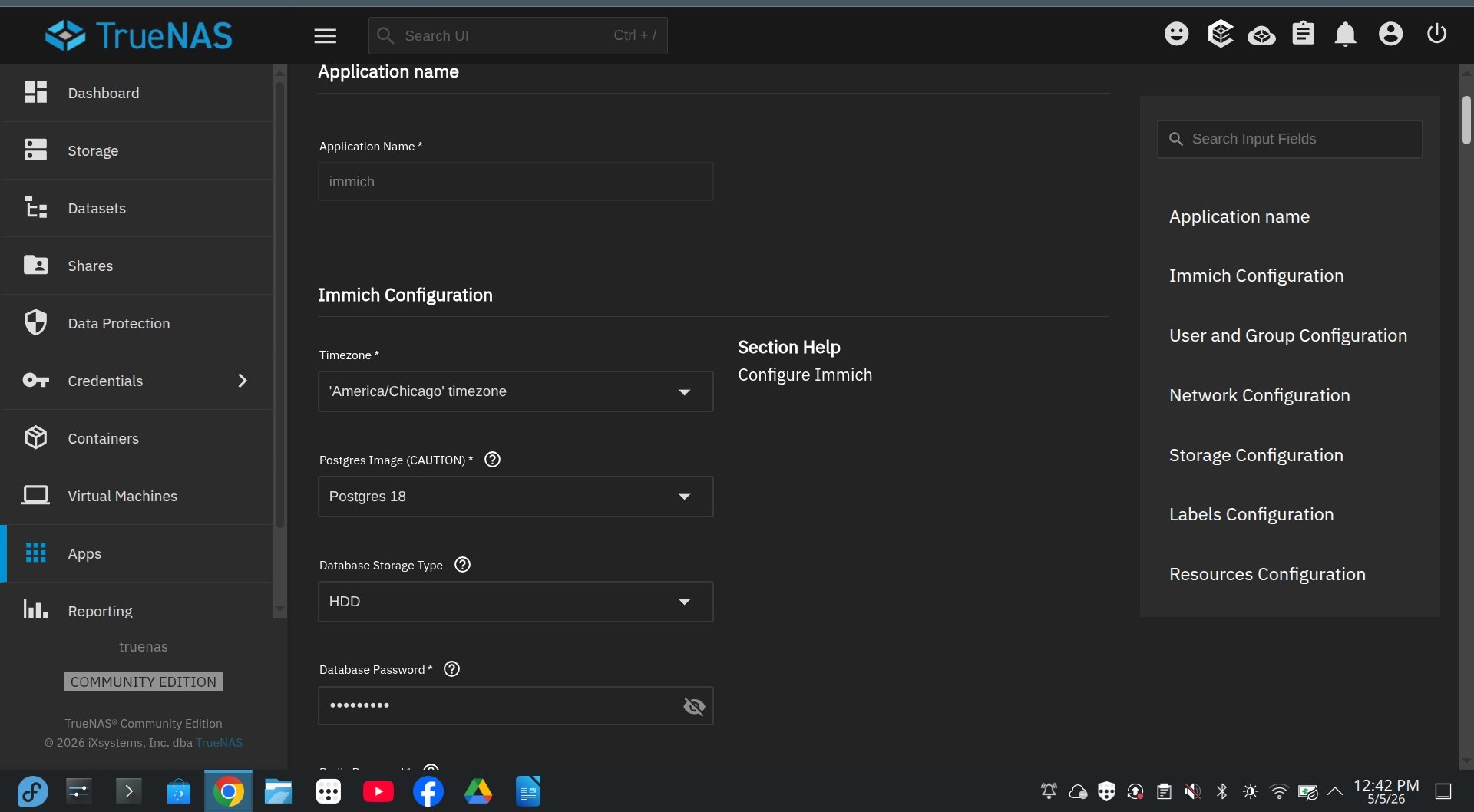
Clearly this suggests a permissions issue, but I’ve also tried installing it leaving everything with its default value (except the passwords) - i.e. with the datasets being created (and permissioned) automatically - “ixVolume (Dataset created automatically by the system)”
That doesn’t work either (exactly the same error).
aer you using hostpaths for storage and give user 999 (netdata) permissions on the postgres dataset? Postgress needs permissions for that user, otherwise it won’t install and run
I tried that first - i.e. for pgData setting the owner user and group to netdata. It still gave the error above though.
Then I tried just leaving the default in the install settings, so that it would setup and permission the storage automatically (i.e. the “ixVolume (Dataset created automatically by the system)” setting, for both the data path and postgres storage). That still gave me the same error though.
Thinking further, is there a way to look inside the ix-immich-permissions-1container, for example to examine its logs to determine at which point its failing, or otherwise to monitor its execution? The app_lifeycle log only confirms that execution fails, not the underlying reason why.
I tried the sudo docker logs ix-immich-permissions-1command from a shell window while simultaneously running the install, to try to intercept the logs while the container was running. (There’s the added problem that TrueNAS cleans up after a failed install, so the container doesn’t exist at all once the failure occurs).
… is it looking for python3 in the right place? On my install, it’s /usr/bin/python3, not /usr/local/bin/python3?
e.g.
root@truenas[/]# /usr/bin/python3 Python 3.11.9 (tags/TS-24.10.1-dirty:2f51941, Apr 13 2026, 18:05:17) [GCC 12.2.0] on linux Type “help”, “copyright”, “credits” or “license” for more information.
Compare to:
root@truenas[/]# /usr/local/bin/python3 zsh: no such file or directory: /usr/local/bin/python3
Also:
root@truenas[/]# where python /bin/python /usr/bin/python
the container image can have python in a different place to the host…
one thing, can you screenshot what the permissions are currently?
I believe you stated you were trying to use ixvolume so it would inherit the properties of the pool’s root dataset.. then again your error suggests the container’s entrypoint is bailing well before it’s able to touch user files.
the properties I’m particularly interested:
is exec on?
is ACL mode set to restricted instead of passthrough?
is there a reasonable amount of free-space?
the permissions at the moment, which you will have to ls using the cli if you are using ixvolume.
just as a recommendation… I would suggest never using ixvolume and creating your own datasets because it makes troubleshooting and maintenance annoying.
Understood - thank you. I tried it first with my own datasets but couldn’t get it to work, so tried the ixvolume route as I figured if that didn’t work then something else was wrong.
I’ll try again with the host path route and report back with the permissions.
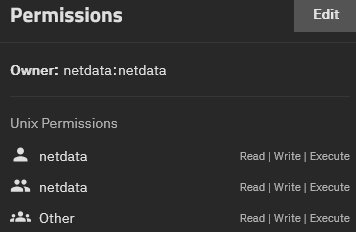
You want netdata/docker. The User/Group names don’t really matter but they need UID:GID 999:999. Right now you have 999:997.
Alternatively you also should be able to create a pgData dataset and not touch permissions then click the Automatic Permissions checkbox in the app configuration form.
Thanks. I tried deleting pgData, recreating it, and then ticking the Automatic Permissions checkbox … still no joy.
Interestingly, when I looked back at the permissions for pgData after trying that, the ownership was still root/root - so it looks like the installer hadn’t got as far as changing the ownership (or couldn’t change the owner for some reason).
I then tried changing the owner/group via bash to 999/999 (showing as netdata/docker in the UI). Still no luck - same error on install.
Does anyone know where I can find the source code/content of the ix-immich-permissions-1container please? Presumably it’s on Github somewhere, but I can’t see it on the TrueNAS apps repo.
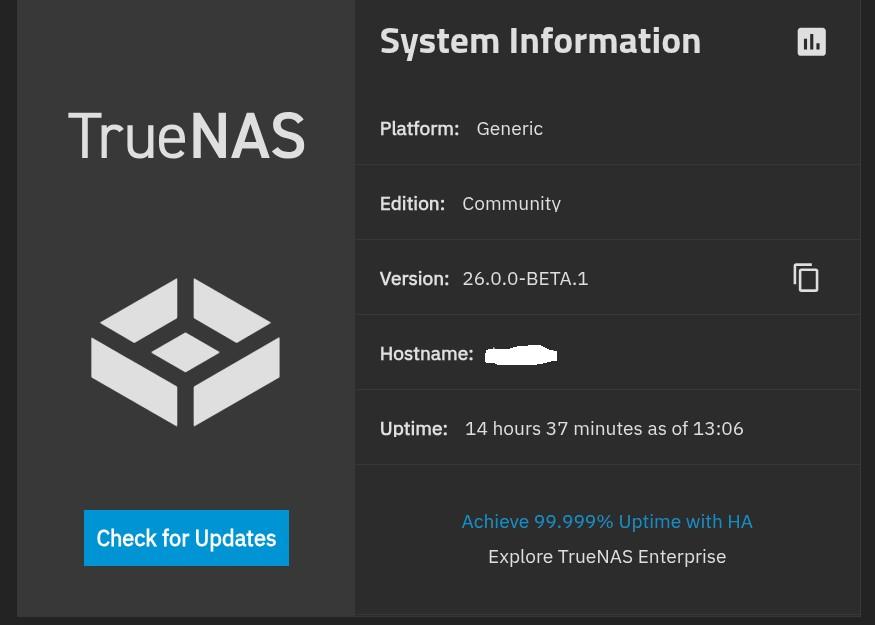
Not sure what the issue is then. I don’t have anything running 25.04, but I just tried installing Immich with all defaults (ixvolumes) and had no problem. The permissions container ran and exited as expected. These are the container logs:
2026-04-29 12:51:35.539272+00:00🚀 Starting permissions configuration...
2026-04-29 12:51:35.539388+00:00------------------ pgvecto_postgres_data -------------------
2026-04-29 12:51:35.539417+00:00📊 Original: 👤 [0:0] 🔐 [0755]
2026-04-29 12:51:35.539444+00:00👤 Ownership: [0:0] -> [999:999] [will change]
2026-04-29 12:51:35.539472+00:00🔐 Permissions: [0755] [no change]
2026-04-29 12:51:35.539511+00:00⚙️ Mode: Check. Only applies changes if they are incorrect
2026-04-29 12:51:35.539539+00:00📊 Final: 👤 [999:999] 🔐 [0755]
2026-04-29 12:51:35.539567+00:00⏱️ Time taken: 1.18ms
2026-04-29 12:51:35.539594+00:00============================================================
2026-04-29 12:51:35.539631+00:002026-04-29T12:51:35.539631691Z
2026-04-29 12:51:35.539658+00:00--------------------- redis_redis_data ---------------------
2026-04-29 12:51:35.539685+00:00🗑️ Temporary directory - ensuring it is empty...
2026-04-29 12:51:35.539713+00:00📊 Original: 👤 [999:999] 🔐 [0755]
2026-04-29 12:51:35.539740+00:00👤 Ownership: [999:999] -> [568:568] [recursive] [will change]
2026-04-29 12:51:35.539777+00:00🔐 Permissions: [0755] [no change]
2026-04-29 12:51:35.539805+00:00⚙️ Mode: Check. Only applies changes if they are incorrect
2026-04-29 12:51:35.539832+00:00📊 Final: 👤 [568:568] 🔐 [0755]
2026-04-29 12:51:35.539860+00:00⏱️ Time taken: 0.68ms
2026-04-29 12:51:35.539896+00:00============================================================
2026-04-29 12:51:35.539924+00:002026-04-29T12:51:35.539924213Z
2026-04-29 12:51:35.539950+00:00------------------------- -config --------------------------
2026-04-29 12:51:35.539978+00:00🗑️ Temporary directory - ensuring it is empty...
2026-04-29 12:51:35.540011+00:00📊 Original: 👤 [0:0] 🔐 [0755]
2026-04-29 12:51:35.540077+00:00👤 Ownership: [0:0] -> [568:568] [recursive] [will change]
2026-04-29 12:51:35.540105+00:00🔐 Permissions: [0755] [no change]
2026-04-29 12:51:35.540133+00:00⚙️ Mode: Check. Only applies changes if they are incorrect
2026-04-29 12:51:35.540162+00:00📊 Final: 👤 [568:568] 🔐 [0755]
2026-04-29 12:51:35.540199+00:00⏱️ Time taken: 0.48ms
2026-04-29 12:51:35.540227+00:00============================================================
2026-04-29 12:51:35.540254+00:002026-04-29T12:51:35.540254245Z
2026-04-29 12:51:35.540281+00:00--------------------------- data ---------------------------
2026-04-29 12:51:35.540308+00:00📊 Original: 👤 [0:0] 🔐 [0755]
2026-04-29 12:51:35.540344+00:00👤 Ownership: [0:0] -> [568:568] [will change]
2026-04-29 12:51:35.540372+00:00🔐 Permissions: [0755] [no change]
2026-04-29 12:51:35.540400+00:00⚙️ Mode: Check. Only applies changes if they are incorrect
2026-04-29 12:51:35.540427+00:00📊 Final: 👤 [568:568] 🔐 [0755]
2026-04-29 12:51:35.540464+00:00⏱️ Time taken: 0.36ms
2026-04-29 12:51:35.540492+00:00============================================================
2026-04-29 12:51:35.540519+00:002026-04-29T12:51:35.540519817Z
2026-04-29 12:51:35.540546+00:00------------------------- ml-cache -------------------------
2026-04-29 12:51:35.540573+00:00🗑️ Temporary directory - ensuring it is empty...
2026-04-29 12:51:35.540610+00:00📊 Original: 👤 [0:0] 🔐 [0755]
2026-04-29 12:51:35.540638+00:00👤 Ownership: [0:0] -> [568:568] [recursive] [will change]
2026-04-29 12:51:35.540665+00:00🔐 Permissions: [0755] [no change]
2026-04-29 12:51:35.540692+00:00⚙️ Mode: Check. Only applies changes if they are incorrect
2026-04-29 12:51:35.540729+00:00📊 Final: 👤 [568:568] 🔐 [0755]
2026-04-29 12:51:35.540759+00:00⏱️ Time taken: 0.47ms
2026-04-29 12:51:35.540786+00:00============================================================
2026-04-29 12:51:35.540813+00:002026-04-29T12:51:35.540813740Z
2026-04-29 12:51:35.540840+00:002026-04-29T12:51:35.540840510Z
2026-04-29 12:51:35.540876+00:00⏱️ Total time taken: 4.05ms
2026-04-29 12:51:35.540903+00:00🎉 All permissions configured successfully!
So you can see ownership of the postgres volume was successfully changed from root:root to 999:999 and permissions stayed the same.
I’ve been having the problem with Immich since the Postgres upgrade to 18. I tried to force it with the trick that everyone is posting. That wouldn’t work.
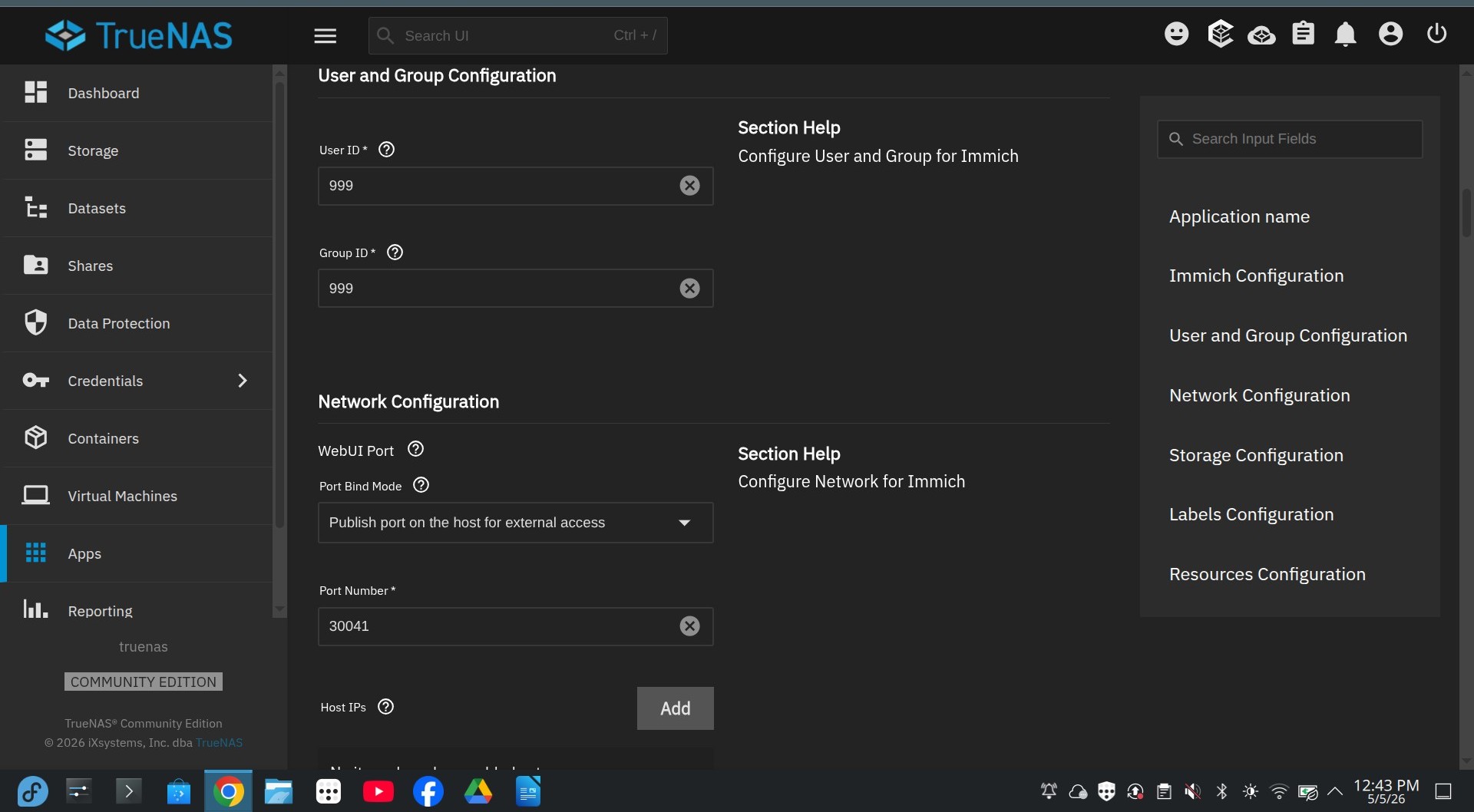
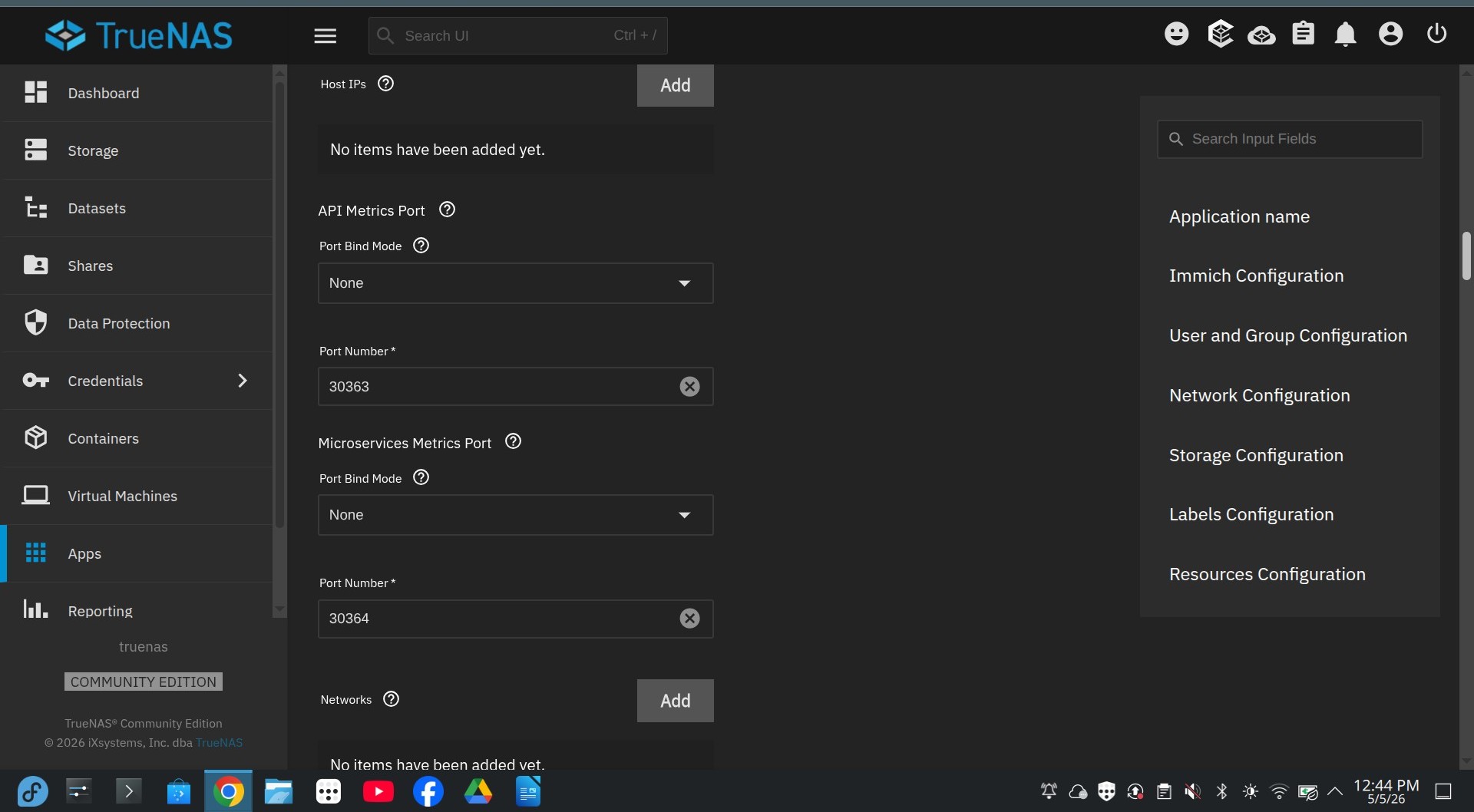
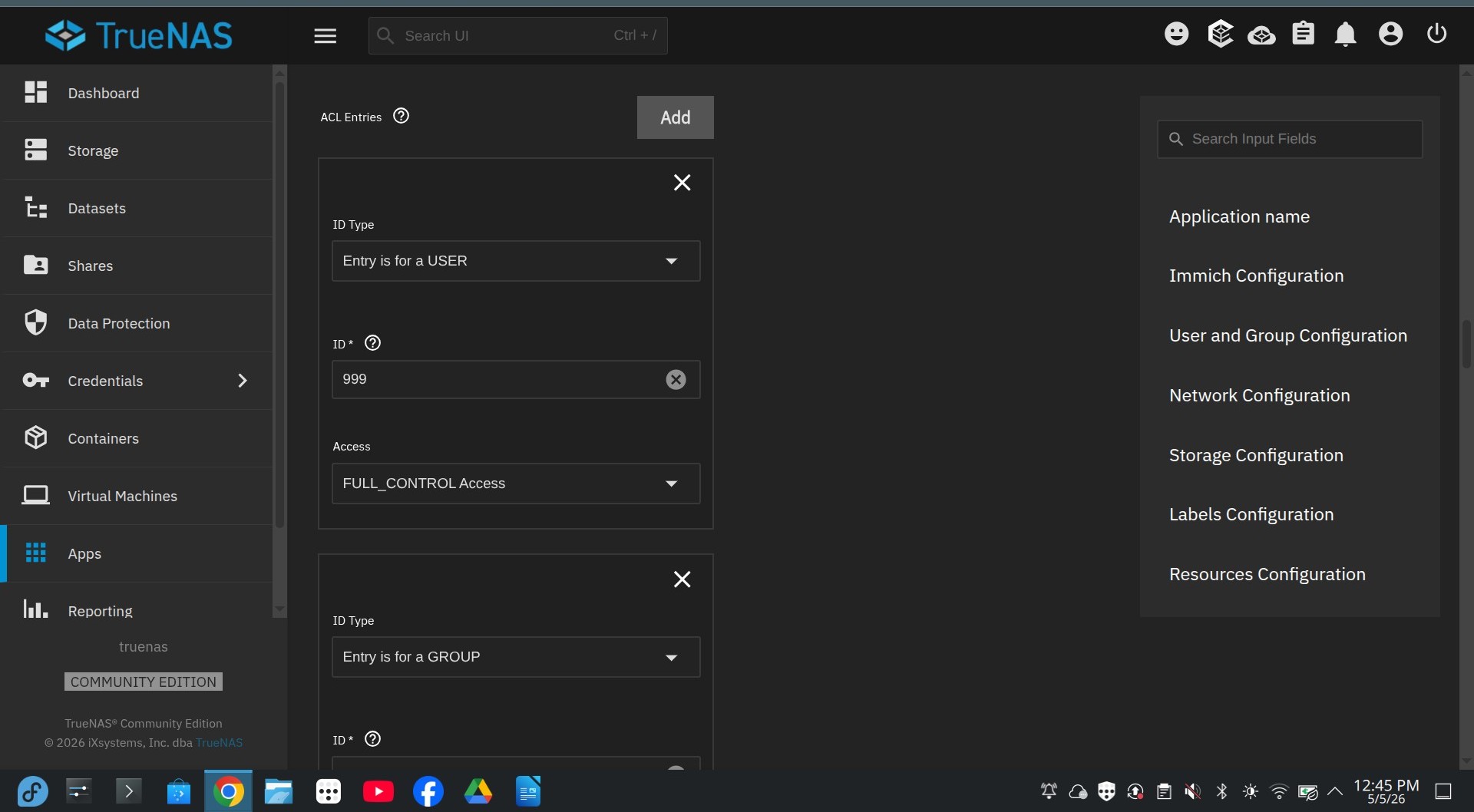
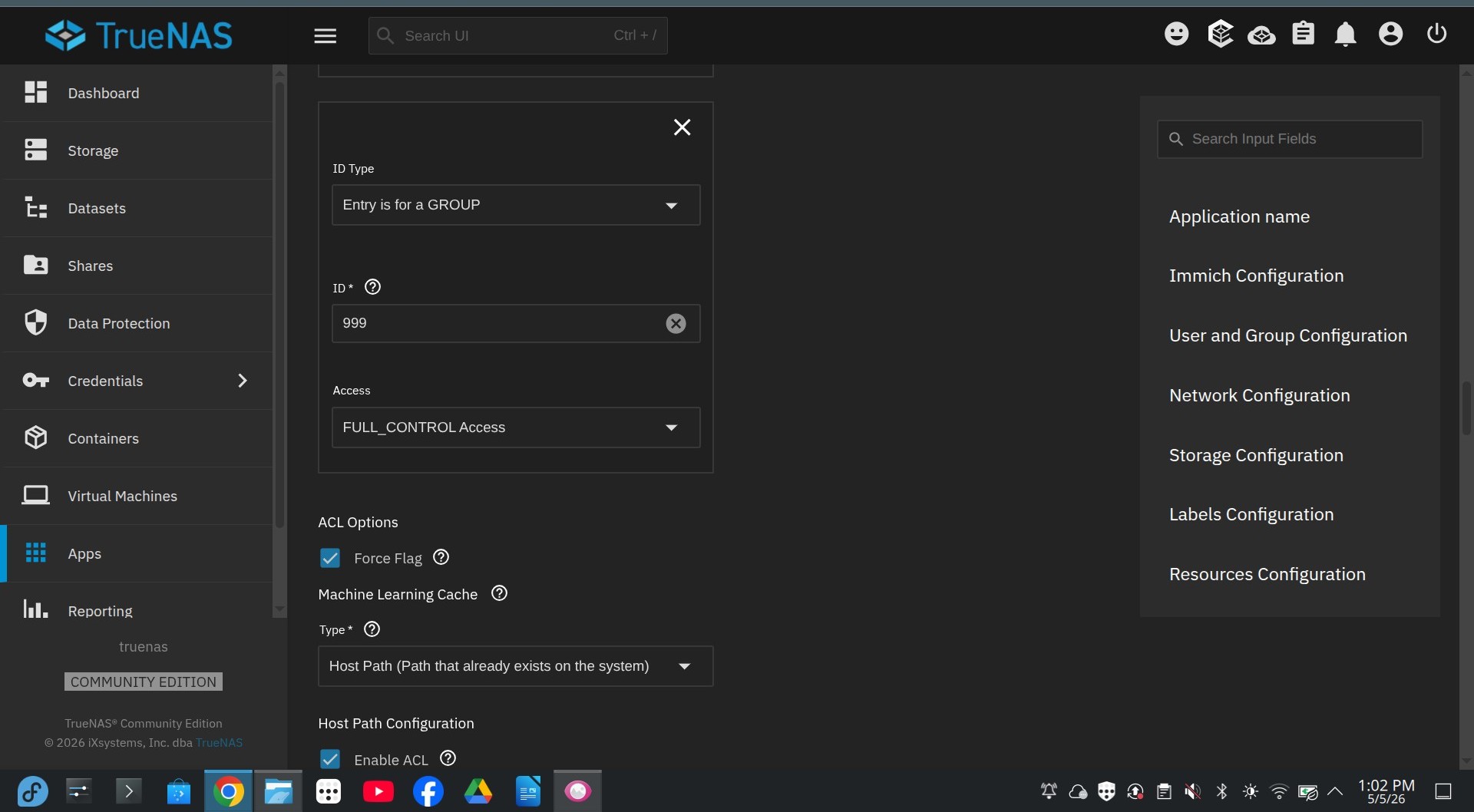
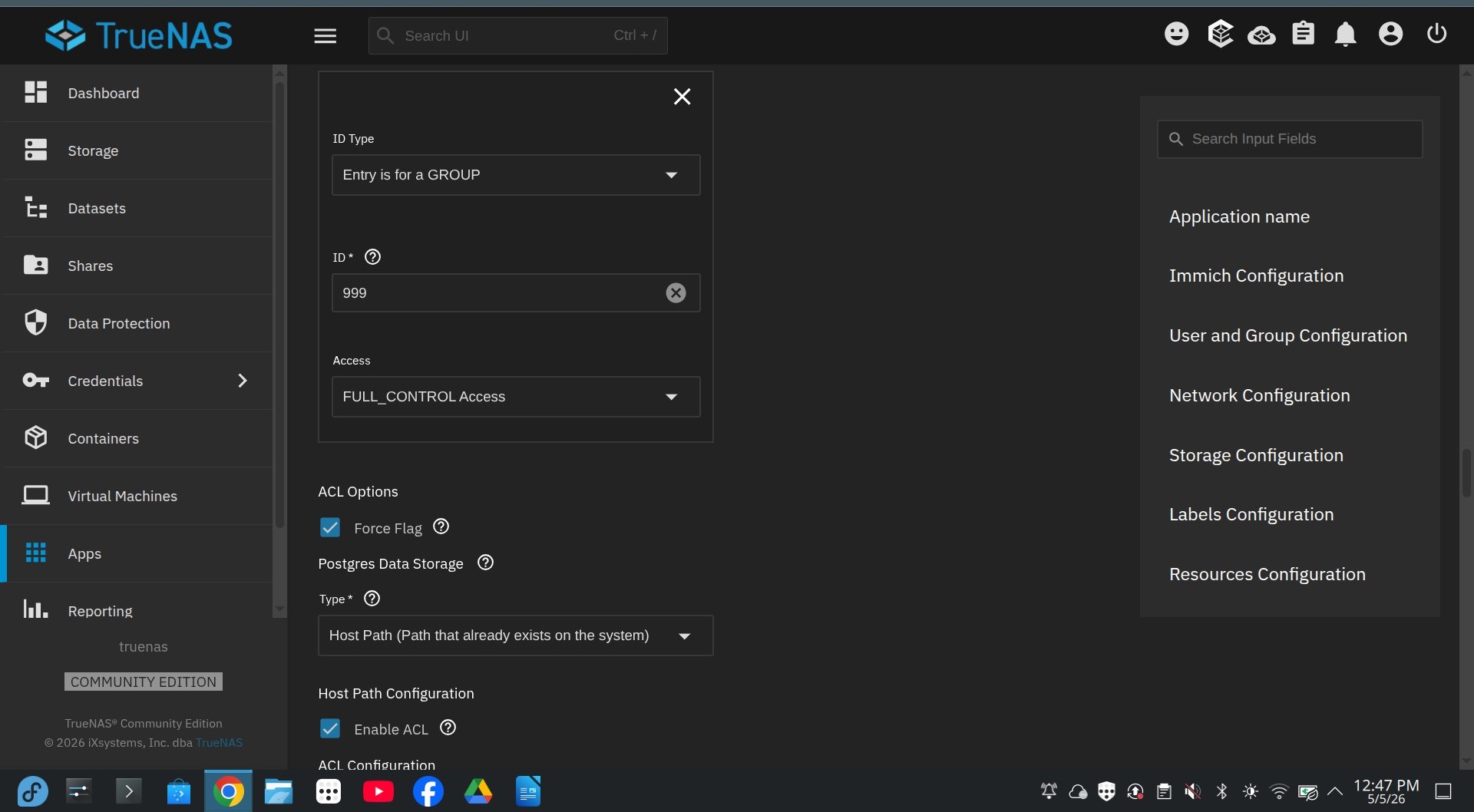
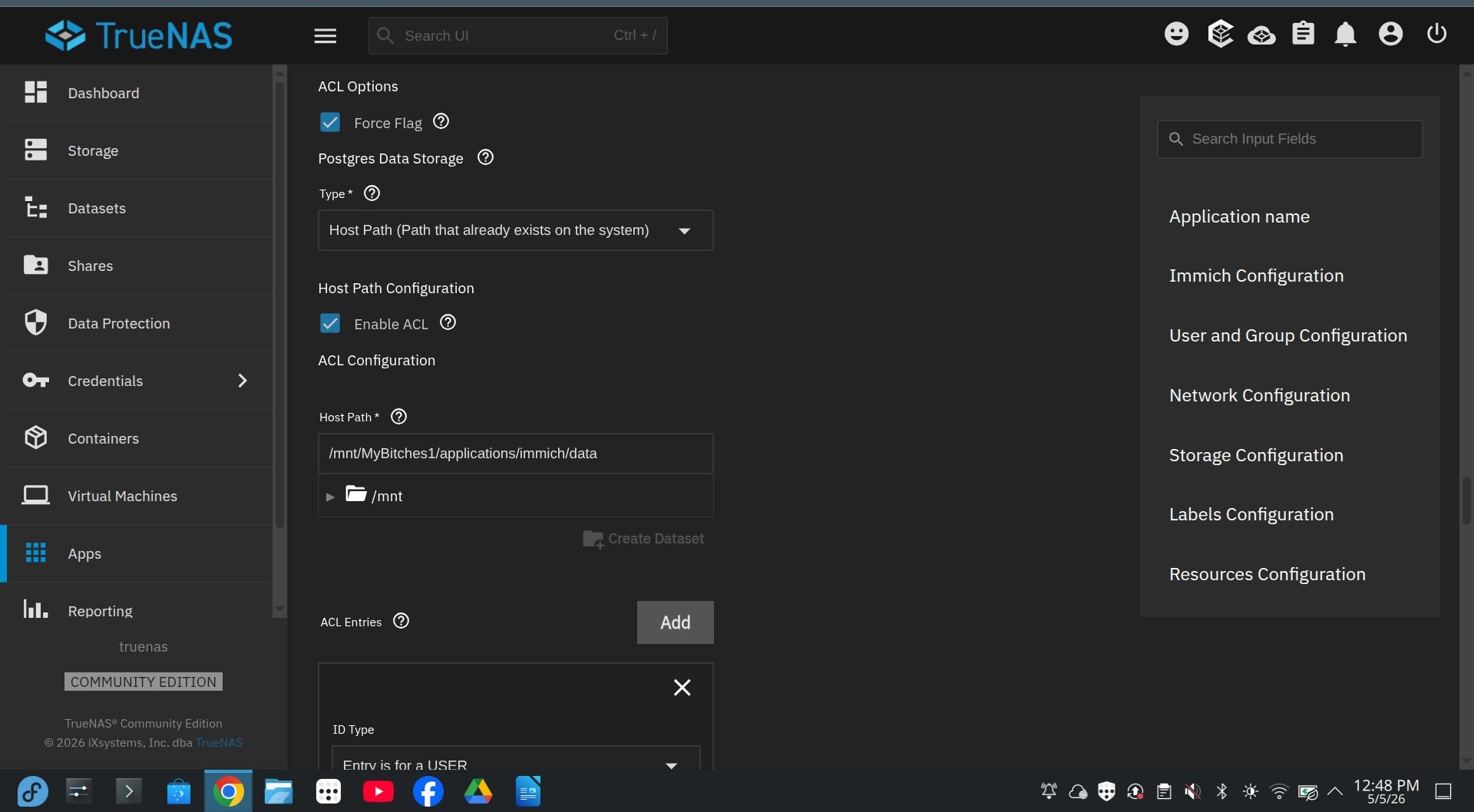
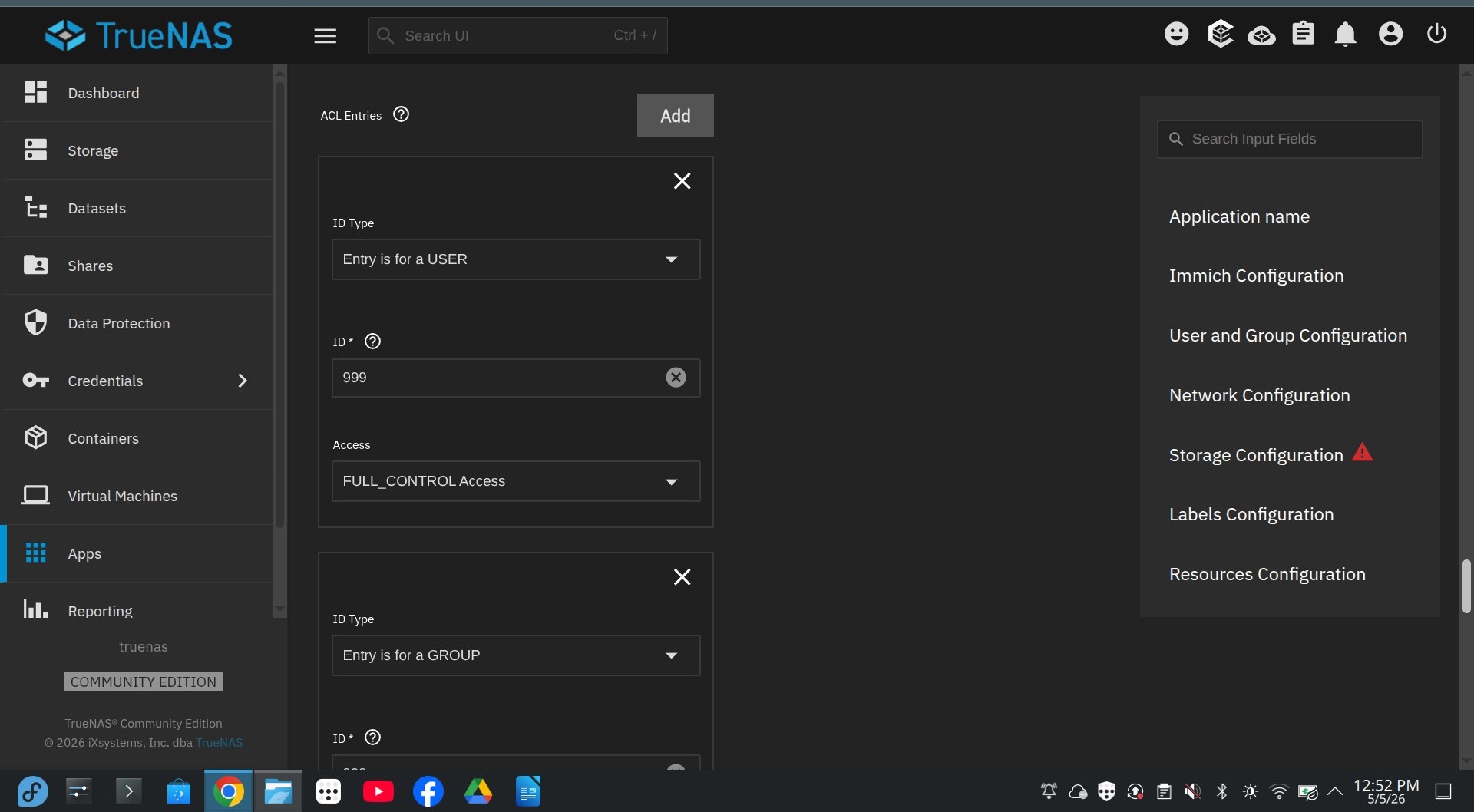
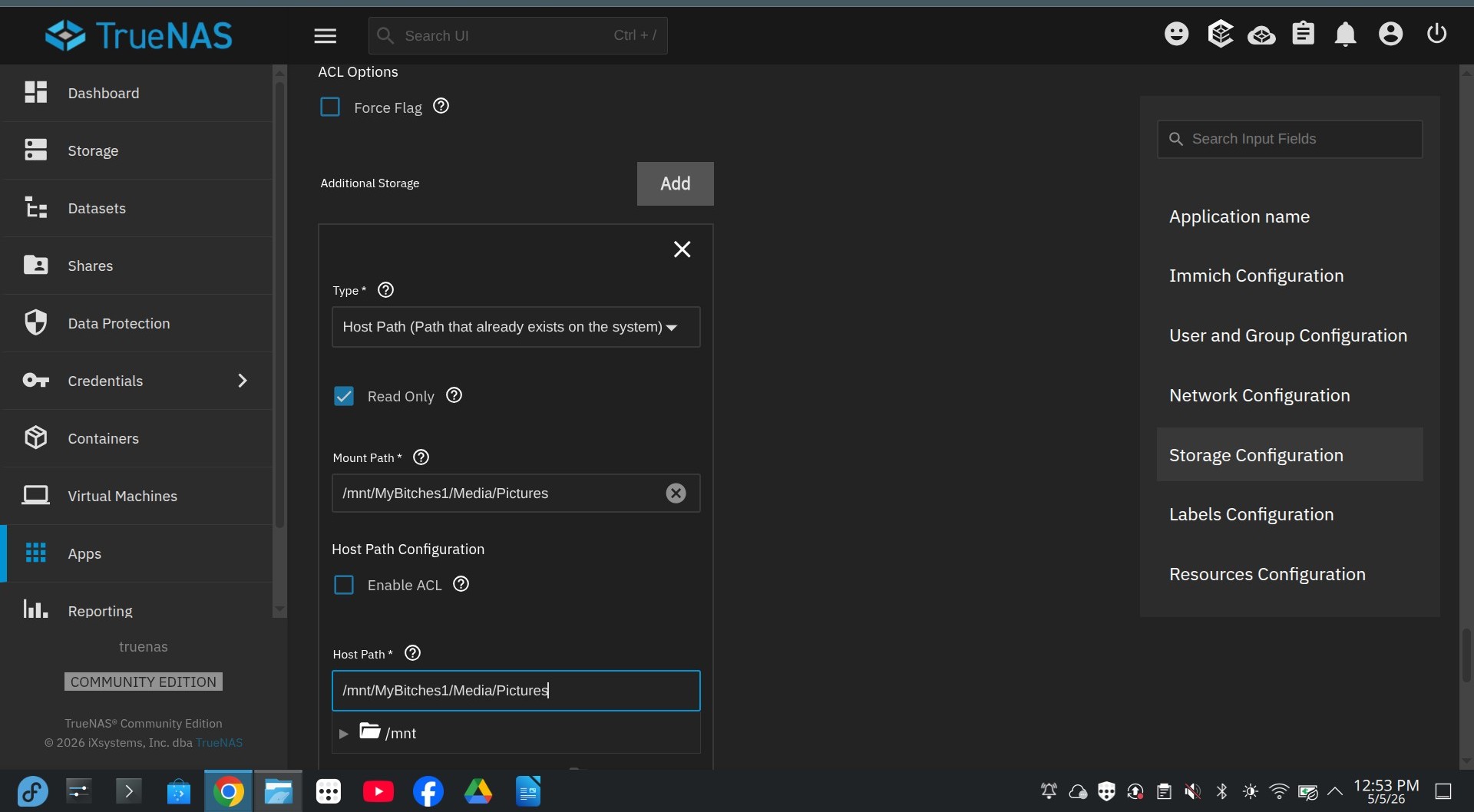
I don’t know why or how, but forever reason, unless you set the ACL permissions (as you see in the attached pictures), the main at the top to 568 (999) wouldn’t work. Then for all others were you have to select a path for your data, “Force Flag” User and Group 999 and FULL CONTROL or you will get an error everytime. Basically anywhere that data needs to be written to disk. You have to force them even if you do the iX path.
If you use additional storage, (old pictures you don’t want sync to delete) make sure you see this to read only!
I’m kind of new to this, but it seems that if TrueNas starts to load the containers and it says “running” then switches real fast to “deploying”, it’s almost always a permission issue. I had one other app, I had to do this to and specialize “addition variables” for items were the check boxes existed on the install screen.