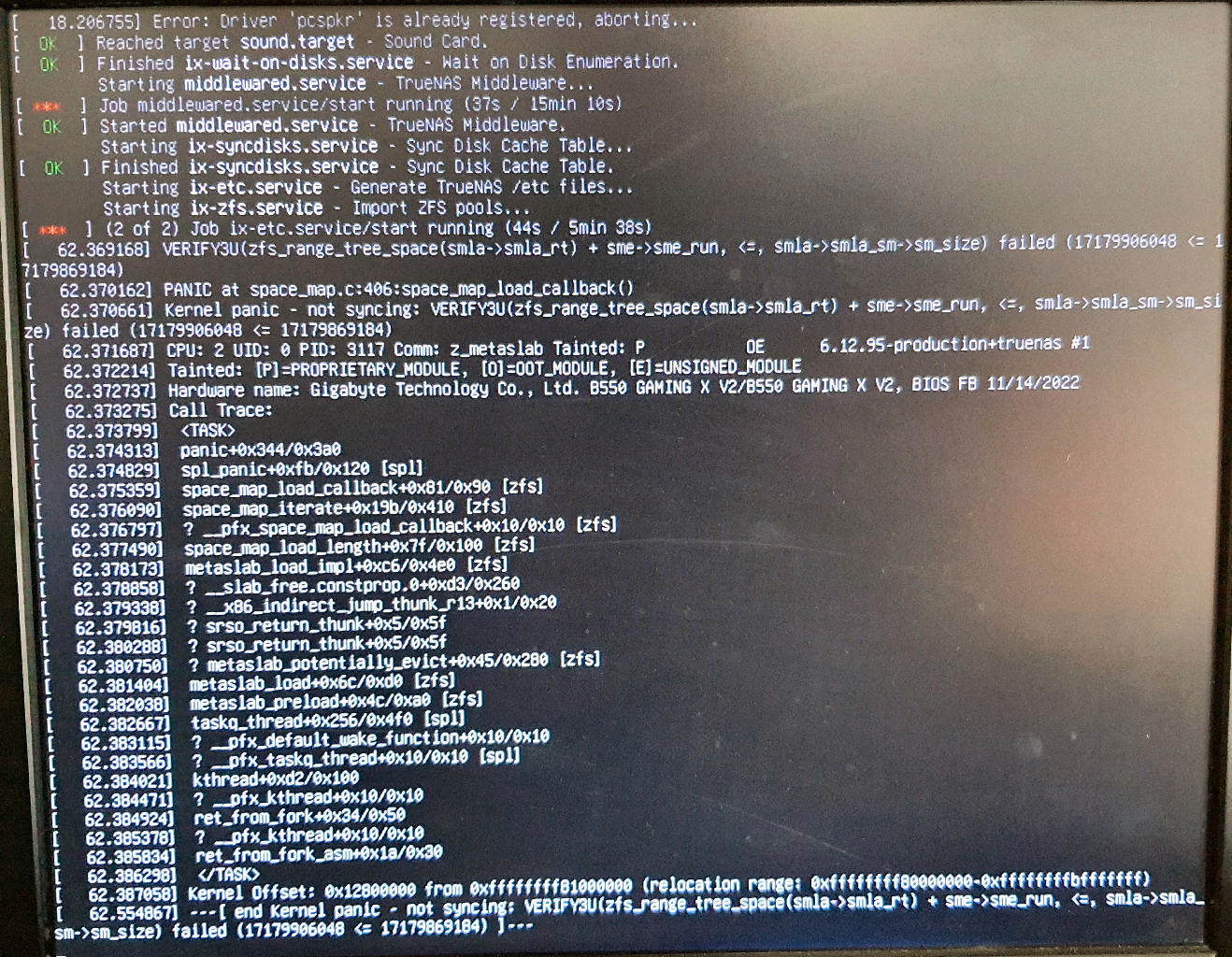
Yesterday my TrueNAS system stopped working. After some testing I found my RAM had errors. I’ve removed the failed RAM, now running with a known good 8GB (was running 32GB). However I can’t get past the following error:
If I re-install TrueNAS it works up until the point I reload my config. I tried an older version, but still get the same error. How can I get past this without data loss? Hopefully I have a recent backup on my 2nd TrueNAS server (off site), but I desperately need to access the files today.
Do you know how to boot into an Ubuntu live USB? Try to import the pool in the latest Ubuntu (26.04). This will at least let you know if the pool has errors or corruption.
However, I tried importing the pools on a fresh TrueNAS install. The SSD pool imported fine, which is my main file storage. When I try and import the bigger pool, TrueNAS re-boots and the pool isn’t added. The second pool is mostly for backup.
Is there a way to recover this pool or is it lost?
I found if I import the pool as read only (e.g., zpool import -o readonly=on -fF MyPool) the system doesn’t reboot. I get the error “cannot mount ‘MyPool’: failed to create mountpoint: Read-only file system. Import was successful, but unable to mount some datasets”. The pool and data sets do show in the Datasets view. Unfortunately I realise there are some files on there I don’t want to lose, but its not mounted, so I can’t access the files. Anyway to repair the Pool?
If you know the path to the files you want to keep, then you might be able to ZFS Send the Dataset they are in, to another pool. Not sure if that will be possible with a R/O imported pool. Further, not sure what ZFS will do if / when it encounters the pool corruption.
Finally had time to get back on resolving this. Ubuntu couldn’t mount some of the data sets. Not sure on what the next steps are to try and recover the pool. Only realised today that because my apps where on this pool, my off site backup isn’t working, because it used Tailscale.