
TrueNAS SCALE 25.04.2.3
I’m trying to backup a Windows VM to Storj using Cloud Sync, but having issues with the ZVOL.
My setup:
- VM dataset:
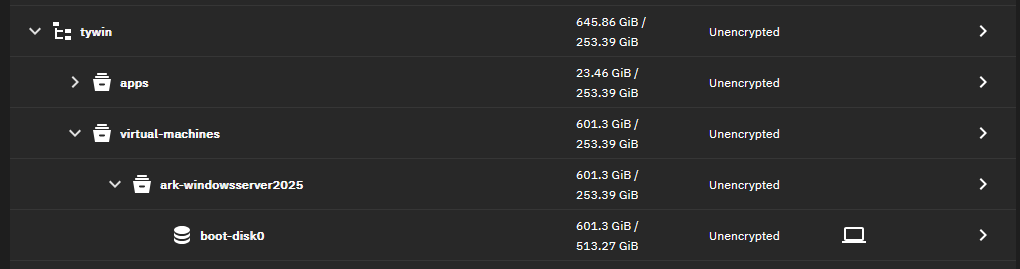
/mnt/tywin/virtual-machines/ark-windowsserver2025/ - ZVOL:
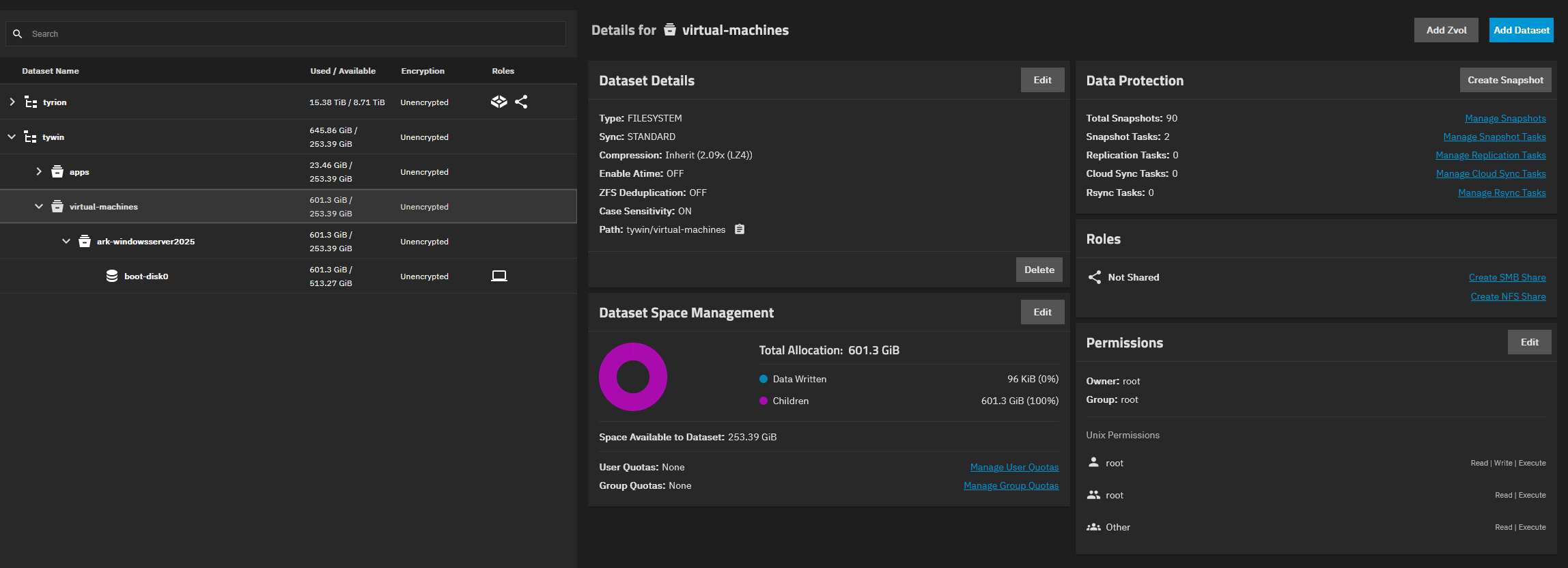
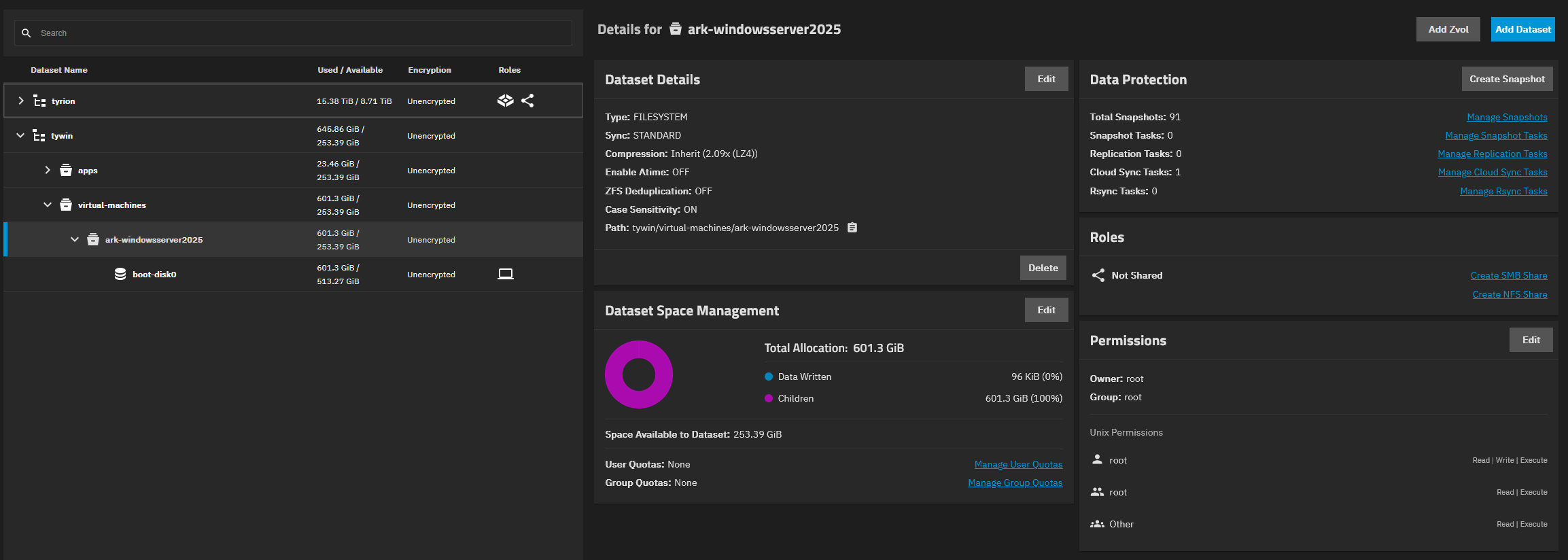
tywin/virtual-machines/ark-windowsserver2025/boot-disk0(601GB) →/dev/zd0 - Possibly the MOST important thing I have noticed, is the permissions being
apps:appson all the other datasets that DO upload without issue to Storj, and the permissions of the trouble dataset beingroot:root(screenshots below). Although none of those are ZVOLs. Should I simply try changing the permissions of thevirtual-machinesdataset toapps:apps? Surely this would break the entire VM.
The Problem:
- Cloud Sync task completes instantly with no data transferred
- Other datasets in the same pool sync perfectly to Storj with no issues
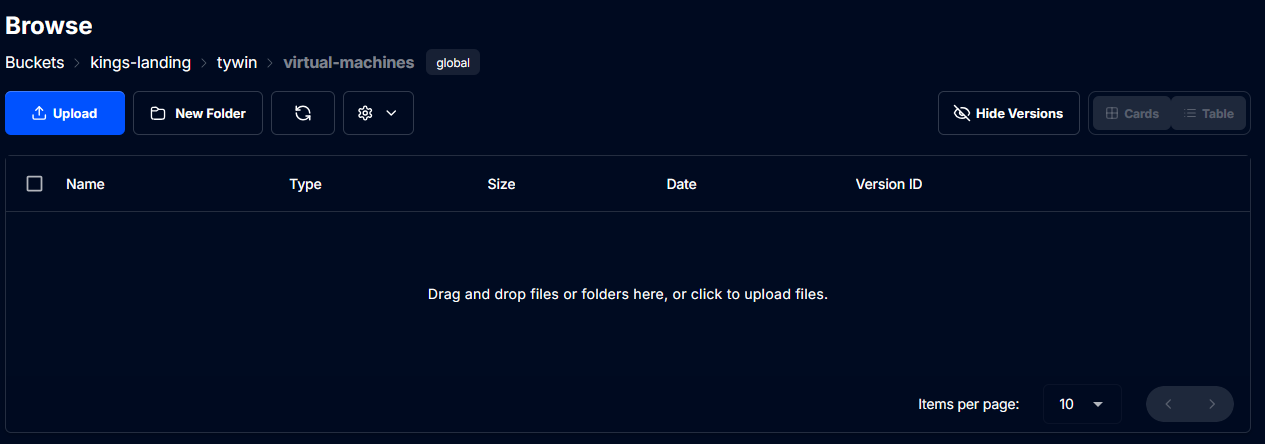
- Both the Storj web UI and Cyberduck show no VM data in the Storj cloud
root@kings-landing[/mnt/tywin/virtual-machines]# ls -la /mnt/tywin/virtual-machines/ark-windowsserver2025/ total 1 drwxr-xr-x 2 root root 2 Jul 24 22:09 . drwxr-xr-x 3 root root 3 Jul 24 22:09 ..
What I’ve Tried:
- Enabled “Use Snapshot” option
- Tried syncing just the
ark-windowsserver2025dataset directly - Verified permissions (root:root) and credentials (work for other datasets, although not sure if thats something you should even alter and other datasets that DO work use
apps:appsas stated above) - Confirmed ZVOL exists:
zfs list -t volumeshows the 601GB volume
Question: Is it possible to cloud sync a VM ZVOL, or does rclone only handle files? The directories are empty because the actual data exists as a block device (/dev/zd0), not files.
Should I abandon this approach and use a different backup strategy for VMs?
Thank you for your time.