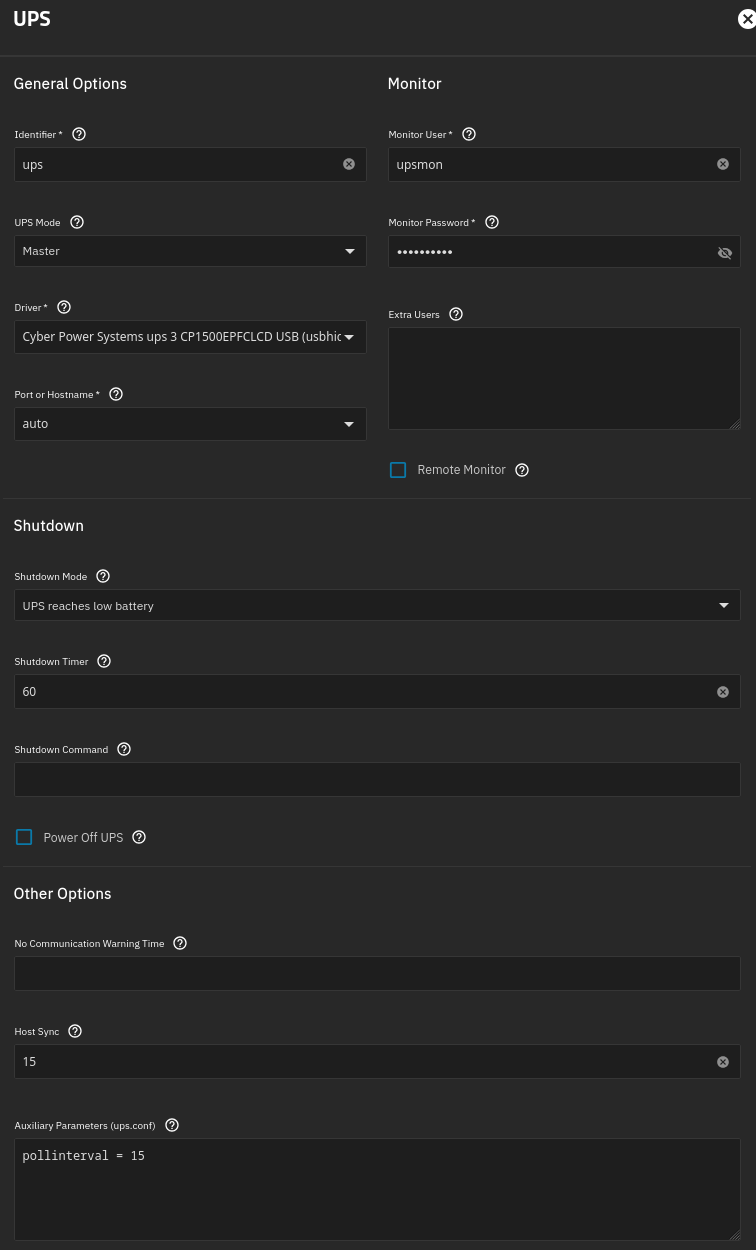
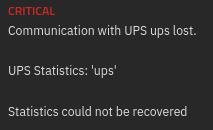
I’m running Truenas 25.10.5 - Goldeye with a Supermicro H13SAE-MF motherboard and I recently got a CyberPower CP1500PFCLCD UPS. I set up the UPS service as below but get an error when starting service:
This is the output from dmesg -w, suspect possibly bad cable as I’ve used port that external HDDs have worked from: [186946.037635] usb 5-2: new full-speed USB device number 10 using xhci_hcd [186946.165664] usb 5-2: device descriptor read/64, error -71 [186946.393654] usb 5-2: device descriptor read/64, error -71 [186946.621662] usb 5-2: new full-speed USB device number 11 using xhci_hcd [186946.745686] usb 5-2: device descriptor read/64, error -71 [186946.981645] usb 5-2: device descriptor read/64, error -71 [186947.085692] usb usb5-port2: attempt power cycle [186947.477626] usb 5-2: new full-speed USB device number 12 using xhci_hcd [186947.477703] usb 5-2: Device not responding to setup address. [186947.681699] usb 5-2: Device not responding to setup address. [186947.889625] usb 5-2: device not accepting address 12, error -71 [186947.889677] usb 5-2: WARN: invalid context state for evaluate context command. [186948.009638] usb 5-2: new full-speed USB device number 13 using xhci_hcd [186948.009729] usb 5-2: Device not responding to setup address. [186948.213690] usb 5-2: Device not responding to setup address. [186948.417630] usb 5-2: device not accepting address 13, error -71 [186948.417692] usb 5-2: WARN: invalid context state for evaluate context command. [186948.417726] usb usb5-port2: unable to enumerate USB device