
Interesting thing happened today, I have (by mistake) updated my production storage to 25.04.2.4 and after storage reboot my N8N app failed to start.
N8N app (from truenas catalog) was configured to use two data sets and when I would look at them (in datasets) I would get following error:
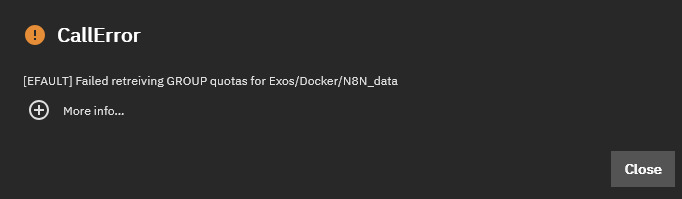
Which is similar problem like explained here: Files vanished while still taking up space and error "Failed retrieving USER quotas"
Additional issue is that I didn’t realize what is happening in time so I (also, very unwisely) decided to update N8N to the latest trunas app release and this likely pushed N8N to endless update/upgrade loop from which it never recovered.
If you read forum post I mention above, you will see that they narrowed issue down to the fact that the dataset appear to be mounted (in gui) while appropriate ZFS commands stated that the datasets were not mounted (this part appears to be exactly the same like mine), and also that this happens when there is replication going on. My whole pool is encrypted and encryption is inherited all the way down to docker volumes/datasets.
Replication part is just partialy true in my case, I have just today realized that I do have some apps which have moved into daily production (N8N included) and datasets related to this apps were not in my regular snapshot schedule and were not replicated for backup. So, this morning I have created appropriate snapshot schedule and replication schedule. So at the time I figured out that everything is failing, my snapshot and replication was pending.
In my case, I appear to have lost all of the data related to my N8N app (bad but I will survive, let this be a lesson that Jesus not only saves but also frequently makes backup and I failed both counts) and for some reason or the other N8N can not start anymore (N8N app container ends up in “deploying” loop) - I am thinking that maybe something happened with N8N app yaml. Because too many items changed in so little time and I didn’t realized what is going on (N8N workflows run only ocassionaly) it is hard to pinpoint exact moment everything went wrong.
But, what appears to be repeating is the failure as described in the linked post and maybe some attention is warranted (I can not reproduce the issue but I can describe environment in which it happened).