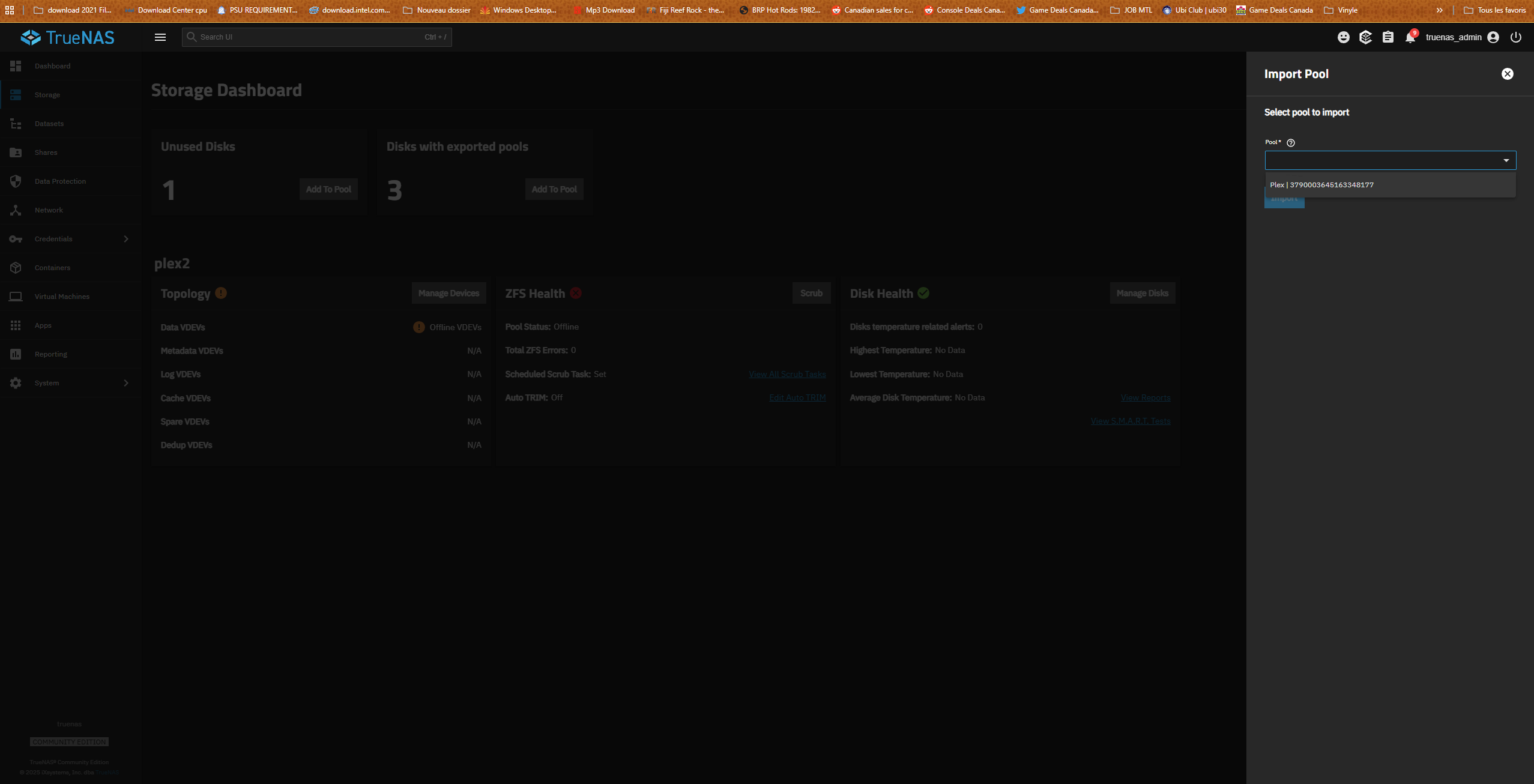
Disks with exported pools after 1 die. cant import offline Vdev

hello.

I woke up and I had 1 dead hard drive. I’m not the hot swap. i have Raidz1 4HDD. I searched on Google and Reddit to find out how to do it and everyone said to close the PC, change the disk and then have it replaced but nothing works. I ended up with 3 disks Disks with exported pools and 1 brand new disk. the hard drive which was not working could have been dead, the PC did not recognize it. I couldn’t get the disc

now the vdevs are offline and I think I’m in trouble and that I’m going to lose all my stuff. Can someone please help me. THANKS

I tried zppol import and nothing. I tried the zpool command replace (pool name) (dead HDD) (New hdd) without success. It always tells me that the pool error I/O but there are still 3 hdds with existing pool

config: i7 9900k
64GB ram
WD red pro 18tb 4x
Wd Black 10tb 4x
Hba card IT mode

im really sad. in dont whant lost my stuff.

Please post the output of:

sudo zpool status -v

and

sudo zpool import

as preformatted text (inside ```).

In general, I would not start using random commands from reddit. A replace can usually be done with the GUI.

1 Like

Where are the 4x WD blacks?

You can try importing it with:
sudo zpool import Plex -f -R /mnt

I’m having this exact same problem only I’m running Truenas Scale on Aoostar WTR Pro 5825U. My pool is missing and I cannot import a pool.

You should probably make it another thread will all your hardware, OS version and pool details. You can start by also running the commands from here and post everything in the new thread

1 Like
Linux truenas 6.12.15-production+truenas #1 SMP PREEMPT_DYNAMIC Wed Oct 29 14:40:06 UTC 2025 x86_64

  Warning: the supported mechanisms for making configuration changesare the TrueNAS WebUI, CLI, and API exclusively. ALL OTHERS ARENOT SUPPORTED AND WILL RESULT IN UNDEFINED BEHAVIOR AND MAYRESULT IN SYSTEM FAILURE.

Welcome to TrueNASLast login: Sat Feb  7 09:39:35 EST 2026 on pts/9truenas_admin@truenas[~]$ sudo zpool import Plex -f -R /mnt

[sudo] password for truenas_admin:
cannot import ‘Plex’: I/O errorDestroy and re-create the pool froma backup source.

4x wd black is other pool . i waiting for new HDD because 1 die too. i only connect Plex pool but the second pool work

any solution ?

Do you have backups ?

Warning , be carefull with these:

Use -F instead of -f

Or even -FX

no backup. im not lucky. with this command i can loose all stuff ?

Try running sudo zpool import -fF -n Plex and post back the results of the command. This should test importing the pool with the -F flag. It is a trial import and doesn’t actually import or roll back transactions.

See this for options.

1 Like

your command do nothing i think

( Linux truenas 6.12.15-production+truenas #1 SMP PREEMPT_DYNAMIC Wed Oct 29 14:40:06 UTC 2025 x86_64

    TrueNAS (c) 2009-2025, iXsystems, Inc. dba TrueNAS
    All rights reserved.
    TrueNAS code is released under the LGPLv3 and GPLv3 licenses with some
    source files copyrighted by (c) iXsystems, Inc. All other components
    are released under their own respective licenses.

    For more information, documentation, help or support, go here:
    http://truenas.com Warning: the supported mechanisms for making configuration changesare the TrueNAS WebUI, CLI, and API exclusively. ALL OTHERS ARENOT SUPPORTED AND WILL RESULT IN UNDEFINED BEHAVIOR AND MAYRESULT IN SYSTEM FAILURE.

Welcome to TrueNASLast login: Wed Feb 11 11:13:11 EST 2026 on pts/17truenas_admin@truenas[~]$ 

sudo zpool import -fF -n Plex[sudo]
password for truenas_admin:
truenas_admin@truenas[~]$ )

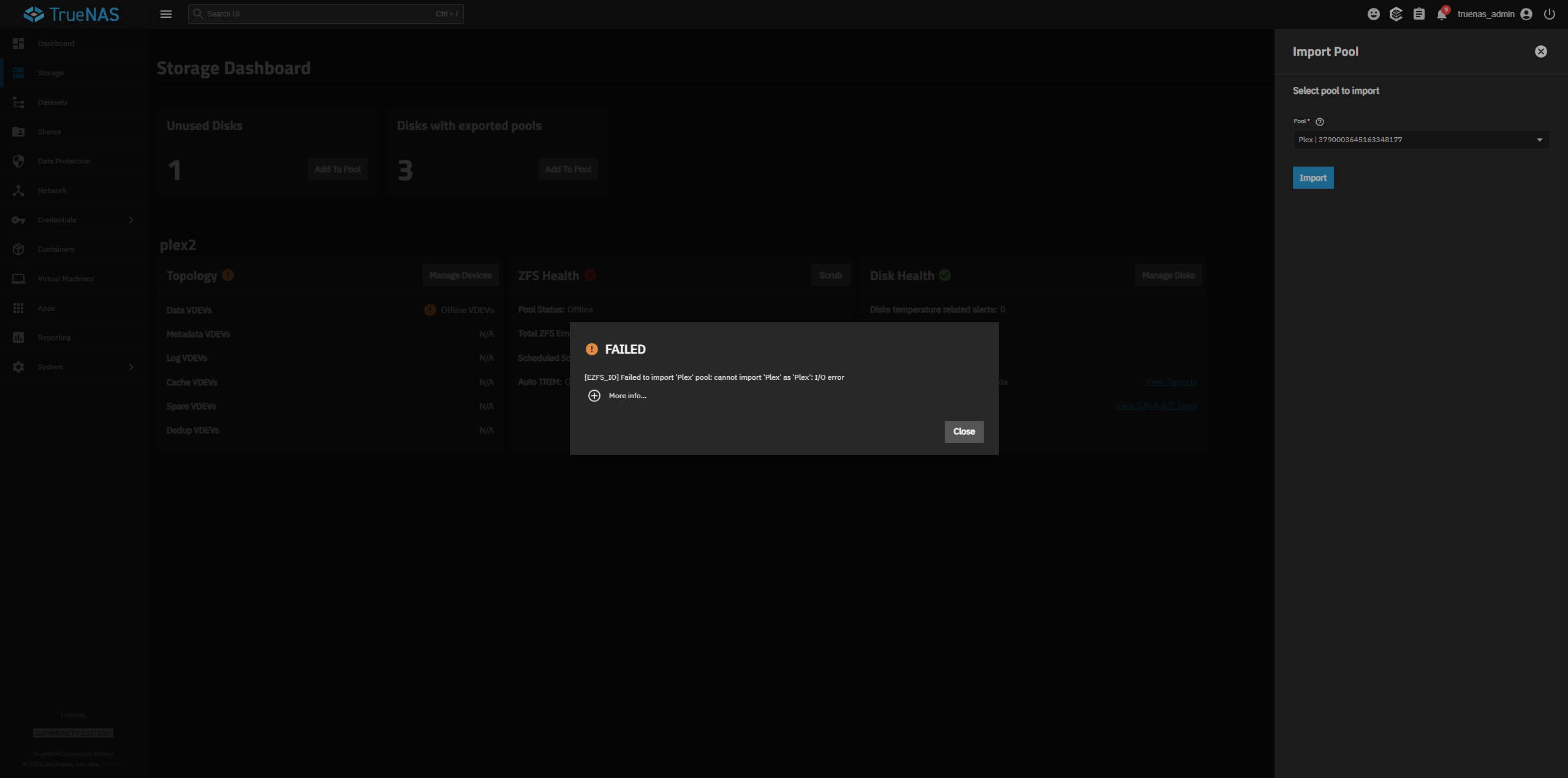
if i go on storage import pool i see plex but i receive error.

( concurrent.futures.process.RemoteTraceback:
“”"
Traceback (most recent call last):
File "/usr/lib/python3/dist-packages/middlewared/plugins/zfs
/pool_actions.py", line 233, in import_pool
zfs.import_pool(found, pool_name, properties, missing_log=missing_log, any_host=any_host)
File “libzfs.pyx”, line 1374, in libzfs.ZFS.import_pool
File “libzfs.pyx”, line 1402, in libzfs.ZFS.__import_pool
libzfs.ZFSException: cannot import ‘Plex’ as ‘Plex’: I/O error

During handling of the above exception, another exception occurred:

Traceback (most recent call last):
File “/usr/lib/python3.11/concurrent/futures/process.py”, line 261, in _process_worker
r = call_item.fn(*call_item.args, **call_item.kwargs)
^^^^^^^^^^^^^^^^^^^^^^^^^^^^^^^^^^^^^^^^^^^^^^^^^
File “/usr/lib/python3/dist-packages/middlewared/worker.py”, line 116, in main_worker
res = MIDDLEWARE._run(*call_args)
^^^^^^^^^^^^^^^^^^^^^^^^^^^
File “/usr/lib/python3/dist-packages/middlewared/worker.py”, line 47, in _run
return self.call(name, serviceobj, methodobj, args, job=job)
^^^^^^^^^^^^^^^^^^^^^^^^^^^^^^^^^^^^^^^^^^^^^^^^^^^^^^
File “/usr/lib/python3/dist-packages/middlewared/worker.py”, line 41, in call
return methodobj(*params)
^^^^^^^^^^^^^^^^^^
File “/usr/lib/python3/dist-packages/middlewared/schema/processor.py”, line 178, in nf
return func(*args, **kwargs)
^^^^^^^^^^^^^^^^^^^^^
File "/usr/lib/python3/dist-packages/middlewared/plugins/zfs
/pool_actions.py", line 213, in import_pool
with libzfs.ZFS() as zfs:
File “libzfs.pyx”, line 534, in libzfs.ZFS.exit
File “/usr/lib/python3/dist-packages/middlewared/plugins/zfs/pool_actions.py”, line 237, in import_pool
raise CallError(f’Failed to import {pool_name!r} pool: {e}', e.code)
middlewared.service_exception.CallError: [EZFS_IO] Failed to import ‘Plex’ pool: cannot import ‘Plex’ as ‘Plex’: I/O error
“”"

The above exception was the direct cause of the following exception:

Traceback (most recent call last):
File “/usr/lib/python3/dist-packages/middlewared/job.py”, line 515, in run
await self.future
File “/usr/lib/python3/dist-packages/middlewared/job.py”, line 560, in _run_body
rv = await self.method(*args)
^^^^^^^^^^^^^^^^^^^^^^^^
File “/usr/lib/python3/dist-packages/middlewared/schema/processor.py”, line 174, in nf
return await func(*args, **kwargs)
^^^^^^^^^^^^^^^^^^^^^^^^^^^
File “/usr/lib/python3/dist-packages/middlewared/schema/processor.py”, line 48, in nf
res = await f(*args, **kwargs)
^^^^^^^^^^^^^^^^^^^^^^^^
File "/usr/lib/python3/dist-packages/middlewared/plugins/pool
/import_pool.py", line 118, in import_pool
await self.middleware.call(‘zfs.pool.import_pool’, guid, opts, any_host, use_cachefile, new_name)
File “/usr/lib/python3/dist-packages/middlewared/main.py”, line 1005, in call
return await self._call(
^^^^^^^^^^^^^^^^^
File “/usr/lib/python3/dist-packages/middlewared/main.py”, line 728, in _call
return await self._call_worker(name, *prepared_call.args)
^^^^^^^^^^^^^^^^^^^^^^^^^^^^^^^^^^^^^^^^^^^^^^^^^^
File “/usr/lib/python3/dist-packages/middlewared/main.py”, line 734, in _call_worker
return await self.run_in_proc(main_worker, name, args, job)
^^^^^^^^^^^^^^^^^^^^^^^^^^^^^^^^^^^^^^^^^^^^^^^^^^^^
File “/usr/lib/python3/dist-packages/middlewared/main.py”, line 640, in run_in_proc
return await self.run_in_executor(self.__procpool, method, *args, **kwargs)
^^^^^^^^^^^^^^^^^^^^^^^^^^^^^^^^^^^^^^^^^^^^^^^^^^^^^^^^^^^^^^^^^^^^
File “/usr/lib/python3/dist-packages/middlewared/main.py”, line 624, in run_in_executor
return await loop.run_in_executor(pool, functools.partial(method, *args, **kwargs))
^^^^^^^^^^^^^^^^^^^^^^^^^^^^^^^^^^^^^^^^^^^^^^^^^^^^^^^^^^^^^^^^^^^^^^^^^^^^
middlewared.service_exception.CallError: [EZFS_IO] Failed to import ‘Plex’ pool: cannot import ‘Plex’ as ‘Plex’: I/O error )

plex 2 is my other pool. i only unplug the cable because im waiting for a new hdd too

@HoneyBadger Looking for assistance on what to do next. sudo zpool import -fF -n returned without error in post above?

@vooxelite You should have all your disks and pools connected. Get everything connected and then give us the results of a new sudo zpool status -v and sudo zpool import. Copy and post the results back on the forum with each command having it’s own Preformatted Text reply. (</>) or Ctrl+e. It keeps the format and makes it more readable.
Do you have a pool for Apps?

I think the current process is to import the Plex pool with force options, since the -n option seemed to work. Check it and maybe do a scrub. Export the Plex pool using the command line and then import the Plex pool using the GUI. TrueNAS and the middleware behaves better if you do almost everything with the GUI.
I was mostly waiting to see if we needed to turn off all the Apps, if you had them, while doing the whole process.

If -fF -n returned no output, that means no error was encountered, and theoretically an import without the -n tag - so:

zpool import -fF -R /mnt Plex

would be the attempt to do it for real.

Now if that fails, I’d want to see a hundred or so lines from the tail end of:

tail -n 100 /proc/spl/kstat/zfs/dbgmsg

and we go hunting for fail cases.

i will try tomorow. i work alot . im sorry but i will try. thx for helping me. i need to connect my second pool? im waiting my new hdd for replace because 1 fail too on this pool

Hello. sorry for the delay. I was working outside the house and I received the new hard drive for pool2 which was degraded. It was tested and all the tests were successful. now I’m ready to try your order list and see if we can, hopefully save my pool1 (the replacement disk is connected).

for pool 2 I followed 1 tutorial on the group and everything worked except that I remained stuck at the Replacing Disk popup
pool.replace
30.00%
Replacing disk.

after several minutes it starts to move. the server doesn’t seem to be freezing but I can’t get out of this popup. I’ll wait and see.

thank you for helping me and sorry for the delay

now this workaround and again 30%