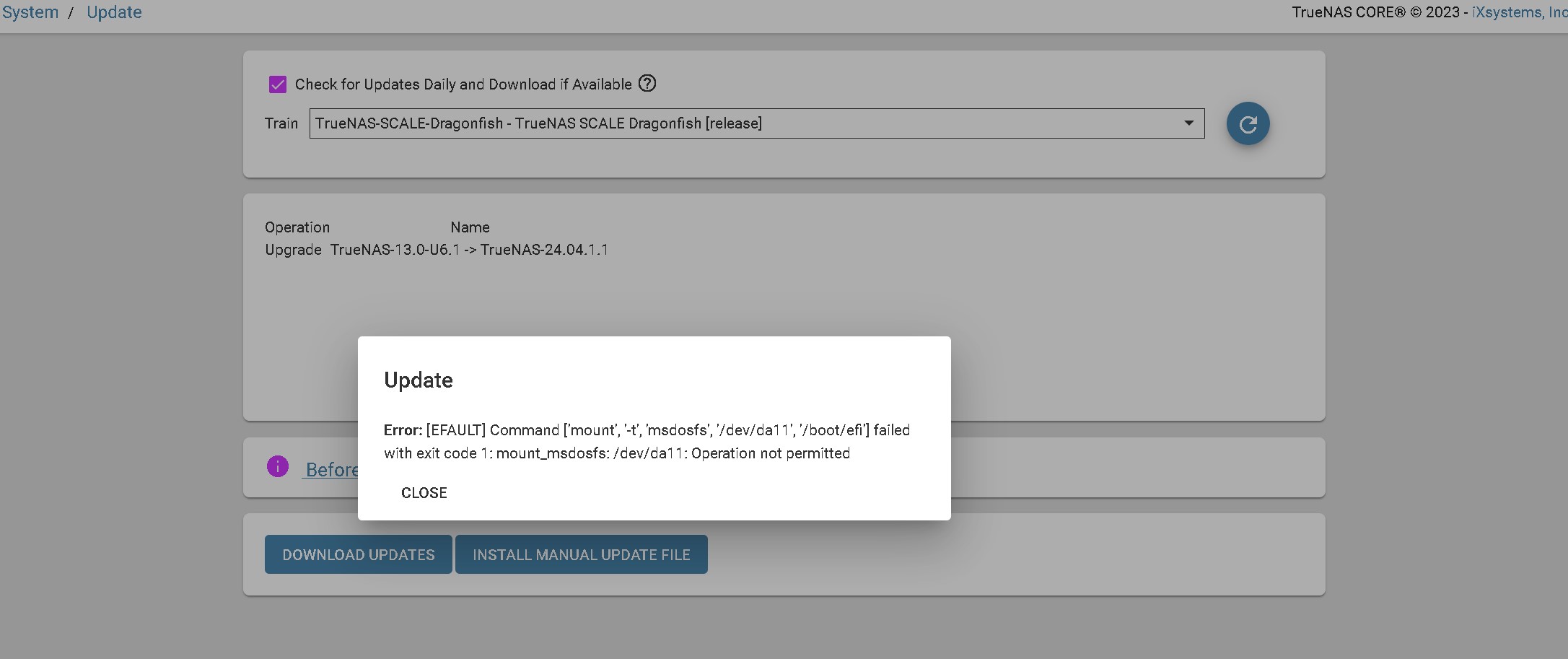
Today I thought I would upgrade one of my less important TrueNas Core systems from Core to Scale Dragonfish. Got the following error during the upgrade:
Error: [EFAULT] Command [‘mount’, ‘-t’, ‘msdosfs’, ‘/dev/da11’, ‘/boot/efi’] failed with exit code 1: mount_msdosfs: /dev/da11: Operation not permitted
I googled this and it looks like a couple of other people might have had the issue in the past but nobody seems to have ever posted any kind of resolution. I have a total of 4 Core systems I ultimately want to upgrade so I’d really like to avoid the complete reinstall method if possible if there is some easy fix for this.
According to their docs, this isn’t a supported way to upgrade from CORE to SCALE. Do a clean install of SCALE, upload your saved config, and you should be set.
Maybe its just my imagination but didn’t they originally support direct upgrade from the GUI at least with the earlier versions of Scale?
I went ahead and did a fresh Dragonfish install and import of the Core config and that worked pretty well EXCEPT… after the upgrade its throwing the following alert:
’ Disk(s): sdm, sdc, sdn, sdf, sdl, sdd, sdk, sdi, sdg, sde, sdj, sdh are formatted with Data Integrity Feature (DIF) which is unsupported.’ for my disks.
I googled that error and looks like I’m going to be reformatting all my disks one-by-one if I want to preserve the existing pools. Good thing I started with one of the systems that wasn’t very important…