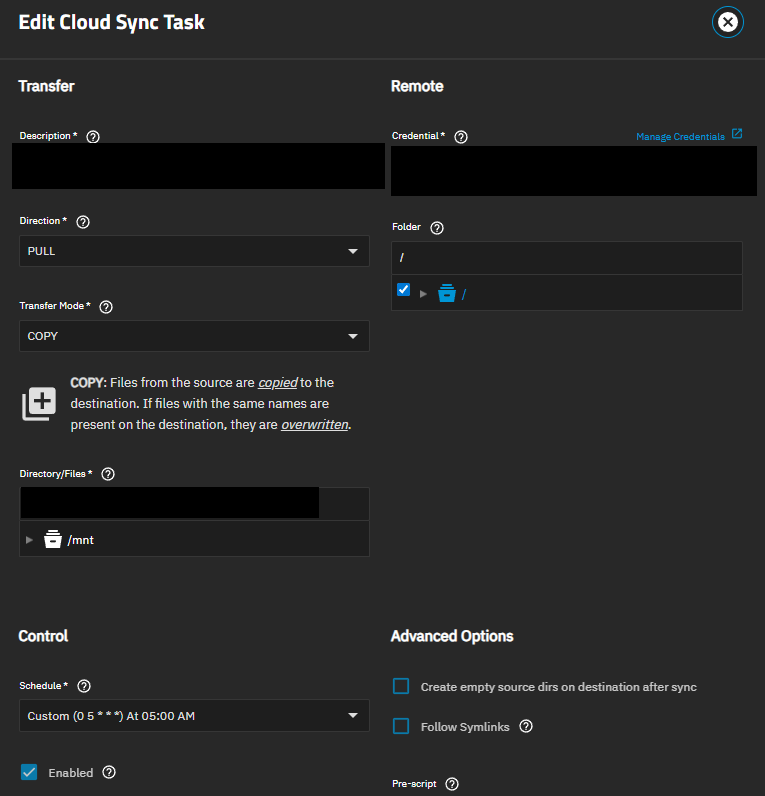
I set up my TrueNAS Scale (25.04.1) to sync my files from one drive (PULL/COPY), and I keep getting the following error:
[EFAULT] Errors:                30 (retrying may help)
Checks:            303568 / 303568, 100%
Elapsed time:     17m41.9s

2025/06/30 08:17:44 Failed to copy with 30 errors: last error was: failed to open source object: Get "https://my.microsoftpersonalcontent.com/personal/e222acb3a075f791/_layouts/15/download.aspx?UniqueId=18b304df-a31b-4dd7-9553-98caf24a44e8&Translate=false&tempauth=v1e.eyJzaXRlaWQiOiI2MmU3MjlmZC04NzAzLTQ4ZWEtYjQxZS1kNzc2NzIzOGVkMTYiLCJhcHBfZGlzcGxheW5hbWUiOiJUcnVlTkFTIiwiYXBwaWQiOiIwMGMxOTcyYS1lYWFkLTQ4NmMtYTUyYi02Zjg2ZjljYWEwMDQiLCJhdWQiOiIwMDAwMDAwMy0wMDAwLTBmZjEtY2UwMC0wMDAwMDAwMDAwMDAvbXkubWljcm9zb2Z0cGVyc29uYWxjb250ZW50LmNvbUA5MTg4MDQwZC02YzY3LTRjNWItYjExMi0zNmEzMDRiNjZkYWQiLCJleHAiOiIxNzUxMjg5NDY0In0.PuR3zrtavStfx9yAS1kAaqaYikjYaM5B6wPKFKbVAT1XPv427A-itvRVDtQ869Qw0FrJK7gntP1LFxQ3Jsb9sD3xf1IlMbwVxVUBgOZ7r2P1qVfKZYj_M3PFd4H7pt4nUy9s42MECYEgsUTTJtDAJLRyhxSoLXb2KKv1HvwxGUi82VSH1LtccH6GXfPAcD6G3-ASSQhFiWfOlWookLLEnJa5zW4b8EltnaaJDouP7zSAPQLAZ6P6fX52wZVTU5axuX_fvIoYTlxww-mIO4pdnsd9lqe6UOOaLxX_dxelkkXzPO_vdrBSH9YHJulxVuP5kUAvgQRFvTTrecZ6s3Hg22xKuyRH6cpYbZlkl2AuzNHzLhSbpUjG8nn2eSxTmBCerpBStBQIqVprtq_TPeL7FX7OyC1WfTFI3b9PrXDCKNOY68FxxCEjffY1zO4MOK2R.-uTZzXPeYktaZtLf7ciZpo_s1nsxwwFIATYtS-7BPKY&ApiVersion=2.0": dial tcp: lookup my.microsoftpersonalcontent.com: no such host
I have another task on another OneDrive account that works fine.
Since you have two OneDrive accounts, are you giving them separate, unique names in the Name field of Cloud Sync Tasks
You aren’t giving much for details on your setup and what you have tried. We can only go off what you provide in the thread and there may be clues with more details
Maybe check /etc/resolv.conf for any strange DNS servers. Or switch DNS servers completely. As far as I know you only get no such host error if you get a explicit NXDOMAIN response for a DNS request.
I will try that. Right now, it was pointing to my Pi-Hole instance, so that may have caused the issue. I just pointed it to my default DNS server, and hopefully that will help.
Hello @Itamar_Budin , I’m getting the same issue. I have 3 CloudSync jobs, all of which point to the same Microsoft OneDrive account. The first 2 are for specific folder syncs, and the last one is for a full OneDrive pull for backup purposes. The first 2 work consistently, while the last job has failed with the same dial tcp: lookup ``my.microsoftpersonalcontent.com``: no such host error you were facing. My TrueNAS also uses Pihole for its DNS, and I am loathe to change it since the Pihole also has a number of local DNS entries that the NAS requires day-to-day. I’ve checked DNS and Pihole doesn’t appear to be blocking this. Having said that, I tried a traceroute on Truenas and it does indeed fail, although it works on another host on my network using the same Pihole for DNS.
On Truenas, dig with Pihole DNS at 192.168.20.250:
faisal@nas:~$ dig my.microsoftpersonalcontent.com

; <<>> DiG 9.18.28-1~deb12u2-Debian <<>> my.microsoftpersonalcontent.com
;; global options: +cmd
;; Got answer:
;; ->>HEADER<<- opcode: QUERY, status: NOERROR, id: 41295
;; flags: qr rd ra; QUERY: 1, ANSWER: 8, AUTHORITY: 0, ADDITIONAL: 1

;; OPT PSEUDOSECTION:
; EDNS: version: 0, flags:; udp: 1232
; EDE: 3 (Stale Answer)
;; QUESTION SECTION:
;my.microsoftpersonalcontent.com. IN    A

;; ANSWER SECTION:
my.microsoftpersonalcontent.com. 46 IN  CNAME   lists-e.tm-rt.sharepoint.com.
lists-e.tm-rt.sharepoint.com. 0 IN      CNAME   192065-ipv4mte.gr.global.aa-rt.sharepoint.com.
192065-ipv4mte.gr.global.aa-rt.sharepoint.com. 0 IN CNAME 192065-ipv4mte.farm.dprodmgd105.aa-rt.sharepoint.com.
192065-ipv4mte.farm.dprodmgd105.aa-rt.sharepoint.com. 0 IN CNAME 192065-ipv4mteg.farm.dprodmgd105.sharepointonline.com.akadns.net.
192065-ipv4mteg.farm.dprodmgd105.sharepointonline.com.akadns.net. 233 IN CNAME 192065-ipv4.farm.dprodmgd105.aa-rt.sharepoint.com.dual-spov-0006.spov-msedge.net.
192065-ipv4.farm.dprodmgd105.aa-rt.sharepoint.com.dual-spov-0006.spov-msedge.net. 173 IN CNAME dual-spov-0006.spov-msedge.net.
dual-spov-0006.spov-msedge.net. 61 IN   A       13.107.139.11
dual-spov-0006.spov-msedge.net. 61 IN   A       13.107.137.11

;; Query time: 0 msec
;; SERVER: 192.168.20.250#53(192.168.20.250) (UDP)
;; WHEN: Sat Jan 03 10:01:15 MST 2026
;; MSG SIZE  rcvd: 481
However, traceroute
faisal@nas:~$ traceroute my.microsoftpersonalcontent.com
my.microsoftpersonalcontent.com: Name or service not known
Cannot handle "host" cmdline arg `my.microsoftpersonalcontent.com' on position 1 (argc 1)
On another Ubuntu host, traceroute starts but then gets hung up after a few hops. I’m at the end of my traceroute knowledge. No clue why it seems to work for my other jobs but not this one. Not sure if syncing down the entire OneDrive triggers it to reach out to this specific host.
Were you able to find a solution to this issue? Thanks.
@faisal, yes, I was able to solve the issue by ensuring that my TrueNAS box is using a non-Pi-Hole DNS server. Once I did that, the errors disappeared.
Thanks for the info. For whatever it’s worth, it magically started working again without me changing my DNS settings away from using my Pihole. I can only conclude that there may have been a DNS misconfiguration in the CNAME change on the Microsoft end.