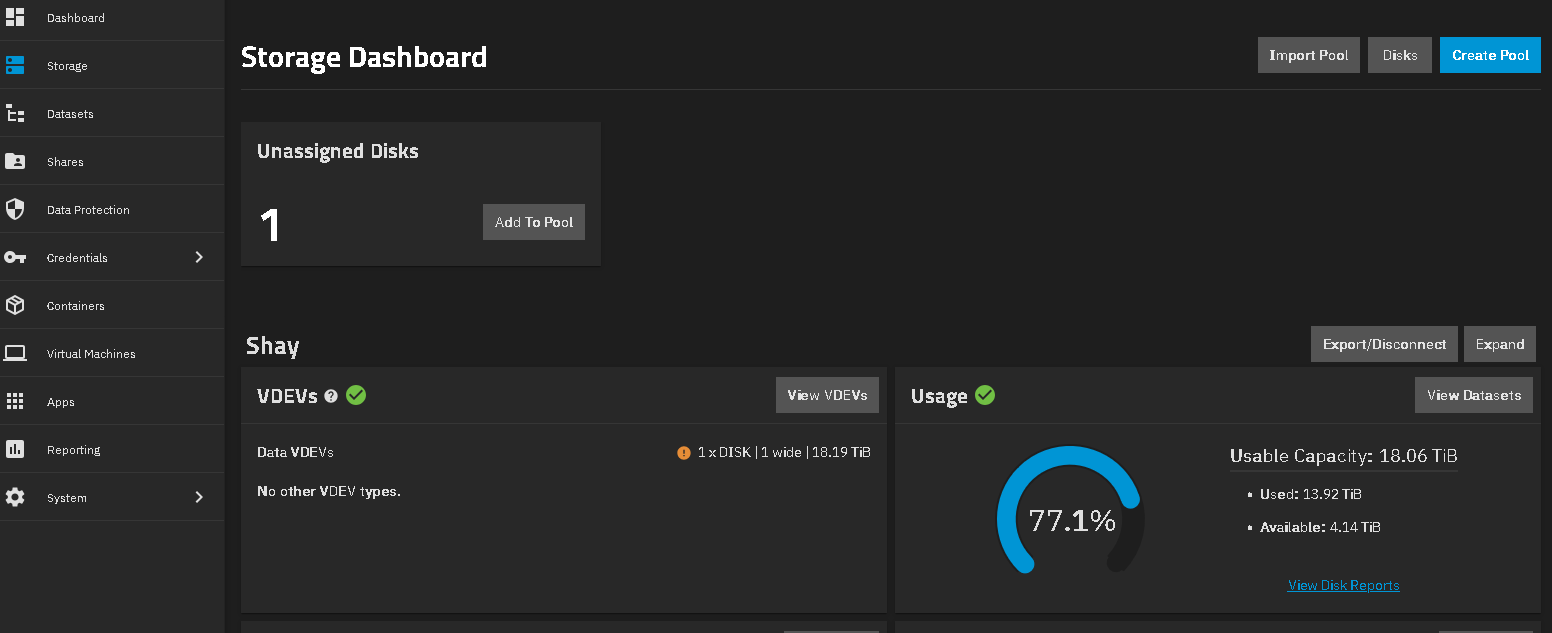
I’m going to wait until the replacement NAS case (another miniITX 8 drive/hotswap from NewEgg) gets here before I start physically dissecting. Thanks to the reliability of TrueNas, the existing setup has been hidden away in a corner for over three years without me touching it other than an occasional nudge to complete a reboot and also keeping TrueNAS current.
So my memory of all the interior details is a little short. I literally copied the setup of a youTube made by a TrueNAS expert that he created to demonstrate how inexpensively an 8 drive TrueNAS server could be setup. If I remember correctly the TrueNAS version at the time was 22 something - I just updated from 24 to 25 (current distribution version) yesterday.
Yes the case is a Silverstone, but no longer made; I think the current rendition is the 382, while the 383 is more a normal size mid-tower. Iam not going back with a Silverstone case.
I used the identical components as that developer listed in his video (he also sourced from NewEgg) to avoid configuration mismatches. There is, on reflection, a half height SATA expansion card installed that all the drives connect to. I believe the low profile CPU cooler blocked the other expansion slot.
The ‘dead’ hdd is actually a dead hdd slot in the Silverstone hot swap drive carriage - drive slot 3 if I remember, but I’d have to open the case to see my mark to confirm. The drive itself is fine (swapped around to confirm at the time). I wanted/needed to get the server online to start configuring TrueNAS and start moving astroimaging project files off my desktop PC as it was ‘drowning’. So I didn’t delay to get either a replacement case or drive cage, I just rolled with the 7 drives that were operational. I assumed (rightly) that a few years would have passed by the time I used up enough storage for the missing 8th drive to be an issue,
I say I exactly copied that YouTube video, but that is only true for the physical components (drive capacity is different). The developer configured two pools in his example and mounted some multimedia server apps on one of them. My needs are simpler - just needed storage so I have only the one pool. I think the YouTube video was using two either 8 or 10tb drives in one pool, and six 1 or 2 tb drives in the other pool.
So in the new case, after transferring the components, it would be better (or simpler ?) to restart the server with a new larger drive I’m considering in the place of the formerly ‘dead’ drive vs restarting it with the existing ‘dead’ drive in place and joining the pool for the first time?
The math of the drive capacity vs raid storage available is opaque to me but starting out with approx 28tb (7x4tb), resulted in approximately 16-ish tb available for storage. Of that I still have 7(ish) tb free last I checked. It sounds like with my TrueNAS RAID setup, that maybe around 60-ish percent of a given drive becomes available when added to the pool, the rest goes to RAID overhead (quite certain I’m making a hash of this estimation)  Or is the RAID overhead ‘fixed’ so that larger drives give more benefit than smaller drives in terms of percentage of capacity dedicated to RAID overhead?

 .
.