
Problem/Justification
At this point in time, the contents of the inline help are rather extremely short and not that helpful at times. One should consider aligning the longer contents from the Documentation Hub and the inline help. Because when I click on the help icon, I either expect to be redirected to a documentation page or have a reasonable explanation inside the application.
As an example, when creating a Custom App, there exists the container configuration “Command”. Clicking Add, gives you a field which you can fill out. Since I know that you are constructing compose files at the end, I know that I want to execute echo "hello world" and should enter ["echo", "hello world"]. But I have issues understanding how to enter "echo" and "hello world" as a list, so I consult the inline help, that is frankly of no use. Only after going out of my way to the Documentation Hub, do I realize that I can add multiple fields and they act as a list.
The inline help:
Help: Command
Command to use for the container.
Overrides the default CMD of the image.
Documentation Hub:
Click Add to display a new field. Each field is an item in the CMD list in exec format. For example, to enter
CMD ["echo", "hello world"], enterechoin the first Command field. Click Add again. Enterhello worldin the second field.
The Documentation Hub explanation is not really that much longer, but it actually explains all the parts of that one configuration point. So it should be the actual contents of the inline help.
When I modify the contents of the tooltip, it’s not even that much bigger. And you shouldn’t really fear the text dump in the inline help, as it should help understand the configuration.


Impact
The appliance will be less reliant on external documentation whenever a user seeks help to understand a specific configuration parameters, rather than having to spend time searching for the said documentation, as there are no backlinks between the configuration pages and the documentation pages.
The inline help would also not deviate from the official documentation, allowing to either copy paste contents or automatically link said documentation.
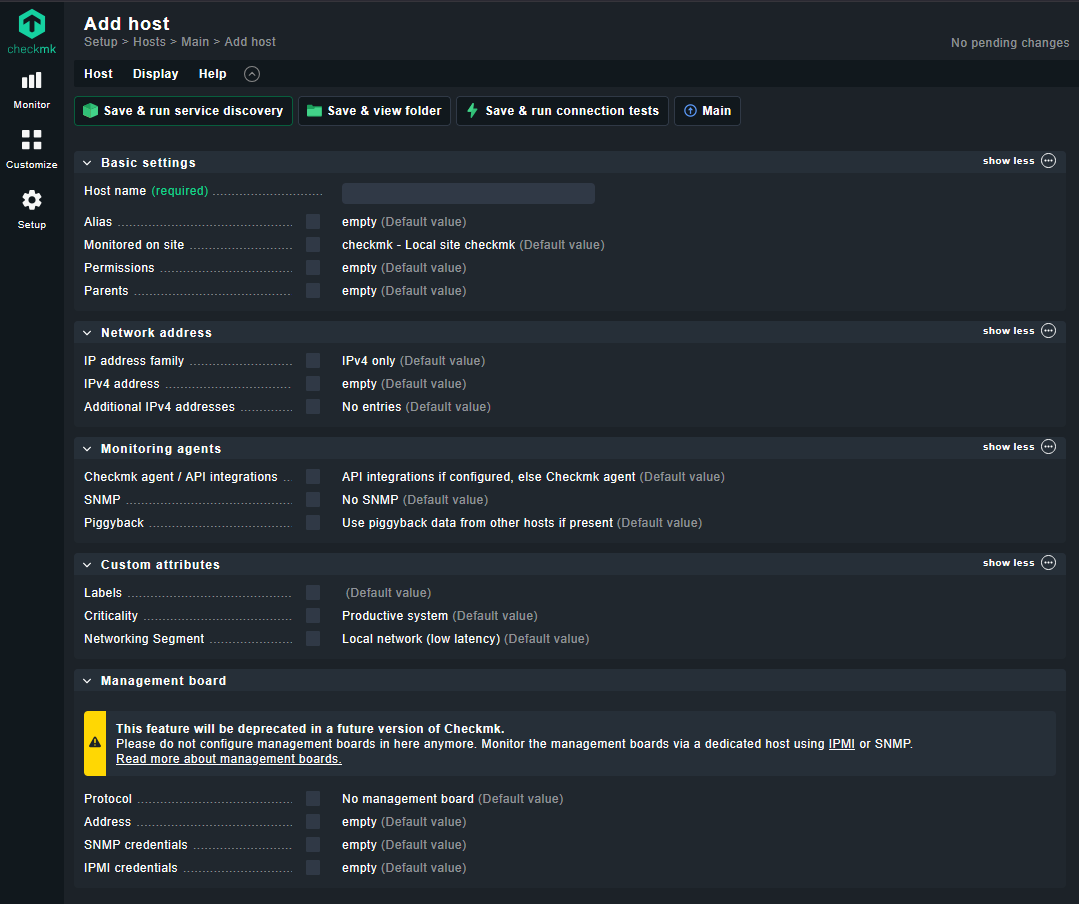
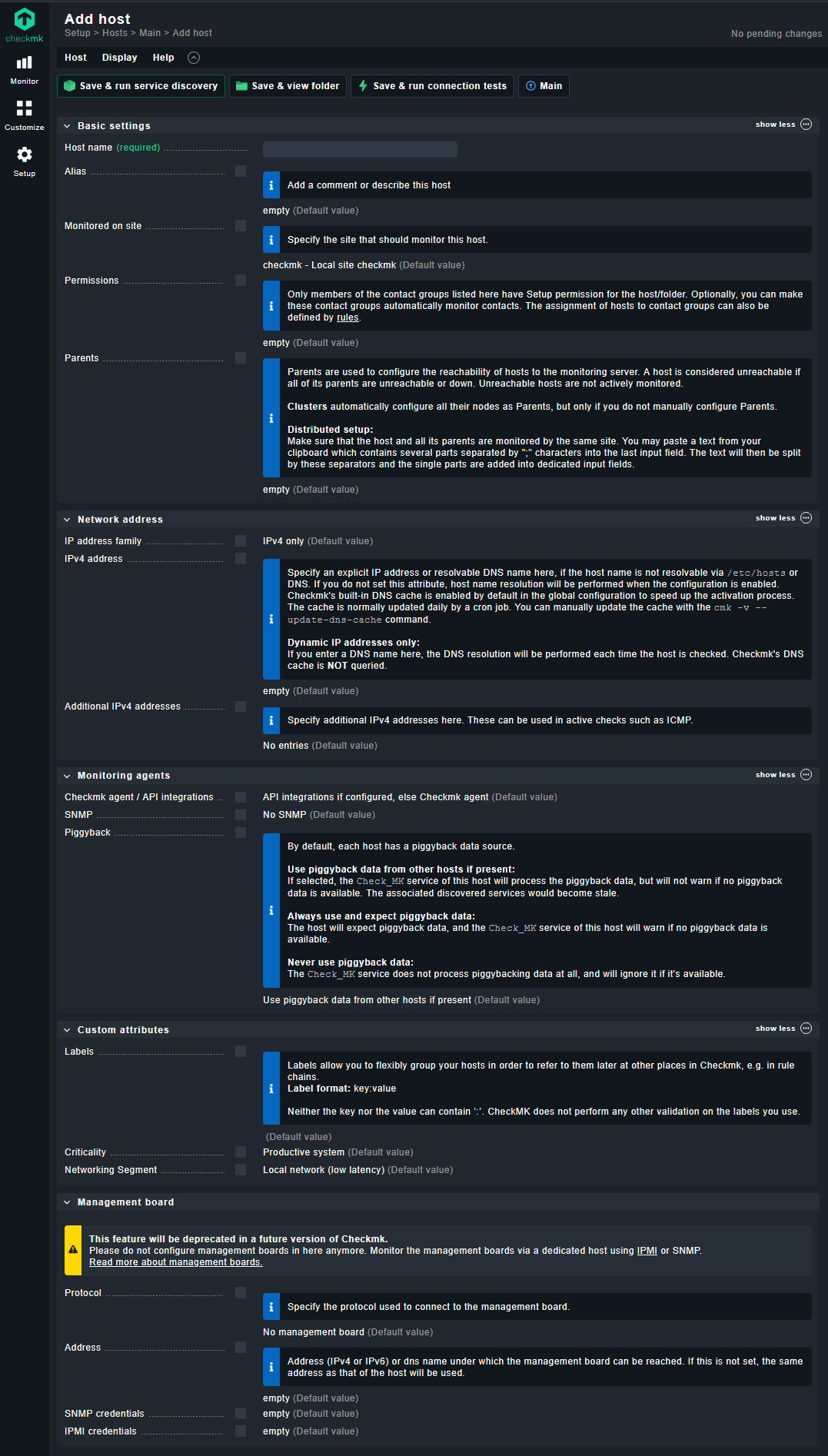
The disadvantage would be more text in a bubble and maybe more css/js on phone sized screens. But if that is your issue, do it the way checkmk does.
Before and after enabling inline help in checkmk:
User Story
- User does not understand configuration option
- User clicks on the help icon
- User is now enlightened and unburdened from searching the documentation
- User properly utilizes the configuration option