I’m new to TrueNAS, so sorry if this is something super obvious. I wanted to install TrueNAS on my HP DL380 G7 but didn’t get it to work for two days now. I also already looked throug the forums but didn’t find anything about fresh installs having this problem. The fresh install was the suggested solution most of the time.
I tried to install it using different USB drives on different drives in the system. The USB installer always worked without any problem but I never got it to boot into TrueNAS afterwards.
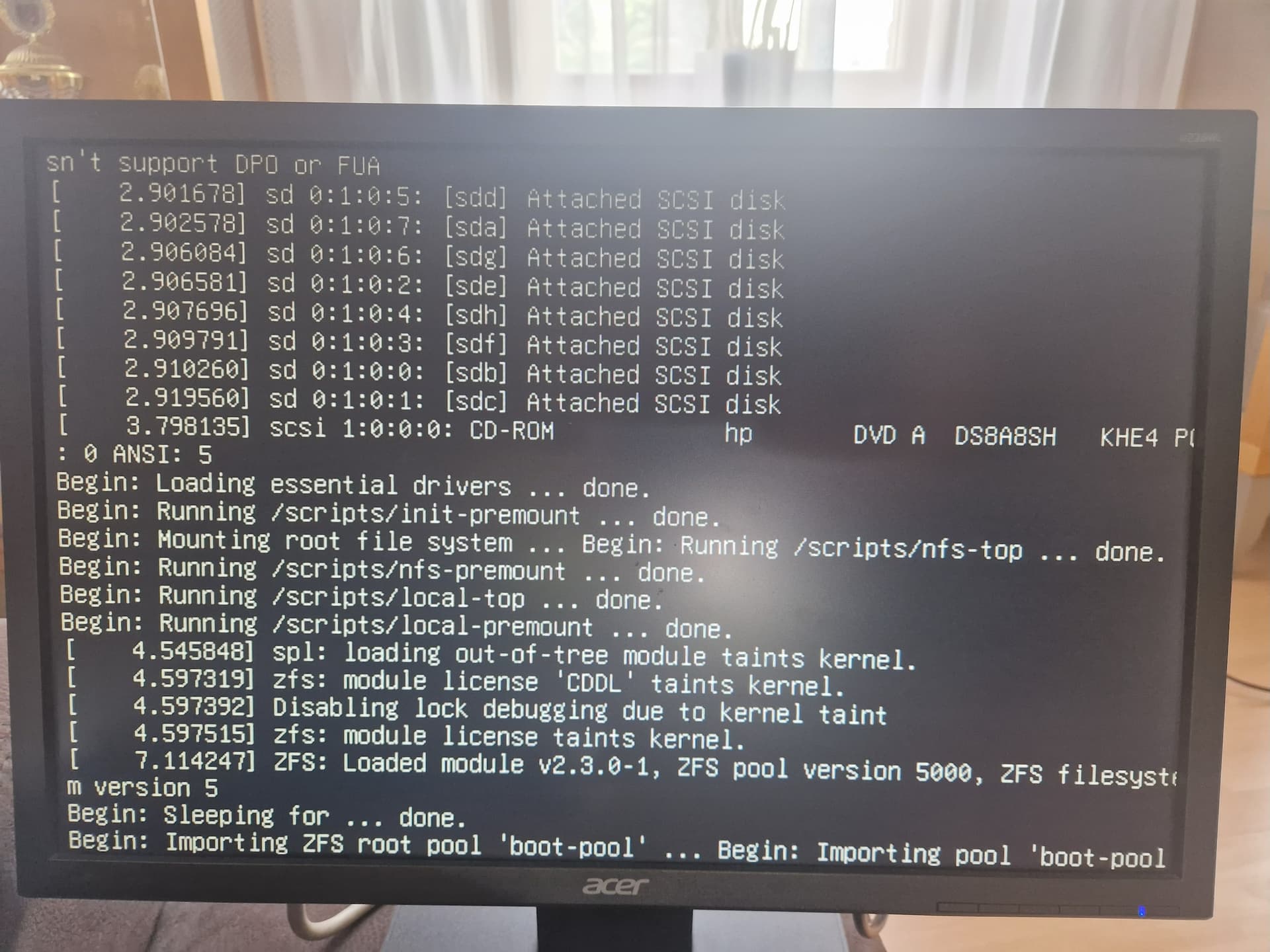
The boot always gets stuck at the same place (see photo).
During "Begin: Sleeping for . . . " the screen changes and does the standard Linux boot process (with the green [ OK ] things, ya know) but afterwards goes back to this screen and does nothing anymore (I’ve also waited for an hour).
I’m really frustrated now and don’t know what else to try.
Hey, yes, the boot order is correct. This is after installing from the USB drive to my 120GB SSD installed in the server.
It boots from the SSD but after the green [ OK ] checks it jumps back to what you see in the image (this usually comes before the green [ OK ] checks). It’s very strange bahviour, the “text clarity” also gets worse so it really seems to crash during boot
I’ve also tried installing Ubuntu on the SSD wich worked flawlessly, so the issue is with the TrueNAS install…
I’ll try to get you a video of the screen when I do the next boot, so you’ll see the strange jump back
The OS is failing to import and mount the boot-pool. Thia can be caused by a bunch of different things, including malformed ZFS disk labels and drive partitioning.
Is the disk controller a plain HBA or is it some sort of vender RAID card?
Do you get dropped into an {initramfs} shell or do you just hang?
I’ve uploaded a video of the boot process so you can take a look at it (at about 40s it starts to get weird).
But the raid controller thing might be a clue here. I’m using the integrated HP P410i RAID controller. I’ve made every single installed disk (including my boot disk) a RAID 0 with just one drive each. This is the closest you can get to passing them through as far as I know.
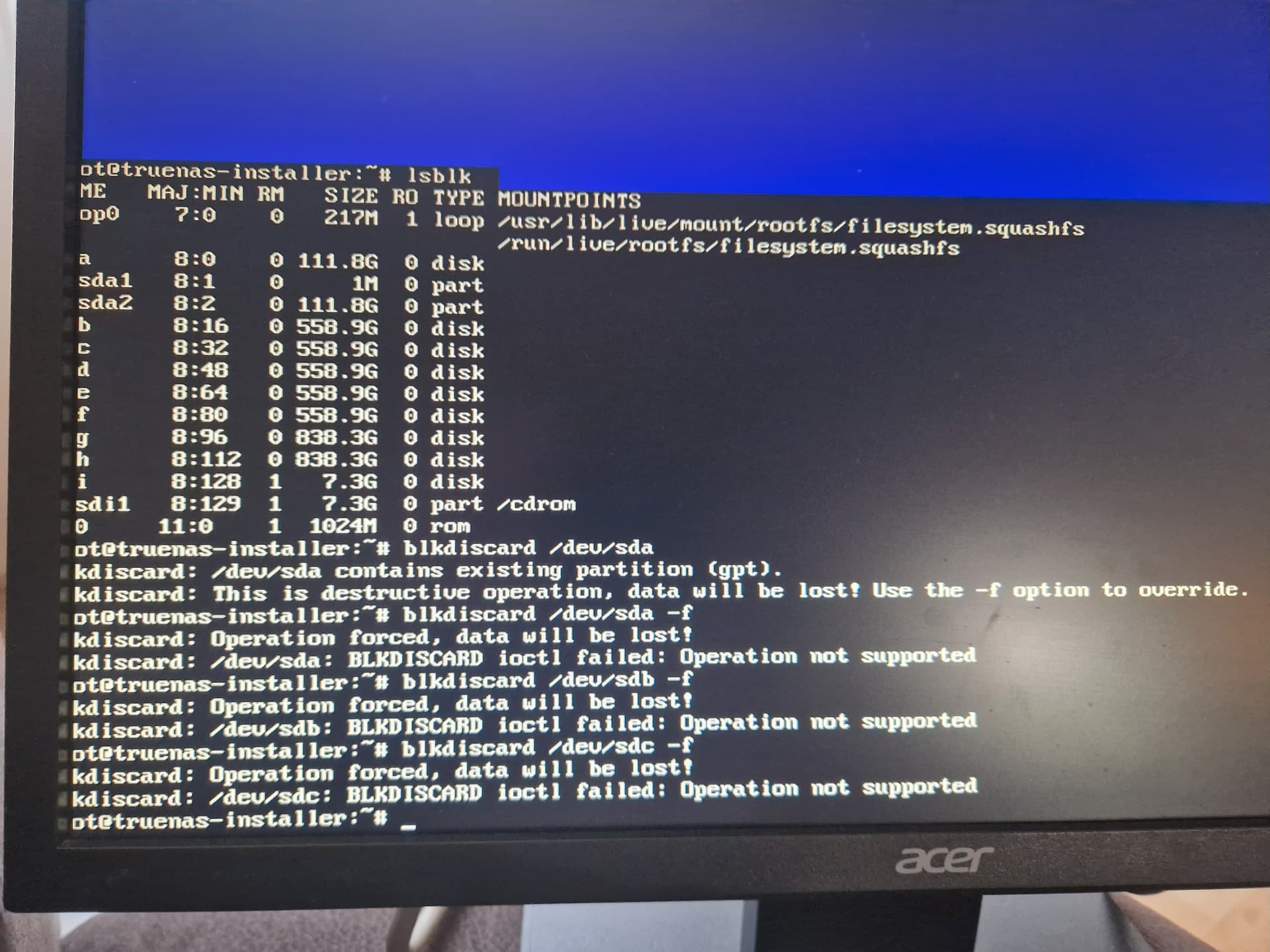
This also seems to be the reason “blkdiscard” doesn’t work on any of the drives (see screenshot).
Is it a thing that you can’t install TrueNAS behind a RAID controller? Do I have to find a way to pass them through as PCIe devices?
This would be the first OS I encountered that has problems with it
Also I don’t get thrown into some shell, it just does nothing, it’s a still frame.
But as a first time user I feel pretty confused by this, there is no mention of this in the setup guide
Is there a way to get someones attention to just put a little disclaimer besides the system requirements? Sure this seems obviuos to someone familiar with TN but it’s also most peoples first encounter with zfs
Well, I looked for HBAs now and ordered one. I hope this resolves it (and doesn’t make my fans go crazy)
Did you read the Hardware Guide section in the TrueNAS Documents?
There are countless warnings against using hardware RAID cards with TrueNAS. ZFS and TrueNAS provide a built-in RAID that protects your data better than any hardware RAID card. You can use a hardware RAID card if it is all you have, but there are limitations. First and most importantly, do not use their RAID facility if your hardware RAID card supports HBA mode, also known as passthrough or JBOD mode (there is one caveat in the bullet list below). When used, it allows it to perform indistinguishably from a standard HBA. If your RAID card does not have this mode, you can configure a RAID0 for every disk in your system. While not the ideal setup, it works in a pinch. If repurposing hardware RAID cards with TrueNAS, be aware that some hardware RAID cards can:

    Mask disk serial number and S.M.A.R.T. health information
    Perform slower than their HBA equivalents
    Cause data loss if using a write cache with a dead battery backup unit (BBU)
'''
Since it wasn’t referenced in the hardware section of the “Getting started” doc and I didn’t buy new hardware since I already had it, I didn’t even think about storage controllers