I’m new to Frigate and TrueNAS.
- I have installed Frigate and successfully added two of my cameras
- When I try to enable recording, it is not allowed
- After some searching, it appears that Frigate needs permissions to the dataset I created for storage of footage.
- Based on the info I found, I changed the user group to apps and allowed it rwx permissions
- I am still not able to enable recordings
Can someone help point me in the right direction to allow Frigate to store recordings?
My suggestion would be to search for previous frigate entries here and then to contact the folk who could make it happen.
I swore off frigate the day that it decided that a previously-fine config script had somehow gone bad and would not work anymore. Like many things frigate, syntax is everything and one tiny mistake makes everything blow up. Or a frigate update. Whatever.
I bow in admiration to those who can make frigate work flawlessly, but I’m also man enough to admit that BlueIris simply works better, more reliably, and consistently (for me!) than Frigate or ZoneFinder.
With what user id (uid) are your frigate process running with? Just make sure your storage directory and everything under it is owned by the same user (uid)/group (gid) as your frigate process and that frigate has rw permissions. I’m running frigate and that was all that was necessary.
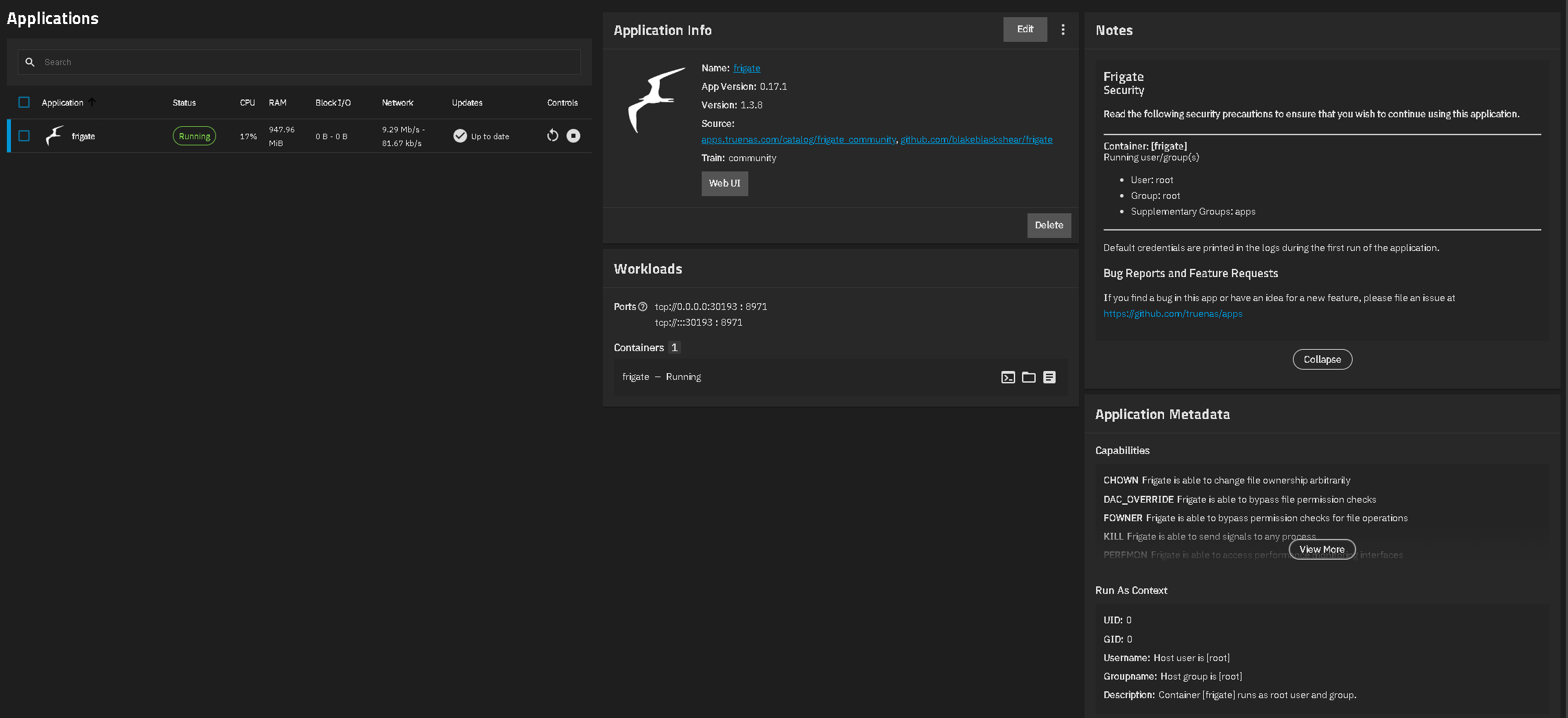
Thanks and these are my settings. I had read somewhere that I needed to give the group “apps” full access but this is not working.
Your frigate app processes run as root and user root is a member of apps, according to the configuration details. What do the frigate application logs tell you with regards to writing to the storage dataset?