I’m trying to debug regular wake-ups on a cold-storage HDD pool on TrueNAS SCALE.
My goal is for this HDD pool to stay spun down during the day and only wake up during nightly backup/replication jobs.
Setup
TrueNAS SCALE
Main pool: FastPool (SSD pool, active)
Cold pool: SlowPool
SlowPool = mirror of 2x Seagate Exos 28TB
ST28000NM000C-3WM103
SN04 firmware
boot-pool is on SSDs
System dataset is not on SlowPool
Problem
The Exos drives do enter standby correctly, but they wake up regularly during the day even though the pool should be mostly idle outside the nightly backup window.
What I already checked
`atime=off` on SlowPool
compression = lz4
pool health is clean
SMART health is clean
no reallocated/pending/uncorrectable sectors
EPC tuned with openSeaChest:
Idle_B disabled
Idle_C disabled
Standby_Z enabled at 300 seconds
manual spin down works correctly, and `smartctl -n standby` then reports STANDBY
Current relevant ZFS properties on SlowPool
mountpoint=/mnt/SlowPool
compression=lz4
atime=off
relatime=on
sharesmb=off
sharenfs=off
sync=standard
primarycache=all
secondarycache=all
Pool status
FastPool: ONLINE, no errors
SlowPool: ONLINE, no errors
boot-pool: ONLINE, no errors
Observed activity
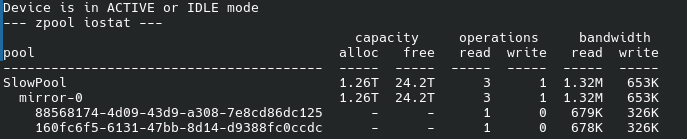
From `zpool iostat -v 5`, I occasionally see small but real I/O on SlowPool even when the system is otherwise mostly idle:
around 3 read ops / 1 write op
around 1.36M read / 646K write
Then it goes back to 0/0.
SMART / health
Both disks look healthy:
SMART overall-health: PASSED
Reallocated_Sector_Ct = 0
Current_Pending_Sector = 0
Offline_Uncorrectable = 0
UDMA_CRC_Error_Count = 0
no errors logged
Wake-up / cycle data
A while ago I had:
Start_Stop_Count ~2025 / 2008 at 2462 Power_On_Hours
Snapshots
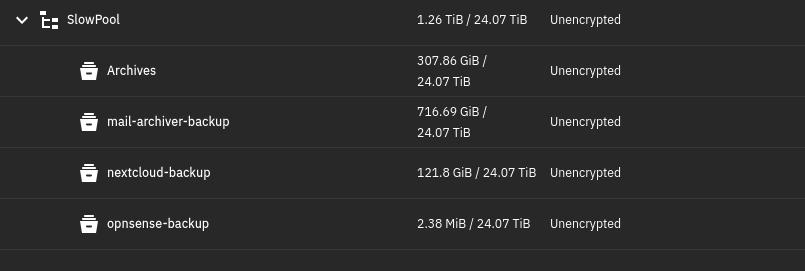
SlowPool contains replicated backup datasets and many snapshots, mostly created nightly at 02:00, which explains nighttime activity but not the daytime wake-ups.
Running services
cifs RUNNING
nfs RUNNING
ssh RUNNING
Questions
What would you investigate next on SCALE to identify what is periodically waking these disks?
Is this likely middlewared / reporting / collectd / netdata related?
Can SMB or NFS services wake disks even if the pool itself is not actively shared?
Are there known SCALE background tasks that can generate small periodic reads/writes on an otherwise idle ZFS pool?
What is the best way to trace exactly which process is issuing I/O to this pool?
Trurnas also changed the release schedule from 6 months to 12 months, so next major update will be more like August/September. The first beta of truenas 26 is out for 1 or 2 weeks now. But as far as I’ve seen it’s not fixed in the beta
The problem is that the kernel module probes the drives for temp data so the truenas GUI can display them in the reporting tab. And that probing causes disks to wake up
Works perfectly I’ve applied the patch and got a spin down all the time except during backups of course thanks @ark ! Does it still work with new update ?




 I’ve applied the patch and got a spin down all the time except during backups of course thanks