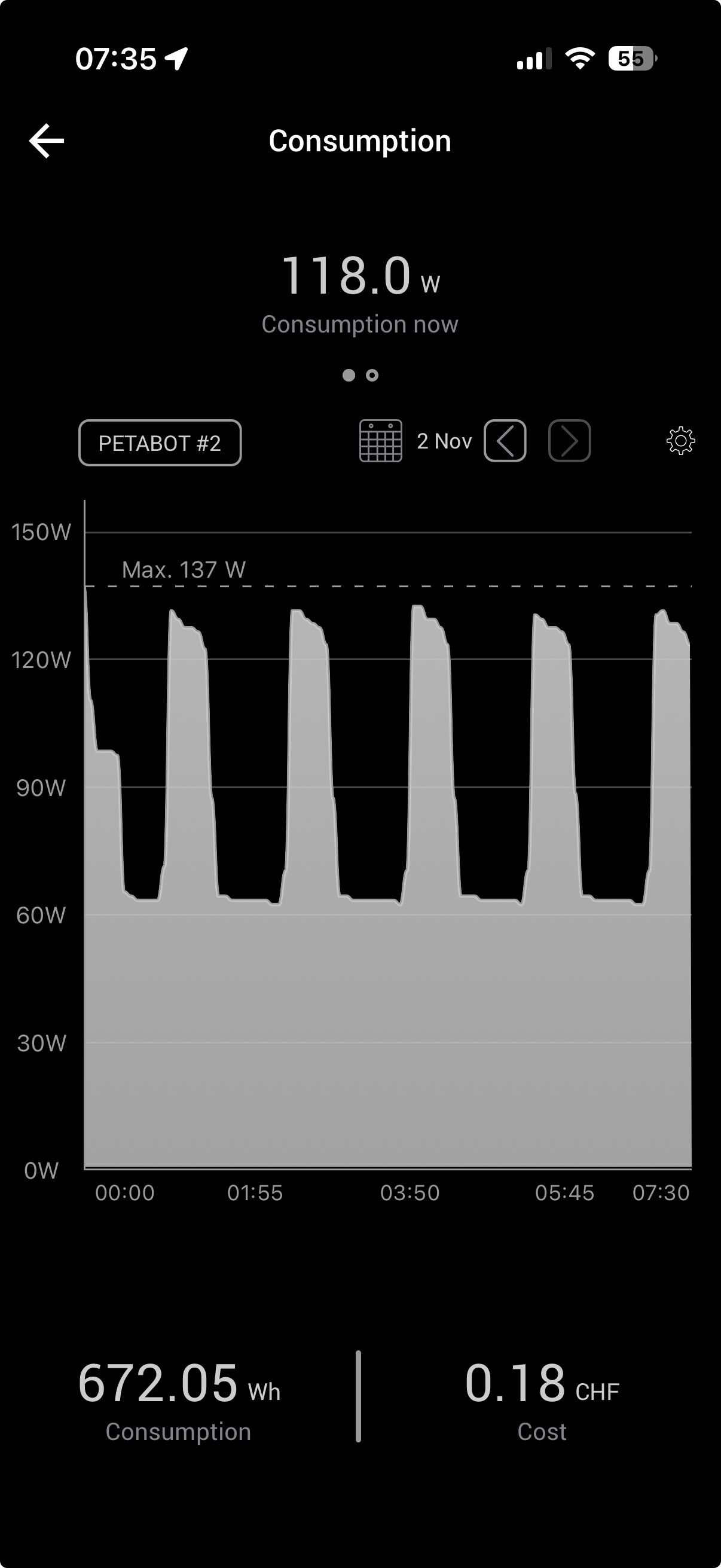
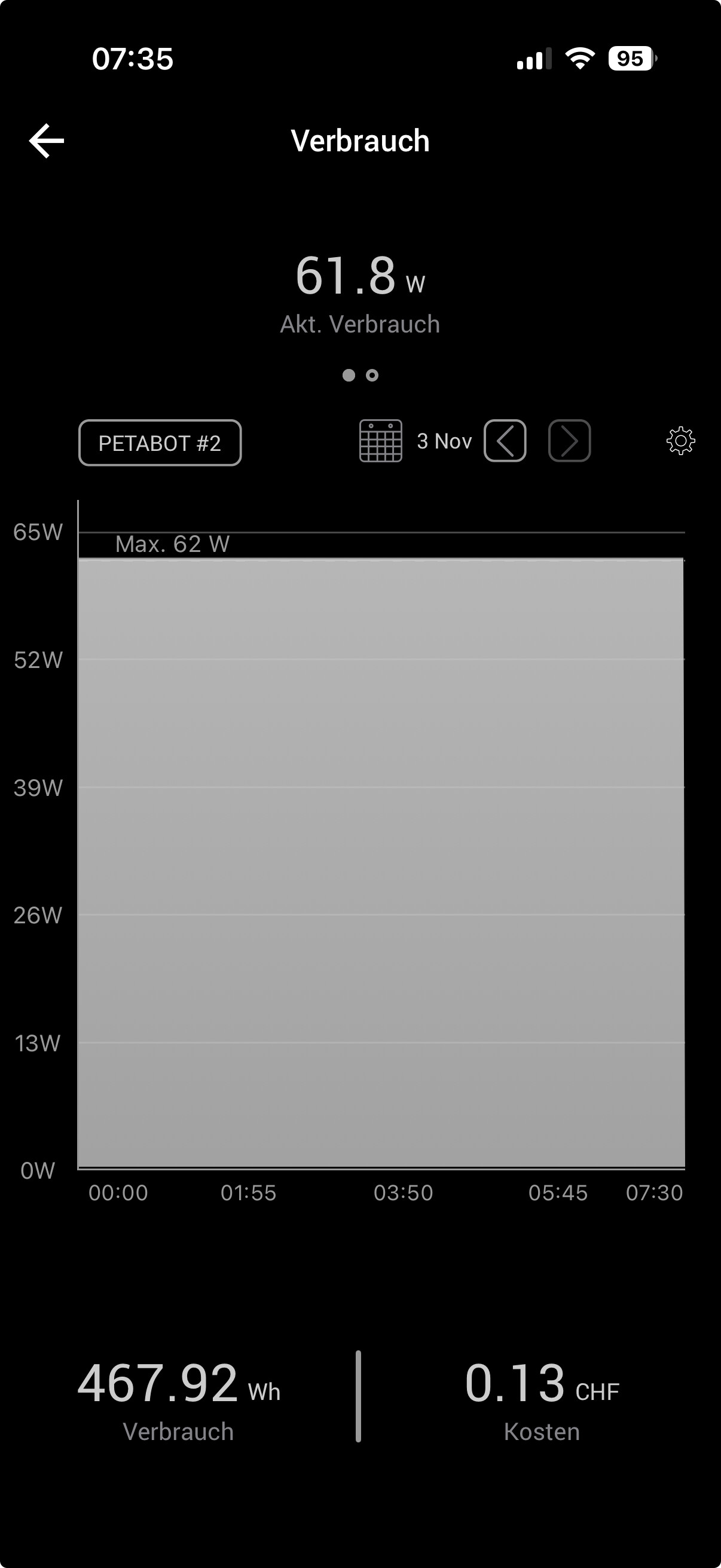
On my system, I had set HDD Standby to 30 minutes. Based on my observations with version 25.10.0 during the night (without any read/write activity), the disks ARE spinning down after 30 minutes, but then they spin up after another 60 minutes. So I suspect the interval for reading the temperature is 90 minutes. Of course, I want my drives to stay in standby mode as long as possible. I have now reverted back to version 25.04.2.1, and hope the bug will be fixed soon (it was reported Oct 4, 2025).
That makes a lot of sense. Seems like fixing this from userspace is quite hard though as with a 60m spindown timer the temperature readings would need to be done very infrequently.
So either the drivetemp module needs to be fixed so it only actively reads the temperature when the disk is being recently accessed or spun down (quite a complication), or TrueNAS needs to disable temperature monitoring for disks that are set to spun down, or at least add an option to do so.
You could use the spindown script from the ngandrass github to allow spindown with the temperature lookups as it uses iostat to check for diskacivity instead.
However this currently doesn’t work as the temperature checks through smartctl instantly wake the drives back up, as it is no longer ignoring drives in standby since 25.10.
I’m avoiding CE version 25.10 for now, but as others have pointed, I too have found v25.04 is bugged where spinning down doesn’t occur with S.M.A.R.T. enabled.
I’ve tried all combination of options, but from the UI the only way I can get a spin-down to occur is with “Advanced Power Management” set to 1 (or 64) and S.M.A.R.T. disabled on each drive.
Of course I also had to point the “System Dataset Pool” to the boot-pool too.
I was able to get a pair of WD Ultrastars to sleep. I’m on 25.04.2.5 & I unchecked S.M.A.R.T. as suggested here. I have APM set to 64 (previously 127) and Standby set to 30 min.
Will monitor it overnight & see if it stays asleep.
ok - I’m done with a lot of experiments. Long story short, disabling the smartdservice is what reliably lets my drives sleep in a timely manner. and as others have noted, setting the dameon’s Power Mode to “Standby” doesn’t help.
Plenty of details below for anyone interested
I set APM on one half of the mirror to 64 and the other to 127 and they both went to sleep. As I’m still unclear what the behavioral difference is between both levels (I assume it has something to do with how aggressive the power curve is), so I set both to 127 to reduce variables. I want the drives to perform maximally when they are spun up and sleep when they’re supposed to sleep.
I reenabled S.M.A.R.T. on one drive and left S.M.A.R.T disabled on the other and left it overnight. Turns out that both drives end up going to sleep for 6 hours which is great news as I would prefer to leave S.M.A.R.T. enabled. The only reason they woke up was I went to reenable S.M.A.R.T. for the 2nd drive and 50 min later they went to sleep. Not sure what the +20 min (over 30 min) is all about but at least they are sleeping.
I flipped on the S.M.A.R.T. daemon (which also wakes up the drives) - the Check Interval is set to 30 and Power Mode is set to “Standby” - I don’t have any related scheduled S.M.A.R.T. tasks active at the moment. Consistent with what I hear in this thread, smartd (even set to “Standby”) doesn’t let the drives sleep after an hour passed. I turned the daemon off and sure enough, a drive goes to sleep after 30 min but one half of the mirror was still active! Not sure what was up with this, realized it seemed like the daemon was still active so I toggled it on and off and both drives went to sleep in 30 min - score!
So moving forward, my maintenance window will be at midnight on Sunday when snapshots happen and wake up the drives. I use a utility called TimeMachineEditor so two Macs fire off their backups shortly afterwards at 12:05a and 12:10a respectively. I sent a note to the developer to see if multiple TM destinations can be configured with different schedules (as I have another destination off the NAS I would reserve for daily backup)
Prior to all the testing, my system pool was moved to my Boot Pool (128GB NVMe boot drive). I have 8GB RAM I plan to upgrade to 32GB. Since my loads are primarily read-only, I set up a spare NVMe as a L2ARC to see what happens (32MB of my LARC is indexing 50GB at the moment). I have no app pool activity as I haven’t set up any apps yet and will ensure this gets put on solid state.
Ok hope this helps someone demystify their config out there!
The “-n standby” option for smartd/smartctl is meant to prevent spinning up a disk that is already spun down.
Depending on the disk firmware, if the disk is idle using “-n standby” may reset the idle timer, preventing it from spinning down.
I have ST20000NM004E and ST4000DM000, both resets the idle timer with “-n standby”, so that doesn’t allow the disks to spin down.
There is “-n idle” for that case, where the smart call should only happen if the disk is active.
But some disks do not report idle state properly, and “-n idle” still resets the idle timer… all my ST4000DM000 disks does that.
So in my case I had set “-n standby”, so the disks doesn’t spin up for it, and the smart check interval every 24 hours, leaving plenty of time for the standby timer to trigger.
During last weeks Truenas T3 podcast, at about 27:30, they officially advised against spin down of HDs–something about it interferes with ZFS write operations. Also IX said it would become more difficult to spin down drives as they developed drive diagnostic tests to run in the back end processes due the shorter polling times needed for the new features. So I think the message is not to spend much time and effort on spin down if a user is looking to upgrade to future Truenas releases.
I saw that, but that really applies to enterprise use cases, not home labs.
So at least the community edition needs to support spin down for those who knowingly choose to do so.
Outside enterprise use case, high frequency temperature monitoring is usually only needed in so called “fresh air server configuration” or high density servers, not a concern at my home setup so I can safely turn that off, or ideally it should be done only when the disks are active.
For smart monitoring, if it only ever checks smart status during a scheduled scrub, that is good enough to me.
The last thing mentioned about frequent transactional heartbeats refers to the multihost option, only needed in high availability deployments.
AFAIK that multihost option is the only case where zfs writes data by itself without any user space activity.
Electricity is quite expensive where I live, and I have a mix of SSDs for high usage data and HDDs that are only accessed a few times in a week, so not spinning down my disks is a significant waste of money.
As long as the spin down/up cycles are kept low, the disks will last long enough until the time comes to replace with larger ones.
As I’m not so sure that TrueNAS employees even read these posts, maybe it would help if everybody affected by the issue went over to JIRA and voted on the bug?
Given IX systems history of making abrupt program development changes and then sometimes modifying them later on without providing much explanation for the reasons to home users, it would be too early to give up entirely on the spin down feature. However, the forward guidance in the latest T3 podcast suggests that those relying on spin down will have more problems making it work in future releases.
Also worth mentioning, I added another pool (an SSD) yesterday but just having SMART enabled on the new pool prevented the HDDs on my primary pool from spinning down (which they were doing previously to adding a new pool). I had to disable SMART on ALL pools!
Spinning-down drives was a big part of my decision to use TrueNAS, so if it isn’t going to be supported, I’ll look for another OS that does.
Unfortunately, there’s not exactly a lot of alternatives in this space. Unraid is not free and I wouldn’t trust my data to it anyway. OMV doesn’t support ZFS natively and isn’t really meant for it. So the only realistic alternative I see is rolling your own Debian+OpenZFS distro, or forking some version of TN Scale, and obviously both of those involve a LOT more work for a home user than just using TN CE.
Fine for me, I used Debian before Truenas and can do so afterwards. However, I would prefer Truenas also supporting home users properly. I would even be willing to pay a small monthly fee for that, if features match the needs.
As a further alternative there is also Xigma NAS, but I think it has less features compared to Truenas.