
No, he was not seen on the old forum for more than a month before the migration. 
I’m not sure how you can draw that conclusion? But even if it was true, goharddrive is clear that the drives being sold are not new, they come with an adapter cable, and the vendor lists out the whole SKU code so you know exactly what you’re going to get.
I never had an issue with the 3.3V pin issue because my backplanes don’t carry 3.3V AFAIK. If there was an issue, I’d tape the 3.3V pin.
No, the 3.3V issue[1] is general with HGST drives, as well as WD Gold since these are rebranded Ultrastar. Good service from Goharddrive to anticipate that the average customer would be confused.
It’s really an “everybody-but-HGST” issue with the SATA standard stating that pin 3 takes 3.3 V signal and every PSU maker and their dog blindly suppling power to pin 3 without checking what the signal is supposed to mean. Oops! But HGST looks like the ugly duckling for reading and applying the standard to the letter. ↩︎
2 Likes
Didn’t know that. Neat.
Actually, the SAS people retrospectively redefined that pin as a “apply a signal to reset drive” pin
So, the question is what does the SATA standard say?
An extended SMART test on a 10TB drive could take around 24 hours to run. I run them on disks I buy, but I don’t trust that the disk is good with only that, but it is a good way to weed out definitely bad disks.
After that, it’s either badblocks (for ZFS and other software data protection) or the drive initialization of a hardware RAID controller (for an OS like ESXi that can’t do software data protection).
1 Like
Stux,
Back to your script. In what environment is this script intended to run? TrueNAS? Shell not GUI (what I read says avoid the Shell in GUI)? Or on a separate Linux box? I’m woefully ignorant about running scripts in a Linux environment. But I’d really like to test my HGST drives thoroughly. Any guidance appreciated. The Linux Literate tend to assume others are (or should be). Fair enough, but getting there is like drinking from a fire hydrant. Many thanks.
The script is typically launched at startup directly by TrueNAS.
It is also used by people not using TrueNAS.
Anyway, in the TrueNAS case, launch the script inside a tmux process which is launched using a post-init command task from TrueNAS
Actual production example:
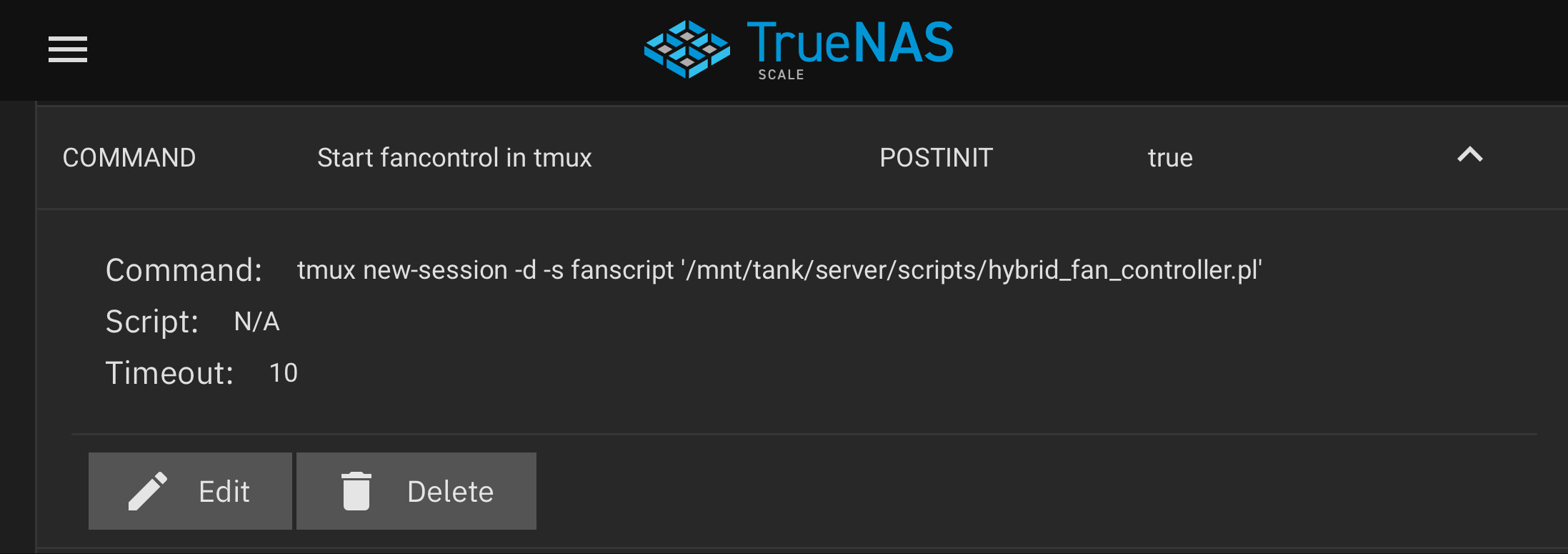
The tmux process protects the script from middlewared crashing, and allows you the admin, to connect to the running version of the script to observe its output, or reconfigure it.
Once configured properly your fans would be running at 100% until TrueNAS finishes booting and the script takes over fan control.
2 Likes