Hi,
I created a script tha generate some output. Then I created a cron job to periodically execute my script and send an email with the standard output of my script.
The format of that output in a ssh console is like that:
(I hope that you see in your browser that it’s a text inserted in a perfect rectangle of asterisks)
but when I receive the email, the content is like that:
because the email content is html and the email client does what every html reader does: it eliminate the superfluous spaces.
But if before that text I insert some html tags (like <pre> for example), or I even insert a full html tags (<!DOCTYPE html>, <html>, <body> …), these tags are shown as a normal text before and after the output text of my script, and that text continues to be not formatted as I want it.
So, is there a way to obtain my goal with TrueNas emails?
If can help: grab my sendmail (actually the same used by multi-report), i think that the custom email template functions in BETA will help you a lot to achieve this. They are still not released but, unless something unexpected comes up, they will be up at the end of this week.
If you don’t mind and wanna still try the beta to evaluate this route (and off course, i will appreciate any feedback):
build your custom html template, fullfill every dynamic field you need using this sintax: {myfield}
if you need to use curly brackets for style or anything else (except dyn fields), you need to escape them with a double curly braket, example .myclass {{ color:red}}
call the script with adding those 2 arguments: --use_template "myfile.html" --template_var '{"myfield": "myvalue" ...}' and everything will be replaced smoothly
there are a lot of responsive template on the net, you can also grab a couple of template that i use directly in the sendemail from the github repo, better than start from scratch
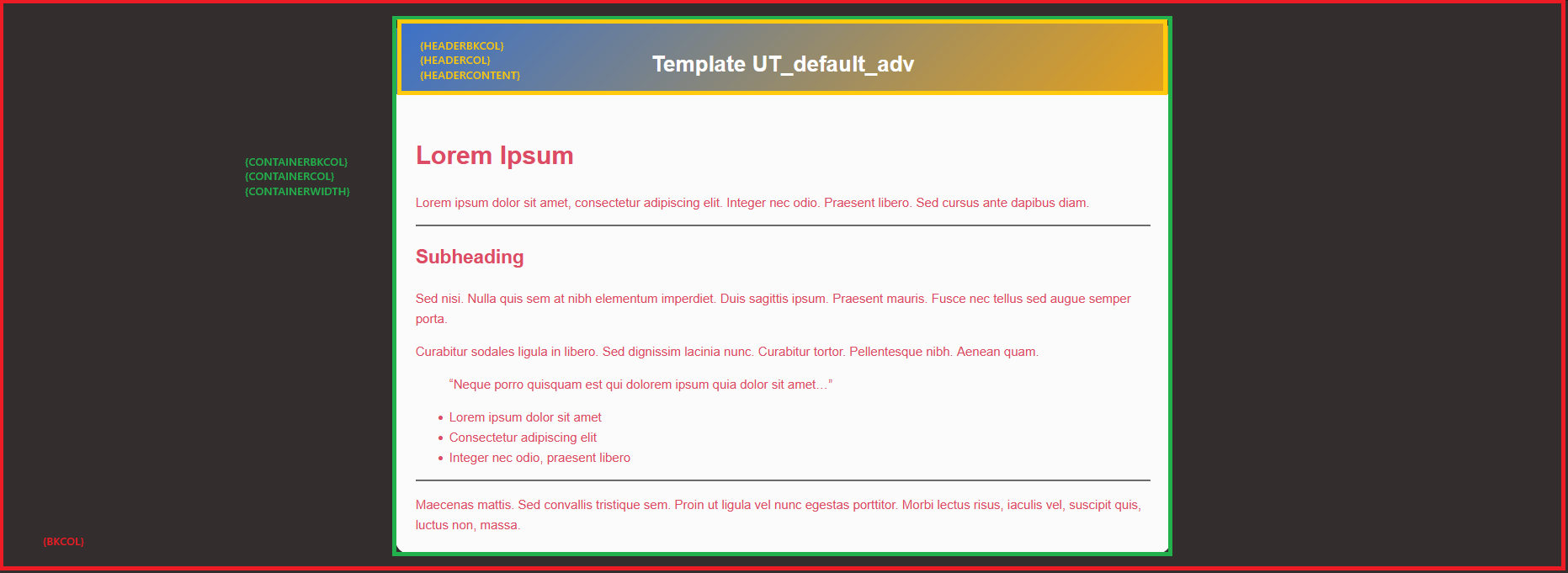
Instead this is an example of how can appear an email using the builtin UT_default_adv template:
colors used here are terrible but you can change them easily


 but you can change them easily