It’s been a long time since I’ve had a need for a discrete graphics card–all my servers have IPMI, which gives basic onboard video capabilities (certainly enough for a text console, which is all they need), and enough CPU cores to brute-force any transcoding that would be needed. But I’m wondering if a GPU would be more efficient for that, and leaning toward wanting to play with AI, and not really knowing where to start.
Searching on Google a little while back for something like “best budget GPU for AI” came up with an Nvidia unit that was going for around US$800 used on eBay. I’d rather spend considerably less than that, but I don’t really know what questions I should be asking or features I should be seeking. Some facts, thoughts, and questions:
My apps are straight Docker Compose apps, managed using Dockge and/or Dockhand–I’m making very little use of iX’ prepackaged apps.
I do run media servers (mainly Plex, also Jellyfin, and I have a lifetime PlexPass subscription), but not more than 2 streams at a time, and only one locally.
My main server (specs in my sig) has enough PCIe 3.0 x16 slots, PSU capacity, and other resources that I don’t expect that to be a limitation, other than 3.0 vs. 4.0 or 5.0 bandwidth. But the motherboard is in 2U of space, so I’d be limited to half-height cards.
Aside from “just playing around,” I’m wanting to use AI with Paperless-ngx, and also with Home Assistant.
And while I like the idea of “host your own ChatGPT,” I’m more than a little skeptical that whatever I could self-host would be as well-trained as one of the larger public AI chatbots.
Can more than one app/stack share a single GPU? Or would I need to get one for Plex, one for Jellyfin, and one for Ollama?
And if I can share a GPU across more than one app, should I? Or would the requirements for transcoding be different enough from those for the AI that it would make more sense to have two different units?
Somewhat related to the last–I’ve seen recommendations for Intel A310 or A380 cards for transcoding, but AI seems to call almost exclusively for Nvidia–is that correct?
I think it’s obvious I’m pretty green in this area–what should I even be looking at or for?
I too have considered a discreet GPU, though for my desktop replacement. In this case, I would want a single slot, reasonably cheap card. (I don’t need much power…) Preferably AMD or Intel, just to give the competition to NVIDIA some money.
From my minimal research, few discreet GPU cards are clearly advertised with full specs. Like single slot or half height. My guess is that many people use Intel or AMD CPUs with integrated graphics, such that any discreet GPU should be much more powerful, (like dual PCIe slot).
I have made some attempts, i have to admit that results were quite disappointing, but my hw Is pretty limited and i could only try small models (other than have had problem with paperless ai too).
I have another machine now, way more powerful, to dedicate on this task hoping for better results… But not the time yet to setup the environment
Based on some research i have made, the 3060 seems the sweet spot for budget and performance, and what i will consider to replace my quite unusable for ai but still good for retrogames 1060 6gb
Yep, on CPU-only performance are i guess at least 10 times less than on a discrete GPU, but the most bottleneck Is the RAM speed more than core count/performance. I honestly don’t know how well adding core will improve performance after 6-8.
On the other side, you can fit large model than can’t stay in a 8-12gb RAM GPU (slowly, ofc ).
Also Nvidia TESLA models should be considered, they start be quite old (so they can’t be compared to newer rtx on performance) but price Is very affordable (in my local market from 100~150€) and they come with a lot of ram
I have just fitted a Sparkle Intel ARC A310 GPU to my TrueNAS box.
It is shared between docker applications (Frigate & Immich at the moment).
It works, it’s running the machine learning tasks far quicker than my CPU. In terms of time it is more efficient - but - it’s not more efficient in terms of power consumption. It’s added around 20W average power draw to my system. However, this might be an issue with me using it on a very old (2013 era) motherboard, that lacks the energy management feature to enable the GPU to enter its RC6 lowest power consumption state.
A timely subject that I can actually add some light to, first for me in a while.
If you just want something inexpensive to carry the transcoding load then an inexpensive Intel Arc GPU seems to fit the bill. Lots of users running them with much success.
Now AI is another animal altogether. I’ve been playing with a few AI agents recently running local models completely offline. Unfortunately it takes a lot of GPU power to do so. My desktop rig has a 4080 Super so it’s up to the task but the liming factor is GPU memory. You need a LOT of GPU memory to run larger models to get decent results and Nvidia GPU’s own this space in the dedicated GPU category. Depending on your needs, a fairly powerful midrange GPU with at least 16GB of memory will work. Think RTX 5060 16GB or faster in the desktop realm for good results. You can play around with the free online AI models but they are very limited via the amount of tokens you can use and they are also a couple generations behind the newest models.
I guess it boils down to what your needs are. If it’s just some motion detection and image recognition then a mid range Nvidia card would work. If you want to get serious with something like Claude Code or Openclaw for some automation or other serious lifting then you’re going to have so look at setting up a dedicated rig with the power to run the models offline or pony up some cash to use the available models out there. Newer Mac mini’s are also another option as long as they have a bunch of memory (128GB+) but they are pretty spendy as well.
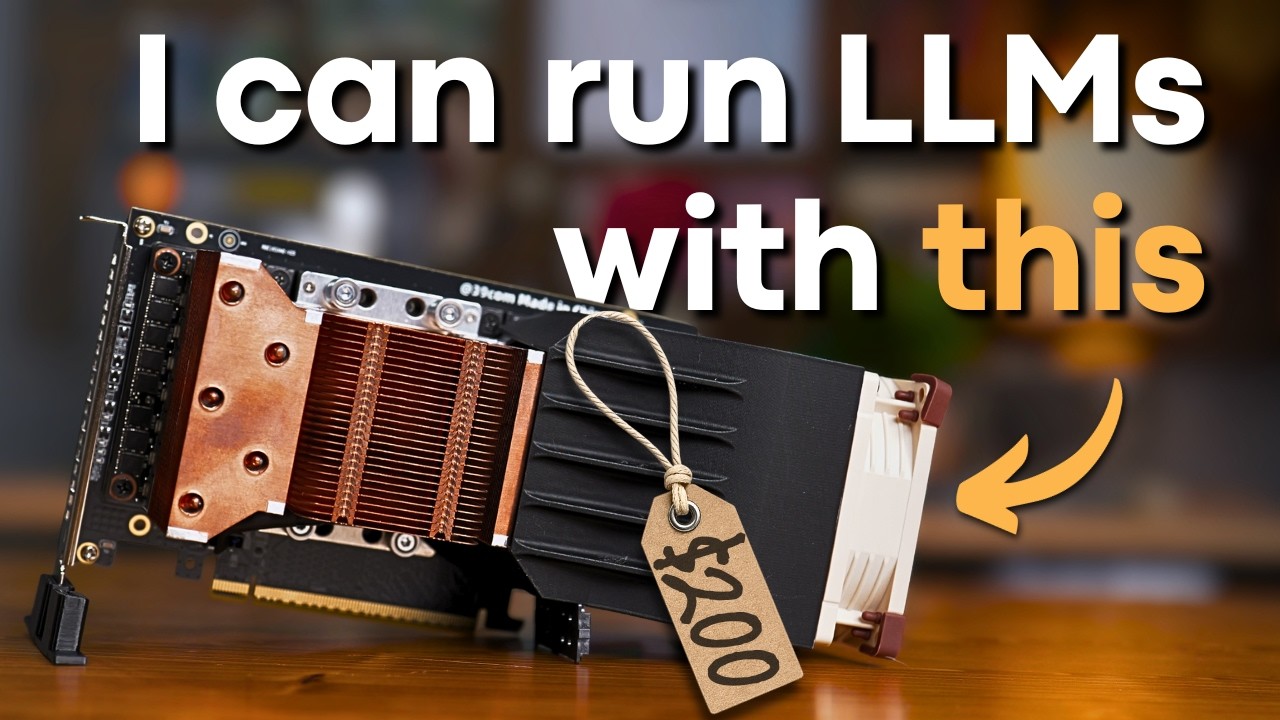
No doubt. I’m wondering if I need the fan shroud and fan shown in that video–it’ll be going in a Supermicro rack chassis with the stock fans, so I’d expect pretty good airflow. Some testing might be in order.
lucky man, i can’t find anything that affordable at this price i can only take older models…
The same, some days ago has been announced that the 3060 12gb will be available again, and estimated prices are 200~300$… maybe gamers will turn up their noses, for my use can can be a good tradeoff.
There are also a lot of “tuning” guide when you have to face with very limited hw, like this
It sounds as though the V100 is an older model (I think the video I linked indicates it came out in 2017), so I’ll be interested to see if it even works with TrueNAS. If not, I have another system I can put it in, but as I run most of my apps on my NAS I’d just as soon have it there.
Yep, it’s a full-height card, and I only have room for half-height. Bother. And while there are right-angle adapters, there just isn’t enough room to lay this thing sideways, with the other cards I already have installed. Try to put it somewhere else (my Dell 7820 will take full-height cards)? Get an Oculink adapter to put it outside? And then there’s the issue of power. Hmmm…
On the question of power, though my NAS has plenty of power (dual 1280-watt PSUs), I don’t see that I have any of those 8-pin 12V power connectors free. There are two of them, both plugged into my motherboard, one with a label around it saying to only plug it into the motherboard. Should I be looking for a splitter, or is this “fire danger” territory?
I usually avoid splitters & end up crimping some custom connectors whenever I need additional 12v plugs from a psu that no longer has pcie/eps/whatever plugs free. An hour with a multimeter, some crimpers, and some 16awg will likely be the ‘safest’.


 ).
).
 at this price i can only take older models…
 so the risk to spend less but gain poor is high.