Help with netdata (SMART and INTEL GPU)

Hey there,

I installed the netdata app. But I cannot find the metrics for SMART and INTEL GPU. I already tried to add the needed job to my node, but the tests fail.

INTEL error:

SMART error:

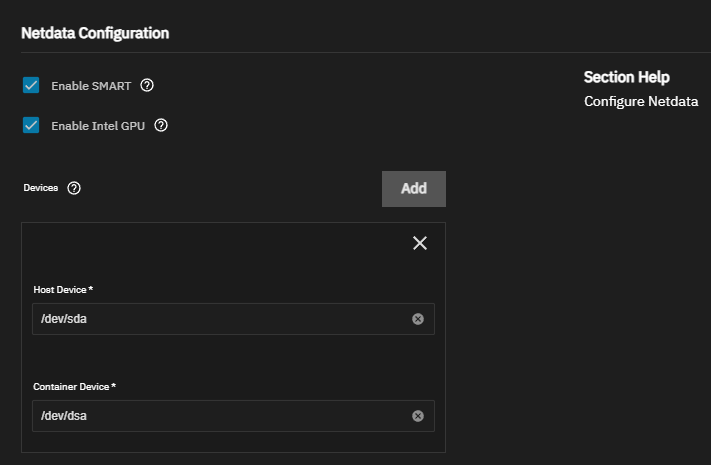
App configuration looks like this:

Added devices sda to sdg.

Maybe I got the tool tip wrong. For me, it was misleading… To get the disks appear under SMART just enter “/dev/sda” for host device and “/dev/sda” for container device.

But intel gpu monitoring is still not working. Any tips how solve the problem?

# intel_gpu_top
Failed to initialize PMU! (Operation not permitted)

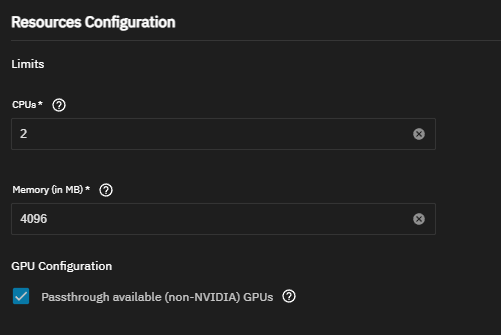
“Passthrough available (non-NVIDIA) GPUs” is checked.

I ran “./go.d.plugin -d -m intelgpu” in “cd /usr/libexec/netdata/plugins.d/” in the docker container.

CONFIG go.d:vnode create accepted template /collectors/go.d/Vnodes internal 'internal' 'add schema userconfig test' 0x0000 0x0000

CONFIG go.d:collector:intelgpu create accepted template /collectors/go.d/Jobs internal 'internal' 'add schema enable disable test userconfig' 0x0000 0x0000

INF sd/sd.go:66 instance is started component="service discovery"
INF file/discovery.go:69 instance is started component=discovery discoverer=file
INF file/read.go:48 instance is started component=discovery discoverer=file
INF file/read.go:49 instance is stopped component=discovery discoverer=file
DBG jobmgr/manager.go:144 received configs: 1/+1/-0 ('/usr/lib/netdata/conf.d/go.d/intelgpu.conf') component="job manager"
CONFIG go.d:collector:intelgpu:intelgpu create accepted job /collectors/go.d/Jobs stock 'discoverer=file_reader,file=/usr/lib/netdata/conf.d/go.d/intelgpu.conf' 'schema get enable disable update restart test userconfig' 0x0000 0x0000

DBG jobmgr/manager.go:311 creating intelgpu[intelgpu] job, config: map[__provider__:file reader __source__:discoverer=file_reader,file=/usr/lib/netdata/conf.d/go.d/intelgpu.conf __source_type__:stock autodetection_retry:0 module:intelgpu name:intelgpu priority:70000 update_every:1] component="job manager"
DBG intelgpu/exec.go:62 executing '/usr/libexec/netdata/plugins.d/ndsudo igt-json --interval 900' collector=intelgpu job=intelgpu
ERR module/job.go:244 init failed: init intelgpu top exec: process exited before the first sample was collected collector=intelgpu job=intelgpu
HOST ''

HOST ''

CONFIG go.d:collector:intelgpu:intelgpu delete

Maybe the problem is easy to solve. But I am just a spoiled gui person, who is fighting throught linux cmd jungle.

I am also struggling to visualise the stats of intel GPU and receive the exact same error as you do. Actually the ‘Failed to initialize PMU! (Operation not permitted)’ tells quit a lot. Seems you need to run netdata container with root user or in privilege mode to enable PMU, but neither of them is provided from GUI truenas but can only be enabled by yaml installation.

I came to the same conclusion. I got it working only, if I set SYS_ADMIN, SYS_PERFMON and SYS_RAWIO per yaml.