High utilization of one drive in RAIDZ problematic/ significant?

Hi everybody,

this is a follow-up thread of System extremely slow after stopping a large copy between datasets which was more about error search, while for this topic I am looking for an explanation for my iostat numbers.

I was doing a rather large data transfer (1.2 GB) within one RAIDZ1 pool consisting of 4x2TB SSDs (Teamgroup T-FORCE, so consumer SSDs with TLC cells and a SLC cache), which became slower and slower over time until it almost transferred no data anymore.
At the same time the system and especially the GUI became almost unusable.

After a while I discovered that was probably because one disk showed really high latencies (data pool and sda-sdd are relevant here):

 iostat -sxy 10
Linux 6.12.33-production+truenas (truenas)      01/23/26        _x86_64_        (12 CPU)


avg-cpu:  %user   %nice %system %iowait  %steal   %idle
           0.19    0.00    1.38   20.20    0.00   78.23

Device             tps      kB/s    rqm/s   await  areq-sz  aqu-sz  %util
nvme0n1          17.60    199.60     0.00    0.19    11.34    0.00   0.16
sda             142.40   7732.00     2.30    0.41    54.30    0.06   2.44
sdb              93.70   6710.00     2.70   37.09    71.61    3.49  95.24
sdc             167.70   9678.80     1.90    0.78    57.71    0.13   4.12
sdd             152.40   9476.40     1.80    0.56    62.18    0.08   3.20
sde               0.00      0.00     0.00    0.00     0.00    0.00   0.00
sdf               0.00      0.00     0.00    0.00     0.00    0.00   0.00
zd0               0.00      0.00     0.00    0.00     0.00    0.00   0.00
zpool iostat -yl 9 1                                                                                                                                                truenas: Fri Jan 23 15:05:32 2026

              capacity     operations     bandwidth    total_wait     disk_wait    syncq_wait    asyncq_wait  scrub   trim  rebuild
pool        alloc   free   read  write   read  write   read  write   read  write   read  write   read  write   wait   wait   wait
----------  -----  -----  -----  -----  -----  -----  -----  -----  -----  -----  -----  -----  -----  -----  -----  -----  -----
boot-pool   21.4G   195G      0     17      0   292K      -  869us      -  289us      -  832ns      -  641us      -      -      -
data        4.90T  2.53T     22      5  1.13M   387K  707ms    25s  124ms     2s      -      -  600ms    22s      -      -      -
----------  -----  -----  -----  -----  -----  -----  -----  -----  -----  -----  -----  -----  -----  -----  -----  -----  -----

My expectation was that this drive was having a hardware issue, and I felt confirmed after it completely failed at some point during the transfer, showing this error:

Pool data state is ONLINE: One or more devices are faulted in response to persistent errors. Sufficient replicas exist for the pool to continue functioning in a degraded state.
The following devices are not healthy:

  • Disk T-FORCE_2TB TPBF2301030030100448 is FAULTED

So I replaced the SSD and all SATA cables, and eventually I was able to complete the transfer with reasonable speeds (i think it was around 20Mbit/s in the end).

However, even with the new drive, I discovered that the system was showing high utilization for a different drive now:

(Sorry I wasn’t able to copy the output).

To me, this looked looked like a bottleneck to what could be much faster otherwise.

I’ve seen this highly imbalanced utilization/ waiting times distribution for the whole process, but now it was a different drive (not the new) that looked faulty, which was not salient before.
This time it wasn’t disconnected by TrueNAS, but I wonder if those outliers are something that I should take seriously?

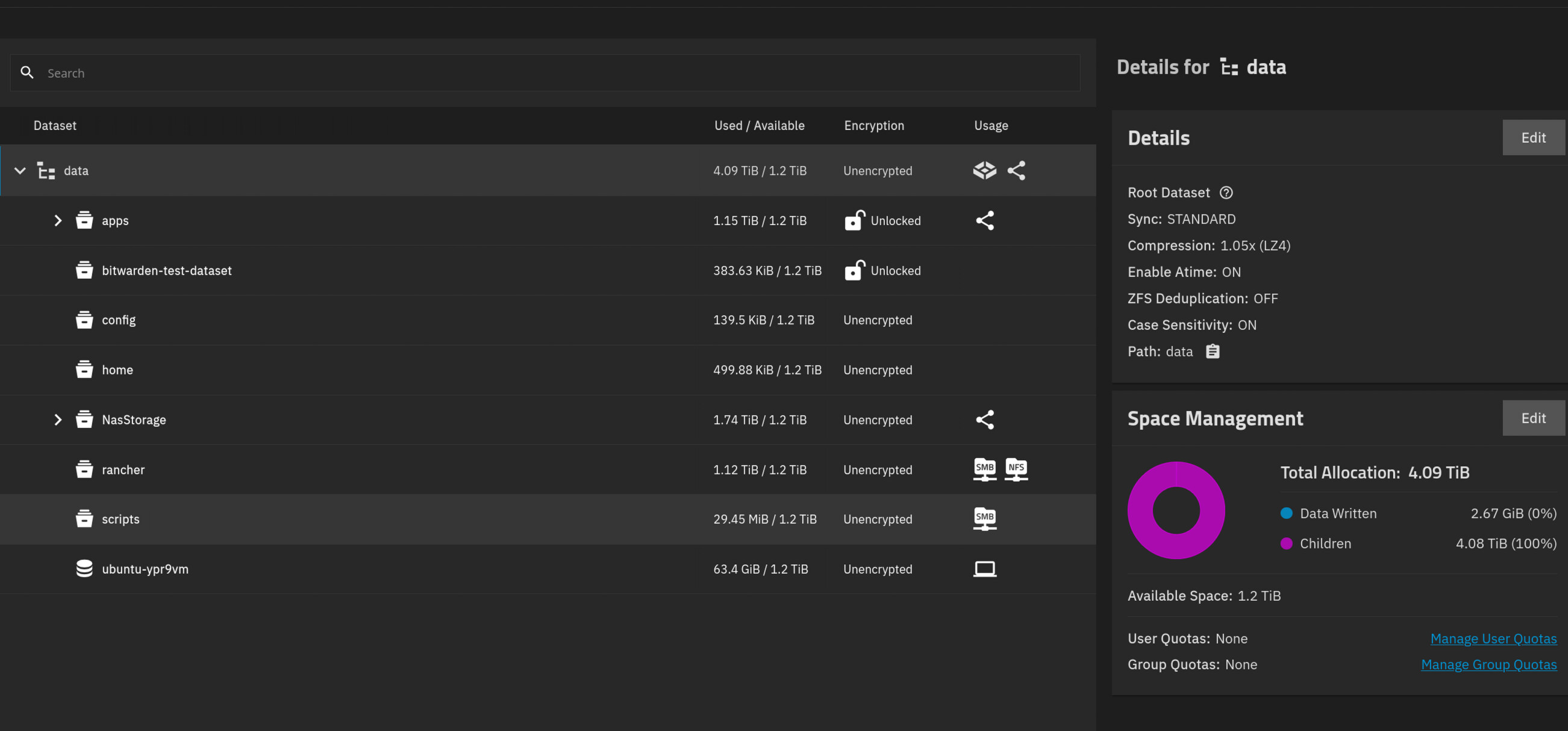
Did you verify the problem drive by serial number? The names, like SDA, can change upon boot and the next boot, that drive is SDB or something else.

You should have a full description of your hardware, OS version and how all drives attach. Pool info and VDEV layout could help too.

Yes, I verified it via serial number. The problem drive is not part of the system anymore.

The system is based on an AMD Ryzen 5 5600 6-Core CPU with 32 GB of ECC RAM and an ASUS PRIME A320M-K mainboard.
There is also an Intel ARC GPU attached to the system.

TrueNAS version is 25.10.1.

Here is the lsblk output.


NAME        MAJ:MIN RM   SIZE RO TYPE MOUNTPOINTS
sda           8:0    0   1.9T  0 disk 
└─sda1        8:1    0   1.9T  0 part 
sdb           8:16   0   1.9T  0 disk 
├─sdb1        8:17   0     2G  0 part 
└─sdb2        8:18   0   1.9T  0 part 
sdc           8:32   0   1.9T  0 disk 
├─sdc1        8:33   0     2G  0 part 
└─sdc2        8:34   0   1.9T  0 part 
sdd           8:48   0   1.9T  0 disk 
└─sdd1        8:49   0   1.9T  0 part 
sde           8:64   0 111.8G  0 disk 
zd0         230:0    0   150G  0 disk 
nvme0n1     259:0    0 232.9G  0 disk 
├─nvme0n1p1 259:1    0     1M  0 part 
├─nvme0n1p2 259:2    0   512M  0 part 
├─nvme0n1p3 259:3    0 216.4G  0 part 
└─nvme0n1p4 259:4    0    16G  0 part 

Here is my VDEV layout:

sda to sdb is model “T-FORCE_2TB” while sdd is “TEAM_T2532TB”.
All of which are Teamgroup SSDs and 2 TB size and attached via SATA cables directly to the mainboard.

Not 100% what you mean by pool info, but maybe this helps?

I am happy to provide additional information if necessary

Have you run SMART Long tests on all the drives and looked at the data? I tried looking up the drive models and there wasn’t much info just marketing more for gaming. It looked like you already were using zpool iostat
You can try working through this article while we wait for others to comment.

@HoneyBadger Any feedback on what to look at or if certain SSDs don’t work well with ZFS?

Yes, I have SMART data from the Multi Report script available, and it is looking good to me:

########## ZPool status report for data ##########
  pool: data
 state: ONLINE
  scan: resilvered 1.24T in 09:22:12 with 0 errors on Tue Jan 27 07:18:01 2026
config:

	NAME                                      STATE     READ WRITE CKSUM
	data                                      ONLINE       0     0     0
	  raidz1-0                                ONLINE       0     0     0
	    3aad42ab-c5ee-4ca6-bbd3-f49efb29203a  ONLINE       0     0     0
	    c2b0451f-f419-4dc9-a8a9-56c428535125  ONLINE       0     0     0
	    e4199eda-ee83-4efe-ab7d-7a87126983d4  ONLINE       0     0     0
	    703e75da-e497-49c1-8720-98c255c4e826  ONLINE       0     0     0

errors: No known data errors

Drives for this pool are listed below:
e4199eda-ee83-4efe-ab7d-7a87126983d4 -> sda1 -> S/N:TPBF2401240040101481  -> No Location Data
3aad42ab-c5ee-4ca6-bbd3-f49efb29203a -> sdb2 -> S/N:TPBF2301030030100476  -> No Location Data
c2b0451f-f419-4dc9-a8a9-56c428535125 -> sdc2 -> S/N:TPBF2301030030200908  -> No Location Data
703e75da-e497-49c1-8720-98c255c4e826 -> sdd1 -> S/N:TPBF2503260020102638  -> No Location Data


########## SMART status report for sda drive (T-FORCE 2TB : TPBF2401240040101481 : No Location Data) ##########

SMART overall-health self-assessment test result: PASSED

ID# ATTRIBUTE_NAME          FLAG     VALUE WORST THRESH TYPE      UPDATED  WHEN_FAILED RAW_VALUE
  1 Raw_Read_Error_Rate     0x0032   100   100   050    Old_age   Always       -       0
  5 Reallocated_Sector_Ct   0x0032   100   100   050    Old_age   Always       -       0
  9 Power_On_Hours          0x0032   100   100   050    Old_age   Always       -       146
 12 Power_Cycle_Count       0x0032   100   100   050    Old_age   Always       -       17
160 Unknown_Attribute       0x0032   100   100   050    Old_age   Always       -       0
161 Unknown_Attribute       0x0033   100   100   050    Pre-fail  Always       -       100
163 Unknown_Attribute       0x0032   100   100   050    Old_age   Always       -       57
164 Unknown_Attribute       0x0032   100   100   050    Old_age   Always       -       3228
165 Unknown_Attribute       0x0032   100   100   050    Old_age   Always       -       8
166 Unknown_Attribute       0x0032   100   100   050    Old_age   Always       -       1
167 Unknown_Attribute       0x0032   100   100   050    Old_age   Always       -       2
168 Unknown_Attribute       0x0032   100   100   050    Old_age   Always       -       5050
169 Unknown_Attribute       0x0032   100   100   050    Old_age   Always       -       100
175 Program_Fail_Count_Chip 0x0032   100   100   050    Old_age   Always       -       0
176 Erase_Fail_Count_Chip   0x0032   100   100   050    Old_age   Always       -       0
177 Wear_Leveling_Count     0x0032   100   100   050    Old_age   Always       -       0
178 Used_Rsvd_Blk_Cnt_Chip  0x0032   100   100   050    Old_age   Always       -       0
181 Program_Fail_Cnt_Total  0x0032   100   100   050    Old_age   Always       -       0
182 Erase_Fail_Count_Total  0x0032   100   100   050    Old_age   Always       -       0
192 Power-Off_Retract_Count 0x0032   100   100   050    Old_age   Always       -       12
194 Temperature_Celsius     0x0022   100   100   050    Old_age   Always       -       20
195 Hardware_ECC_Recovered  0x0032   100   100   050    Old_age   Always       -       0
196 Reallocated_Event_Count 0x0032   100   100   050    Old_age   Always       -       0
197 Current_Pending_Sector  0x0032   100   100   050    Old_age   Always       -       0
198 Offline_Uncorrectable   0x0032   100   100   050    Old_age   Always       -       0
199 UDMA_CRC_Error_Count    0x0032   100   100   050    Old_age   Always       -       0
232 Available_Reservd_Space 0x0032   100   100   050    Old_age   Always       -       100
241 Total_LBAs_Written      0x0030   100   100   050    Old_age   Offline      -       48996
242 Total_LBAs_Read         0x0030   100   100   050    Old_age   Offline      -       5079
245 Unknown_Attribute       0x0032   100   100   050    Old_age   Always       -       45288

No Errors Logged

Most recent Short & Extended Tests - Listed by test number
# 1 Short offline Completed without error 00% 146 -
# 2 Extended offline Completed without error 00% 122 -


SCT Error Recovery Control:  SCT Error Recovery Control command not supported


########## SMART status report for sdb drive (T-FORCE 2TB : TPBF2301030030100476 : No Location Data) ##########

SMART overall-health self-assessment test result: PASSED

ID# ATTRIBUTE_NAME          FLAG     VALUE WORST THRESH TYPE      UPDATED  WHEN_FAILED RAW_VALUE
  1 Raw_Read_Error_Rate     0x0032   100   100   050    Old_age   Always       -       0
  5 Reallocated_Sector_Ct   0x0032   100   100   050    Old_age   Always       -       0
  9 Power_On_Hours          0x0032   100   100   050    Old_age   Always       -       23380
 12 Power_Cycle_Count       0x0032   100   100   050    Old_age   Always       -       76
160 Unknown_Attribute       0x0032   100   100   050    Old_age   Always       -       0
161 Unknown_Attribute       0x0033   100   100   050    Pre-fail  Always       -       100
163 Unknown_Attribute       0x0032   100   100   050    Old_age   Always       -       14
164 Unknown_Attribute       0x0032   100   100   050    Old_age   Always       -       149651
165 Unknown_Attribute       0x0032   100   100   050    Old_age   Always       -       187
166 Unknown_Attribute       0x0032   100   100   050    Old_age   Always       -       2
167 Unknown_Attribute       0x0032   100   100   050    Old_age   Always       -       49
168 Unknown_Attribute       0x0032   100   100   050    Old_age   Always       -       5050
169 Unknown_Attribute       0x0032   100   100   050    Old_age   Always       -       100
175 Program_Fail_Count_Chip 0x0032   100   100   050    Old_age   Always       -       0
176 Erase_Fail_Count_Chip   0x0032   100   100   050    Old_age   Always       -       0
177 Wear_Leveling_Count     0x0032   100   100   050    Old_age   Always       -       0
178 Used_Rsvd_Blk_Cnt_Chip  0x0032   100   100   050    Old_age   Always       -       0
181 Program_Fail_Cnt_Total  0x0032   100   100   050    Old_age   Always       -       0
182 Erase_Fail_Count_Total  0x0032   100   100   050    Old_age   Always       -       0
192 Power-Off_Retract_Count 0x0032   100   100   050    Old_age   Always       -       48
194 Temperature_Celsius     0x0022   100   100   050    Old_age   Always       -       17
195 Hardware_ECC_Recovered  0x0032   100   100   050    Old_age   Always       -       0
196 Reallocated_Event_Count 0x0032   100   100   050    Old_age   Always       -       0
197 Current_Pending_Sector  0x0032   100   100   050    Old_age   Always       -       0
198 Offline_Uncorrectable   0x0032   100   100   050    Old_age   Always       -       0
199 UDMA_CRC_Error_Count    0x0032   100   100   050    Old_age   Always       -       0
232 Available_Reservd_Space 0x0032   100   100   050    Old_age   Always       -       100
241 Total_LBAs_Written      0x0030   100   100   050    Old_age   Offline      -       572870
242 Total_LBAs_Read         0x0030   100   100   050    Old_age   Offline      -       2419551
245 Unknown_Attribute       0x0032   100   100   050    Old_age   Always       -       2314164

No Errors Logged

Most recent Short & Extended Tests - Listed by test number
# 1 Short offline Completed without error 00% 23380 -
# 2 Extended offline Completed without error 00% 23357 -


SCT Error Recovery Control:  SCT Error Recovery Control command not supported


########## SMART status report for sdc drive (T-FORCE 2TB : TPBF2301030030200908 : No Location Data) ##########

SMART overall-health self-assessment test result: PASSED

ID# ATTRIBUTE_NAME          FLAG     VALUE WORST THRESH TYPE      UPDATED  WHEN_FAILED RAW_VALUE
  1 Raw_Read_Error_Rate     0x0032   100   100   050    Old_age   Always       -       0
  5 Reallocated_Sector_Ct   0x0032   100   100   050    Old_age   Always       -       0
  9 Power_On_Hours          0x0032   100   100   050    Old_age   Always       -       23367
 12 Power_Cycle_Count       0x0032   100   100   050    Old_age   Always       -       67
160 Unknown_Attribute       0x0032   100   100   050    Old_age   Always       -       0
161 Unknown_Attribute       0x0033   100   100   050    Pre-fail  Always       -       100
163 Unknown_Attribute       0x0032   100   100   050    Old_age   Always       -       23
164 Unknown_Attribute       0x0032   100   100   050    Old_age   Always       -       154048
165 Unknown_Attribute       0x0032   100   100   050    Old_age   Always       -       223
166 Unknown_Attribute       0x0032   100   100   050    Old_age   Always       -       2
167 Unknown_Attribute       0x0032   100   100   050    Old_age   Always       -       51
168 Unknown_Attribute       0x0032   100   100   050    Old_age   Always       -       5050
169 Unknown_Attribute       0x0032   100   100   050    Old_age   Always       -       99
175 Program_Fail_Count_Chip 0x0032   100   100   050    Old_age   Always       -       0
176 Erase_Fail_Count_Chip   0x0032   100   100   050    Old_age   Always       -       0
177 Wear_Leveling_Count     0x0032   100   100   050    Old_age   Always       -       0
178 Used_Rsvd_Blk_Cnt_Chip  0x0032   100   100   050    Old_age   Always       -       0
181 Program_Fail_Cnt_Total  0x0032   100   100   050    Old_age   Always       -       0
182 Erase_Fail_Count_Total  0x0032   100   100   050    Old_age   Always       -       0
192 Power-Off_Retract_Count 0x0032   100   100   050    Old_age   Always       -       40
194 Temperature_Celsius     0x0022   100   100   050    Old_age   Always       -       17
195 Hardware_ECC_Recovered  0x0032   100   100   050    Old_age   Always       -       0
196 Reallocated_Event_Count 0x0032   100   100   050    Old_age   Always       -       0
197 Current_Pending_Sector  0x0032   100   100   050    Old_age   Always       -       0
198 Offline_Uncorrectable   0x0032   100   100   050    Old_age   Always       -       0
199 UDMA_CRC_Error_Count    0x0032   100   100   050    Old_age   Always       -       0
232 Available_Reservd_Space 0x0032   100   100   050    Old_age   Always       -       100
241 Total_LBAs_Written      0x0030   100   100   050    Old_age   Offline      -       560051
242 Total_LBAs_Read         0x0030   100   100   050    Old_age   Offline      -       1537080
245 Unknown_Attribute       0x0032   100   100   050    Old_age   Always       -       2507778

No Errors Logged

Most recent Short & Extended Tests - Listed by test number
# 1 Short offline Completed without error 00% 23367 -
# 2 Extended offline Completed without error 00% 23343 -


SCT Error Recovery Control:  SCT Error Recovery Control command not supported


########## SMART status report for sdd drive (TEAM T2532TB : TPBF2503260020102638 : No Location Data) ##########

SMART overall-health self-assessment test result: PASSED

ID# ATTRIBUTE_NAME          FLAG     VALUE WORST THRESH TYPE      UPDATED  WHEN_FAILED RAW_VALUE
  1 Raw_Read_Error_Rate     0x0032   100   100   050    Old_age   Always       -       0
  5 Reallocated_Sector_Ct   0x0032   100   100   050    Old_age   Always       -       0
  9 Power_On_Hours          0x0032   100   100   050    Old_age   Always       -       5128
 12 Power_Cycle_Count       0x0032   100   100   050    Old_age   Always       -       16
160 Unknown_Attribute       0x0032   100   100   050    Old_age   Always       -       0
161 Unknown_Attribute       0x0033   100   100   050    Pre-fail  Always       -       100
163 Unknown_Attribute       0x0032   100   100   050    Old_age   Always       -       112
164 Unknown_Attribute       0x0032   100   100   050    Old_age   Always       -       2354
165 Unknown_Attribute       0x0032   100   100   050    Old_age   Always       -       3
166 Unknown_Attribute       0x0032   100   100   050    Old_age   Always       -       1
167 Unknown_Attribute       0x0032   100   100   050    Old_age   Always       -       15
168 Unknown_Attribute       0x0032   100   100   050    Old_age   Always       -       5050
169 Unknown_Attribute       0x0032   100   100   050    Old_age   Always       -       100
175 Program_Fail_Count_Chip 0x0032   100   100   050    Old_age   Always       -       0
176 Erase_Fail_Count_Chip   0x0032   100   100   050    Old_age   Always       -       0
177 Wear_Leveling_Count     0x0032   100   100   050    Old_age   Always       -       0
178 Used_Rsvd_Blk_Cnt_Chip  0x0032   100   100   050    Old_age   Always       -       0
181 Program_Fail_Cnt_Total  0x0032   100   100   050    Old_age   Always       -       0
182 Erase_Fail_Count_Total  0x0032   100   100   050    Old_age   Always       -       0
192 Power-Off_Retract_Count 0x0032   100   100   050    Old_age   Always       -       10
194 Temperature_Celsius     0x0022   100   100   050    Old_age   Always       -       18
195 Hardware_ECC_Recovered  0x0032   100   100   050    Old_age   Always       -       0
196 Reallocated_Event_Count 0x0032   100   100   050    Old_age   Always       -       0
197 Current_Pending_Sector  0x0032   100   100   050    Old_age   Always       -       0
198 Offline_Uncorrectable   0x0032   100   100   050    Old_age   Always       -       0
199 UDMA_CRC_Error_Count    0x0032   100   100   050    Old_age   Always       -       0
232 Available_Reservd_Space 0x0032   100   100   050    Old_age   Always       -       100
241 Total_LBAs_Written      0x0030   100   100   050    Old_age   Offline      -       114725
242 Total_LBAs_Read         0x0030   100   100   050    Old_age   Offline      -       272515
245 Unknown_Attribute       0x0032   100   100   050    Old_age   Always       -       65474

No Errors Logged

Most recent Short & Extended Tests - Listed by test number
# 1 Short offline Completed without error 00% 5128 -
# 2 Extended offline Completed without error 00% 5103 -


SCT Error Recovery Control:  SCT Error Recovery Control command not supported

I will check out the article that you linked :+1:

Edit: I ran the command linked in the article to stress test the data pool with my SSDs

fio --directory=/mnt/data/fio --name=randread --ioengine=libaio --iodepth=32 --rw=randread --bs=1M --size=256M --numjobs=32 --time_based --runtime=300        
randread: (g=0): rw=randread, bs=(R) 1024KiB-1024KiB, (W) 1024KiB-1024KiB, (T) 1024KiB-1024KiB, ioengine=libaio, iodepth=32

In parallel, I used zpool iostat to monitor the latencies, but this time everything looked fine an well balanced.

root@truenas[~]# zpool iostat -vy 30 1
                                            capacity     operations     bandwidth 
pool                                      alloc   free   read  write   read  write
----------------------------------------  -----  -----  -----  -----  -----  -----
boot-pool                                 21.4G   195G      0      0  6.00K      0
  nvme0n1p3                               21.4G   195G      0      0  6.00K      0
----------------------------------------  -----  -----  -----  -----  -----  -----
data                                      5.63T  1.80T  13.5K     31   829M   261K
  raidz1-0                                5.63T  1.80T  13.5K     31   829M   261K
    3aad42ab-c5ee-4ca6-bbd3-f49efb29203a      -      -  2.93K      8   196M  66.3K
    c2b0451f-f419-4dc9-a8a9-56c428535125      -      -  3.19K      7   190M  63.7K
    e4199eda-ee83-4efe-ab7d-7a87126983d4      -      -  3.30K      7   228M  66.5K
    703e75da-e497-49c1-8720-98c255c4e826      -      -  4.09K      7   215M  64.7K
----------------------------------------  -----  -----  -----  -----  -----  -----
root@truenas[~]# zpool iostat -vly 30 1

                                            capacity     operations     bandwidth    total_wait     disk_wait    syncq_wait    asyncq_wait  scrub   trim  rebuild
pool                                      alloc   free   read  write   read  write   read  write   read  write   read  write   read  write   wait   wait   wait
----------------------------------------  -----  -----  -----  -----  -----  -----  -----  -----  -----  -----  -----  -----  -----  -----  -----  -----  -----
boot-pool                                 21.4G   195G      0      5    409  69.7K    6ms  740us    6ms  208us  768ns  512ns      -  600us      -      -      -
  nvme0n1p3                               21.4G   195G      0      5    409  69.7K    6ms  740us    6ms  208us  768ns  512ns      -  600us      -      -      -
----------------------------------------  -----  -----  -----  -----  -----  -----  -----  -----  -----  -----  -----  -----  -----  -----  -----  -----  -----
data                                      5.63T  1.80T  13.7K     24   867M   225K   13ms    8ms    2ms    2ms    9ms  636ns   21ms    6ms      -      -      -
  raidz1-0                                5.63T  1.80T  13.7K     24   867M   225K   13ms    8ms    2ms    2ms    9ms  636ns   21ms    6ms      -      -      -
    3aad42ab-c5ee-4ca6-bbd3-f49efb29203a      -      -  2.92K      6   206M  57.7K   24ms   10ms    3ms    3ms   20ms  648ns   29ms    7ms      -      -      -
    c2b0451f-f419-4dc9-a8a9-56c428535125      -      -  3.25K      6   199M  56.3K    4ms    8ms    2ms    2ms  837us  624ns   11ms    6ms      -      -      -
    e4199eda-ee83-4efe-ab7d-7a87126983d4      -      -  3.26K      6   238M  56.8K   27ms   13ms    3ms    4ms   20ms  672ns   37ms    9ms      -      -      -
    703e75da-e497-49c1-8720-98c255c4e826      -      -  4.30K      6   225M  54.7K    1ms    2ms    1ms  784us  127us  600ns    4ms    1ms      -      -      -
----------------------------------------  -----  -----  -----  -----  -----  -----  -----  -----  -----  -----  -----  -----  -----  -----  -----  -----  -----
root@truenas[~]# zpool iostat -vy 30 1 
                                            capacity     operations     bandwidth 
pool                                      alloc   free   read  write   read  write
----------------------------------------  -----  -----  -----  -----  -----  -----
boot-pool                                 21.4G   195G      0      6      0  73.9K
  nvme0n1p3                               21.4G   195G      0      6      0  73.9K
----------------------------------------  -----  -----  -----  -----  -----  -----
data                                      5.63T  1.80T  13.9K     28   879M   245K
  raidz1-0                                5.63T  1.80T  13.9K     28   879M   245K
    3aad42ab-c5ee-4ca6-bbd3-f49efb29203a      -      -  2.89K      6   207M  63.2K
    c2b0451f-f419-4dc9-a8a9-56c428535125      -      -  3.29K      7   200M  61.3K
    e4199eda-ee83-4efe-ab7d-7a87126983d4      -      -  3.22K      6   243M  61.2K
    703e75da-e497-49c1-8720-98c255c4e826      -      -  4.48K      7   229M  59.2K
----------------------------------------  -----  -----  -----  -----  -----  -----
root@truenas[~]# zpool iostat -vly 30 1

                                            capacity     operations     bandwidth    total_wait     disk_wait    syncq_wait    asyncq_wait  scrub   trim  rebuild
pool                                      alloc   free   read  write   read  write   read  write   read  write   read  write   read  write   wait   wait   wait
----------------------------------------  -----  -----  -----  -----  -----  -----  -----  -----  -----  -----  -----  -----  -----  -----  -----  -----  -----
boot-pool                                 21.4G   195G      0      9      0   107K      -  563us      -  172us      -  502ns      -  443us      -      -      -
  nvme0n1p3                               21.4G   195G      0      9      0   107K      -  563us      -  172us      -  502ns      -  443us      -      -      -
----------------------------------------  -----  -----  -----  -----  -----  -----  -----  -----  -----  -----  -----  -----  -----  -----  -----  -----  -----
data                                      5.63T  1.80T  4.81K     38   303M   303K   15ms    2ms    2ms  821us   10ms  475ns   23ms    1ms      -      -      -
  raidz1-0                                5.63T  1.80T  4.81K     38   303M   303K   15ms    2ms    2ms  821us   10ms  475ns   23ms    1ms      -      -      -
    3aad42ab-c5ee-4ca6-bbd3-f49efb29203a      -      -  1.01K      9  71.9M  76.8K   26ms    3ms    3ms  966us   20ms  556ns   33ms    2ms      -      -      -
    c2b0451f-f419-4dc9-a8a9-56c428535125      -      -  1.15K      9  69.5M  74.8K    4ms    2ms    2ms  715us  738us  384ns   13ms    1ms      -      -      -
    e4199eda-ee83-4efe-ab7d-7a87126983d4      -      -  1.09K      9  83.2M  77.1K   36ms    4ms    3ms    1ms   30ms  480ns   39ms    3ms      -      -      -
    703e75da-e497-49c1-8720-98c255c4e826      -      -  1.56K      9  78.7M  74.1K    1ms  802us    1ms  248us   74us  480ns    4ms  592us      -      -      -
----------------------------------------  -----  -----  -----  -----  -----  -----  -----  -----  -----  -----  -----  -----  -----  -----  -----  -----  -----

I think this might be, because the tool only writes 32*256 MB files to the data pool and then just reads from that data.
This will probably fit into the SLC cache easily in comparison to my 1.2 TB copy.

From a quick search, these drives went from TLC to QLC at some point - are you sure you’ve got the TLC model?

This does seem like a drive running out of cache and needing to “re-fold” its cache into a permanent space.

Giving the drives a rest and perhaps a manual TRIM may help, but sustained writes after you run out of pSLC cache room on any drive is going to cause erratic and see-saw style writes. Depends on if the drive decides to reopen the cache after a certain amount is freed, or if it just says “well I’m not idle enough to re-fold data, I’m going to drag my butt down to native NAND write speed until I’m idle again”

1 Like

I see, thanks for the explanation.

Unfortunately, I am not sure if I actually got an TLC or QLC model, and I don’t know how I could check this.
But if it only matters for such extended write scenarios, I think I can live with the situation and don’t need to worry too much.