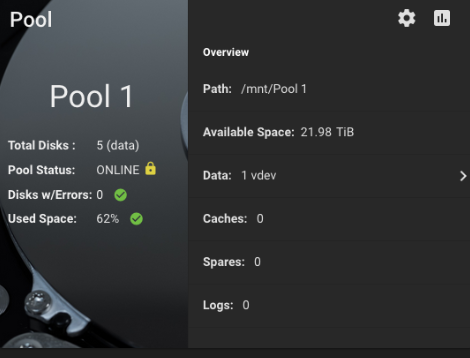
Typically on Windows and Mac, if a Seagate drive is not used, it enters into idle mode in like 30 mins (not sure of timing). I confirmed on both, and when trying to access a file, it takes a min or two, and i hear the drive spinup noise. So, is it the same on TrueNAS Core/SCALE?
Secondly, before doing the long SMART tests, i wanted to update the firmware as updates are available. I couldn’t find any guide on it. Running TrueNAS Core. No matter what i try to do, i cannot unzip any file even when running as root. Not sure what’s the problem. Any guidance will be really appreciated. Thanks
Yes and no. What you describe is part of the drive itself, the OS is irrelevant in the context of the built-in idle feature.
You can use SeaChest to change how the drive behaves.
If you show how you try to use unzip and what errors you get maybe someone can better push you in the right direction - Ideally the full interaction from your command to error output. We can’t read your mind.
You’ll need to boot into a live Linux USB, like Ubuntu or any modern distro. Most ISOs are “bootable USB” ready.
Unzip the archive in the live session and navigate to the x86_64 Linux folder. The tools can be run in the terminal. Make sure to use ./NameOfExec to run a tool from the current directory.
OpenSeaChest exists. Seemingly supported by Seagate. The latest versions do not have ready-to-go binaries, but version v26.03.0 does. It extracts and runs, but I can’t vouch to how well it works when trying to flash firmware as I have no Seagate drives.
Here’s instructions on how to Update Drive Firmware using OpenSeaChest, heed the warnings no matter which tool you end up using:
Interesting find. Is that the latest? I cannot even unzip the files on TrueNAS core. I downloaded the file using wget. It could have been really easy ;(
If you are sticking to TrueNAS 13, it is, pretty much dead. Support for the 13 version of FreeBSD is supposed to be dead in a few more days in April. 13 & 13.5 show April 30th Expected EOL.
Hmm. I see. Can I safely upgrade TrueNAS to SCALE then?
Another problem is that my regular machine is a Mac one and the Supermicro JAVA crashes when i try to click on virtual storage to be able to boot live into linux cause i don’t have any USB at hand.
I would guess it’s encrypted. Did you work through the online migration documentation? Was it encrypted before you migrated? There is a lot of info to cover before even beginning migration.