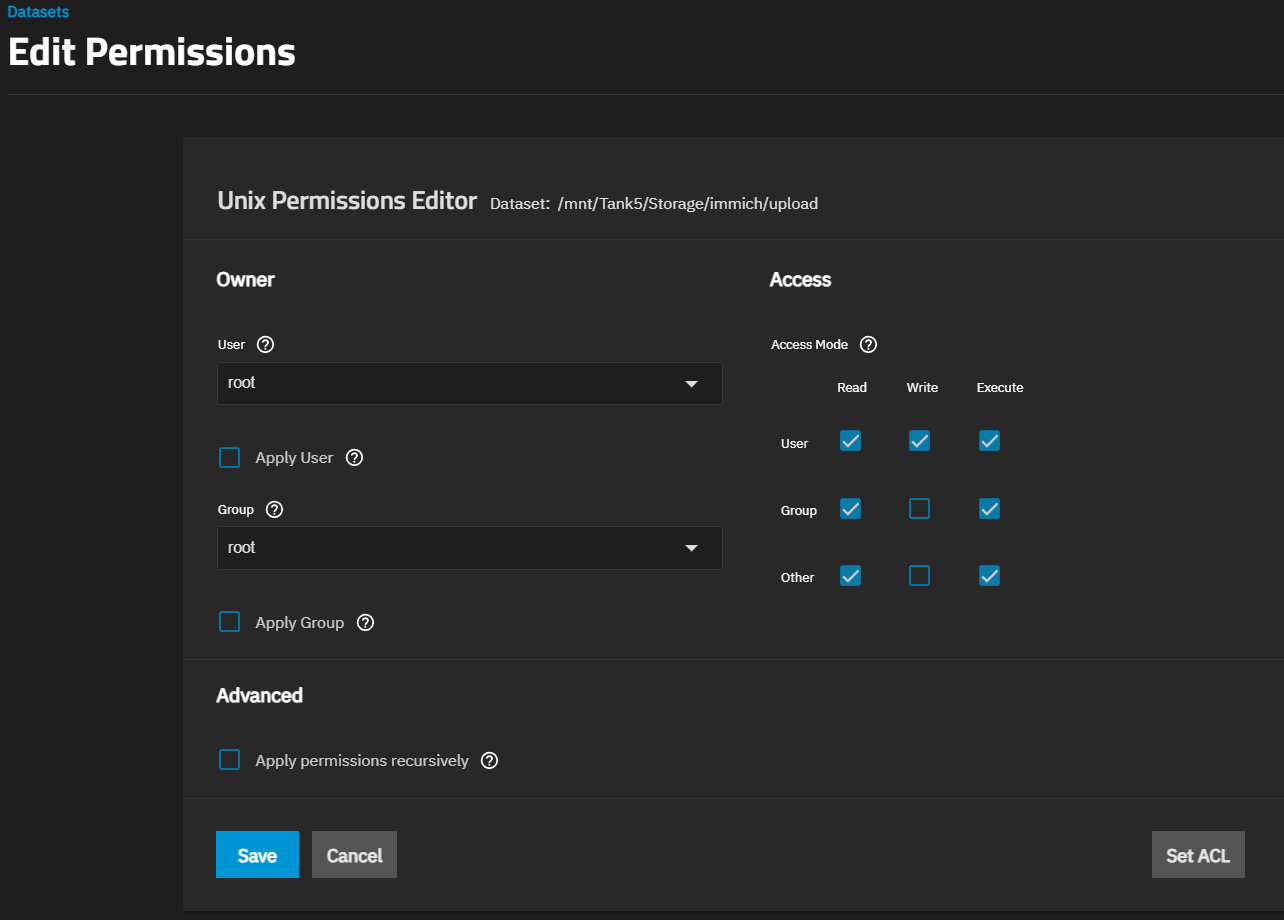
Seems like there is a permissions problem with the upload dataset. What are the permissions set to for that dataset? I would just check the dataset ACL page.
Instructions from the docs on how to get to the ACL info
Basic ACL permissions are viewable and configurable from the Datasets screen. Select a dataset, then scroll down to the Permissions widget to view owner and individual ACL entry permissions.
To view the Edit ACL screen, select the dataset and click Edit on the Permissions widget, or go to Sharing and click on the share widget header to open the list of shares. Select the share, then click the options icon and select Edit Filesystem ACL.
Yeah but the error you posted earlier is pointing to some permissions issue so it is the best place to start investigating.
You might not have changed or added anything, but whenever a dataset is created permissions are added to it. I mentioned ACL specifically because the page within the UI has ACL in the name.
Check the drop-down in my earlier post for instructions on how to get to the right page in the UI.
If you can list out (or post a screenshot redacting any important information) of which users/groups have access to the dataset and what types of access (read, write, and/or execute) then I and others can try to help get to the bottom of this.
Yeah, it looks like the problem is that the apps user (the one who actually runs the apps) does not have access to read or write to the dataset. This is preventing immich from being able to do anything.
There are two ways to solve this. If you feel comfortable you can add the apps user and the apps group to the ACL and give read and write access (I believe it also is called basic modify). Or if you don’t feel comfortable you can delete the dataset and recreate it and choose the apps preset (Under the Dataset Preset drop-down) when you recreate it. That will do all the permissions stuff for you.