
After a lot of troubleshooting I havent yet solved the issue but the furthest I have gotten is by following these guides:
TL:DR; The guides basically involve downloading the virtio-win.iso onto the root of your NAS, and then editing the incus config file for your instance/vm (in this case mine is called “Windows10”), to mount this ISO (so that all the driver files appear in the install menu).
Well, I’ve gotten to the point where the Windows 10 instance sees the vioscsi driver file that it needs to initially communicate, for the windows install, but when I select it and click next, it still says “no device drivers are found”.
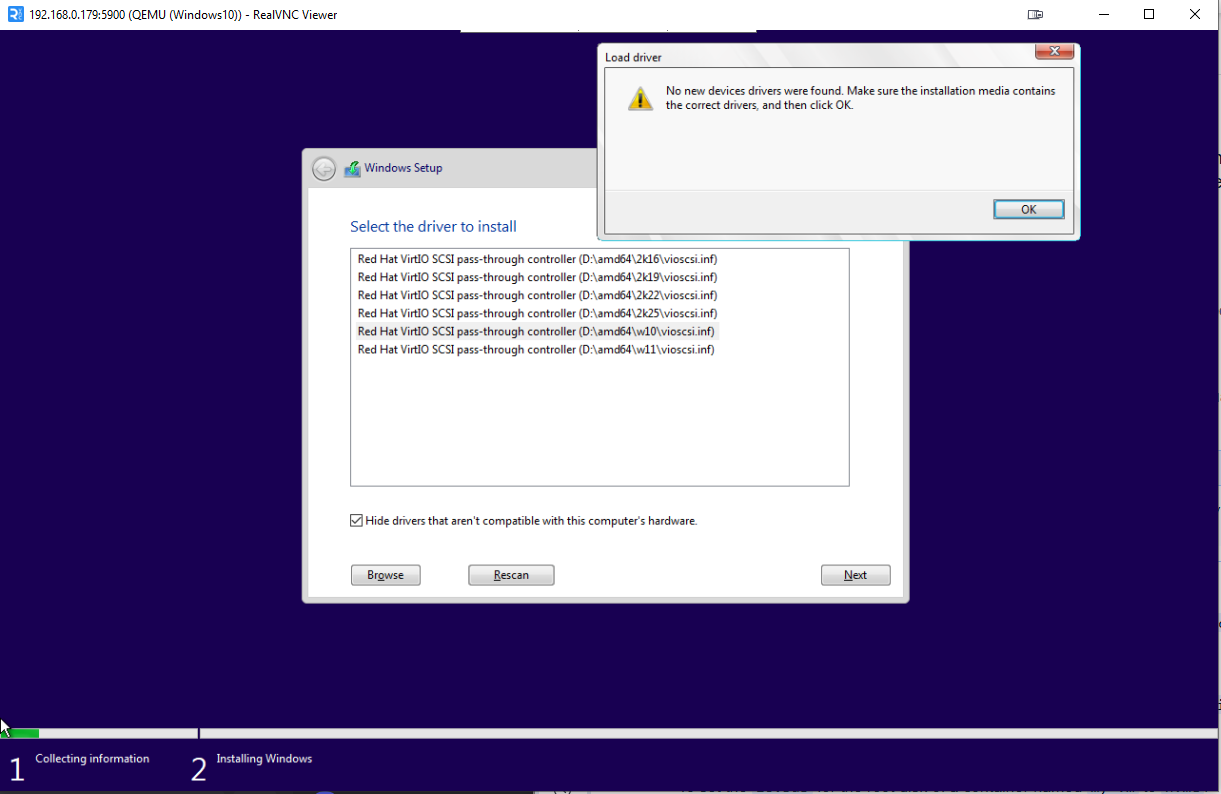
Let me know if you are having the same issue, or found a solution.